Excel Function To Remove All Special Characters Python Remove Special Characters From A String Datagy Salesforce Is There A Function That Would Remove All Special Characters From A Formula Field C Remove All Special Characters From A Given String Remove Unwanted Characters From A String In Power Automate Riset How To String Replace All Special Characters In PHP Step 1 Open your Excel spreadsheet and select the cell where you want the modified text to appear Step 2 Enter the following formula in the formula bar REPLACE old text start num num chars new text Step 3 Replace old text with the cell reference or text string you want to modify start num with the position of the first character you
Special tools to remove characters or text in Excel How to remove specific character in Excel If your goal is to eradicate a certain character from Excel cells there are two easy ways to do it the Find Replace tool and a formula Remove character from multiple cells using Find and Replace You can use the following formula to remove special characters from a cell in Excel SUBSTITUTE SUBSTITUTE SUBSTITUTE SUBSTITUTE SUBSTITUTE SUBSTITUTE SUBSTITUTE SUBSTITUTE SUBSTITUTE SUBSTITUTE A2
How To String Replace All Special Characters In PHP Remove Characters From Right Excel Vba Riset C Count Number Of Duplicate Characters In A Given String Step Hooks Helps Flatfile Users Import Data Flatfile Solved How To Update Or Remove All Special Characters 9to5Answer How To Remove Spaces In Excel With Formula 5 Quick Ways Space Top 5 Methods Filter Data Vrogue How To Remove Formula In Excel Javatpoint R Remove All Special Characters From String Punctuation Alphanumeric Remove All Special Characters From String Python
Excel Function To Remove All Special Characters
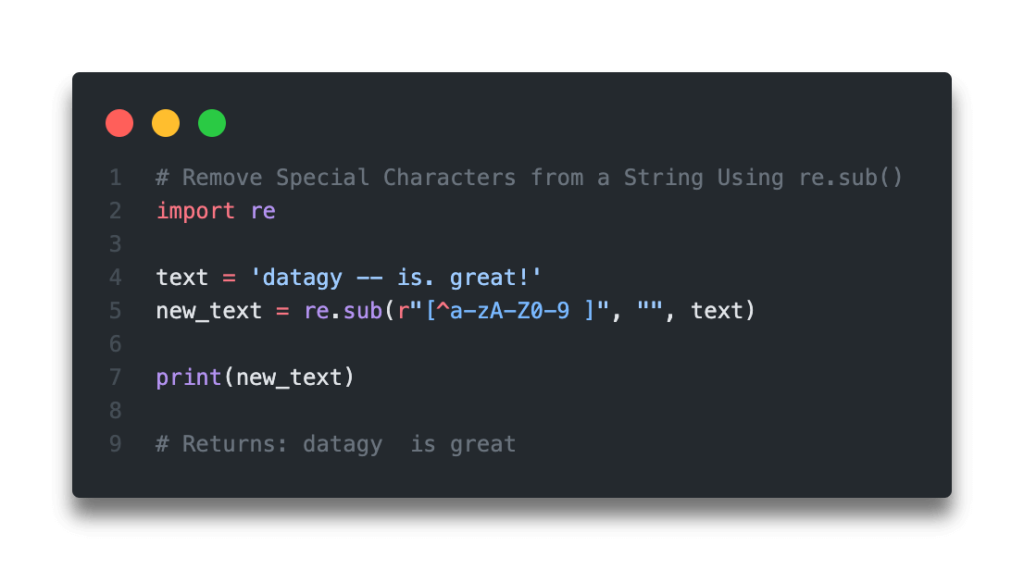 Excel Function To Remove All Special Characters
https://datagy.io/wp-content/uploads/2021/10/Quick-Answer-Python-Remove-Special-Characters-from-String-1024x570.png
Find the special characters using the MATCH and remove them using the IF function a MATCH this searches for an item in a range and returns the position of the item in the range i Syntax MATCH value range type 1 value the item to look for 2 range the range of cells in which to search
Templates are pre-designed documents or files that can be utilized for different functions. They can save effort and time by offering a ready-made format and design for creating various kinds of content. Templates can be utilized for personal or professional projects, such as resumes, invites, leaflets, newsletters, reports, presentations, and more.
Excel Function To Remove All Special Characters

Quake Champions Black Screen Torontofasr
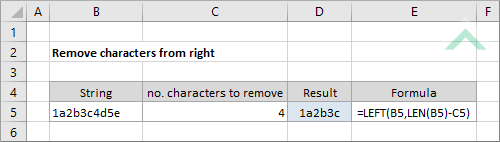
Remove Characters From Right Excel Vba Riset
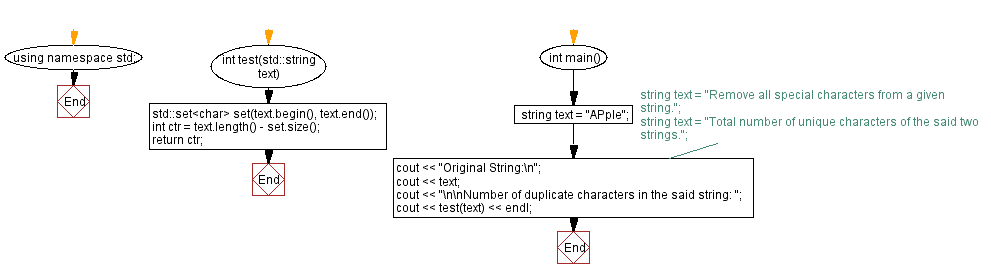
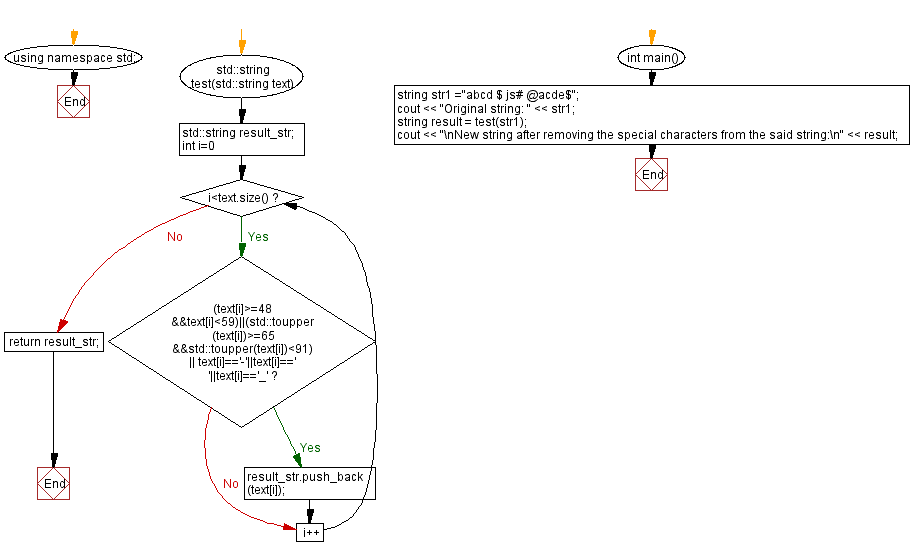
C Count Number Of Duplicate Characters In A Given String

Step Hooks Helps Flatfile Users Import Data Flatfile
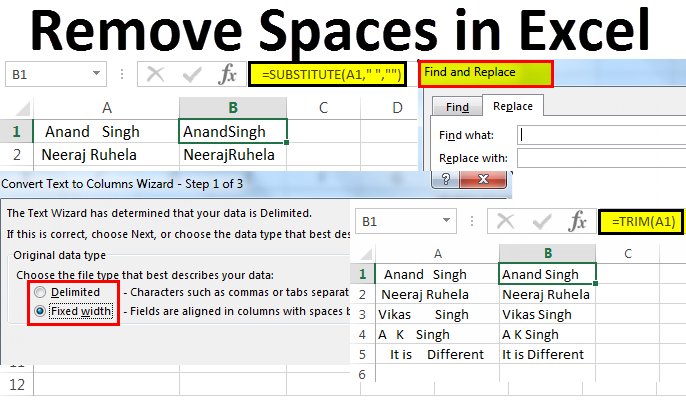
How To Remove Spaces In Excel With Formula 5 Quick Ways Space Top 5 Methods Filter Data Vrogue
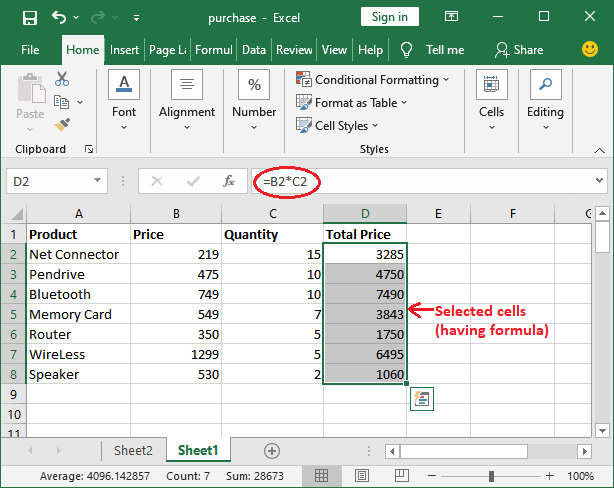
How To Remove Formula In Excel Javatpoint
To remove specific unwanted characters in Excel you can use a formula based on the SUBSTITUTE function In the example shown the formula in C4 is SUBSTITUTE B4 CHAR 202 Which removes a series of 4 invisible characters at the start of each cell in column B Generic formula SUBSTITUTE B4 CHAR code Explanation
Select All CLEAN CONCAT IF CODE MID A11 ROW INDIRECT 1 LEN A11 1 127 CHAR CODE MID A11 ROW INDIRECT 1 LEN A11 1 How to Use Choose your version of the formula from above Change the cell reference to the cell that needs to have characters removed in your worksheet
1 Using Excel Functions to Remove Special Characters 1 1 Applying SUBSTITUTE Function 1 2 Combining RIGHT and LEN Functions to Delete Special Characters 1 3 Utilizing LEFT LEN Functions 2 Implementing Flash Fill Feature to Remove Special Characters 3 Applying Find Replace Feature 4

Step 1 Open your Excel spreadsheet and navigate to the worksheet containing the cells with special characters Step 2 Select the range of cells that you want to clean You can do this by clicking and dragging your cursor over the cells or by using the Ctrl key to select multiple individual cells

If you want to remove only one special character you can use the SUBSTITUTE function see more in this article Remove Unwanted Characters If you do want to use a single formula to remove special characters you will need to use a User Defined Function UDF like RemoveSpecChar RemoveSpecChar B3
To remove special characters in Excel follow these step by step instructions Select the range of cells or columns that you want to clean Click on the Data tab in the Excel ribbon Click on the Text to Columns button in the Data Tools group In the Convert Text to Columns Wizard dialog box choose the Delimited option and click Next 5 Answers Sorted by 49 What do you consider special characters just simple punctuation You should be able to use the Replace function Replace p k Sub Test Dim myString as String Dim newString as String myString p k newString replace myString MsgBox newString End Sub
6 Methods to Remove Characters in Excel 1 Remove Specific Characters with Find and Replace Feature 2 Delete Specific Characters with SUBSTITUTE Function 3 Extract Only a Particular Instance of a Specific Character in a String 4 Remove Multiple Specific Characters with Nested SUBSTITUTE Function 5