Excel Formula If Then Do Nothing IF Formula If Then Statements Excel Google Sheets Automate Excel Spreadsheet Formulas Pdf Excelxo Excel Formula IF Cell Contains Text Then Value Is Equal To conditions How To Use The IF THEN Function In Excel How To Use Excel IF THEN Formula 5 Best Cases Technipages Excel IF B1 IF 1 gt 2 quot quot FALSE
Excel Excel Excel 1 ctrl shift
How To Use Excel IF THEN Formula 5 Best Cases Technipages How To Use Excel IF THEN Formula 5 Best Cases Technipages Excel If Then Formula Example Currentdas Microsoft Excel Math Formulas Excelxo Excel Spreadsheet Formulas Spreadsheet Templates For Business Ms Excel Like Seriously Why Unity How To Use If Else Function In Excel 2010 Astar Tutorial How To Use If Statement In Excel Formula Astar Tutorial Excel If Then Formula With Two Conditions Intokop
Excel Formula If Then Do Nothing
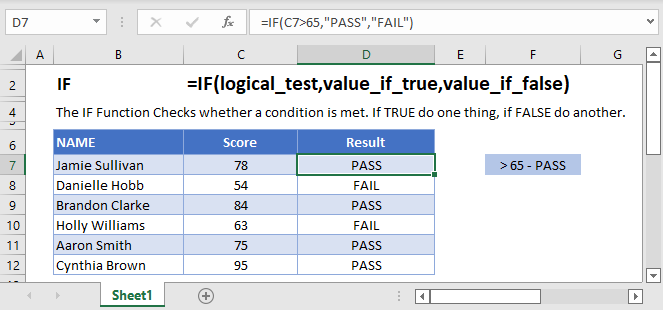 Excel Formula If Then Do Nothing
https://www.automateexcel.com/excel/wp-content/uploads/1970/01/if-formula-main.png
EXCEL A B A
Templates are pre-designed files or files that can be used for various functions. They can conserve effort and time by providing a ready-made format and layout for producing various sort of material. Templates can be utilized for personal or expert projects, such as resumes, invitations, flyers, newsletters, reports, discussions, and more.
Excel Formula If Then Do Nothing
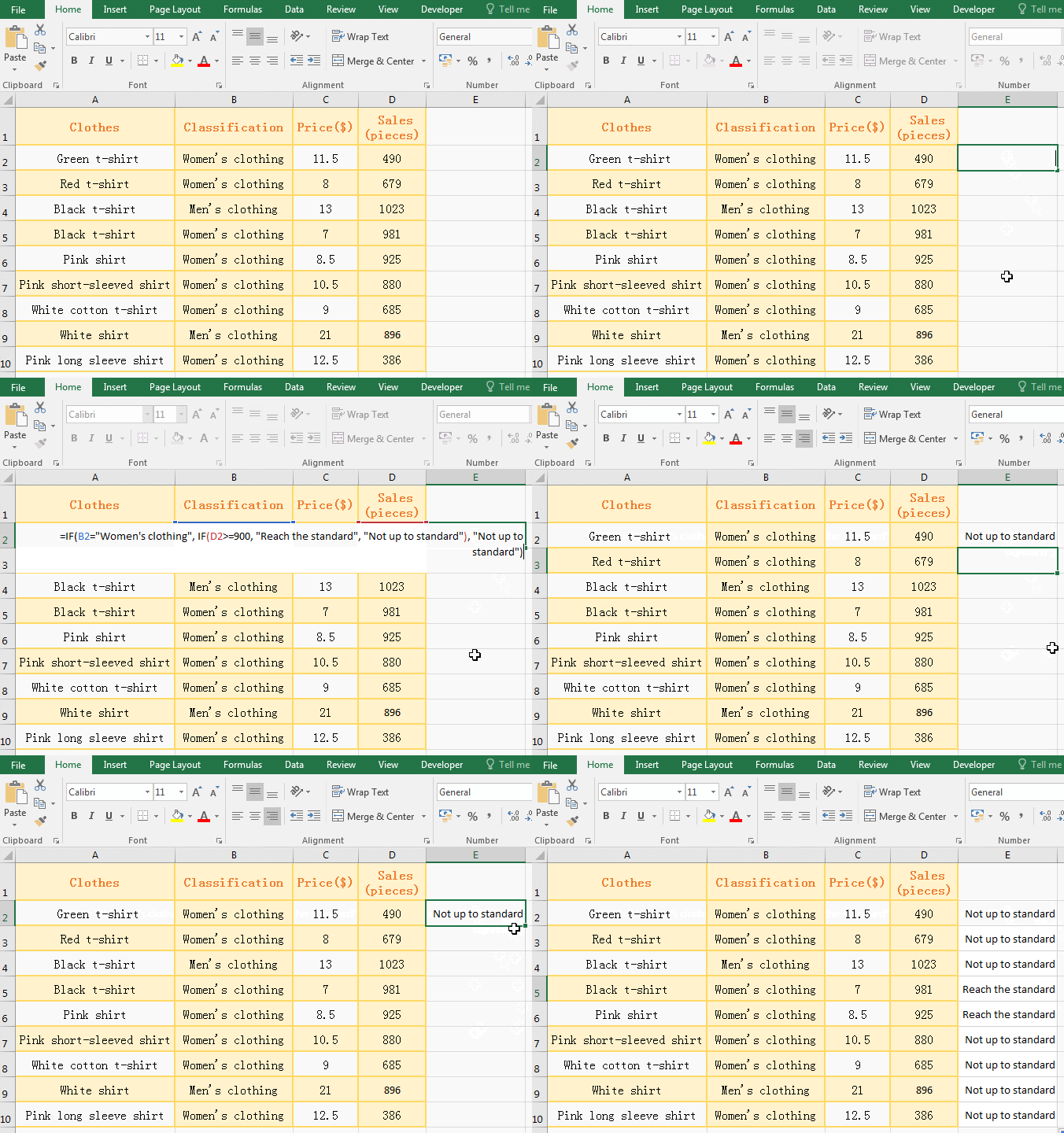
Excel Formula If Then Multiple Conditions Paud Berkarya
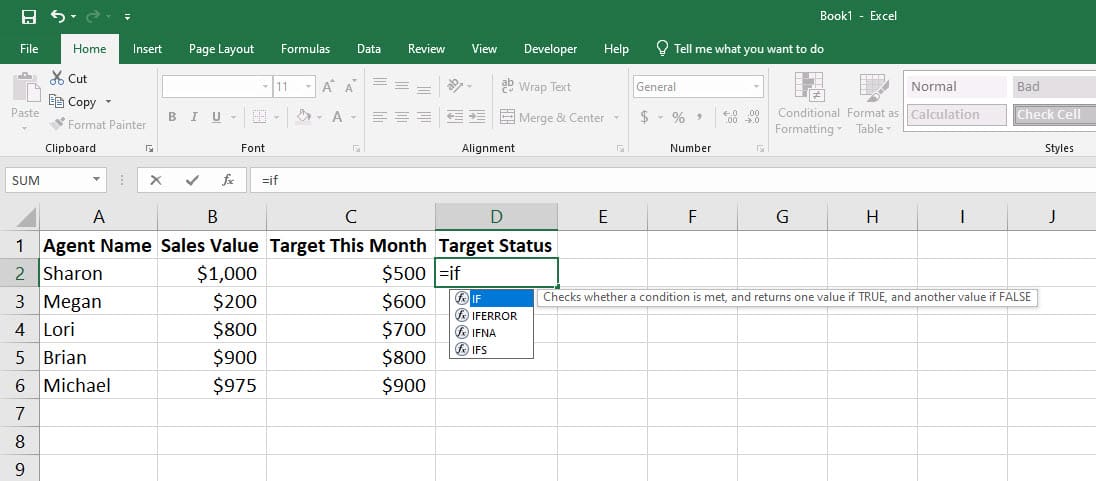
How To Use Excel IF THEN Formula 5 Best Cases Technipages

Excel If Then Formula Example Currentdas

Microsoft Excel Math Formulas Excelxo

Like Seriously Why Unity
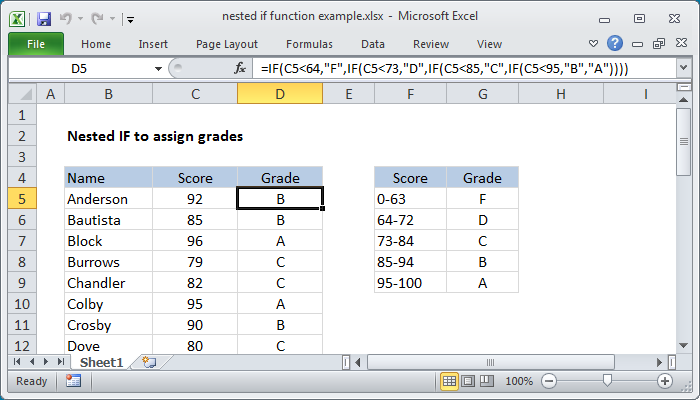
How To Use If Else Function In Excel 2010 Astar Tutorial

Office Excel Office excel Word PPT excel
2 Alt
Excel 1 Excel

Excel AVERAGE

Jan 2 2020 nbsp 0183 32 Excel
[desc-11] [desc-12]
[desc-13]