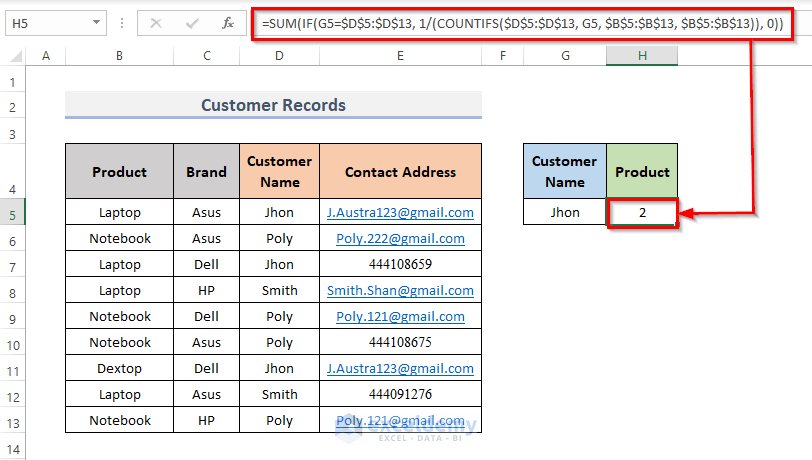
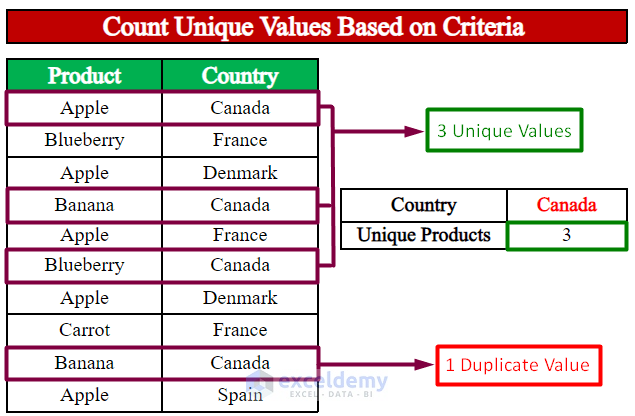
Excel Filter Values Based On Another Column Count Unique Values With Criteria By COUNTIFS In EXCEL 4 Examples How To Replace Values Based On Another Column In Power Query Explained Smantin Data Countif Unique Values Excel With Multiple Criteria Uniqe Ideas How Do I Conditional Format A Pivot Table Based On Another Cell Brokeasshome Solved Plot Values With A Certain Order Based On Another Column In Ggplot R Web Nov 23 2022 nbsp 0183 32 Syntax FILTER lt source table gt COUNTIFS lt criteria column gt lt source filter column gt How it works The FILTER function needs an equivalent length Boolean array to filter out the values that do not match the condition The TRUE values are kept and the FALSE are eliminated
Web Sep 2 2014 nbsp 0183 32 Filter data in Excel based on column values matched to another column I have this fairly easy to understand task but I can t figure out how this works in Excel I have a datasheet with a column say ID ranging from 1 to 10 On a second sheet I have a column say SourceID ranging from 5 to 20 Web Aug 24 2020 nbsp 0183 32 Excel Live filter of list based on another column Ask Question Asked 3 years 3 months ago Modified 3 years 3 months ago Viewed 978 times 5 In Excel I m looking to get a breakdown of the values in one column IDs by the values in
Solved Plot Values With A Certain Order Based On Another Column In Ggplot R Google Sheets Getting Max Date Of Values Based On Another Column Stack Overflow How To Filter Column Based On Another Column In Excel 5 Methods How To Count Unique Values In Multiple Columns In Excel 5 Ways Google Sheets Getting Max Date Of Values Based On Another Column Stack Overflow How To Increment A Value Of Column In Pandascsv File When The Row Is Www vrogue co Derivatives In Bitcoin Crypto Futures Perpetual Swaps And Options The BTCC Blog How To Calculate The Difference Between Row Values Based On Another Column Value Without How To Filter Column Based On Another Column In Excel 5 Methods
Excel Filter Values Based On Another Column
 Excel Filter Values Based On Another Column
https://www.exceldemy.com/wp-content/uploads/2022/04/excel-countifs-unique-values-with-criteria-3.png
Web Windows Web macOS Use filters to temporarily hide some of the data in a table so you can focus on the data you want to see Filter a range of data Select any cell within the range Select Data gt Filter Select the column header arrow Select Text Filters or Number Filters and then select a comparison like Between
Pre-crafted templates offer a time-saving option for creating a diverse variety of files and files. These pre-designed formats and layouts can be used for different personal and expert jobs, including resumes, invites, leaflets, newsletters, reports, presentations, and more, enhancing the content creation process.
Excel Filter Values Based On Another Column
How To Count Unique Values Based On Criteria In Another Column In Excel 2023

Google Sheets Getting Max Date Of Values Based On Another Column Stack Overflow
How To Filter Column Based On Another Column In Excel 5 Methods
How To Count Unique Values In Multiple Columns In Excel 5 Ways
How To Increment A Value Of Column In Pandascsv File When The Row Is Www vrogue co

Derivatives In Bitcoin Crypto Futures Perpetual Swaps And Options The BTCC Blog

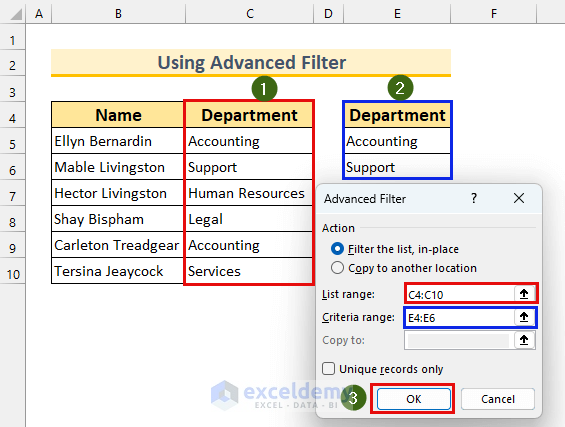
Web Jun 27 2023 nbsp 0183 32 You can use the Advanced Filter function in Excel to filter the values in one column based on the values in another column The following examples show how to do so Example Filter One Column Based on Another Column Suppose we have the following dataset that contains information about various basketball players

Web Excel for Microsoft 365 Excel 2021 Excel 2019 Excel 2016 Excel 2013 More If the data you want to filter requires complex criteria such as Type quot Produce quot OR Salesperson quot Davolio quot you can use the Advanced Filter dialog box To open the Advanced Filter dialog box click Data gt Advanced Advanced Filter
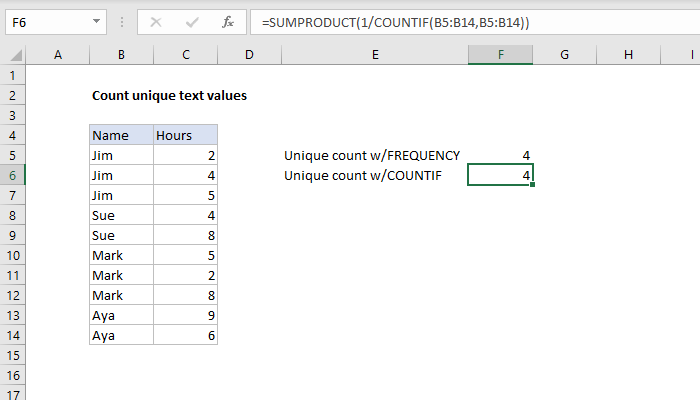
Web Oct 20 2017 nbsp 0183 32 1 Answer Excel s Advanced Filter doesn t work when the criteria range refers to the entire column Change it to refer to only the range within which your data resides and it ll work Note Both the list range and criteria range should have the same heading for this to work

Web The FILTER function allows you to filter a range of data based on criteria you define In the following example we used the formula FILTER A5 D20 C5 C20 H2 quot quot to return all records for Apple as selected in cell H2 and if there are no apples return an empty string quot quot Syntax Examples FILTER used to return multiple criteria

Web Apr 12 2023 nbsp 0183 32 The FILTER function in Excel is used to filter a range of data based on the criteria that you specify The function belongs to the category of Dynamic Arrays functions The result is an array of values that automatically spills into a range of cells starting from the cell where you enter a formula The syntax of the FILTER function is as follows
Web The Excel FILTER function is used to extract matching values from data based on one or more conditions The output from FILTER is dynamic If source data or criteria change FILTER will return a new set of results This makes FILTER a flexible way to isolate and inspect data without altering the Web Dec 20 2023 nbsp 0183 32 Hence select the Advanced command under the Sort amp Filter options from the Data tab After that we put the whole dataset as the List range and cells C15 C16 as the Criteria range Finally hit OK to see the result i e a list of delivered products having a quantity in the range from 50 to 100
Web Dec 21 2023 nbsp 0183 32 1 Apply Keyboard Shortcut to Filter Data Based on Cell Value In our very first method you will learn a keyboard shortcut to filter data based on a cell value in Excel It s a very fast approach that will save you time when you want to filter your data based on a cell value in your dataset