Excel Delete Filtered Cells Only Excel How To Delete Filtered Rows Basic Excel Tutorial How To Quickly Count Visible Or Filtered Cells Only In Excel How To Reverse delete Filtered Rows In Excel How To Delete Filtered Rows In Excel Sheetaki How To Delete Only Filtered Rows Without The Hidden Rows In Excel Web Sep 5 2022 nbsp 0183 32 Delete Filtered Rows in Google Sheets Click on the filter button for Month cell D2 check only February uncheck January and click OK Now only rows with Feb 21 in Column D are filtered Select the
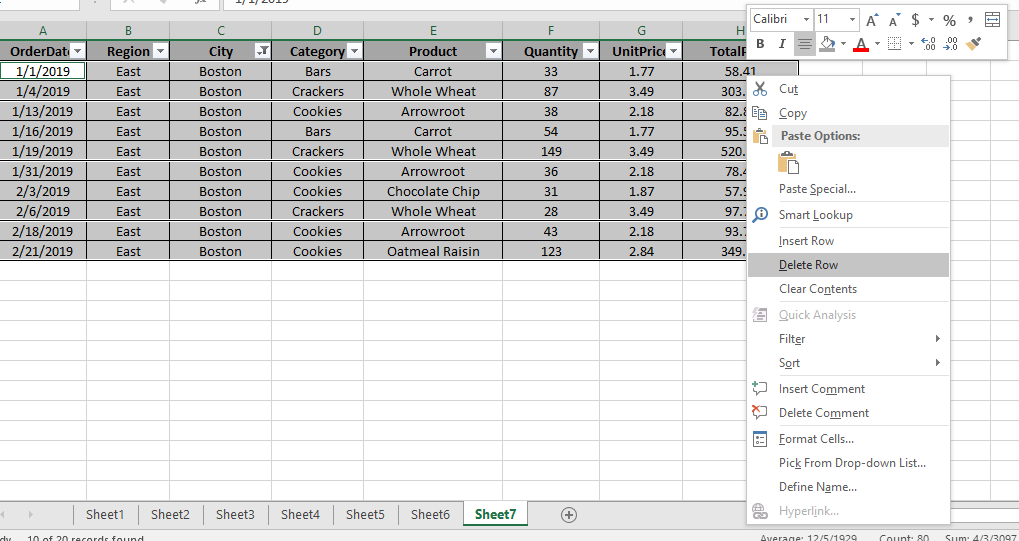
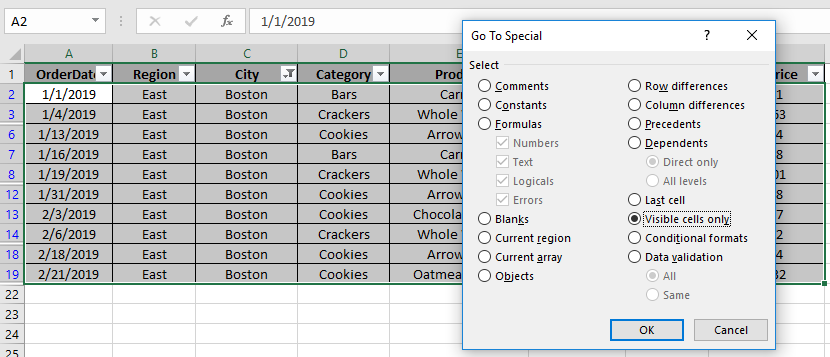
Web Sep 13 2021 nbsp 0183 32 How to delete filtered data in rows 1 Open your excel worksheet containing your filtered data The find and select options are what we will use in the Web Click on the Filter option under the Data tab Apply filters to select the rows you want to delete Press Ctrl G to open Go To dialogue box Select Visible cells only and click
How To Delete Only Filtered Rows Without The Hidden Rows In Excel How To Count And Sum Only Visible Items In A Filtered List Excel Get The Sum Of Filtered Data In Excel Using SUBTOTAL Formula YouTube How To Move Filtered Cells In Excel 3 Easy Methods ExcelDemy Cara Menghapus Row Kosong Di Excel Secara Otomatis How To Sum Only Filtered Or Visible Cells In Excel How To Delete Only Filtered Rows Without The Hidden Rows In Excel How To Paste Values To Visible filtered Cells Only In Excel Excel How To Delete Filtered Rows Basic Excel Tutorial
Excel Delete Filtered Cells Only
 Excel Delete Filtered Cells Only
https://i0.wp.com/basicexceltutorial.com/wp-content/uploads/2020/07/070220_1608_Excelhowtod1.png?w=576&ssl=1
Web Nov 27 2014 nbsp 0183 32 Try this way for a quick solution Copy the filtered 10 results into another sheet Delete the actual sheet EDIT As per the update below are the steps Before starting take a backup copy of excel sheet
Pre-crafted templates use a time-saving service for creating a varied range of files and files. These pre-designed formats and layouts can be used for numerous personal and professional jobs, consisting of resumes, invitations, flyers, newsletters, reports, presentations, and more, improving the material production procedure.
Excel Delete Filtered Cells Only
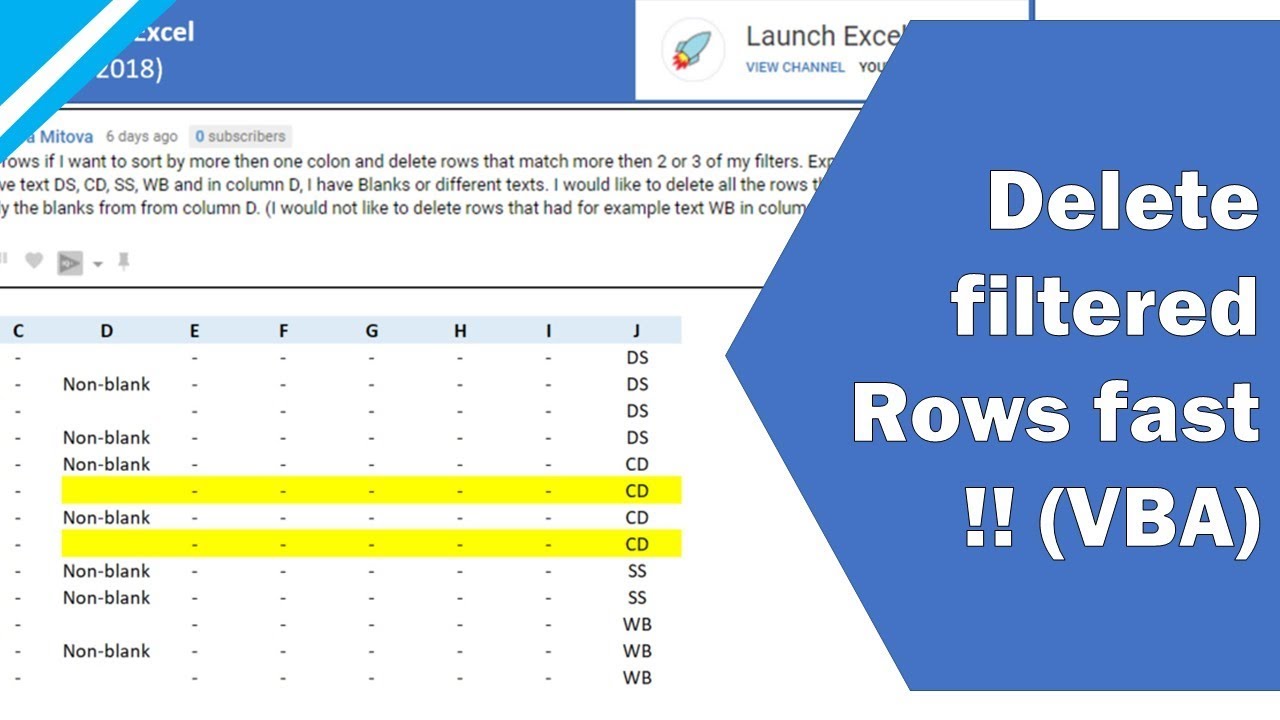
Excel Tutorial How To Use VBA To Delete Filtered Rows fast But
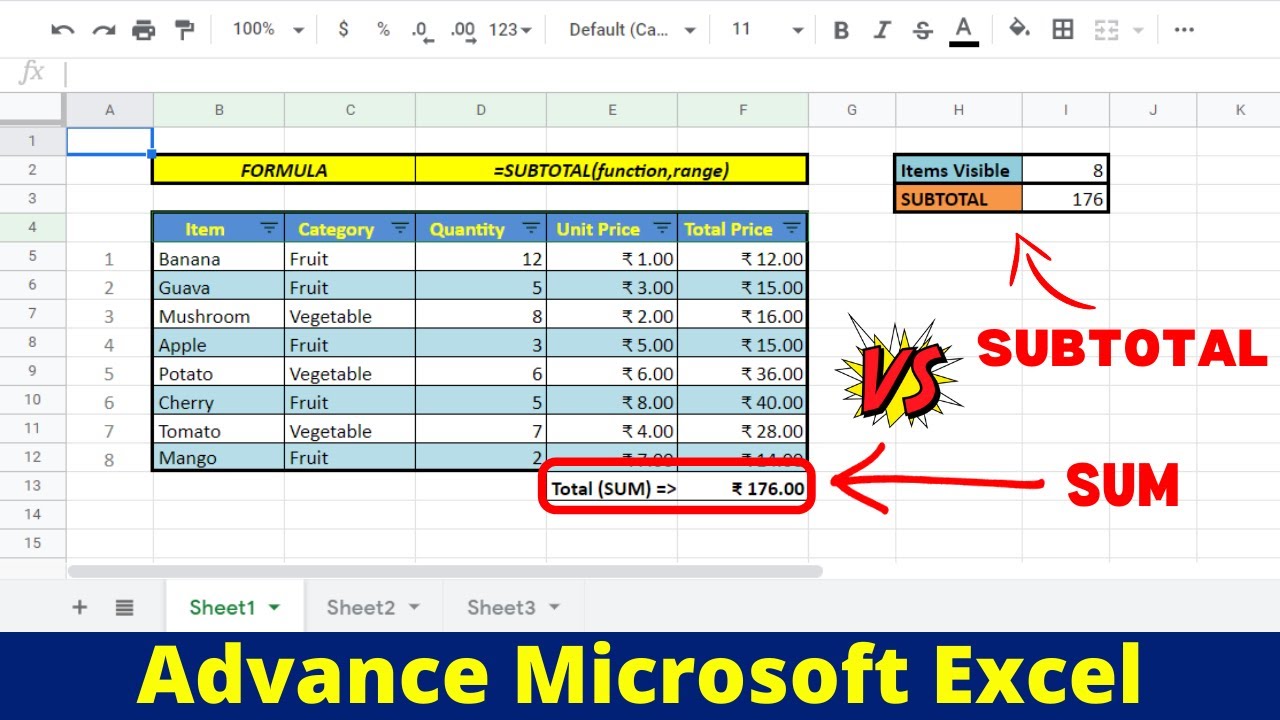
How To Count And Sum Only Visible Items In A Filtered List Excel

Get The Sum Of Filtered Data In Excel Using SUBTOTAL Formula YouTube
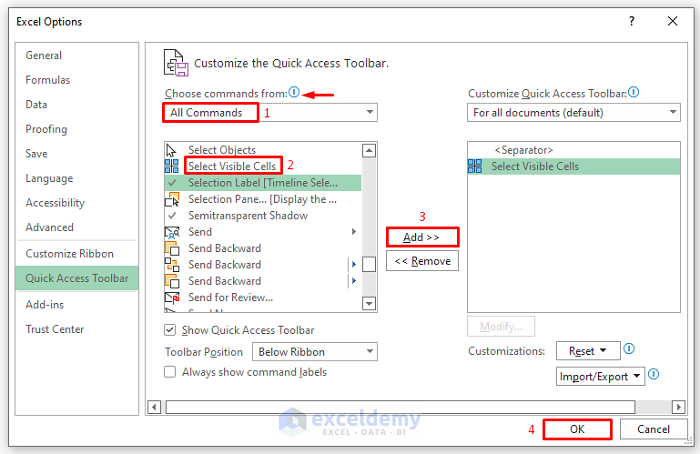
How To Move Filtered Cells In Excel 3 Easy Methods ExcelDemy
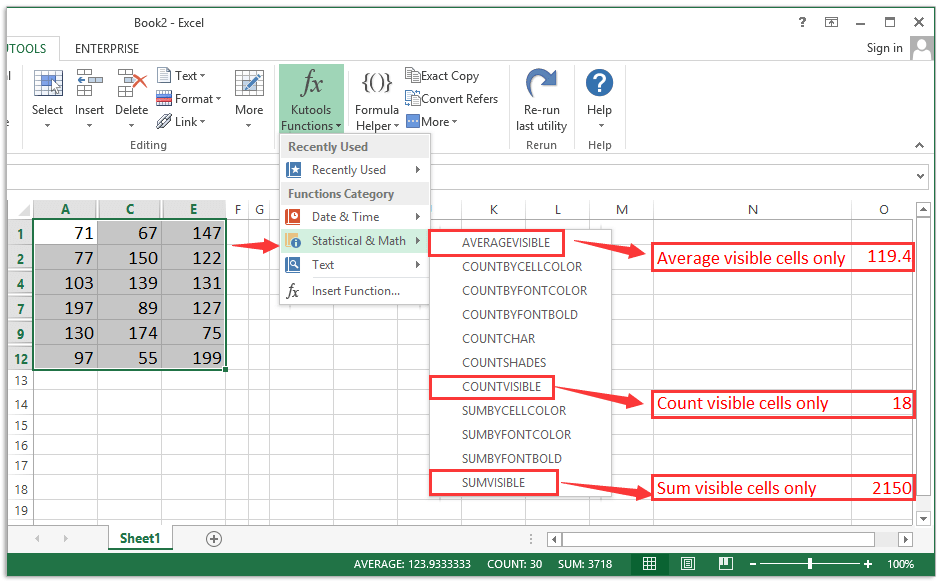
How To Sum Only Filtered Or Visible Cells In Excel
How To Delete Only Filtered Rows Without The Hidden Rows In Excel

Web Mar 18 2023 nbsp 0183 32 Let s row the Excel boat Deleting Visible Filtered Rows Let s start by the simplest means deleting visible filtered rows By visible rows we are referring to the

Web Go to Home gt Find amp Select gt Go To Special Go To Special dialog box appears Select Visible cells only gt OK You will see the selected region as shown below Right click on
Web 1 A nice quick technique use the Fill Color icon to fill all the cells in one of the columns you see Then do a color filter on that column and delete all the rows You will

Web Jan 26 2022 nbsp 0183 32 The data will automatically be filtered to only show rows where the Position column contains Guard Next highlight each of the rows Then right click on any row and click Delete Row in the dropdown
Web There are several options Clear a filter from a specific column Clear all filters Remove all filters Clear a filter from a column Click the Filter button next to the column heading and then click Clear Filter from
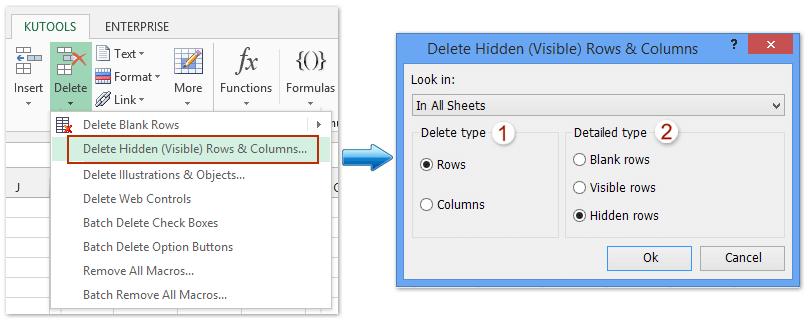
Web After free installing Kutools for Excel please do as below 1 Select the range that you want to apply this tool Click Kutools gt Delete gt Delete Hidden Visible Rows amp Columns see Web Oct 8 2013 nbsp 0183 32 Once List is filtered Select 1st Filter line Then Just press Shift and Down Arrow key It will select till the last filtered row Now you can delete the rows with right
Web To clear a filter for one column in a multicolumn range of cells or table click the Filter button on the heading and then click Clear Filter from lt Column Name gt Note If no filter