Excel Delete Empty Rows In Range How To Remove Empty Rows In Excel Excel At Work How To Delete Empty Rows At Bottom In Excel 7 Ways ExcelDemy How To Delete Empty Rows In MS Excel OfficeBeginner How To Delete Empty Rows In Excel 9 Steps WikiHow How To Delete Entire Row In Excel Using Vba Examples Trump Excel Riset Web In this tutorial I showed you five different ways to delete blank rows from your data set in Excel The easiest would be to use a helper column and then and then either use the sort functionality to stack all the blank rows together and delete them or use Find and Replace to find all the blank rows and delete them manually
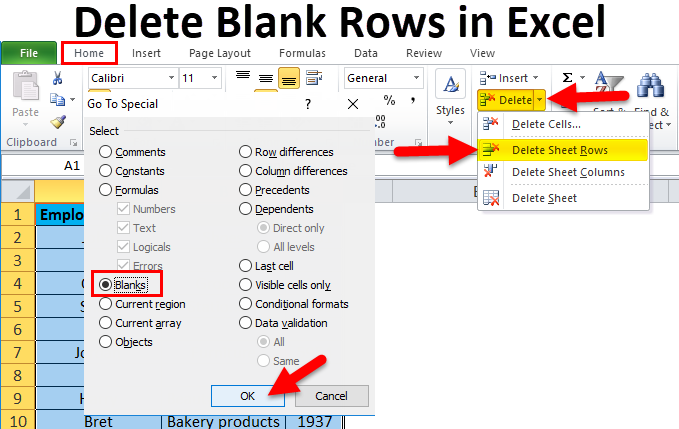
Web Sep 8 2021 nbsp 0183 32 Use any delete rows method from the Delete Blank Rows Manually section Right click Delete Home tab Delete Delete Sheet Rows Ctrl keyboard shortcut In the Delete menu select Entire row and press the OK button Like magic we can find and delete hundreds of blank rows in our data within a few seconds Web Aug 2 2023 nbsp 0183 32 1 Select the data range A3 E14 or your own data range if you re using a different dataset 2 Press F5 3 In the resulting Go To dialog box click Special 4 Click the Blanks option and
How To Delete Entire Row In Excel Using Vba Examples Trump Excel Riset How To Delete Empty Rows In MS Excel OfficeBeginner Come Cancellare Le Righe Vuote In Excel 14 Passaggi How To Delete Blank Rows Or Rows That Contain Blank Cells My XXX Hot Girl How To Quickly And Easily Delete Blank Rows And Columns In Excel Delete Blank Rows In Table Excel Vba Brokeasshome Excel Delete Empty Rows VBAmacros How To Delete Blank Row From Selected Range In Excel VBA Remove ASAP Utilities For Excel Blog Tip Quickly Remove Blank Rows From A
Excel Delete Empty Rows In Range
 Excel Delete Empty Rows In Range
https://www.excelatwork.co.nz/wp-content/uploads/2021/05/6-1.png
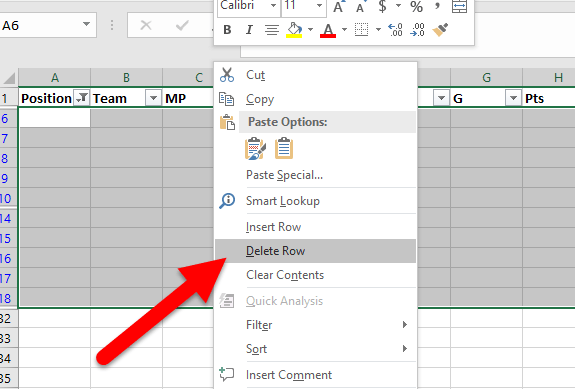
Web Oct 13 2023 nbsp 0183 32 Highlight the blank rows in your document right click Windows or Ctrl click Mac and select quot Delete rows quot to delete blank rows manually You can use the COUNTA formula to help you find and filter blank rows so they can easily be deleted
Templates are pre-designed files or files that can be used for numerous functions. They can save effort and time by providing a ready-made format and design for creating different kinds of content. Templates can be utilized for individual or expert tasks, such as resumes, invitations, flyers, newsletters, reports, discussions, and more.
Excel Delete Empty Rows In Range

How To Delete Empty Rows In Excel Pixelated Works

How To Delete Empty Rows In MS Excel OfficeBeginner

Come Cancellare Le Righe Vuote In Excel 14 Passaggi
How To Delete Blank Rows Or Rows That Contain Blank Cells My XXX Hot Girl
Delete Blank Rows In Table Excel Vba Brokeasshome

Excel Delete Empty Rows VBAmacros

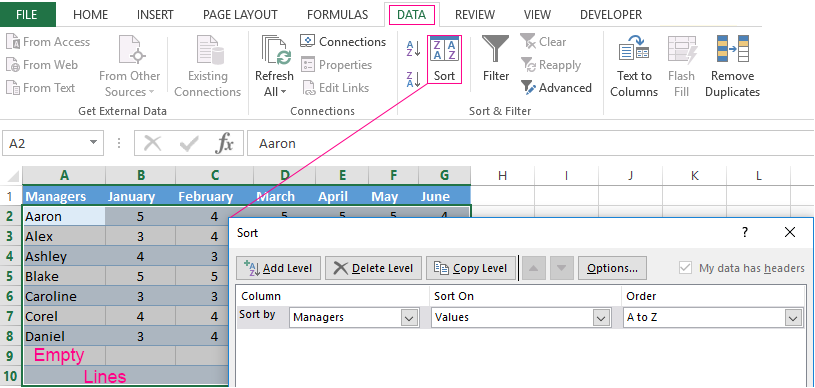
Web Sep 14 2023 nbsp 0183 32 In this article we ll review 5 ways to delete blank rows Delete blank rows using the context menu Delete blank rows using a keyboard shortcut Delete blank rows by sorting Delete blank rows using Go to Special Delete blank rows by filtering 1 Delete blank rows using the context menu To delete multiple contiguous blank rows

Web To remove blank empty rows from a range you can use a formula based on the FILTER function and the BYROW function In the worksheet shown the formula in cell G5 is FILTER B5 E16 BYROW B5 E16 LAMBDA row SUM row lt gt quot quot gt 0

Web Aug 24 2023 nbsp 0183 32 How to remove empty rows in 4 easy steps With the Ultimate Suite added to your Excel ribbon here s what you do Click on any cell in your table Go to the Ablebits Tools tab gt Transform group Click Delete Blanks gt Empty Rows Click OK to confirm that you really want to remove empty rows That s it

Web Oct 20 2023 nbsp 0183 32 DeleteBlankRows removes empty rows in the currently selected range RemoveBlankLines deletes blank rows and shifts up in a range that you select after running the macro DeleteAllEmptyRows 173 deletes all empty lines on the active sheet DeleteRowIfCellBlank deletes a row if a cell in a specific column is blank
Web 1 In the Home tab click the Find amp Select button on the right side of the Ribbon so you can start to find blank rows 2 Select Go To Special 3 Select Blanks and click OK This select only the blank cells in your data Now you need to delete entire rows instead of just the selected cells 4
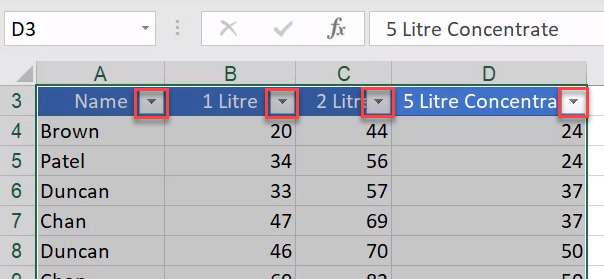
Web Oct 5 2017 nbsp 0183 32 The rows can be deleted by pressing the Delete button on the Home tab of the ribbon keyboard shortcut Ctrl Checkout my 3 part video series on Excel Filters to learn more time saving shortcuts 2 Use a Formula to Identify Entire Blank Rows Another approach is to use a formula with the COUNTA function Web Oct 29 2023 nbsp 0183 32 First select the entire data range including blank rows and then go to the Data tab and click on the Filter icon under the Sort amp Filter group Or select the entire data range including blank rows and then press shortcut keys Ctrl
Web Nov 9 2023 nbsp 0183 32 1 Excel Go To Special Option to Delete Empty Cells from a Range 2 Remove Blank Cells from a Range Using Filter Option 3 Apply Advanced Filter Feature to Remove Blank Cells from a Range 4 Remove Blank Cells from a Vertical Range 5 Blank Cells Removing from a Horizontal Range List 6 Excel FILTER Function to Delete Empty