Excel Data Validation Restrict Values Data Validation Part 3 Youtube Riset How To Limit Restrict Cell Values In Excel Google Sheets Automate How To Restrict Data Input In Excel With Data Validation How To Use Data Validation In Google Sheets Layer Blog Data Validation In Microsoft Excel Microsoft Excel Tutorials Web There are three types of validation rules in Access 1 Field Validation Rule You can use a field validation rule to specify a criterion that all valid field values must meet You should not have to specify the current field as a
Web Download Excel data validation examples Data entry is quicker and more accurate when you restrict values in a cell to choices from a drop down list Start by making a list of valid entries on a sheet and sort or rearrange Web Data validation can help control what a user can enter into a cell You can use data validation to make sure a value is a number a date or to present a dropdown menu with predefined choices to a user This guide
Data Validation In Microsoft Excel Microsoft Excel Tutorials Excel Data Validation With Examples Career Principles 3Restricted Values Data Validation Automate Excel Dynamic Data Validation With Tables In Excel Access Analytic 11 Awesome Examples Of Data Validation How To Excel Dynamic Data Validation With Tables In Excel Access Analytic How To Use VBA Macros To Copy Data To Another Workbook In Excel Data Validation In Excel Examples How To Create Data Validation How To Restrict Data Input In Excel With Data Validation
Excel Data Validation Restrict Values
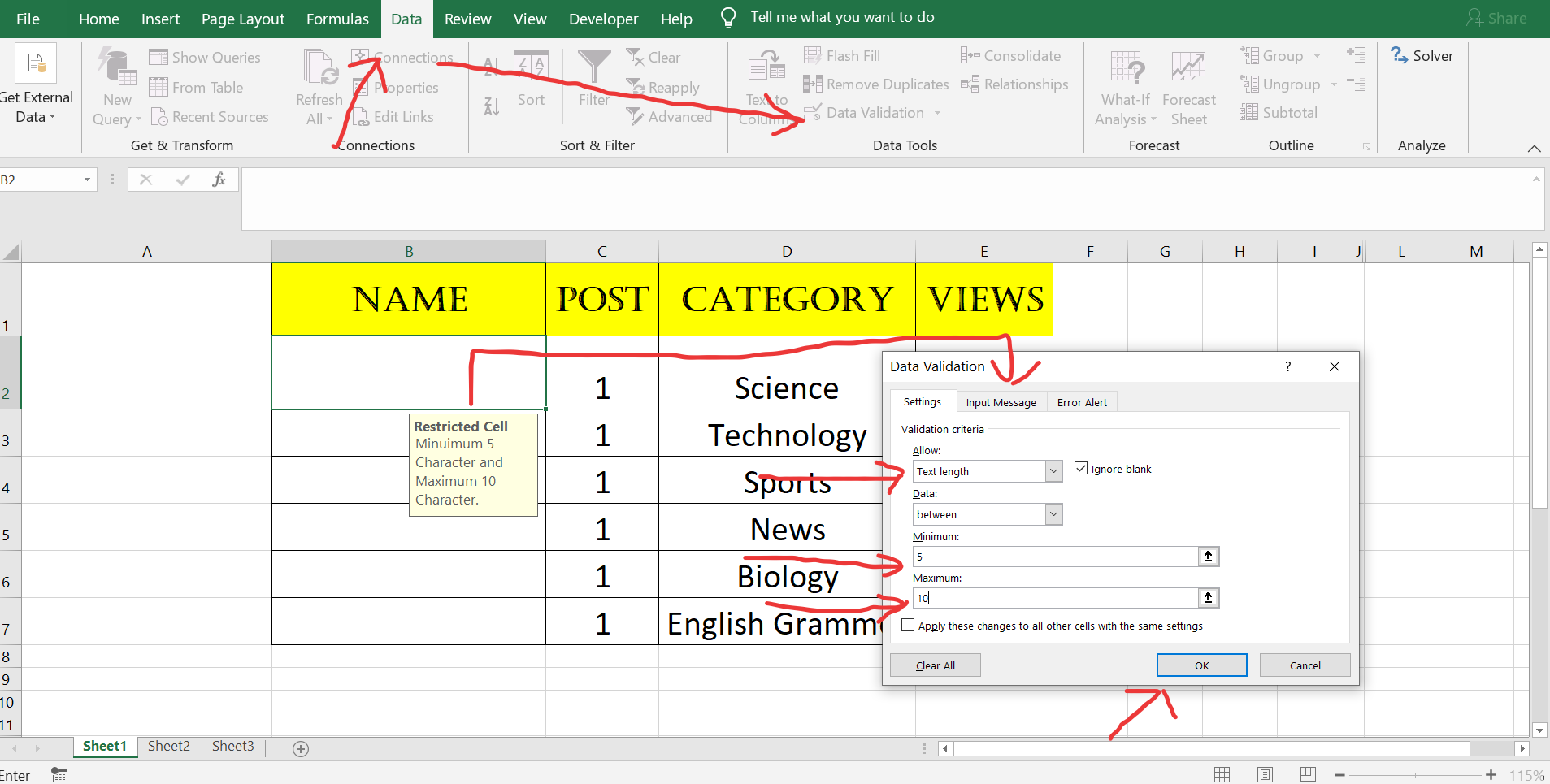 Excel Data Validation Restrict Values
https://excelhelp.in/wp-content/uploads/2020/04/DATA-VALIDATAION-TEXT-LENGTH.png
Web 5 aug 2017 nbsp 0183 32 Click the Data Validation icon and select the top option Data Validation 5 In the Allow drop down select Whole number 6 Choose a minimum and maximum age and add it to the appropriate
Templates are pre-designed files or files that can be utilized for different functions. They can conserve time and effort by offering a ready-made format and layout for producing various sort of material. Templates can be utilized for personal or professional jobs, such as resumes, invites, flyers, newsletters, reports, presentations, and more.
Excel Data Validation Restrict Values
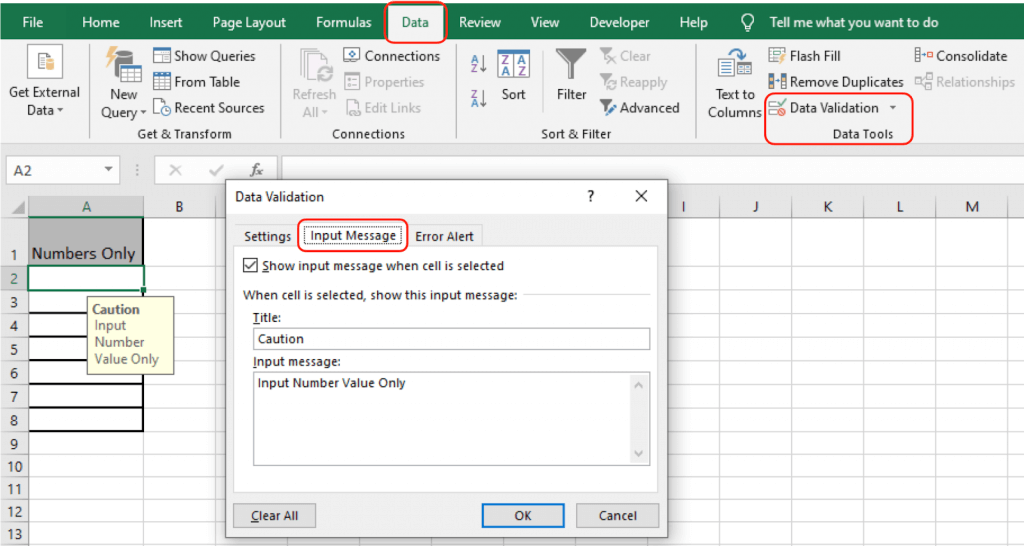
How To Use The Data Validation Input Message As A Cell Comment In Excel

Excel Data Validation With Examples Career Principles
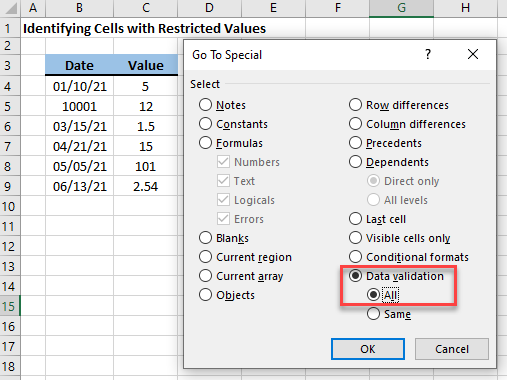
3Restricted Values Data Validation Automate Excel
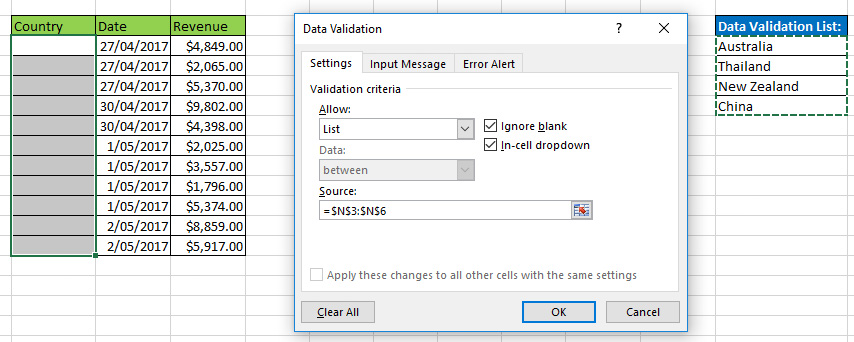
Dynamic Data Validation With Tables In Excel Access Analytic
Dynamic Data Validation With Tables In Excel Access Analytic
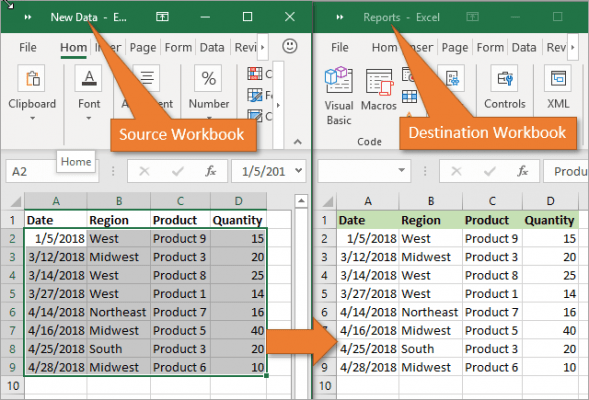
How To Use VBA Macros To Copy Data To Another Workbook In Excel
Web 7 okt 2015 nbsp 0183 32 1 Answer Sorted by 50 Microsoft describes this here Apply data validation to cells Click the cell you want to restrict value for Go
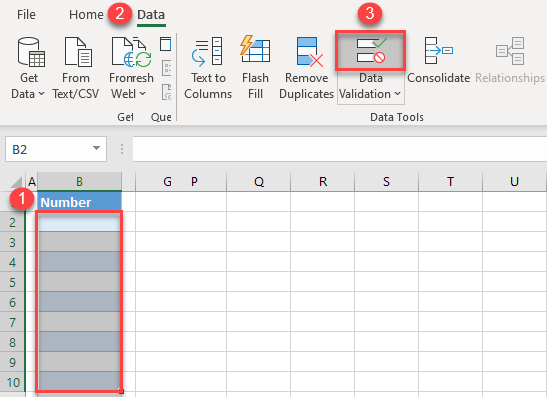
Web 5 mrt 2017 nbsp 0183 32 Select the cell s you want to limit Click on Data Validation in the middle of the Data ribbon Alternatively press Alt gt A gt V gt V on the keyboard Within the

Web Data validation in Excel is a powerful tool that will allow you to control and restrict the user inputs This will ensure your data is more accurate and your spreadsheet more robust However it does have its limitations A

Web You can use data validation to restrict the type of data or values that users enter into cells For example you might use data validation to calculate the maximum allowed value in a cell based on a value
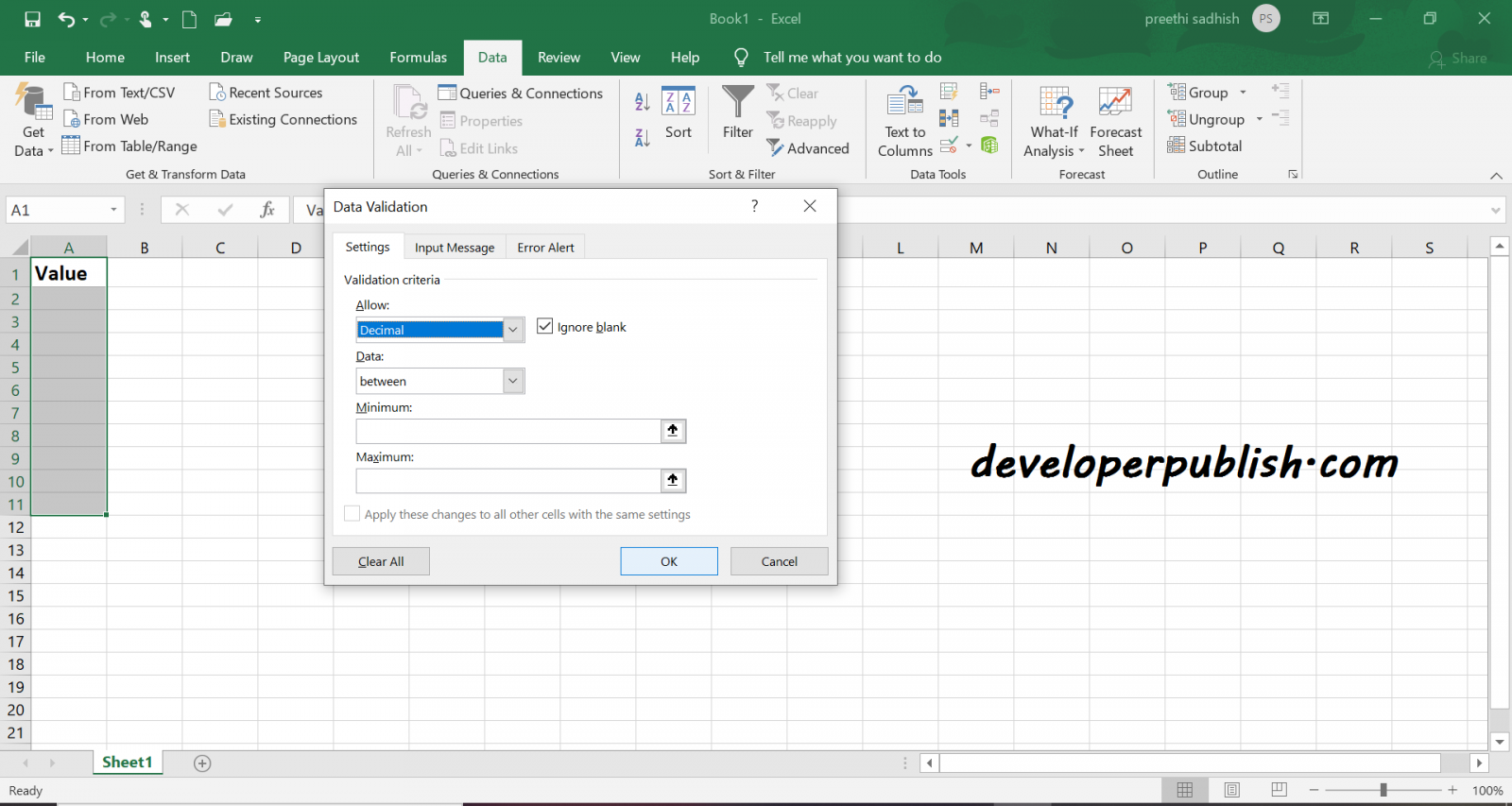
Web In Excel you can limit restrict cell values by setting upper and lower limits using Data Validation Say you want to allow only numbers between 10 and 20 in range B2 B10
Web Data Validation is a tool in Excel that lets you restrict which entries are valid in a cell Here are 10 rules and techniques to help you make the most out of Data Validation and its Web 5 apr 2023 nbsp 0183 32 Learn how to use custom Data Validation in Excel with your own rules and formulas Formula examples to allow only numbers or text values or only text beginning
Web When entering values in Excel you can restrict the data that is entered into any cells in a range based on text or a value held in another cell Custom Formula for Data Validation