Excel Conditional Formatting Dates Within 60 Days Excel Conditional Formatting For Dates Within 30 Days ExcelDemy Conditional Formatting With Exceptions Microsoft Community Riset Conditional Formatting For Dates Older Than Certain Date In Excel How To Do Conditional Formatting With Multiple Conditions In Excel Apply Conditional Formatting To Overdue Dates In Excel 3 Ways Web This formula checks if values in the B column are less than 60 days from the current date for example suppose today s date is 8 11 2010 The cell in B4 10 4 2010 is less than 60 days from today so it evaluates as True and is formatted with a yellow background color The formula for this rule is B2 lt TODAY 60 Any cell that was first
Web Mar 22 2023 nbsp 0183 32 See how to apply Excel conditional formatting to dates and time How to use formulas to highlight weekends and holidays format cells when a value is changed to a date shade upcoming dates and delays conditionally format dates based on the current date and more Web Oct 17 2022 nbsp 0183 32 This type of formatting is helpful if you want to highlight past due dates such as invoices that are 30 60 or 90 days overdue When you apply conditional formatting you can apply more than one rule to a range of cells In this article we ll review 3 ways to highlight dates before today using conditional formatting
Apply Conditional Formatting To Overdue Dates In Excel 3 Ways Excel Grouped And Alternating Conditional Formatting Stack Overflow Conditional Formatting Based On Date In Excel And How To Make It Excel Conditional Formatting For Dates Within 30 Days ExcelDemy Excel Conditional Formatting For Dates Within 30 Days ExcelDemy Microsoft Excel Conditional Formatting Issue Super User Conditional Formatting In Depth Excel Conditional Formatting Definition Vastbarcode Excel Conditional Formatting Dates In The Future YouTube
Excel Conditional Formatting Dates Within 60 Days
 Excel Conditional Formatting Dates Within 60 Days
https://www.exceldemy.com/wp-content/uploads/2021/12/Excel-Conditional-Formatting-Dates-Within-30-Days-1-767x731.png
Web In the right date field I type the TODAY function a plus sign and 7 I select the yellow formatting option and click OK Tasks that are due within seven days are formatted in yellow
Pre-crafted templates provide a time-saving solution for creating a diverse range of documents and files. These pre-designed formats and designs can be utilized for different personal and professional jobs, including resumes, invitations, flyers, newsletters, reports, presentations, and more, simplifying the material creation procedure.
Excel Conditional Formatting Dates Within 60 Days

Conditional Formatting In Excel Explanation And Examples Ionos Riset

Excel Grouped And Alternating Conditional Formatting Stack Overflow
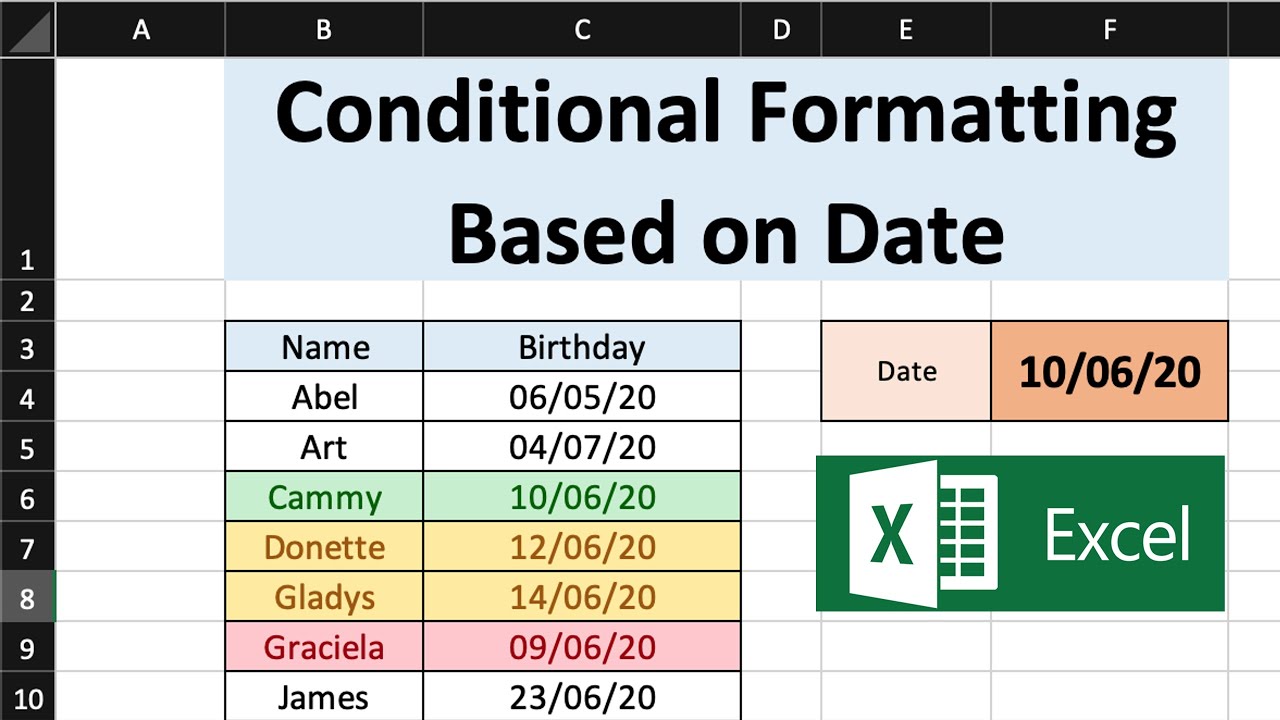
Conditional Formatting Based On Date In Excel And How To Make It

Excel Conditional Formatting For Dates Within 30 Days ExcelDemy

Microsoft Excel Conditional Formatting Issue Super User

Conditional Formatting In Depth

Web Dec 28 2021 nbsp 0183 32 With a conditional formatting rule in place it applies to any edits you make to the dates in the cells For example say you formatted dates for next week If you change any of the dates to yesterday the formatting automatically disappears You can set up more than one rule for the same cells
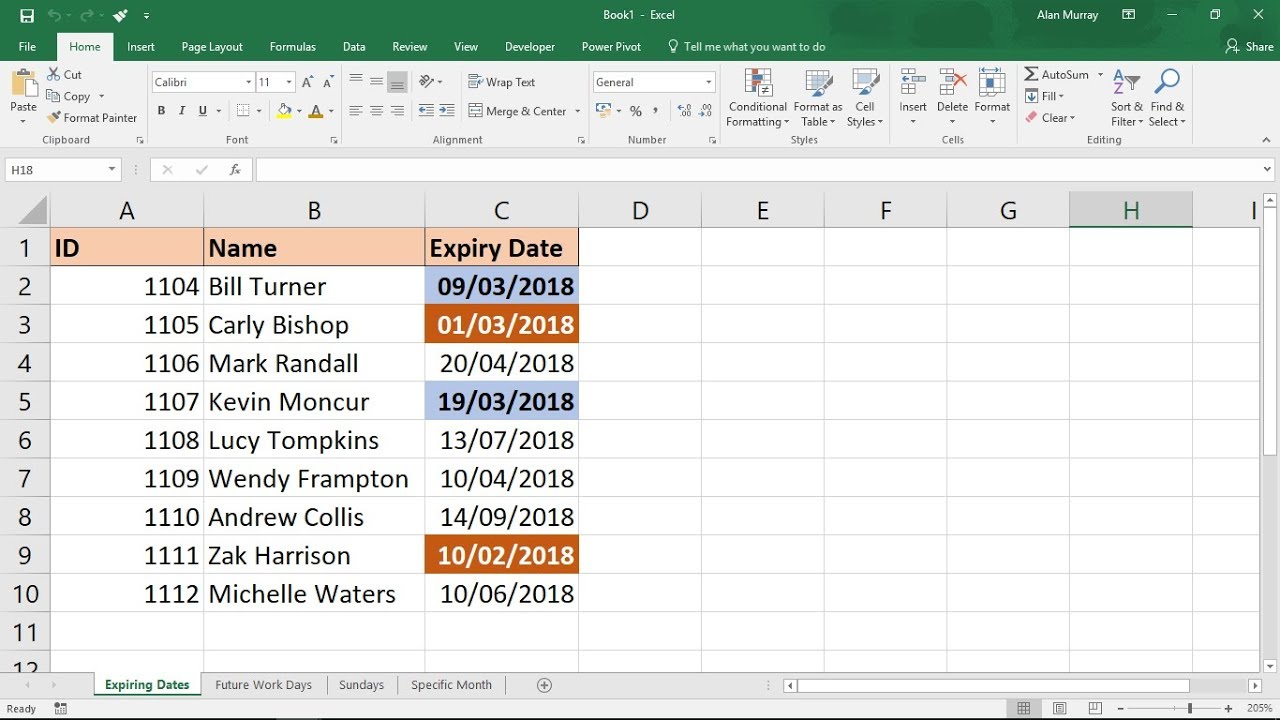
Web Dec 30 2020 nbsp 0183 32 Select Home gt Conditional Formatting gt Manage Rules to open the Conditional Formatting Rules Manager dialog box Select New Rule Select Use a formula to determine which cells to format In the Format values where this formula is true text box enter the formula TODAY C1 gt 60

Web Jan 16 2023 nbsp 0183 32 In the new window that appears click Use a formula to determine which cells to format then type B2 gt TODAY 90 in the box then click the Format button and choose a fill color to use Once we press OK all of the cells in the range B2 B11 that have a date within 90 days of 1 16 2023 will be highlighted

Web Mar 17 2023 nbsp 0183 32 How to calculate 30 60 90 days from today in Excel To find a date N days from now use the TODAY function to return the current date and add the desired number of days to it To get a date that occurs exactly 30 days from today TODAY 30 To calculate 60 days from today TODAY 60 What date is 90 days from now I guess you already

Web If you want to highlight dates that occur in the next N days with conditional formatting you can do so with a formula that uses the TODAY function with AND This is a great way to visually flag things like expiration dates deadlines upcoming events and dates relative to the current date
Web Apr 4 2013 nbsp 0183 32 To find conditional formatting for dates go to Home gt Conditional Formatting gt Highlight Cell Rules gt A Date Occurring You can select the following date options ranging from yesterday to next month DATE function Learn more These 10 date options generate rules based on the current date Web Step 1 Select the cells we want to highlight In this case select cells B5 E9 Figure 3 Selection of the data range for conditional formatting Step 2 Click the Home tab then the Conditional Formatting Menu and select New Rule The New Formatting Rule dialog box will pop up Figure 4
Web First select the cells you want to format Next click the Conditional Formatting button on the toolbar Choose the Highlight Cells Rules option and then select Less Than You may also notice another option in the list of Highlight Cells Rules A Date Occurring