Excel Conditional Formatting Date Due Excel Conditional Formatting Formula If Examples Riset Excel Formatting Dates In Formulas Conditional Formatting Based On Date In Excel And How To Make It Excel Conditional Formatting Formula Greater Than And Less Than Riset Excel Essentials Level UP Conditional Formatting For Due Dates Overview Transcript Say you want to see at a glance what tasks in a list are late In other words those tasks with due date dates before today Or which tasks aren t due for a week or more Watch this video to learn how Want more Apply conditional formatting to quickly analyze data Add change find or clear conditional formats
Updated 03 26 2016 Excel 2010 For Dummies Explore Book Buy On Amazon In many organizations it s important to call attention to dates that fall after a specified time period With conditional formatting you can easily create a Conditionally format a set of fields in the Values area for one level in the hierarchy of data Exclude subtotals When you conditionally format fields in the Values area for top bottom above average or below average values the rule is based on all visible values by default
Excel Essentials Level UP Conditional Formatting For Due Dates How To Use Conditional Formatting To Highlight Due Dates In Excel Excel Conditional Formatting Dates In The Future YouTube How To Use Conditional Formatting To Color Code Dates In Excel Outlook Conditional Formatting If Else Opecawards How To Use Conditional Formatting To Highlight Due Dates In Excel Highlight Expiry Dates Based On Criteria Conditional Formatting In How To Perform Conditional Formatting With Formula In Excel Excel Conditional Formatting Subtitlerv
Excel Conditional Formatting Date Due
 Excel Conditional Formatting Date Due
https://www.lifewire.com/thmb/63BR8YIMIS_ZnOsirVW9u8IR3iI=/1543x1029/filters:no_upscale():max_bytes(150000):strip_icc()/OrderofPrecedenceforConditionalFormatting-5bf051f046e0fb0051ab848a.jpg
Dates Duplicate data Values above or below the average value in a range of cells In the case of dates the pre set options simplify the process of checking your data for dates close to the current date such as yesterday tomorrow last week or next month
Pre-crafted templates offer a time-saving service for creating a diverse variety of files and files. These pre-designed formats and designs can be used for numerous personal and expert jobs, including resumes, invites, flyers, newsletters, reports, discussions, and more, simplifying the material production procedure.
Excel Conditional Formatting Date Due
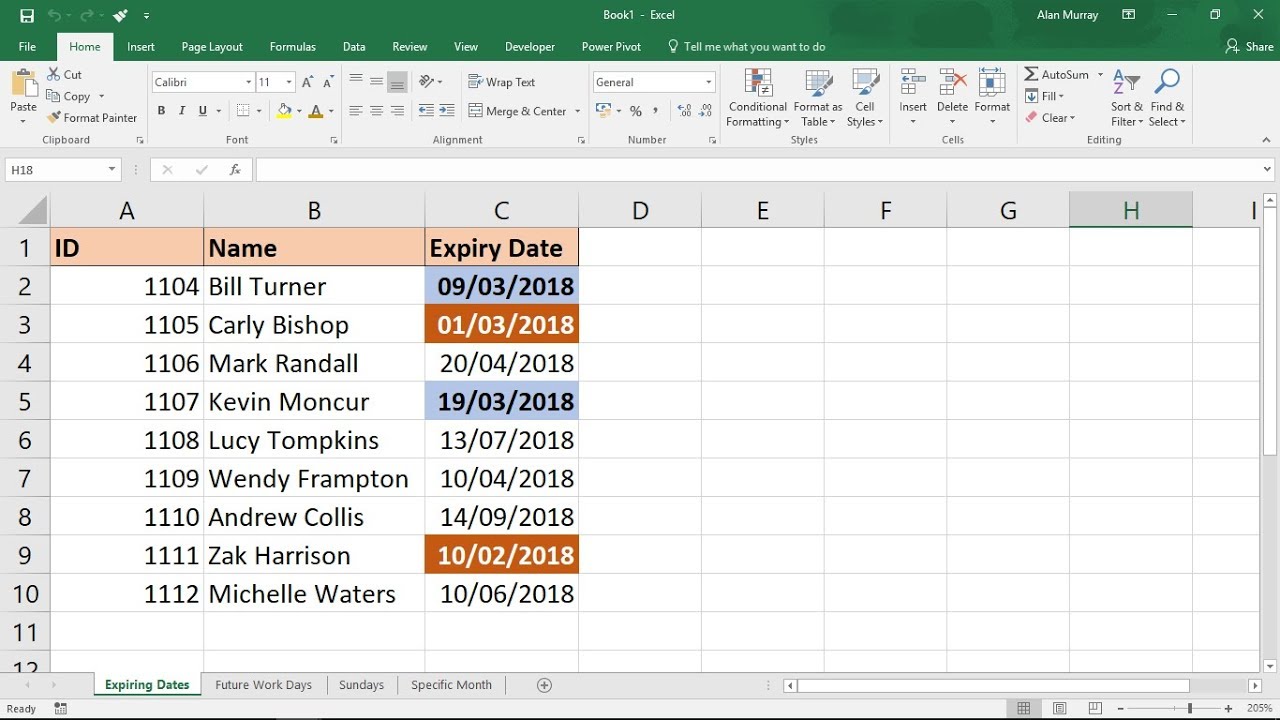
Conditional Formatting With Exceptions Microsoft Community Riset
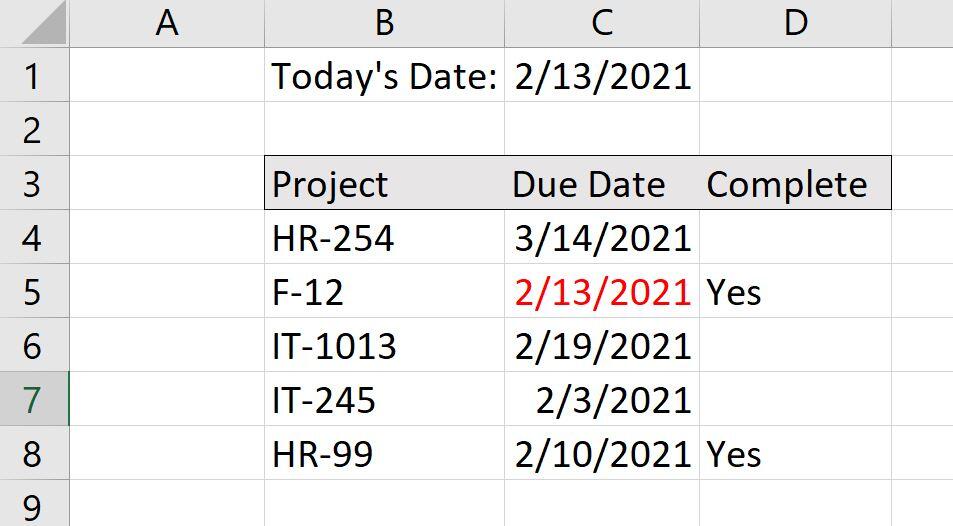
How To Use Conditional Formatting To Highlight Due Dates In Excel
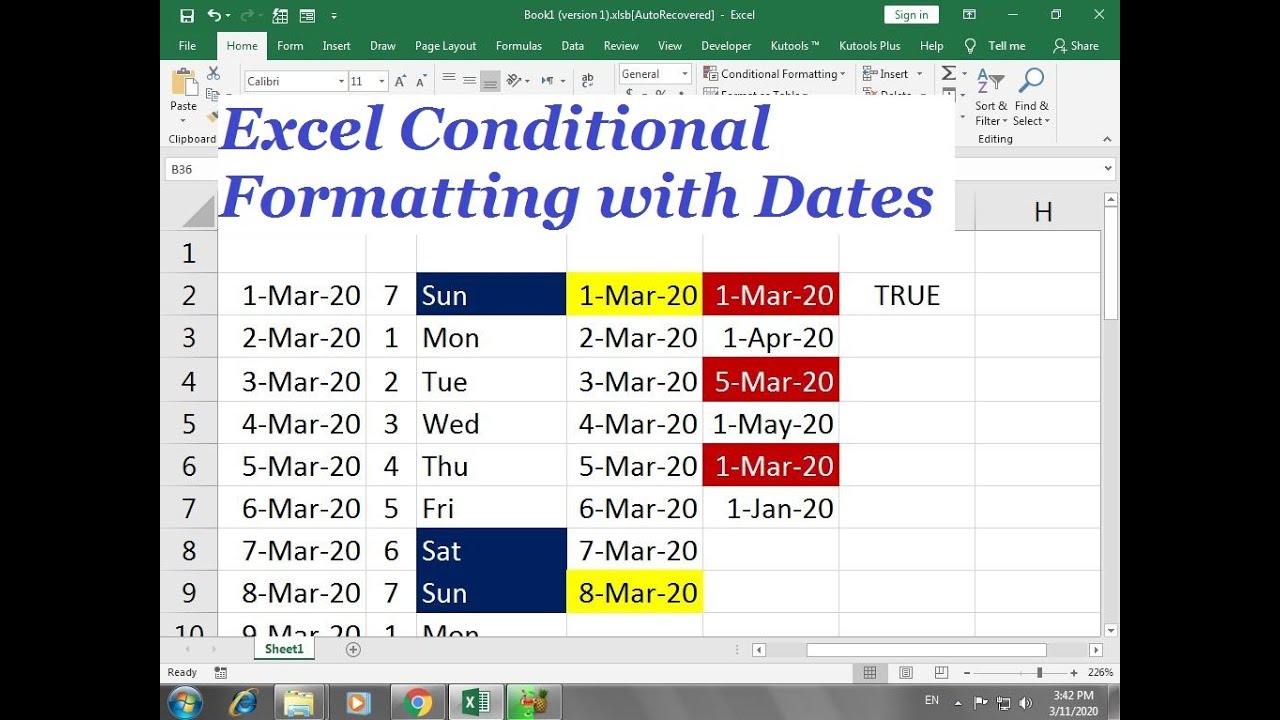
Excel Conditional Formatting Dates In The Future YouTube

How To Use Conditional Formatting To Color Code Dates In Excel

How To Use Conditional Formatting To Highlight Due Dates In Excel
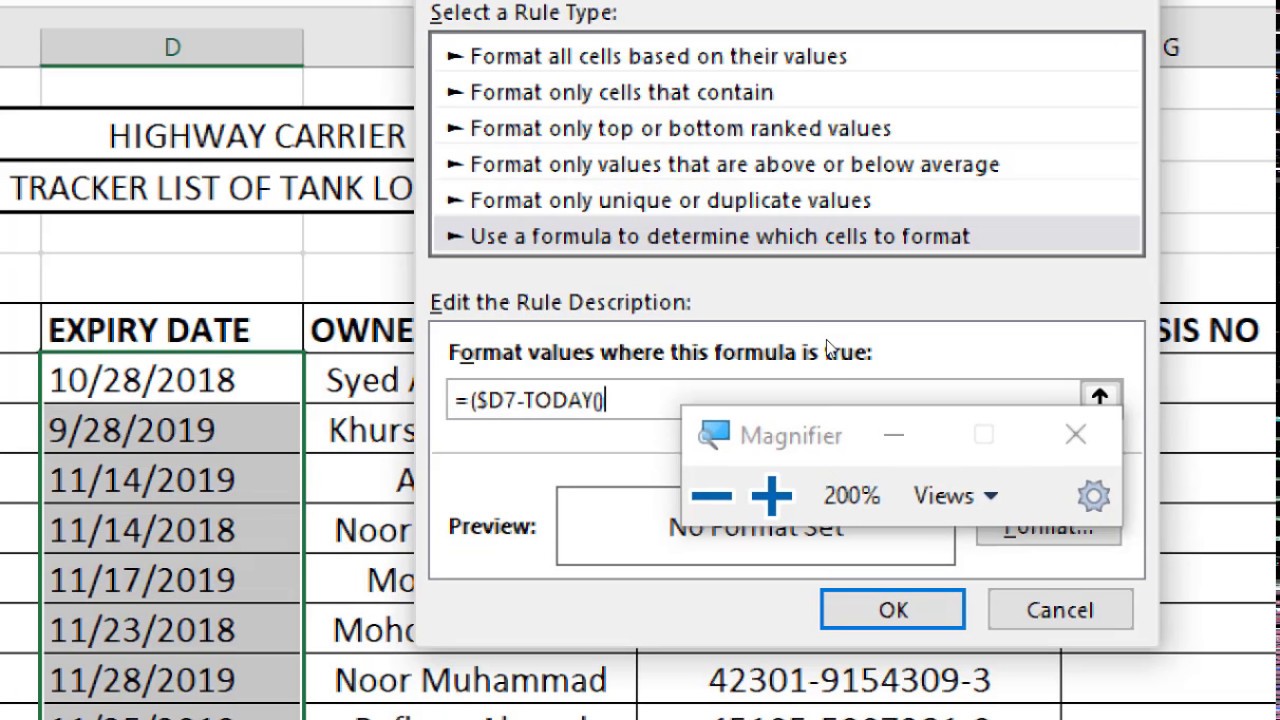
Highlight Expiry Dates Based On Criteria Conditional Formatting In

Format our cells by comparing the Due Date to the current date First select the cells you want to format Next click the Conditional Formatting button on the toolbar Choose the Highlight Cells Rules option and then select Less Than You may also notice another option in the list You ll

To highlight dates that are past due you can use a conditional formatting rule that checks if the variance between two dates is greater than a certain number of days In the example shown three conditional formatting rules have been applied to the range D5 C12 with these formulas D5 C5
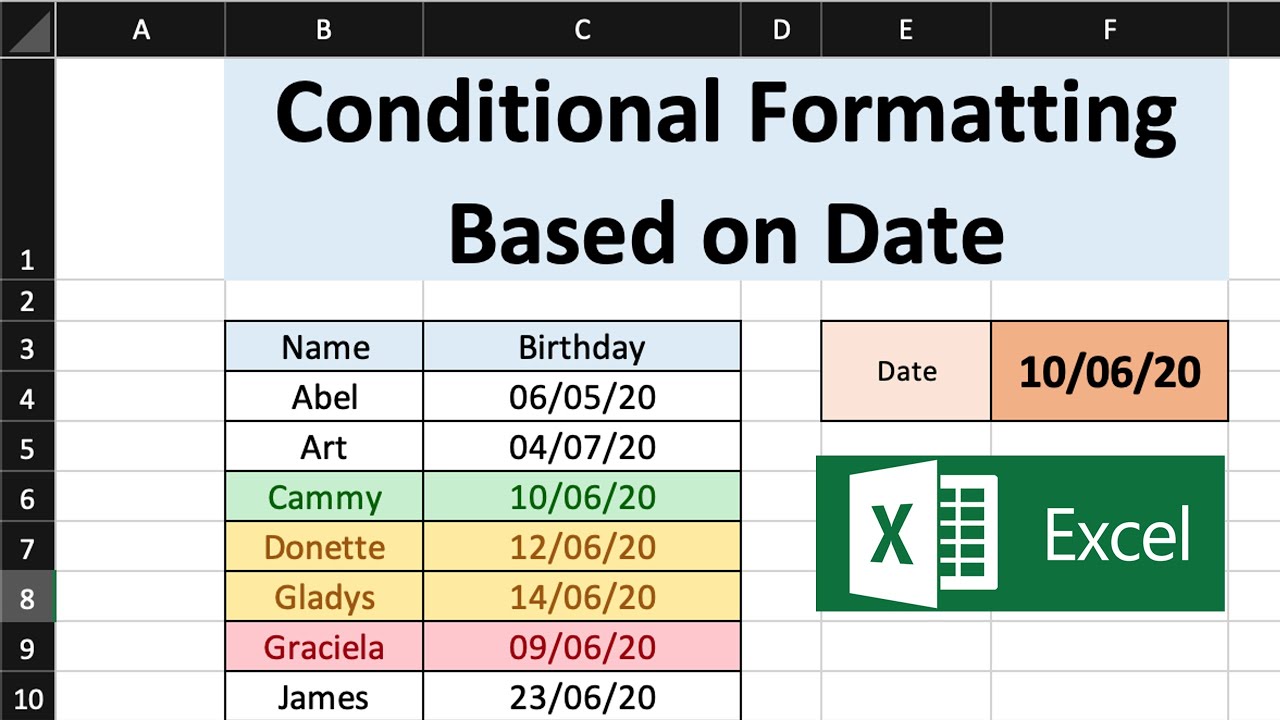
Whether you want to format past due dates for household bills or upcoming dates for a project plan conditional formatting has you covered with both simple and custom options Just set up the rule and watch your dates pop off of the sheet Apply a Quick Conditional Formatting Date Rule

To apply the formatting you simply go to the Home tab Conditional Formatting Highlight Cell Rules and select A Date Occurring Select one of the date options from the drop down list in the left hand part

The best method is to set up the conditional format for the first cell in your column of dates and then to copy that format down to all the other cells in the range Let s say your range of dates is in E2 200 You would select cell E2 and follow these steps scroll down a bit to see the image as you read
C4 Steps We stored the name of employees and their joining dates in the dataset Select the cells you want to apply the conditional formatting on In my case Range D5 D9 Go to Home and select the Conditional
How do I use the conditional formatting tool to highlight columns in anticipation of a due date EXAMPLE As a busy researcher with multiple grants and multiple due dates I would like to enter each grant