Excel Clean Special Characters Warehouse Inspection Checklist Template Jasdkj How To Remove Special Characters In Excel Free Excel Tutorial Jobs And Opportunities At Excel Systems Jobiano Excel Exercises SUMIFS Function Wiring Features Prime Excel How to use the CLEAN Function The CLEAN function removes all non printable from ASCII American Standard Code for Information Interchange character 0 to 31 One example of it is removing line breaks CLEAN B3 Other Non Printable Characters
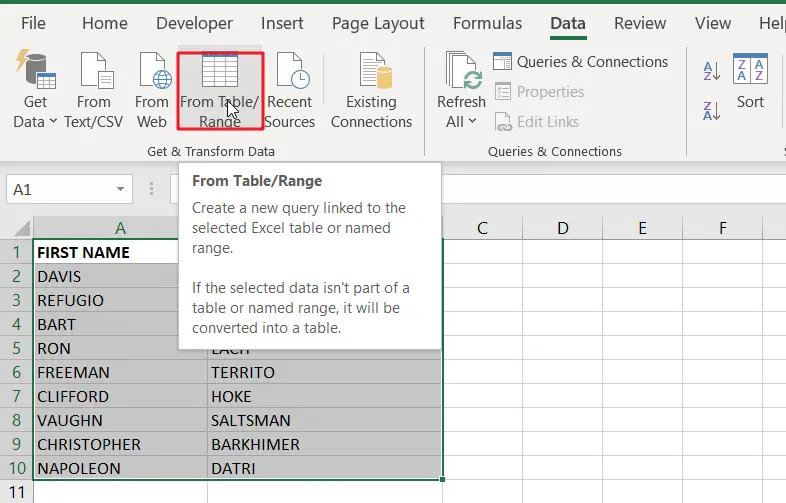
Excel supports a wide range of special characters including and These characters can have different effects depending on their usage For example some special characters are used as mathematical operators while others are used as separators or delimiters Follow these instructions to delete the special characters from all text strings in that column Select one of the cells in the column containing the special characters Select the Data tab on Excel s ribbon In the Get Transform Data group click the From Table Range button The Create Table dialog opens
Wiring Features Prime Excel Accruals Excel Accountancy Excel Basics Special Characters Cheat Sheet Excel Off The Grid My XXX Hot Girl Using Excel AutoCorrect To Help Type Special Characters Jason s Excel Challenge Excel Dashboard Templates Excel Guide Remove Special Characters MS EXCEL Learn MS EXCEL Mister Excel Excel
Excel Clean Special Characters
 Excel Clean Special Characters
https://www.addictionary.org/g/001-fantastic-cleaning-checklist-template-excel-photo-1920_1440.jpg
The cells in column B contain the phrase from each corresponding cell in column A with the special characters removed Note that you can easily modify this formula to only remove certain special characters from cells For example you could use the following formula to only remove and from the cells SUBSTITUTE SUBSTITUTE SUBSTITUTE
Templates are pre-designed documents or files that can be utilized for various functions. They can conserve effort and time by providing a ready-made format and layout for developing various type of material. Templates can be utilized for individual or professional jobs, such as resumes, invitations, leaflets, newsletters, reports, discussions, and more.
Excel Clean Special Characters
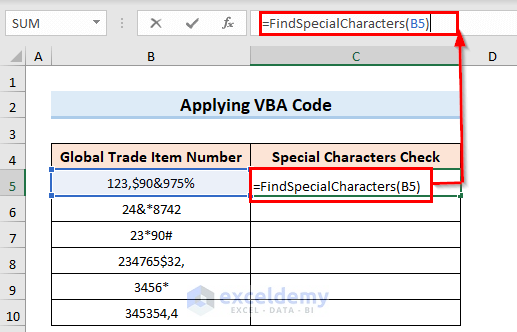
H ng D n How To Identify Special Characters In Excel C ch X c nh

Accruals Excel Accountancy

Excel Basics
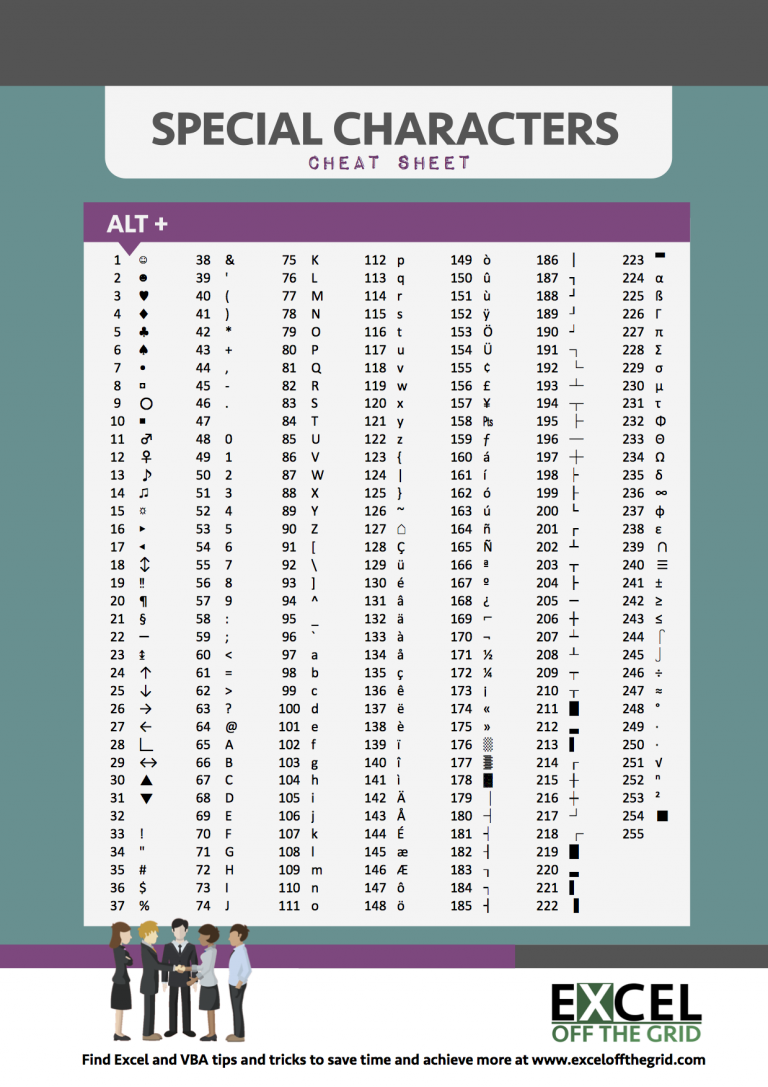
Special Characters Cheat Sheet Excel Off The Grid My XXX Hot Girl

Excel Challenge Excel Dashboard Templates
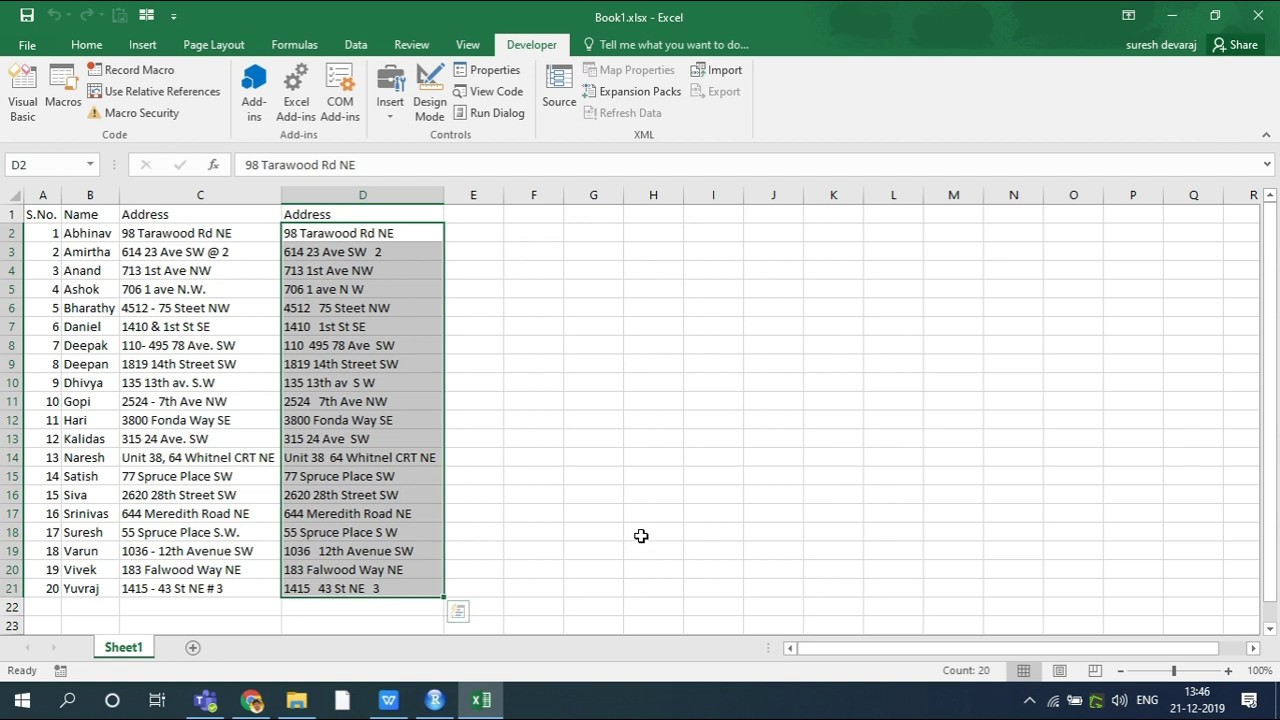
Excel Guide Remove Special Characters MS EXCEL Learn MS EXCEL

1 Using Excel Functions to Remove Special Characters 1 1 Applying SUBSTITUTE Function 1 2 Combining RIGHT and LEN Functions to Delete Special Characters 1 3 Utilizing LEFT LEN Functions 2 Implementing Flash Fill Feature to Remove Special Characters 3 Applying Find Replace Feature 4
CLEAN text The CLEAN function syntax has the following arguments Text Required Any worksheet information from which you want to remove nonprintable characters Example Copy the example data in the following table and paste it in cell A1 of a new Excel worksheet For formulas to show results select them press F2 and then press Enter

This goes into the CODE function which reports the characters code value which is 202 in the example shown For more general cleaning see the TRIM function and the CLEAN function All in one formula In this case since we are stripping leading characters we could combine both formulas in one like so SUBSTITUTE B4 CHAR CODE LEFT B4

The basics of cleaning your data Spell checking Removing duplicate rows Finding and replacing text Changing the case of text Removing spaces and nonprinting characters from text Fixing numbers and number signs Fixing dates and times Merging and splitting columns Transforming and rearranging columns and rows

TRIM CLEAN A1 clean and remove extra space ASCII limitation The CLEAN function removes the first 32 non printable characters in the 7 bit ASCII code values 0 through 31 from text Unicode contains other non printable characters that are not removed
29018 The Excel 2016 help file for the CLEAN function provides more information than earlier versions Removes all nonprintable characters from text Use CLEAN on text imported from other applications that contains characters that may not print with your operating system As you can see the value is cleaned Third Case When you wish to remove the character by using its code This can help you in removing case sensitive character Just use the char code in place of remove char To know the code of the character uses the function shown below Use the formula to remove the character
VBA code Remove some special characters from text string Then save and close this code go back to the worksheet and enter this formula removespecial A2 into a blank cell where you want to put the result see screenshot In the above code you can change the special characters to any others that you want to remove