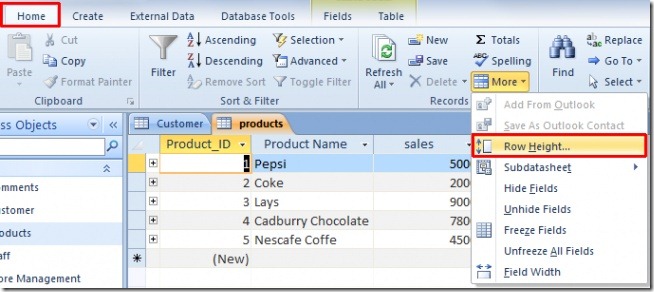
Excel Change Row Height Pixels Excel Column Width Pixels To Cm How To Change Row Height In Excel Easy Excel Tutorial Excelypedia How To Change All The Cell Sizes In Excel Booker Cantences88 Change Row Height Of Access 2010 Database Table How To Change Row Height In Microsoft Excel Resize columns Select a column or a range of columns On the Home tab select Format Column Width or Column Height Type the column width and select OK Automatically resize all columns and rows to fit the data Select the Select All button at the top of the worksheet to select all columns and rows Double click a boundary
Read our 5 easy methods for setting row height in Excel Get set row Method 1 Using Mouse Click Drag Method 2 Using Double Click on Mouse Method 3 Using Row Height Option Method 4 Using Keyboard Shortcut Method 5 Using AutoFit Row Height Feature Best practices for changing row height To set a specific row height use the Format Cells dialog box or the row height option in the Home tab To adjust row height to fit text use the auto fit feature For multiple row changes select the desired rows and use the auto row height feature
How To Change Row Height In Microsoft Excel Resize Cells To Default Row Height In Excel Google Sheets Automate Excel Row Height Units In Excel How To Change ExcelDemy Add in To Set Column Width And Row Height Based On Pixels In Cell How To Change Row Height In Microsoft Excel Row Height In Excel 4 Different Ways Of Changing Row Height Row Height In Excel 4 Different Ways Of Changing Row Height Excel Tutorial How To Change Row Heights In Excel How To Change Row Height In Excel 2016 YouTube
Excel Change Row Height Pixels
 Excel Change Row Height Pixels
https://d295c5dn8dhwru.cloudfront.net/wp-content/uploads/2019/06/23043431/Screen-Shot-2019-06-23-at-11.32.42.png
To change the height of a single row drag the boundary below the row heading until the row is the height you want To decrease the height drag the bottom boundary up Tip A quick way to make the row height fit the size of the text in the row is to double click the boundary between row headers To change the height of multiple rows select
Pre-crafted templates offer a time-saving service for developing a diverse range of files and files. These pre-designed formats and layouts can be made use of for numerous personal and professional projects, consisting of resumes, invitations, flyers, newsletters, reports, presentations, and more, streamlining the material production process.
Excel Change Row Height Pixels
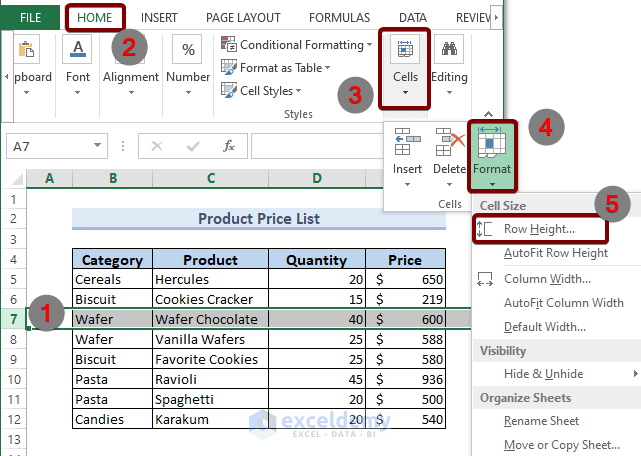
Row Height Units In Excel How To Change ExcelDemy
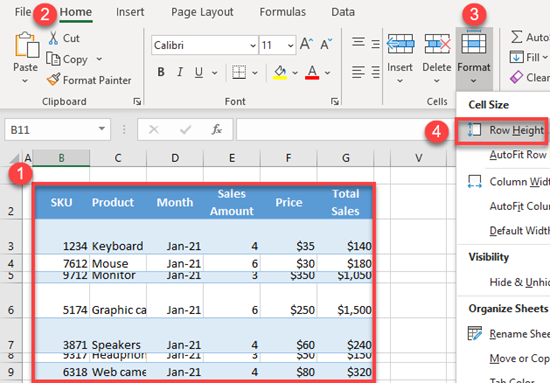
Resize Cells To Default Row Height In Excel Google Sheets Automate Excel

Row Height Units In Excel How To Change ExcelDemy
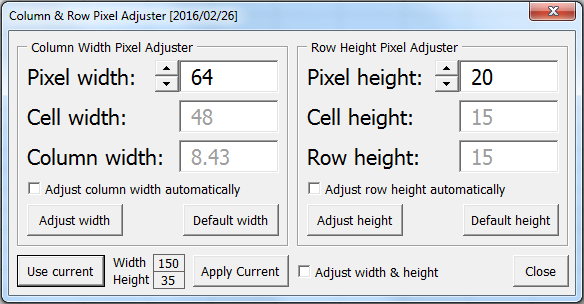
Add in To Set Column Width And Row Height Based On Pixels In Cell
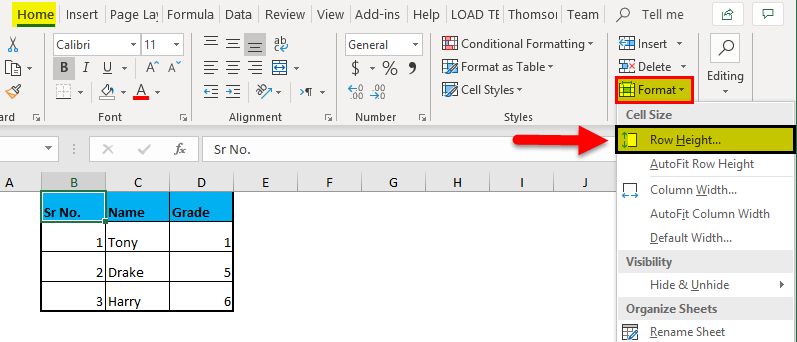
Row Height In Excel 4 Different Ways Of Changing Row Height
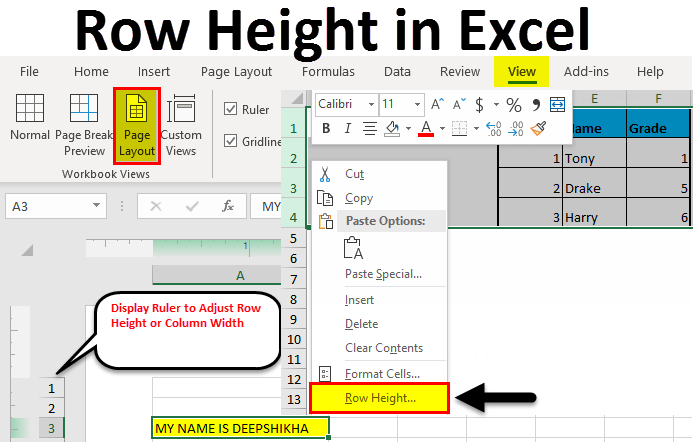
Row Height In Excel 4 Different Ways Of Changing Row Height
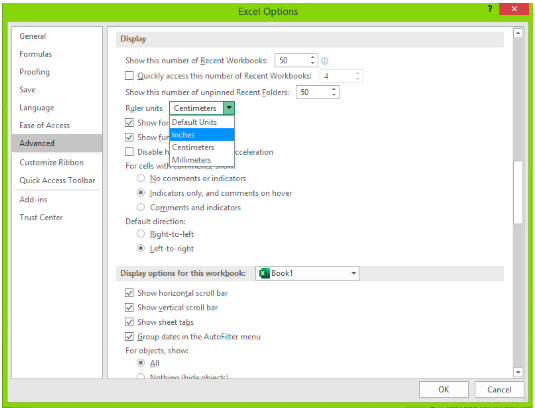
1 The Office version Click File select Account 2 How do you check these dimensions are in fractions of inches Please provide the screenshot of it 3 Check if the cell height width are indicated in Pixels when you create a new file

Default Row Height Units in Excel The default row height unit is Inches Where 1 inch equals 96 pixels In Microsoft Excel 1 inch is divided into 72 DPI Dots Per Inch And the default value of the row height is 15 DPI If you want to check out this default value then Select any row you want Go to the Home tab

The most common way to adjust row height in Excel is by dragging the row border It allows you to quickly resize a single row as well as change the height of multiple or all rows Here s how To change the height of one row drag the lower boundary of the row heading until the row is set to the desired height
On the Excel menu click Preferences Under Authoring click General On the Ruler units menu click the unit of measurement that you want to use Tip You can also see the column width by dragging the column separator on the sheet and observing the ScreenTips as you drag Need more help Want more options Discover Community

Go to File Options Advanced Display select an option from the Ruler Units list If you switch to Normal view then column widths and row heights are displayed in points Individual rows and columns can have only one setting
The easiest way to change the height of your rows is to position the mouse pointer on the line between the rows To display a hidden row or column move the mouse pointer just to the right of the last visible column before the hidden columns The mouse pointer will change to a vertical sizing grabber allowing you to click and drag To change the height of the cells select the cells you want to resize and then in the Ribbon go to Home Format Row Height In the Row height box enter the new size in inches here 1 inch and press OK This changes the height of the cells Try our AI Formula Generator Generate Change Cell Size by Dragging
Enter a specific row height value in the dialog box In the Row Height dialog box you can enter a specific value for the row height using the measurement units available e g points or pixels Type in the desired height and click OK to apply the change to the selected rows C Adjusting row height using the mouse