Excel Change Cell Value Based On Drop Down List Change Cell Value Based On Selected Cell By Using Excel Macro VBA Code How To Change Drop Down List Based On Cell Value In Excel 2 Ways Conditional Formatting Based On Another Cell Excel Formula Exceljet Lock And Grey Out Cells Based On Cell Value Based On IF Condition Google Sheet How To Change The Cell Value Based On A Date Stack Excel 1 ctrl shift
2 Alt Mar 23 2020 nbsp 0183 32 excel 1 2 3
Google Sheet How To Change The Cell Value Based On A Date Stack Change Cell Value Based On Checkbox In Google Sheets Stack Overflow Excel Formatting How To Change A Cell Value Based On Another s Change Cell Value Based On Checkbox In Google Sheets Stack Overflow What Is The Syntax To Use Automation To Change Cell Value To Another Excel 2019 Drop Down List In Cells YouTube Excel Survey Template With Drop Down List Printable Templates 40 Excel Formula Based On Color Image Formulas 21 How To In Cell With A Color Coding Drop Down List In Excel Lasopaunion
Excel Change Cell Value Based On Drop Down List
 Excel Change Cell Value Based On Drop Down List
https://i.ytimg.com/vi/RTrhY70xJ3I/maxresdefault.jpg
Excel Excel
Templates are pre-designed documents or files that can be utilized for different functions. They can save time and effort by providing a ready-made format and layout for developing different sort of material. Templates can be used for individual or expert jobs, such as resumes, invitations, leaflets, newsletters, reports, presentations, and more.
Excel Change Cell Value Based On Drop Down List

Change Cell Value Based On Checkbox In Google Sheets Stack Overflow

Change Cell Value Based On Checkbox In Google Sheets Stack Overflow

Excel Formatting How To Change A Cell Value Based On Another s

Change Cell Value Based On Checkbox In Google Sheets Stack Overflow
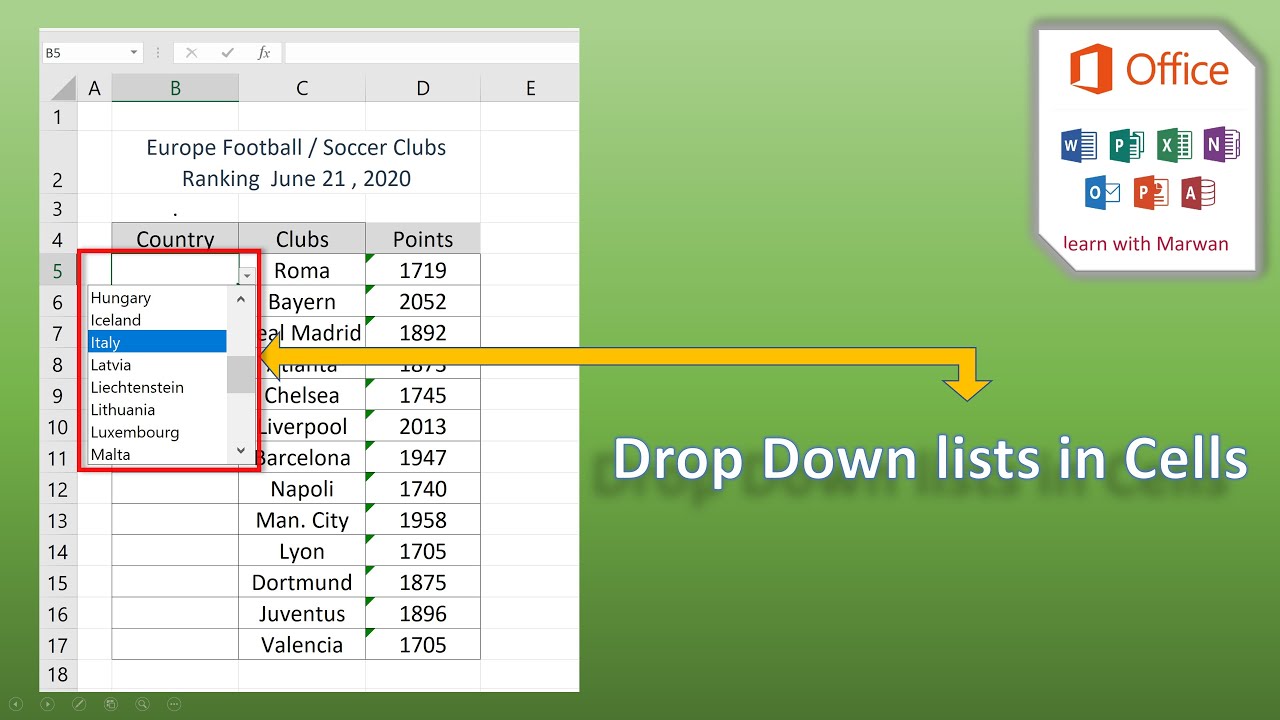
Excel 2019 Drop Down List In Cells YouTube
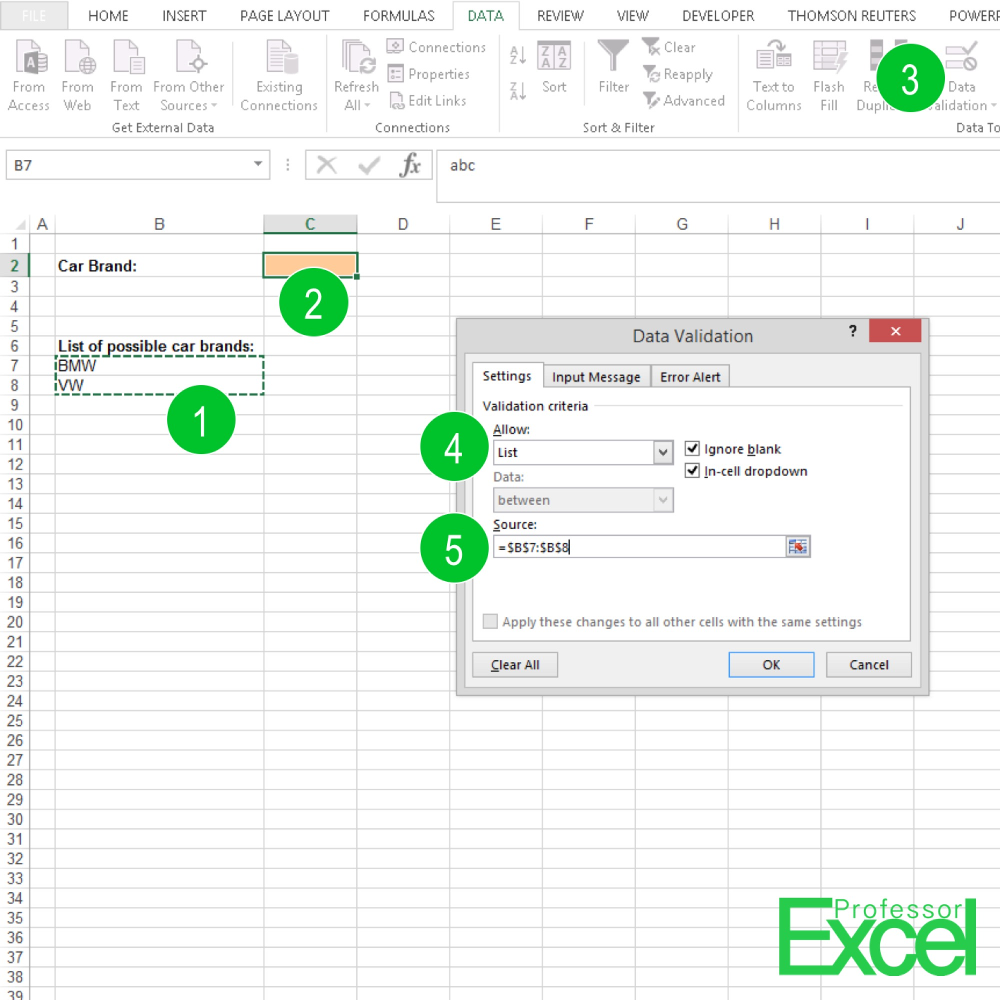
Excel Survey Template With Drop Down List Printable Templates
Office Excel Office excel Word PPT excel

Jan 2 2020 nbsp 0183 32 Excel

Jan 16 2021 nbsp 0183 32 Excel 1 Excel

Excel AVERAGE

Excel IF B1 IF 1 gt 2 quot quot FALSE
[desc-11] [desc-12]
[desc-13]