Excel Change Automatic Date Format Excel Date Format Change Software 7 0 Free Download Excel Tips 21 Automatically Display The Current Date In Excel How To Find Greatest Date In Excel Haiper Auto Insert Current Date In Excel Falassouth What Date Format Is Mm Dd Yyyy The 8 Latest Answer Ar taphoamini Web Click File gt Options In the Excel Options box click Proofing gt AutoCorrect Options On the AutoFormat As You Type tab check the boxes for the auto formatting you want to use Internet and network paths with hyperlinks
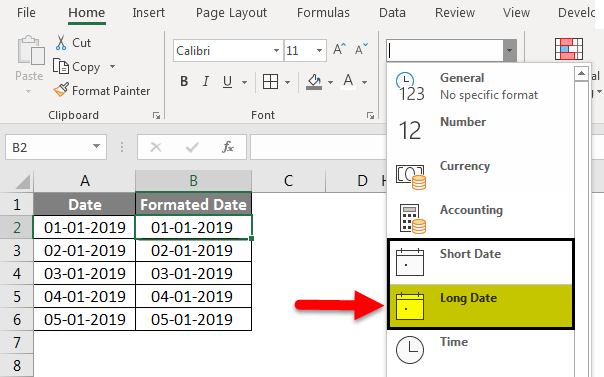
Web Feb 6 2023 nbsp 0183 32 After a date is entered in Excel as a date there are several ways to change the formatting Change Date Formats Short Date Long Date The Ribbon Home gt Number menu allows you to change between Web Change the date or time format To change the date or time format right click in a cell and select Format Cells Then on the Format Cells dialog box in the Number tab under
What Date Format Is Mm Dd Yyyy The 8 Latest Answer Ar taphoamini Change Date Format In Word MosOp Cell Colour Formula Excel My XXX Hot Girl How To Change The Date Format In Microsoft Excel Retreat Become Aware Fish Excel Change Format Date Salami Uncertain Retired Excel In Excel Excel Date Format Not Recognized Askgugl blogg se July 2022 Excel Integer To String Excelnays Base Have Fun Scientist How To Set Date In Excel Sheet Surfing Search Engine Marketing Overcoat
Excel Change Automatic Date Format
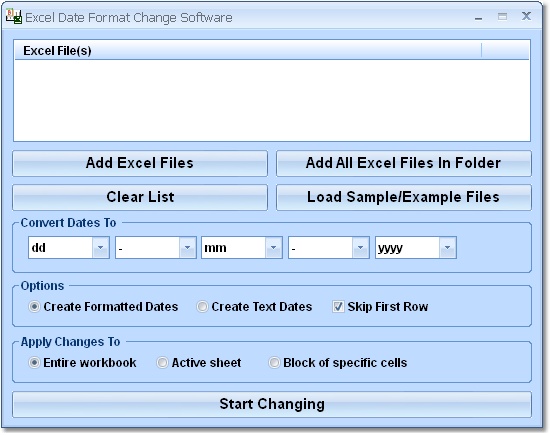 Excel Change Automatic Date Format
https://cdn.soft112.com/excel-date-format-change-software/00/00/00/2Q/0000002Q3V/pad_screenshot.jpg
Web Mar 22 2023 nbsp 0183 32 When you type something like that in a cell Microsoft Excel knows you are entering a date and automatically applies the date format to that cell Quite often Excel
Templates are pre-designed files or files that can be used for numerous functions. They can save time and effort by providing a ready-made format and layout for producing various type of content. Templates can be utilized for individual or professional tasks, such as resumes, invitations, leaflets, newsletters, reports, discussions, and more.
Excel Change Automatic Date Format

Change Data Format In Excel Mac System Preferences Garrysci
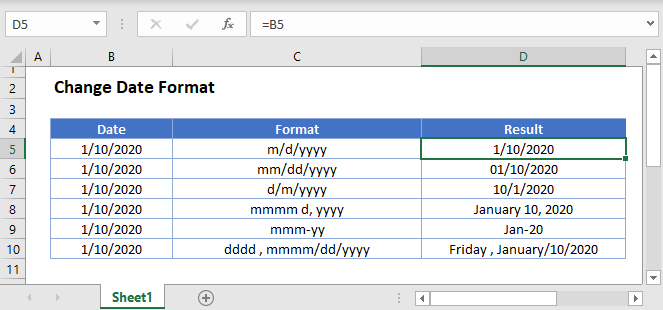
Change Date Format In Word MosOp

Cell Colour Formula Excel My XXX Hot Girl
How To Change The Date Format In Microsoft Excel
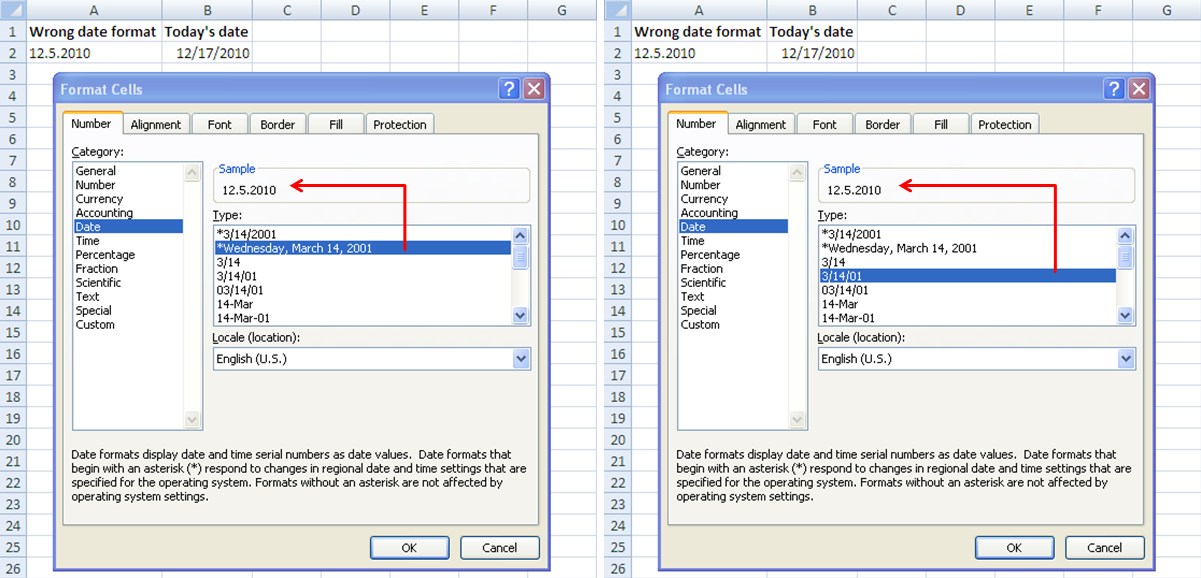
Excel In Excel Excel Date Format Not Recognized
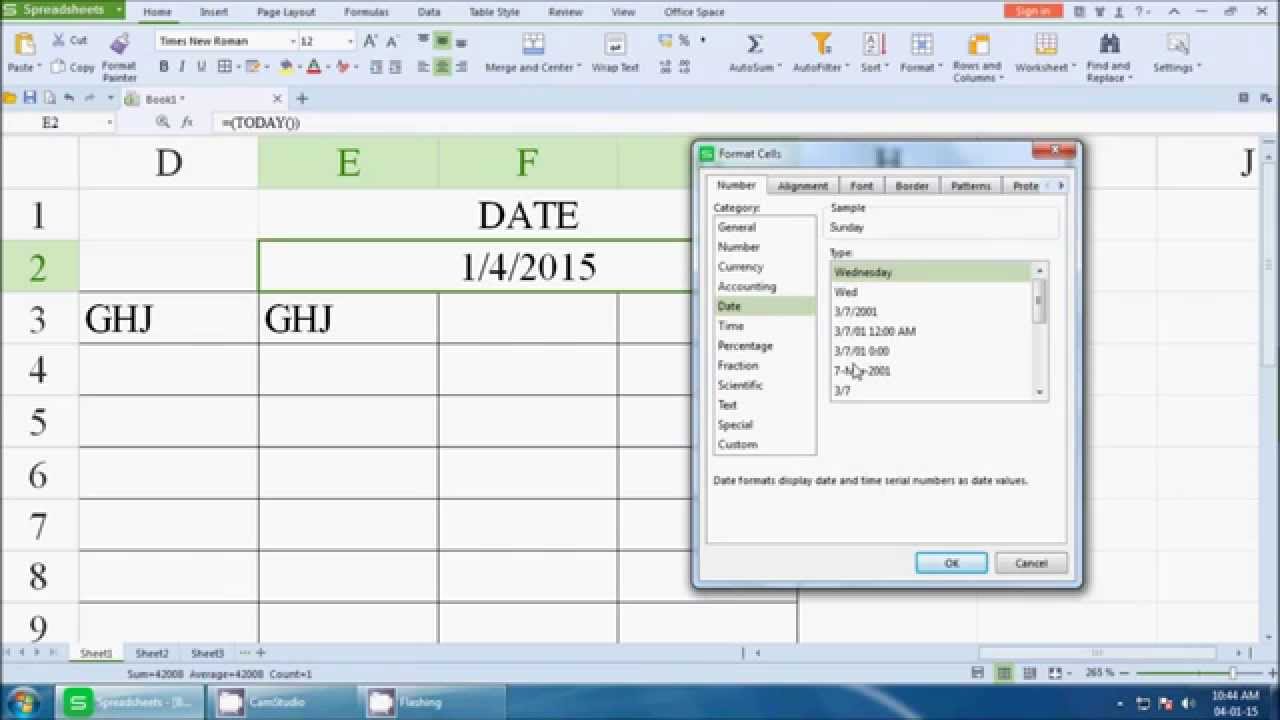
Askgugl blogg se July 2022

Web Nov 27 2021 nbsp 0183 32 There are two date format options to choose from in this menu Short Date 1 17 2021 and Long Date Sunday January 17 2021 You can select either of those or if that s not the format you re looking

Web The date system changes automatically when you open a document from another platform For example if you are working in Excel and you open a document that was created in

Web Mar 11 2015 nbsp 0183 32 The easiest way to change date format in Excel based on how another language displays dates is as follows Select the column of dates you want to convert
Web Stop Excel from entering dates automatically by changing numbers to dates You can format cells as text before you enter numbers Or if you have just a few numbers to work

Web Because Error Checking in Excel can identify text formatted dates with two digit years you can use the automatic correction options to convert them to date formatted dates You can use the DATEVALUE function to
Web May 10 2023 nbsp 0183 32 Fr 233 d 233 ric LE GUEN Reading time 2 minutes Post Views 57 142 Last Updated on 05 10 2023 This article will explain to you H ow to change the default Date Web You will need to change the number format Format Cells in order to display a proper date Syntax DATE year month day For example DATE C2 A2 B2 combines the
Web In the Control Panel window click on the Change date time or number formats option In the Region dialog box that opens up make sure the Formats tab is selected Change