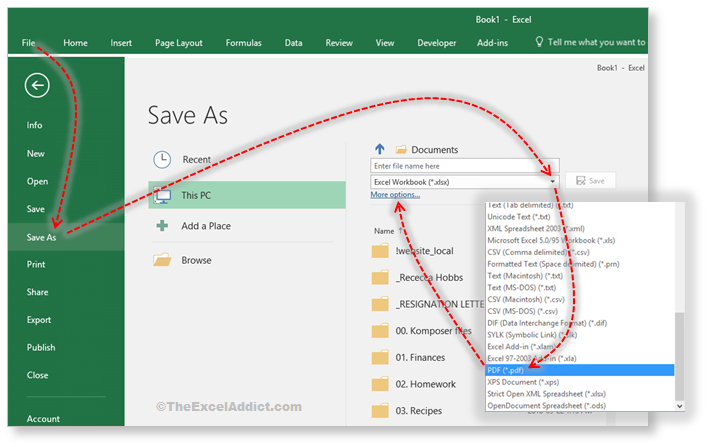
Excel Button To Save As Pdf Shortcut To Save As Pdf In Word Toplead Shortcut To Save As Pdf In Dell Giantpor Excel Sheet Save As Pdf In Specific Folder Vba Macro YouTube How To Save An Excel Spreadsheet As A PDF Excel Shortcut To Save As Lopwings Web Sep 8 2021 nbsp 0183 32 Select PDF as the file type Press the Save button Easy enough and your new PDF file will be saved in the same location as the Excel file is saved If you want to change the save location or access other advanced PDF file options then you can click on the More options link just below the file type selection
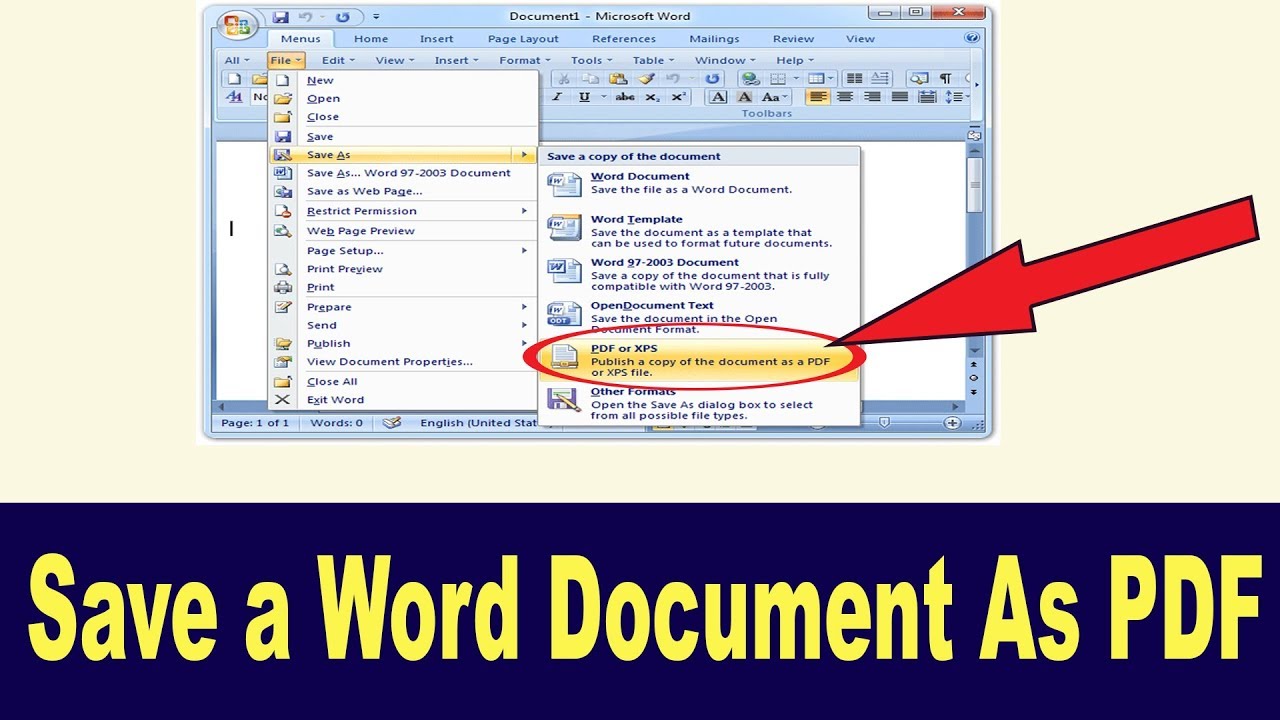
Web To convert the Excel file into PDF Go to File tab gt Export gt Create PDF XPS The dialog box will appear Click Options under the Save as type Select Entire workbook under Publish what Press Ok gt Publish The entire workbook will be converted to a PDF file directly Web Aug 11 2022 nbsp 0183 32 Click the File menu and select Save As You could also press Command Shift S to open the Save As option 1 If you want to save the PDF to a new folder you can select that folder now Type a different name for the file The name of the current Excel file appears in the quot Save As quot field
Excel Shortcut To Save As Lopwings How To Save As Pdf File Off Of Word Hervlero Shortcut To Save As Pdf In Word Daswholesale Excel Button To Print Specific Sheets With Easy Steps ExcelDemy Fully Covered In Bloom Microsoft Excel Tips Save A Workbook A Worksheet Or Just A Range Of Where Is Save As Command In Excel 2007 2010 2013 2016 2019 And 365 How To Save Excel File As Pdf Youtube Riset How To Change The Default File Format For Saving In Word Excel And
Excel Button To Save As Pdf
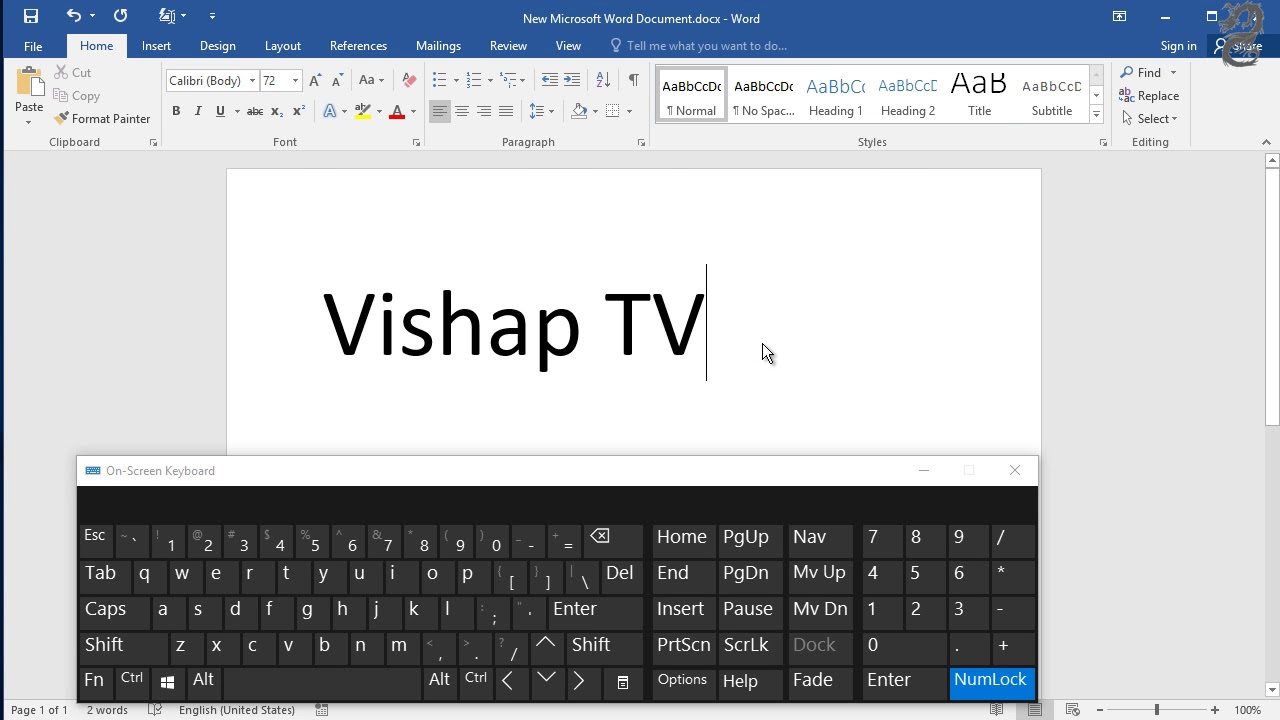 Excel Button To Save As Pdf
https://i.ytimg.com/vi/8Eo-bozSiOY/maxresdefault.jpg
Web Oct 29 2023 nbsp 0183 32 Firstly navigate to the File tab from Ribbon Secondly go to the Save a Copy tab from the left side panel and it will automatically suggest the OneDrive Thirdly from the drop down list select PDF pdf and click on Save Then we can see that our file is saved in PDF format in our OneDrive s desired folder
Templates are pre-designed files or files that can be used for various functions. They can save time and effort by providing a ready-made format and design for developing various kinds of material. Templates can be used for personal or expert tasks, such as resumes, invites, flyers, newsletters, reports, discussions, and more.
Excel Button To Save As Pdf

Excel Button To Send Contents As Email Issue Stack Overflow
How To Save As Pdf File Off Of Word Hervlero
Shortcut To Save As Pdf In Word Daswholesale

Excel Button To Print Specific Sheets With Easy Steps ExcelDemy
Microsoft Excel Tips Save A Workbook A Worksheet Or Just A Range Of
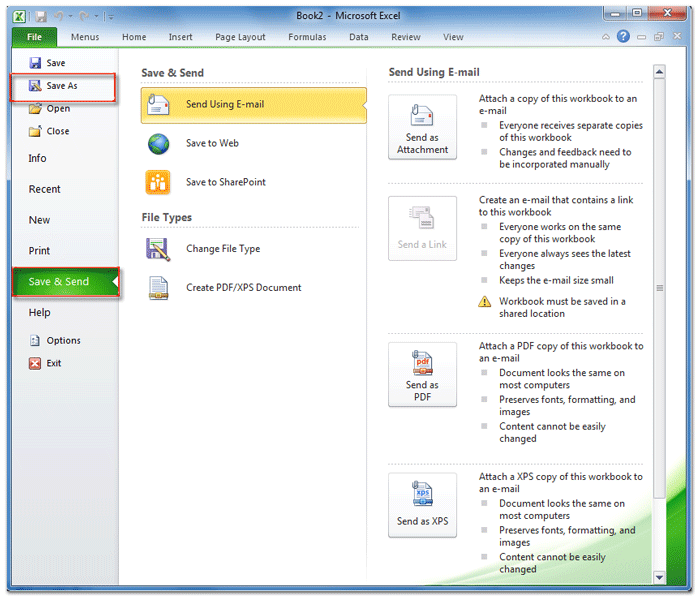
Where Is Save As Command In Excel 2007 2010 2013 2016 2019 And 365

Web Sep 17 2022 nbsp 0183 32 Macro Button amp Its Insertion Usually users use the Keyboard Shortcuts key i e F5 or Microsoft Visual Basic s Run Toolbar gt Run to execute a macro As Excel users typically have to print Worksheets in PDF they can

Web Aug 27 2020 nbsp 0183 32 To create a button to your excel sheet to print a specific area you may refer to the VBA code provided here https chandoo forum threads creating a pr To save a selected range as PDF in Excel using VBA follow this link for more information https www exceltip printing in vba save e Note Above links are non Microsoft

Web Apr 12 2020 nbsp 0183 32 Saving or Printing as PDF With your document correctly formatted and all set to go there are two ways you can create a PDF To save the file as a PDF in Excel open the Save As dialog and select PDF from the quot Save as type quot dropdown menu Alternatively you can go to Export gt Export to XPS PDF

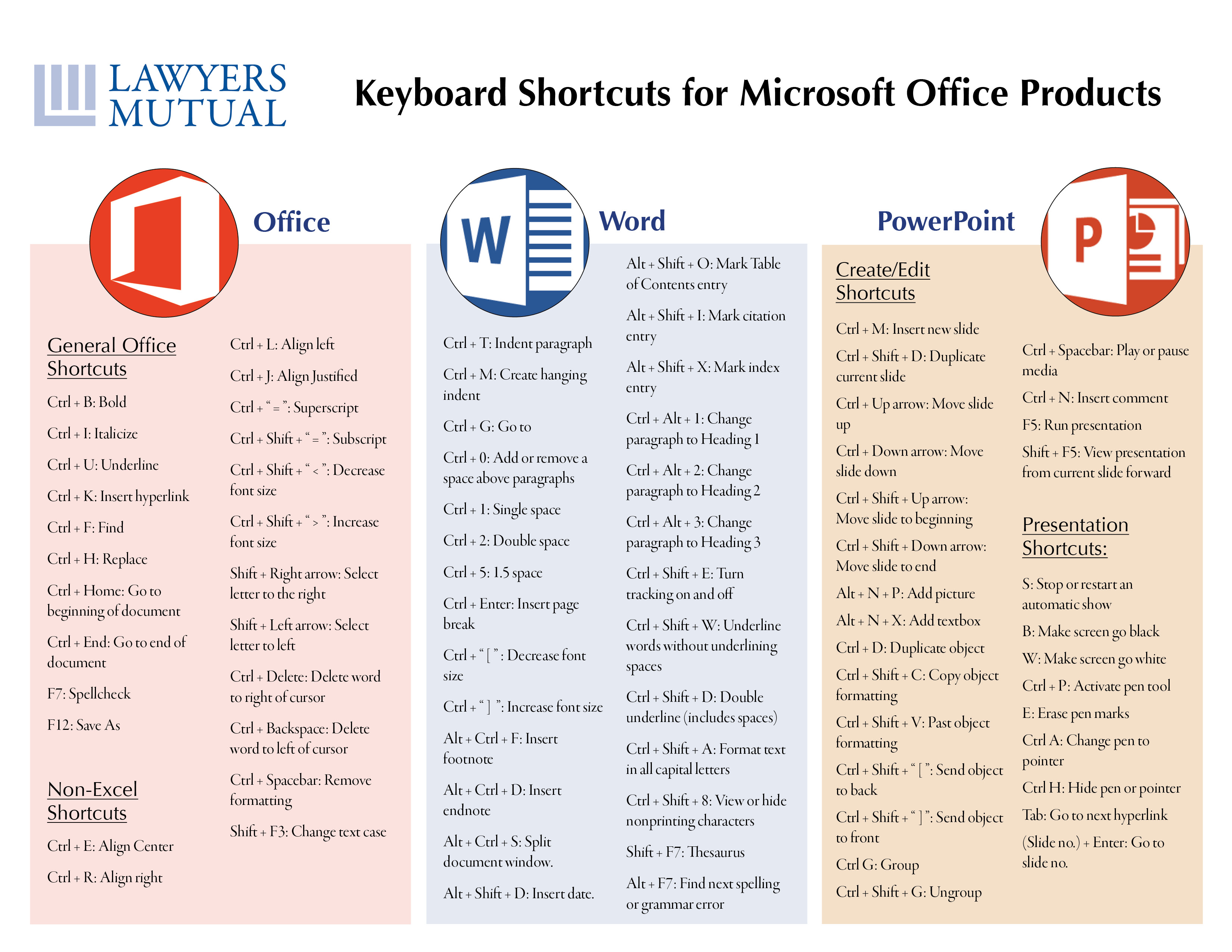
Web Mar 2 2023 nbsp 0183 32 1 Answer Alt F then Alt E or Alt then E takes you to the Export options page where you can choose what to export to Alt then E then A will also take you to the Publish as PDF or XPS dialog If you commonly export to PDF XPS consider adding an icon to your Ribbon bar as a shortcut

Web Jul 31 2023 nbsp 0183 32 Step 1 Click the Start icon on the Taskbar to open the Start menu type Microsoft Excel in the search box and press Enter Step 2 Open the Excel workbook where you want to enable this
Web Step 1 Select the Range You Want to Save as a PDF The first step in saving an Excel file as a PDF is to select the range of cells you want to include in the PDF This can be a single cell a range of cells or an entire worksheet Once you have selected the range press Ctrl P to open the Print dialog box Step 2 Choose the PDF Printer Web Jun 29 2015 nbsp 0183 32 Saving a Range of data as a PDF with a button in excel I have code that will bring up a save dialog box when a button in my excel sheet is clicked Sub SavePDF Dim X X Application GetSaveAsFilename InitialFileName Range quot F8 quot amp quot quot amp Range quot F6 quot FileFilter quot PDF files pdf quot Title quot Save PDF File quot If TypeName X
Web Aug 18 2022 nbsp 0183 32 In Excel for Windows to save as PDF 1 Click File gt Save as gt choose the location such as documents gt click on the drop down menu next to save and select PDF as demonstrated below 2 You can also Export to PDF click File gt Export and click Create PDF XPS as demonstrated in the screenshot below