Enter List In Excel Cell How To Remove Space In Excel Cell Trim Function In Excel With Data Drop Down List In Excel In Worksheet Cell YouTube How To Shift Enter In Excel Cell Serredt Understanding Lists In Excel Pixelated Works Picture In Excel Cell Comments YouTube Web Sep 27 2023 nbsp 0183 32 Excel drop down list aka dropdown box or dropdown menu is used to enter data in a spreadsheet from a predefined items list When you select a cell containing the list a small arrow appears next to the cell so you click on it to make a selection
Web Mar 18 2022 nbsp 0183 32 1 Create a Bulleted List Using Keyboard Shortcuts The easiest way to create a bulleted list is to use the Alt key to add a bullet character into a cell If you hold down the Alt key and enter the Numpad code the code will convert into a symbol Select the cell where you want to add a bullet Web Select the cells that you want to contain the lists On the ribbon select DATA gt Data Validation In the dialog box set Allow to List Click in Source type the text or numbers separated by commas for a comma delimited list that you want in
Picture In Excel Cell Comments YouTube Convert Text Into Shape In Excel Cell Using VBA YouTube How To Go To The Next Line In Excel Cell Secret 2 Methods YouTube How To Randomize A List In Excel Pixelated Works How To Delete Last Text In Excel Cell How To Enter Data In An Excel Cell Pixelated Works How To Create A List In Excel Pixelated Works Excel Survey Template With Drop Down List Printable Templates Excel Copying Cells Using Drop Down Super User Hot Sex Picture
Enter List In Excel Cell
 Enter List In Excel Cell
https://i.ytimg.com/vi/7EBdXewHuE4/maxresdefault.jpg
Web Select the cells that you want to contain the lists On the ribbon select DATA gt Data Validation In the dialog box set Allow to List Click in Source type the text or numbers separated by commas for a comma delimited list that you want in
Pre-crafted templates provide a time-saving option for creating a varied variety of files and files. These pre-designed formats and designs can be made use of for various personal and professional jobs, including resumes, invitations, leaflets, newsletters, reports, discussions, and more, enhancing the material production process.
Enter List In Excel Cell

How To Remove Space In Excel Cell Trim Function In Excel Remove

Convert Text Into Shape In Excel Cell Using VBA YouTube
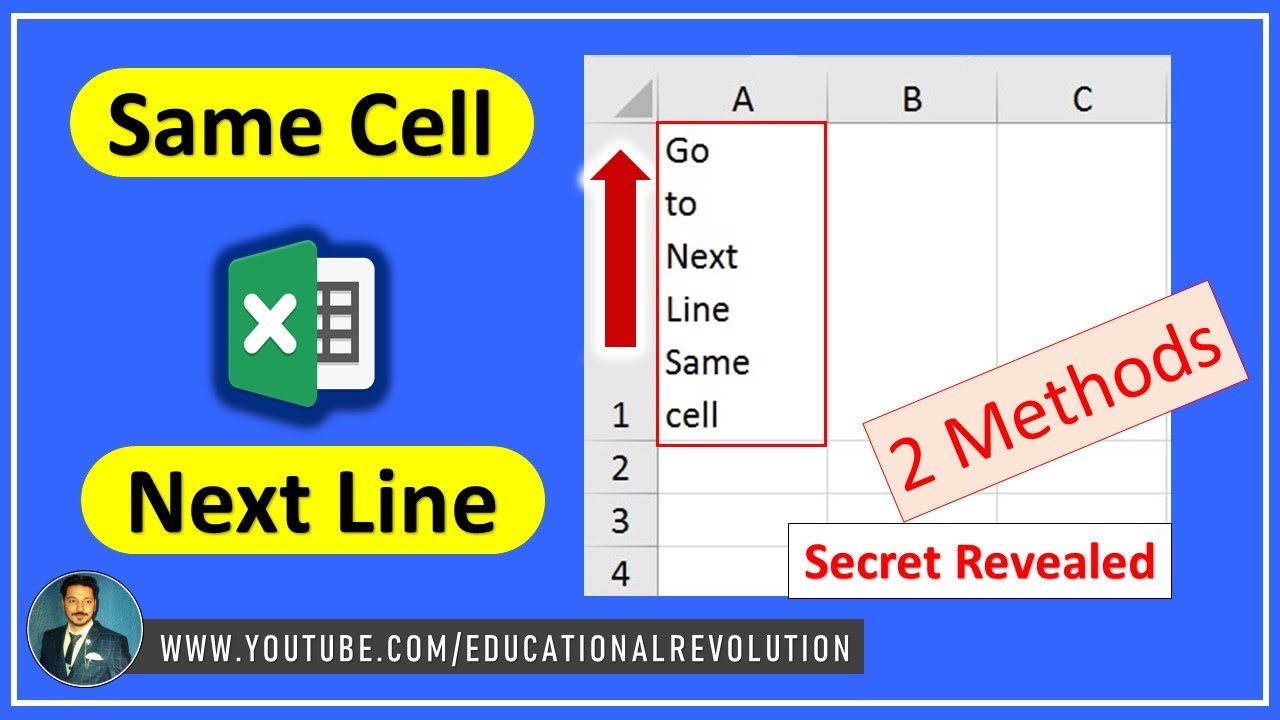
How To Go To The Next Line In Excel Cell Secret 2 Methods YouTube

How To Randomize A List In Excel Pixelated Works

How To Enter Data In An Excel Cell Pixelated Works

How To Create A List In Excel Pixelated Works
Web Sep 6 2023 nbsp 0183 32 To add a drop down list in Excel use the Data Validation feature and name the range of cells containing the options Then enter the name of the cell range in the Source box of the Data Validation dialog box
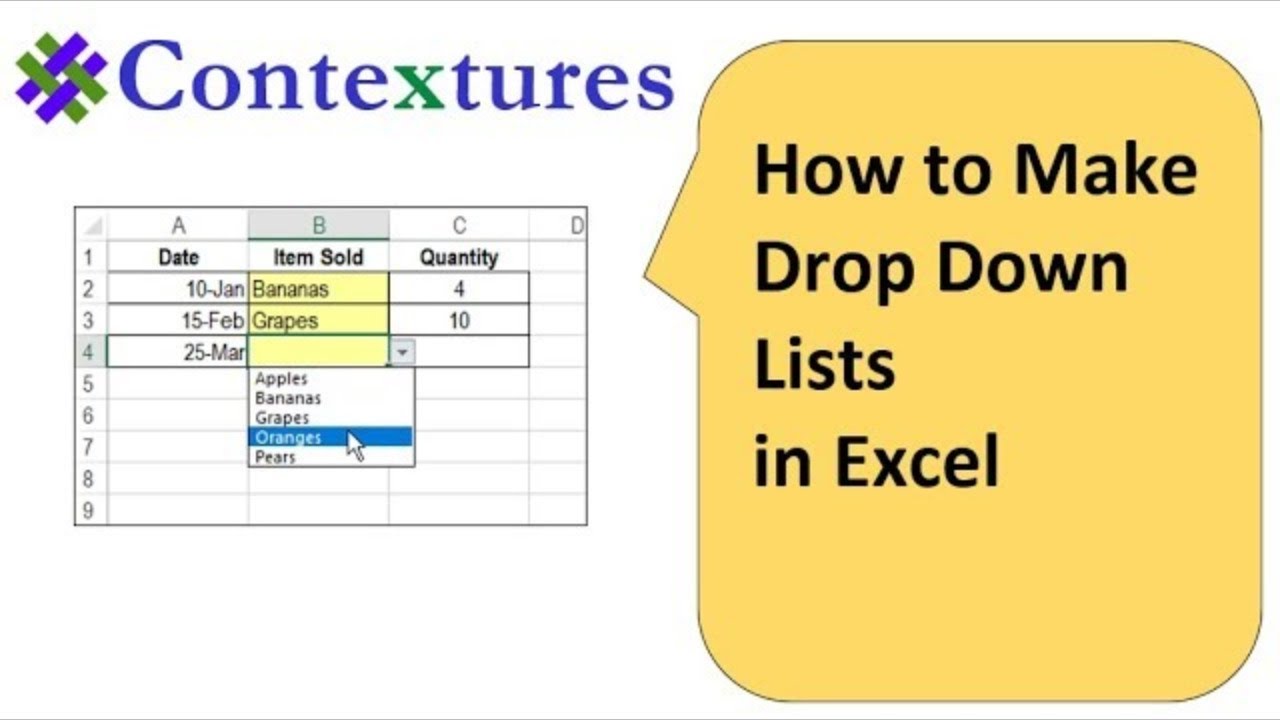
Web Create a list of valid entries for the drop down list typed on a sheet in a single column or row without blank cells Select the cells that you want to restrict data entry in On the Data tab under Tools select Data Validation or Validate

Web Nov 8 2023 nbsp 0183 32 1 By Creating a Bullet Or Number List within a Cell in Excel Now we ll learn how to make a bulleted list or numbered list within a cell in Excel So we ll have to make a line break in this method Double click the cell where you want to create the list Then click as follows Insert gt Symbols gt Symbol

Web 1 On the second sheet select a list item 2 On the Insert tab in the Tables group click Table 3 Excel automatically selects the data for you Click OK 4 If you select the list Excel reveals the structured reference 5 Use this structured reference to create a dynamic drop down list

Web Nov 28 2022 nbsp 0183 32 On the Settings tab select list from the allow box and enter the range of cells containing the list in the source box Click OK to close the data validation dialog box To use the drop down click on the cell containing the data validation list We can now only select a value from the list
Web Dec 11 2023 nbsp 0183 32 A useful feature in Excel is the ability to create a dropdown list from the data directly above the current cell Select the cell directly below a column of data values Right click on the cell and select Pick From Drop down List Web In the Allow drop down list select the List item In the Source box specify the range that contains the drop down list items in this example the range is D1 D8 Check the In Cell Dropdown option to show the drop down list Otherwise Excel validates your data entry but does not show the drop down button to select items from the list 5 Click OK
Web Feb 17 2021 nbsp 0183 32 Select quot Advanced quot on the left and scroll down to the quot General quot section Click quot Edit Custom Lists quot On Mac go to Excel gt Preferences In the quot Formulas and Lists quot section click quot Custom Lists quot Make sure that quot New List quot is selected in the quot Custom Lists quot box Then enter your list items in the quot List Entries quot box