Enable Remote Desktop Via Command Line Windows 10 4 Ways How To Enable Remote Desktop In Windows 11 How To Install Program From Command Line Windows 10 Steps Techs Remote Desktop Group Policy The 31 Little Known Truths On How To Setup Windows Remote Desktop Enable Remote Desktop Via Group Policy Oct 12 2020 nbsp 0183 32 If you like you can use the InPrivateModeAvailability policy to enable disable or force the InPrivate mode feature in Microsoft Edge for all users on the computer This tutorial
Dec 17 2023 nbsp 0183 32 This tutorial will show you how to enable or disable automatic updates in Windows Update for all users in Windows 10 May 15 2020 nbsp 0183 32 This tutorial will show you how to enable or disable read and write access to all removable storage devices for all users in Windows 7 Windows 8 and Windows 10
Enable Remote Desktop Via Group Policy How To Remotely Enable Remote Desktop RDP Using PowerShell Basics Of Router Enable Remote Desktop Via Group Policy How To Enable Remote Desktop Remotely Using PowerShell Command Enable Remote Desktop Remotely LaptrinhX How To Enable Remote Desktop In Windows 11 Activate Remote Desktop In Windows 11 And Windows Server 2022 GUI WAC Enable Or Disable Remote Desktop Via Command Prompt PowerShell Techilife
Enable Remote Desktop Via Command Line Windows 10
 Enable Remote Desktop Via Command Line Windows 10
https://www.minitool.com/images/uploads/news/2021/08/enable-remote-desktop-windows-11/enable-remote-desktop-windows-11-1.png
Jun 2 2021 nbsp 0183 32 How to Enable or Disable Changing Mouse Pointers in Windows A mouse pointer or cursor is a graphical image on the PC monitor or other display device The pointer echoes
Pre-crafted templates use a time-saving solution for developing a diverse variety of files and files. These pre-designed formats and layouts can be made use of for different personal and expert jobs, including resumes, invites, leaflets, newsletters, reports, presentations, and more, streamlining the content development procedure.
Enable Remote Desktop Via Command Line Windows 10

Activate Windows Command Line Astrobtc

How To Remotely Enable Remote Desktop RDP Using PowerShell

Basics Of Router
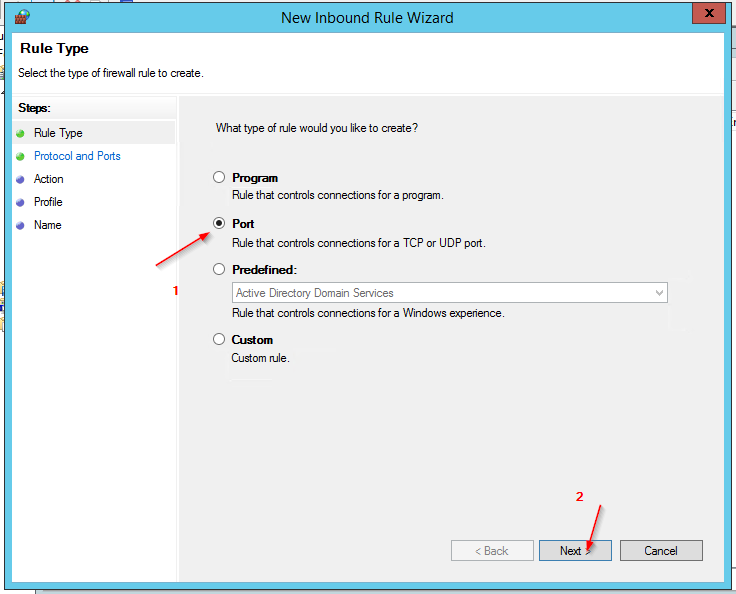
Enable Remote Desktop Via Group Policy
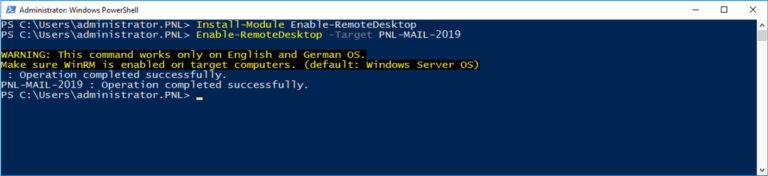
Enable Remote Desktop Remotely LaptrinhX

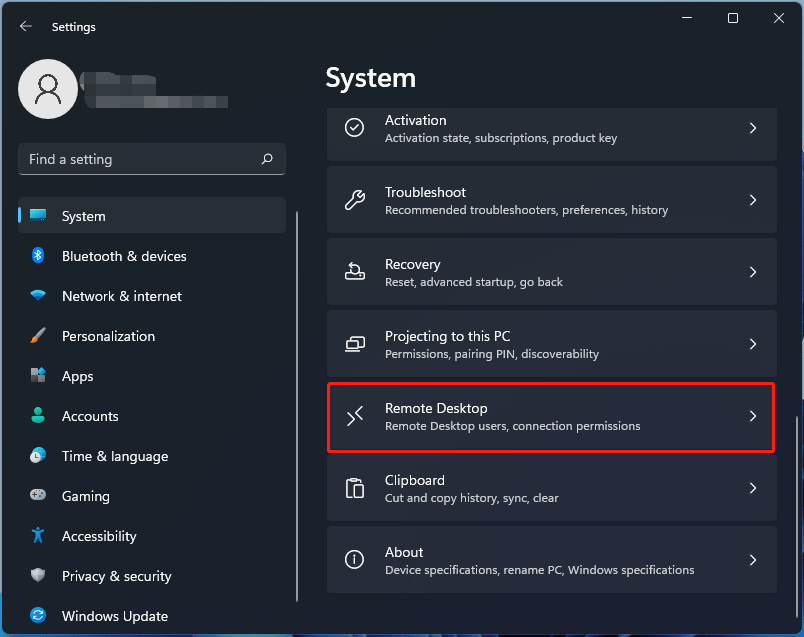
How To Enable Remote Desktop In Windows 11
1 enable enable sb to do 2 enable sb to do enable sb to do 1 This is but a foretaste of what the emerging technologies will

Jun 24 2022 nbsp 0183 32 How to Add Delete Enable or Disable Startup Items in Windows 10 Startup items are the apps shortcuts folders drives etc that are set to run or open automatically at startup
Jun 8 2023 nbsp 0183 32 How to Enable or Disable Touchpad in Windows 10 Published by Shawn Brink Category Hardware amp Drivers 08 Jun 2023 How to Enable or Disable Touchpad in Windows

Mar 22 2020 nbsp 0183 32 To Enable or Disable Sound Output Device in Settings Device properties This option is only available in Windows 10 1 Open Settings and click tap on the System icon 2
Jan 25 2020 nbsp 0183 32 Enable and Configure or Disable MultiFinger Gestures for Precision Touchpad in Settings 1 Open Settings and click tap on the Devices icon 2 Click tap on Touchpad on the
[desc-11] [desc-12]
[desc-13]