Edit Pdf In Notes Iphone How To Use The Document Scanner In The Notes App On IPhone And IPad IMore How To Style Format Text In The IPhone s Notes App Looking At Notes In IOS 16 The Sweet Setup Use Your IPhone Notes App To Scan And Email Documents YouTube How To Find And Replace Text In Notes App In IOS 16 On IPhone IGeeksBlog WEB Create and format notes on iPhone Use the Notes app to jot down quick thoughts or organize detailed information with checklists images web links scanned documents handwritten notes and sketches
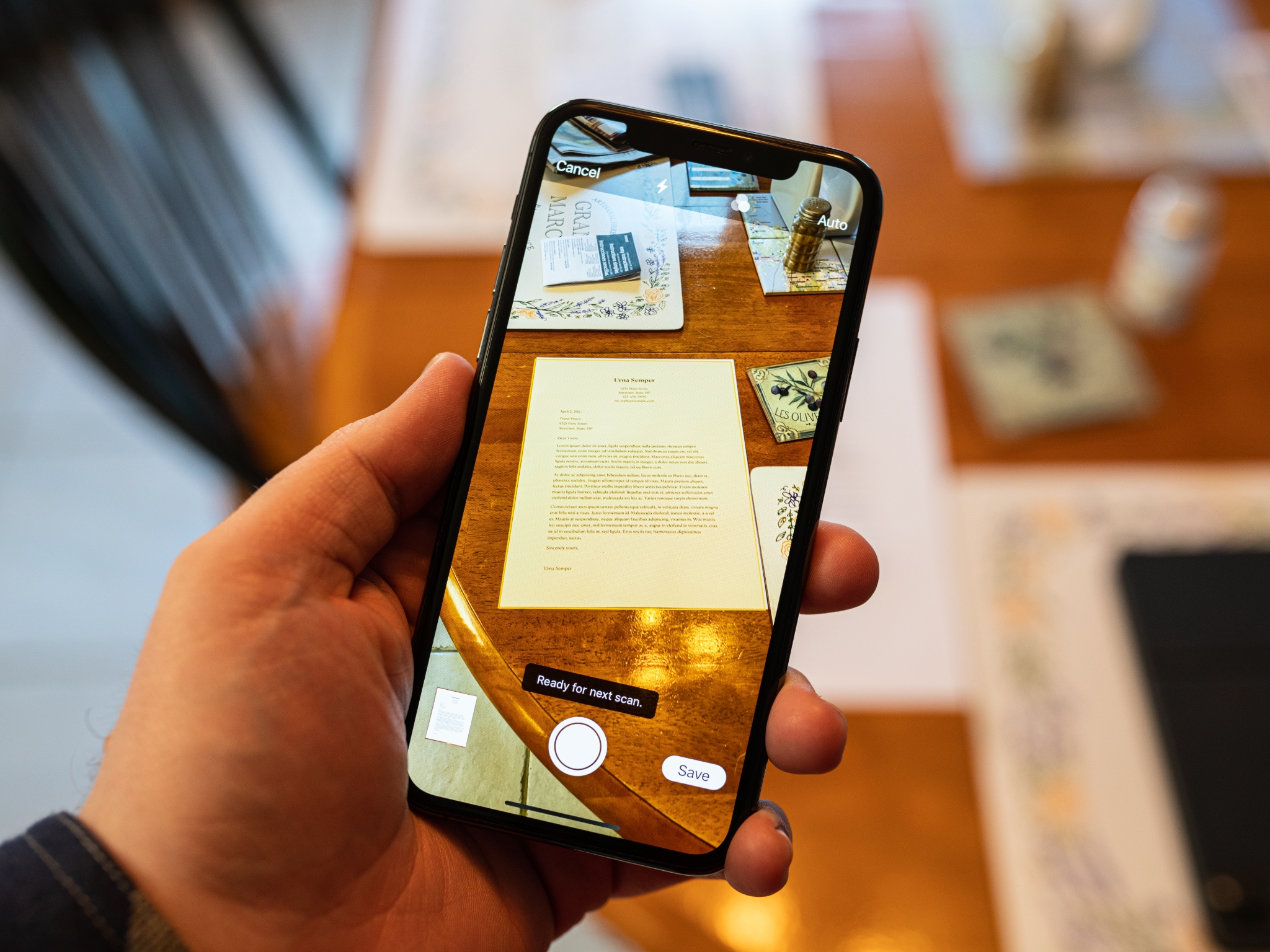
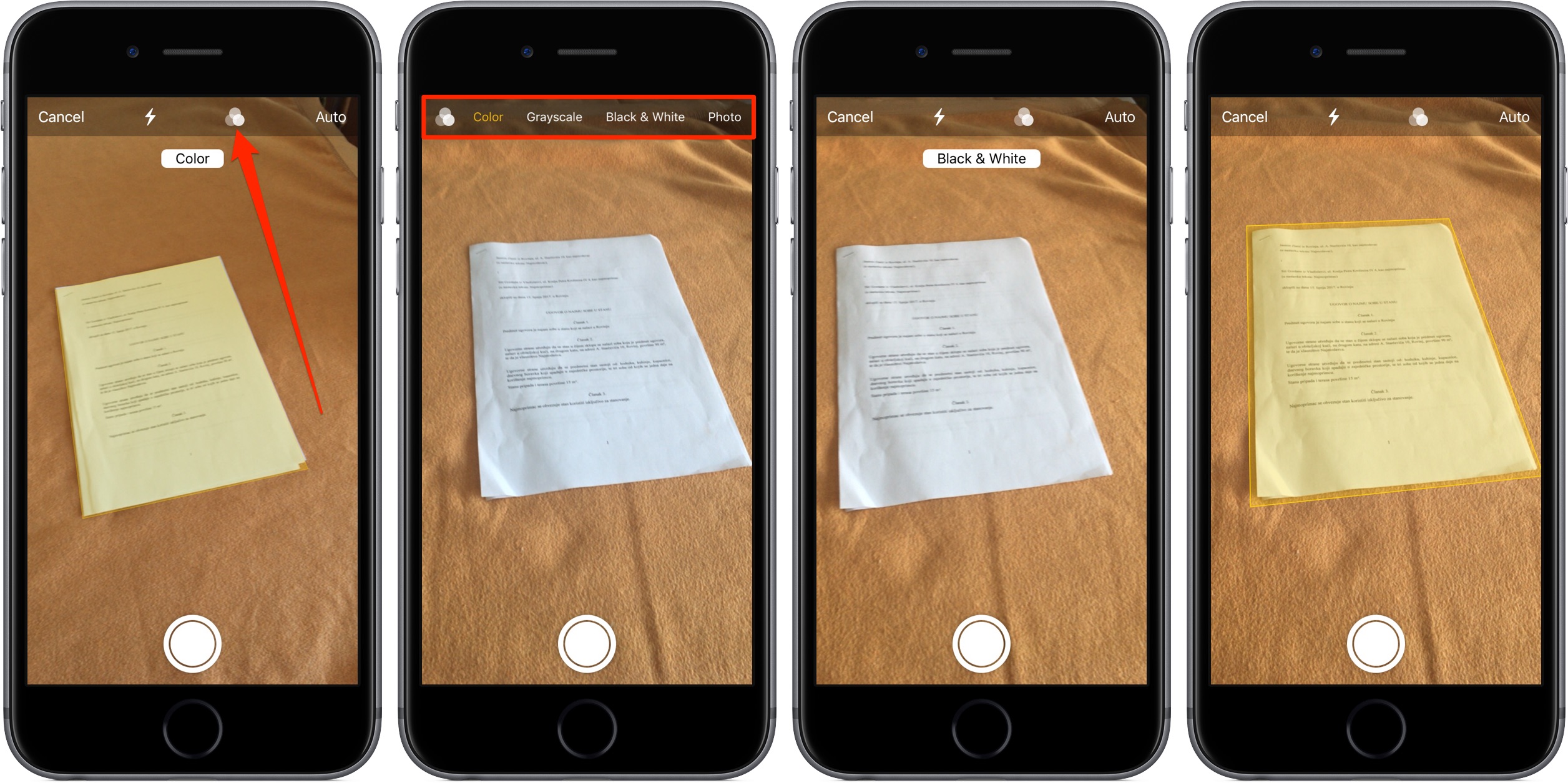
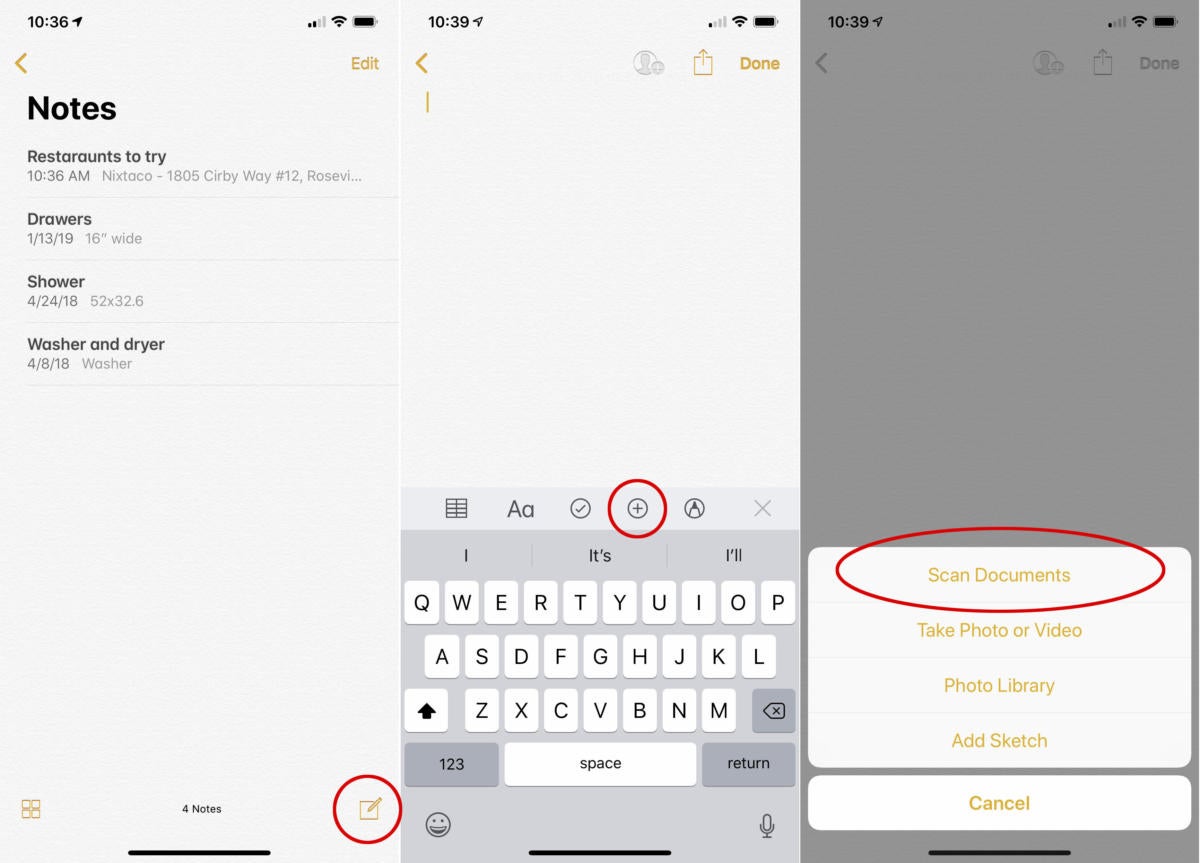
WEB Oct 24 2023 nbsp 0183 32 Learn how to create a PDF on iPhone plus edit new and existing documents easily using the native PDF editor app called Files WEB Mar 15 2024 nbsp 0183 32 How to scan documents on your iPhone or iPad You can use the Notes app to scan documents and add signatures on your iPhone or iPad Scan a document Open Notes and select a note or create a new one Tap the Camera button then tap Scan Documents Place your document in view of the camera
How To Find And Replace Text In Notes App In IOS 16 On IPhone IGeeksBlog Extra Element Elevation Box Notes Ios App Klasse Pfefferminze Langweilig How To Scan A Document Using Iphone Xr Free Documents How To Edit PDFs On IPhone And IPad In IOS 15 9to5Mac Keep My Notes App Iphone Vlerogalaxy How To Scan Documents And Make PDFs Using Notes On Your IPhone Or IPad How To Scan A Document On IPhone TechStory How To Scan To PDF On IPhone Or IPad How To Scan To PDF On IPhone Or IPad
Edit Pdf In Notes Iphone
 Edit Pdf In Notes Iphone
https://www.imore.com/sites/imore.com/files/styles/large/public/field/image/2020/04/scan-documents-iphone-11-pro-hero.jpg
WEB Jun 22 2021 nbsp 0183 32 You can most definitely edit those PDF files on your iPad Air using your Apple Pencil To import the PDF to notes you will want to attach it to a note with these steps Add attachments to notes on iPad You can also use Books to edit those PDF files as well Save and mark up PDFs on your iPhone iPad or iPod touch with the Books app
Pre-crafted templates use a time-saving option for developing a varied variety of documents and files. These pre-designed formats and designs can be made use of for numerous individual and professional tasks, including resumes, invitations, leaflets, newsletters, reports, presentations, and more, improving the material development process.
Edit Pdf In Notes Iphone

Detailed Review For Note Taking Apps With IPad Pro And Apple Pencil

Extra Element Elevation Box Notes Ios App Klasse Pfefferminze Langweilig
How To Scan A Document Using Iphone Xr Free Documents

How To Edit PDFs On IPhone And IPad In IOS 15 9to5Mac
How To Scan Documents And Make PDFs Using Notes On Your IPhone Or IPad

How To Scan A Document On IPhone TechStory

WEB Oct 10 2023 nbsp 0183 32 In the latest version of iOS and macOS Apple has updated the Notes app to support inline PDFs which means you can insert a PDF into Notes and then read annotate and collaborate on the

WEB Jul 31 2022 nbsp 0183 32 If you need to know how to edit PDFs on iPhone and iPad then let us help you find your way around Apple s built in editing tools

WEB Jan 14 2022 nbsp 0183 32 Yes there is a way in which you can edit a PDF on your iPhone without having to install any additional apps And not just Markup and Highlight editing options but options that allow you to
WEB Jul 31 2022 nbsp 0183 32 We ve prepared a guide on how to convert Apple Notes to PDF on iPhone iPad and Mac
WEB Jan 10 2024 nbsp 0183 32 You can edit PDF documents natively on your iPhone using the Notes app and Files app Depending on the app you use to edit them you can perform the following tweaks to PDFs on your iPhone Rotate pages left or right Rearranges pages natively Add new pages or remove existing ones Insert photos into PDFs
WEB Feb 15 2022 nbsp 0183 32 To access the PDF of your scan and share it elsewhere you can sync your Notes app to your iCloud storage and find the PDF later on the web or send it directly from the Notes app on your phone WEB Learn how to edit a PDF on your iPhone by typing directly on the document Make edits to your PDF file from anywhere using Adobe Acrobat
WEB Jan 16 2022 nbsp 0183 32 The edit menu allows you to rotate a file insert new pages or documents and delete pages Markup tools continue to make it possible to add signatures and text to files This article teaches you how to edit a PDF on an iPhone or iPad using iOS 15 and looks at what you re capable of doing with a PDF in general via iOS