Does Google Sheets Have A Label Template Does Google Sheets Have Dark Mode YouTube 7 Best Google Sheets Workout Templates 2022 Create Google Doc Simple Invoice Template Rytespan 10 Best Free Google Sheets Workout Planner Templates For 2022 BETTER Check Register Google Sheets Coub Web For printing labels users need to work on Google Docs and Sheets simultaneously First and foremost you need to have a new contact list ready in a Google spreadsheet You can either create this list manually
Web On your computer open a spreadsheet in Google Sheets Double click the chart you want to change At the right click Customize Click Pie chart Under quot Slice label quot choose an Web 11 Sept 2023 nbsp 0183 32 Mail Merge envelopes labels QR Codes and Barcodes from Google Docs and Google Sheets The best way to create and print labels using accurate compatible templates from Avery
BETTER Check Register Google Sheets Coub 7 Best Google Sheets Workout Templates 2022 Does Google Sheets Save Automatically This Is How It Works Workout Plan Template Google Docs Kayaworkout co 10 Best Free Google Sheets Workout Planner Templates For 2022 2023 7 Best Google Sheets Workout Templates 2022 Tamil Daily Calendar August 2023 DailyCalendars Calendar Labs 2023 Monthly Calendar 10 Best Free Google Sheets Workout Planner Templates For 2022 2023
Does Google Sheets Have A Label Template
 Does Google Sheets Have A Label Template
https://i.ytimg.com/vi/t9OAa9OHT7E/maxresdefault.jpg
Web Use Label LIVE to design and print custom labels from Google Sheets using your label printer Label LIVE works with Zebra ROLLO DYMO TSC mydpi and other popular label printers Also works with sheets of
Templates are pre-designed documents or files that can be utilized for various purposes. They can conserve time and effort by providing a ready-made format and layout for producing various type of content. Templates can be used for individual or expert jobs, such as resumes, invitations, leaflets, newsletters, reports, discussions, and more.
Does Google Sheets Have A Label Template
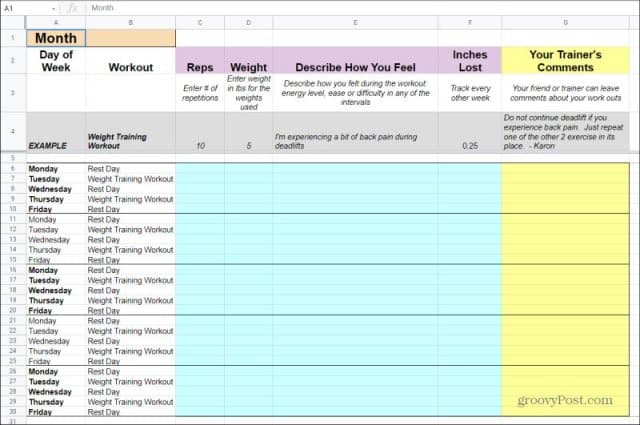
7 Best Google Sheets Workout Templates Midargus
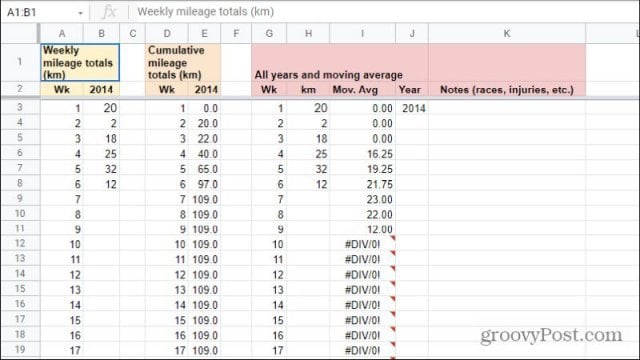
7 Best Google Sheets Workout Templates 2022
Does Google Sheets Save Automatically This Is How It Works
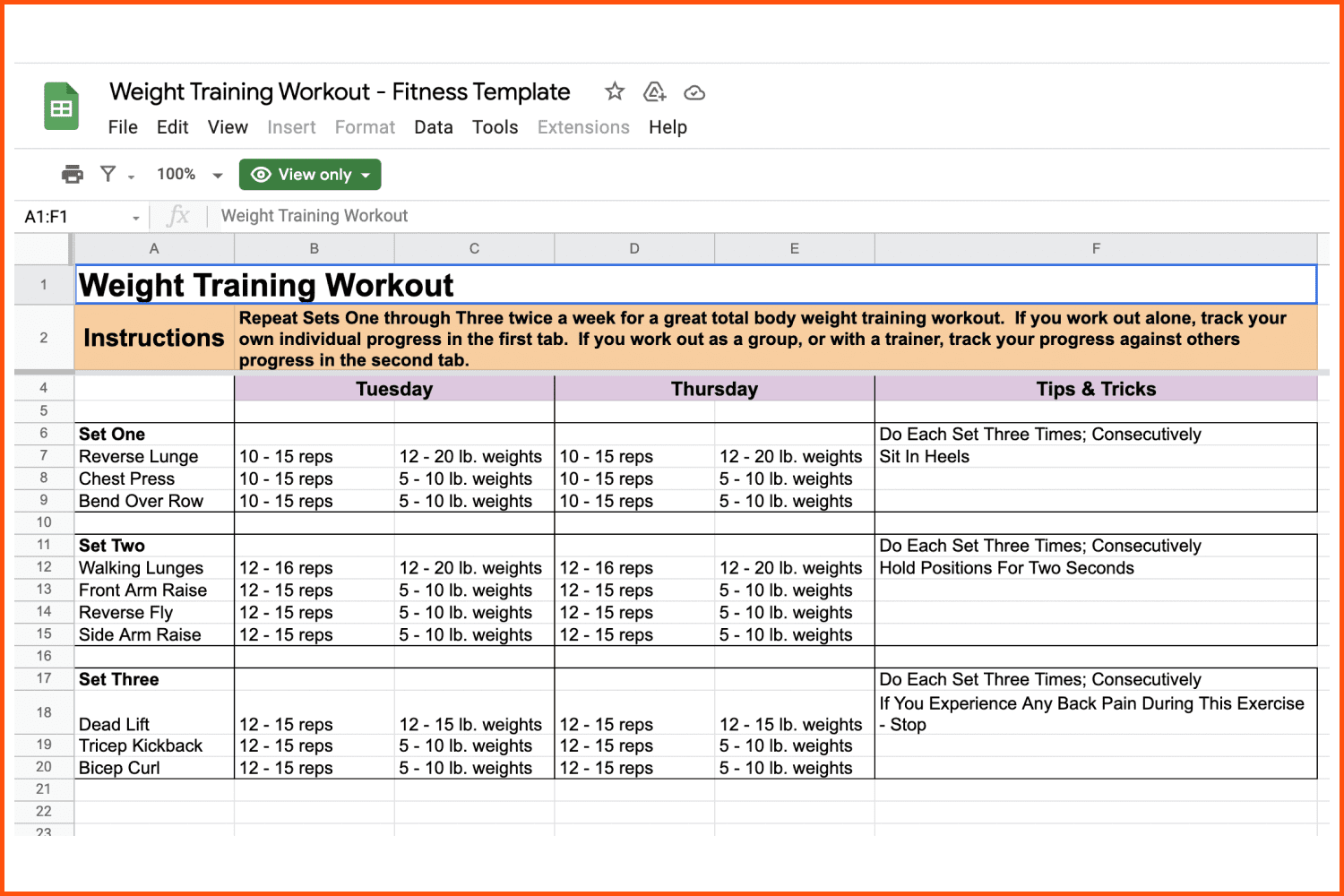
Workout Plan Template Google Docs Kayaworkout co

7 Best Google Sheets Workout Templates 2022

Tamil Daily Calendar August 2023 DailyCalendars
Web 12 Sept 2023 nbsp 0183 32 Labelmaker is the best way to mail merge labels within Google Docs and or Google Sheets Create and print labels from a wide choice of label templates Labelmaker is compatible with

Web 13 Apr 2023 nbsp 0183 32 Does Google Sheets have a label template No Google Sheets doesn t have any label template by default However you can obtain templates from third party resources For example if you install

Web 18 Juli 2023 nbsp 0183 32 The easiest way to create labels in Google Docs is by using a table You can create a table with the number of rows and columns you need then add your text to each cell Note If you don t wish to create

Web 10 Sept 2023 nbsp 0183 32 In Google Sheets click on Add ons gt Foxy Labels gt Create labels 2 In the new window click on Label template control 3 In the new window search for the template you need and

Web In the Foxy Labels window click the Label Template button which will open a dialog window with the templates catalog Use search 1 to locate the desired template We
Web In Google Sheets click on the quot Extensions quot menu previously named quot Add ons quot then select quot Create amp Print Labels quot If you don t have the add on yet make sure to install it Web 10 Jan 2023 nbsp 0183 32 In Google Docs go to Extensions gt Add ons gt Create amp Print Labels Label Maker for Avery amp Co gt Create Labels In the Labelmaker pop up menu on the
Web Make labels in Google Docs Print labels for a mailing list in Google Sheets Fix misaligned labels templates Make a mailing list in Google Sheets Create plain labels