Docker Daemon Not Running Windows Wsl Docker WSL 2 The Future Of Docker Desktop For Windows Docker WSL Cannot Connect To The Docker Daemon At Unix After Fresh Install Migrating Docker Desktop To WSL2 Azure Readiness Starts Here WSL Docker Cannot Connect To The Docker Daemon At Unix var run FIX Cannot Connect To The Docker Daemon At unix var run docker See docker run help and the status now is Docker is not running HERE s an example im trying to emulate MY ENVIRONMENT WINDOWS WINDOWS 10 HOME VERSION 1903 OS build 18362 239 DOCKER Docker version 18 09 7 build 2d0083d i HAVE downloaded docker for ubuntu according to the official website In windows features i have
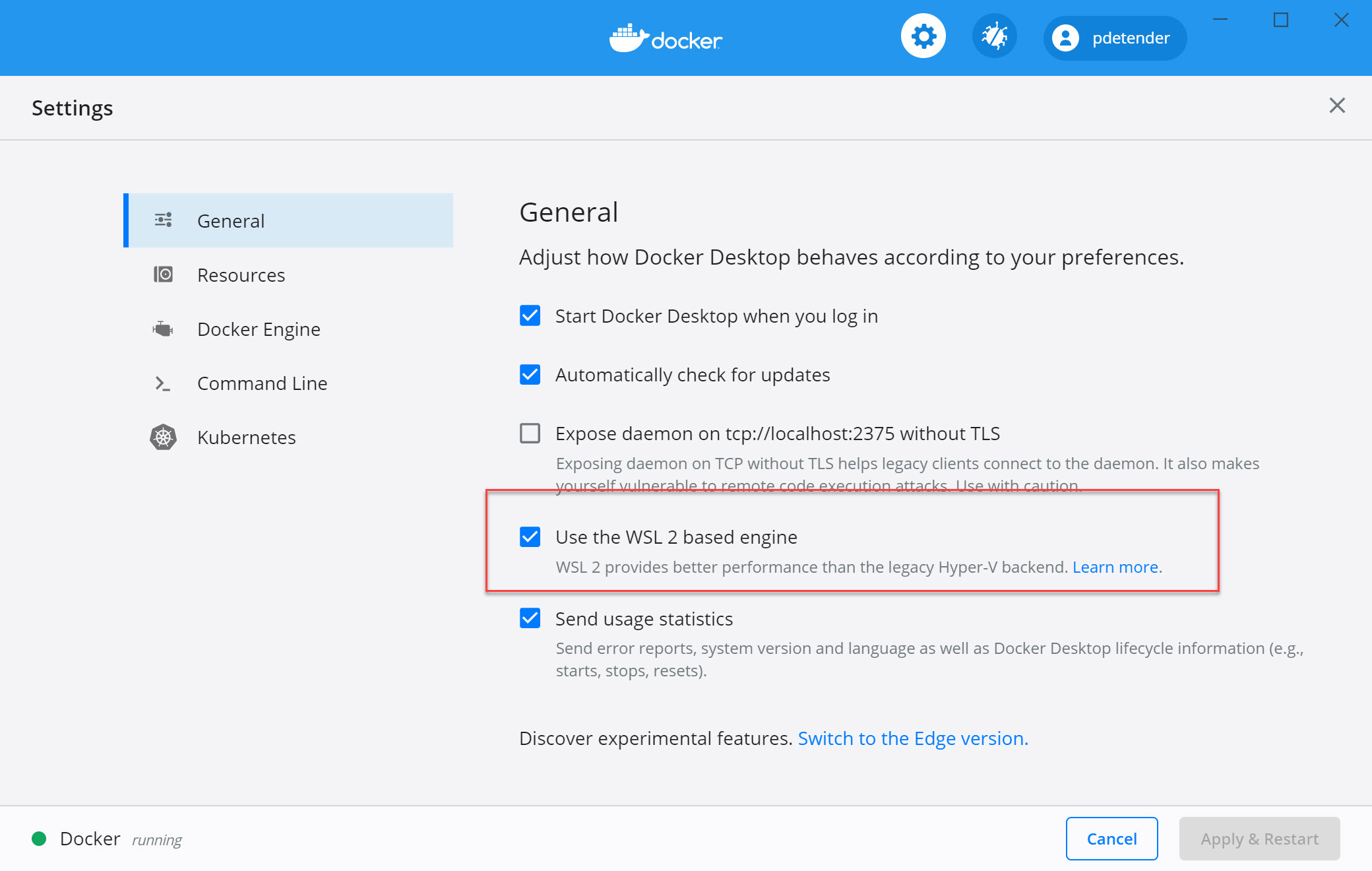
Once installed start Docker Desktop from the Windows Start menu then select the Docker icon from the hidden icons menu of your taskbar Right click the icon to display the Docker commands menu and select Settings Ensure that Use the WSL 2 based engine is checked in Settings General If you want to run Docker within WSL without having the windows Docker client you have to update it to WSL2 failed to start daemon ensure docker is not running or delete var run docker pid process with PID 25 is still running sudo rm rf var run docker pid sudo kill 25
FIX Cannot Connect To The Docker Daemon At unix var run docker Troubleshooting Synchro Foundation Checking If The Docker Daemon Is Running On A Linux Host A Guide To How To Fix Docker Daemon Not Able To Connect At unix var run docker How To Solve Daemon Not Running Starting Now At Tcp 5037ADB Server ADB daemon Not Running starting It Now On Port 5037 Best Ccc Solved Error During Connect This Error May Indicate That The Docker Default App Has Already Been Configured Wcfrestservicetutorial Is Error May Also Indicate That The Docker Daemon Is Not Running
Docker Daemon Not Running Windows Wsl
 Docker Daemon Not Running Windows Wsl
https://www.docker.com/wp-content/uploads/engineering/2019/06/wsl2_1.png
I try to start the docker service and it says it s trying to start the systemctl thing won t work for me since I get System has not been booted with systemd as init system sudo service docker start Starting Docker docker but it never start as shown when running sudo service docker status Docker is not running
Pre-crafted templates provide a time-saving solution for developing a diverse series of files and files. These pre-designed formats and layouts can be used for various personal and professional jobs, including resumes, invites, leaflets, newsletters, reports, discussions, and more, simplifying the content creation process.
Docker Daemon Not Running Windows Wsl

How To Start Docker Daemon In Wsl About Dock Photos Mtgimage Org

Troubleshooting Synchro Foundation

Checking If The Docker Daemon Is Running On A Linux Host A Guide To

How To Fix Docker Daemon Not Able To Connect At unix var run docker

ADB daemon Not Running starting It Now On Port 5037 Best Ccc
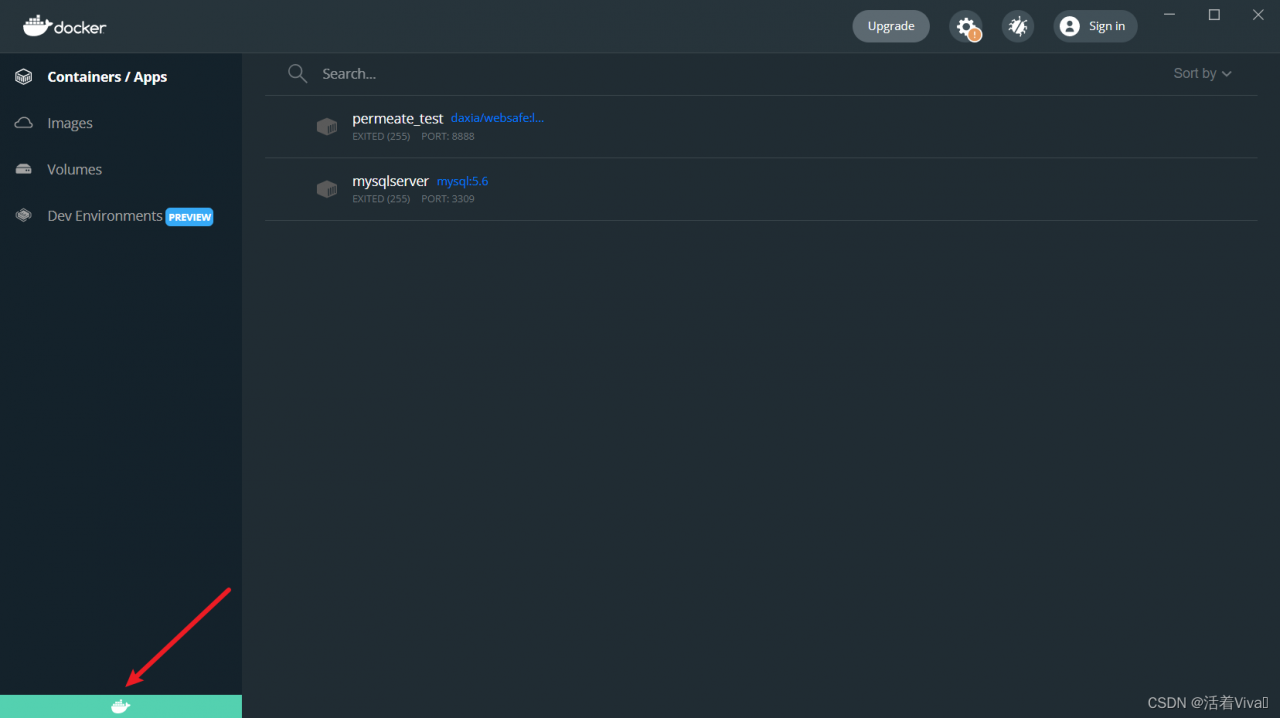
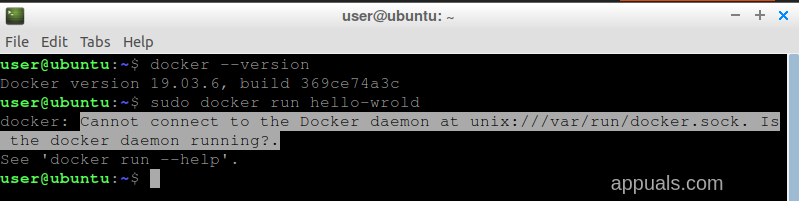
Solved Error During Connect This Error May Indicate That The Docker
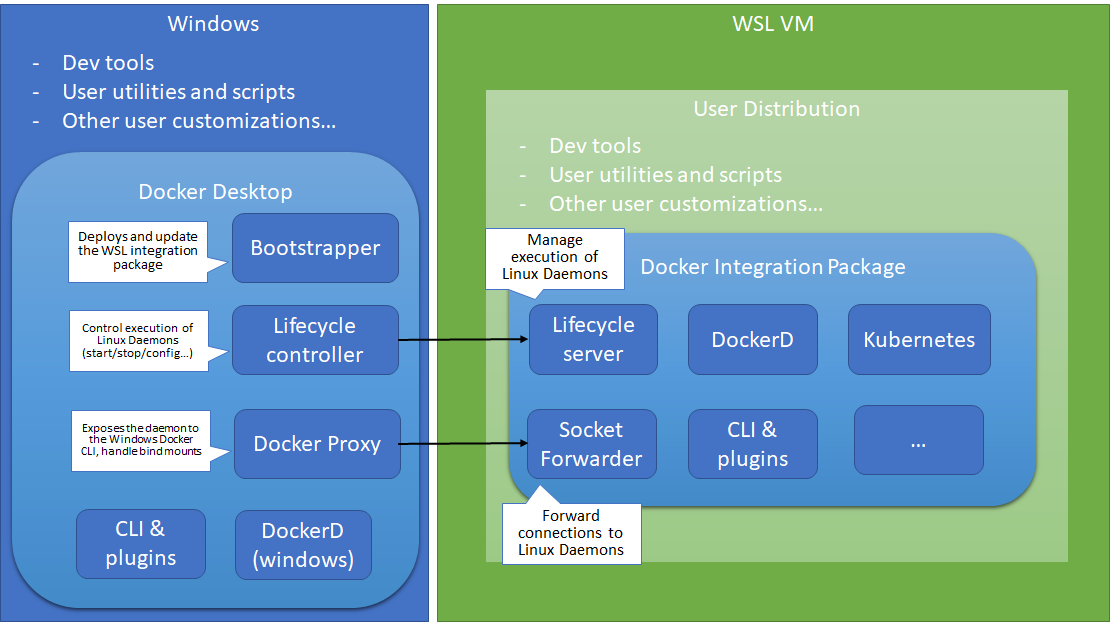
To check the WSL mode run wsl exe l v To upgrade the Linux distro to v2 run wsl exe set version distro name 2 To set v2 as the default version for future installations run wsl exe set default version 2 When Docker Desktop starts go to Settings Resources WSL Integration The Docker WSL integration is enabled on the

Correct WSL does not have systemd It is said on the Internet that it may also be because the docker service is not started so I used another command sudo service docker start and system shows Starting Docker docker it seem like run I run this command sudo service docker status but system show Docker is not running
If you override this option without specifying a hosts entry in the daemon json or a H flag when starting Docker manually Docker fails to start Run sudo systemctl daemon reload before attempting to start Docker If Docker starts successfully it s now listening on the IP address specified in the hosts key of the daemon json instead of a socket

The next step is to configure WSL so that it knows how to connect to the remote Docker daemon running in Docker for Windows remember it s listening on port 2375 If you re not using Docker for Windows and followed Docker Tip 73 s guide to create your own VM then you probably did this already which means you can skip the command below
What you will not get Docker Daemon sharing between Windows and WSL i e you cannot run docker from Windows PowerShell Docker Daemon sharing between WSL distributions Requisites I will consider that you already have WSL2 working and you are using Ubuntu as your distribution Guide Install Docker CE on Ubuntu by following the official guide
Docker WSL 2 In this article I will show you how to install and configure Docker Engine directly on Linux using WSL 2 on Windows The first thing you have to do is make sure Docker Desktop and Docker CLI are not installed on your Windows since later you will have to install the Docker Engine alone There are a couple important advantages All containers have restart unless stopped so they start when docker start It happen to me and my colleague BUT it wasn t happening to him with is older computer which was way less powerful It seems like to reproduce you need a powerful computer as if docker was starting too fast and the mount in mnt wsl is not totally ready My computer is the MSI Stealth 15M B12UE 042 for spec
To fix Move AppData Docker settings json typically C Users user user profile AppData Roaming Docker settings json to a safe location for backup Restart Docker Desktop If this corrects the issue for you you can delete the backed up settings json If not you can restore it to the previous location