Disable Windows Update Service From Command Line Stop Start Restart Windows Service Command Line How To How To Open The Windows Command Prompt Using A Notepad Document What How To Install Perl From Command Line For Automation On Windows And How To Disable Automatic Updates On Windows 10 Home Edition Solved How Can I Disable Automatic Updates Completely In Win 10 Pro Disable a Windows service from the command line 4 answers Closed 6 years ago I ve tried the top comment here Disable a Windows service from the command line but when I restart the computer the service is back up and running again
Start the command line as Administrator in location with psexec exe start the Task Scheduler with the SYSTEM permissions psexec i d s mmc taskschd msc disable the rest of not disabled update tasks manually THE ORIGINAL ANSWER This script is based on Kemal s answer Enabling Windows 10 updates Just in case you wish to resume the update process open Command Prompt with administrative privileges and run the following commands one by one net start
Solved How Can I Disable Automatic Updates Completely In Win 10 Pro Windows Update Services MSPoweruser How To Disable Automatic Updates In Windows 11 4 Ways To Enable Disable Windows Update Service YouTube How To Make An HTTP Request From Command Line How To Disable Automatic Updates On Windows 10 Easytutorial How To Use winget To Install Apps From Command Line On Windows 10 4 Ways To Create And Delete Files And Directories From Windows Command Not Able To Change Startup Type Of Windows Update Service From Disabled
Disable Windows Update Service From Command Line
 Disable Windows Update Service From Command Line
https://i0.wp.com/www.middlewareinventory.com/wp-content/uploads/2019/11/Screenshot-2019-11-10-at-5.57.03-PM.png?fit=2660%2C1464&ssl=1
1 Open an elevated command prompt and do step 2 stop step 3 disable step 4 enable or step 5 start below for what you would like to do 2 To Stop a Service using Sc Stop Command in Command Prompt A Type the command below into the elevated command prompt press Enter and go to step 6 below
Pre-crafted templates use a time-saving option for developing a varied range of files and files. These pre-designed formats and designs can be made use of for various personal and professional projects, including resumes, invitations, flyers, newsletters, reports, discussions, and more, enhancing the content production process.
Disable Windows Update Service From Command Line

How To Disable Stop Automatic App Updates On Windows 10 Home Edition
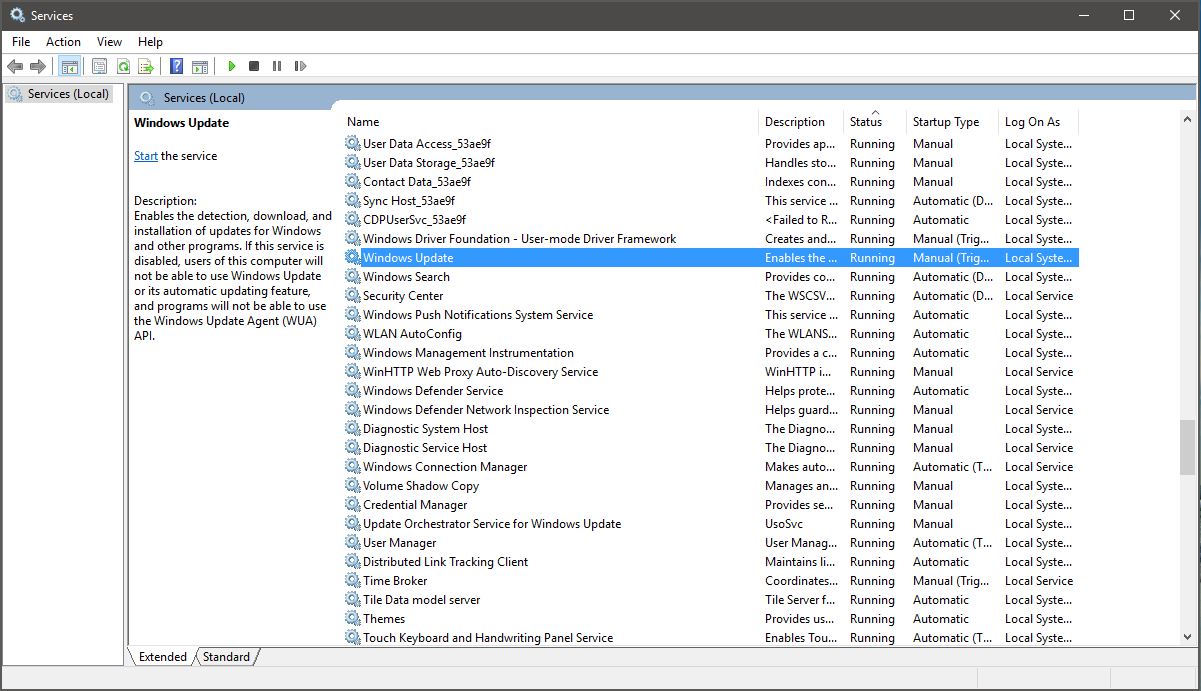
Windows Update Services MSPoweruser

How To Disable Automatic Updates In Windows 11

4 Ways To Enable Disable Windows Update Service YouTube

How To Disable Automatic Updates On Windows 10 Easytutorial

How To Use winget To Install Apps From Command Line On Windows 10

How to stop Windows update service Do the following Open elevated command prompt Run the below command net stop wuauserv Example C Users Administrator net stop wuauserv The Windows Update service is stopping The Windows Update service was stopped successfully Update service restarts automatically

I wanted to disable Windows Update service through command line can some one help me on this I have the same question 66 In the Windows command prompt type the below mentioned command and press enter sc config wuauserv start disabled 22 people found this reply helpful Last updated December 16 2023

We can disable Windows automatic updates from command line using the below command reg add HKEY LOCAL MACHINE SOFTWARE Microsoft Windows CurrentVersion WindowsUpdate Auto Update v AUOptions t REG DWORD d 1 f I tested this on Windows XP Windows server 2003 and Windows 7 and it works perfectly
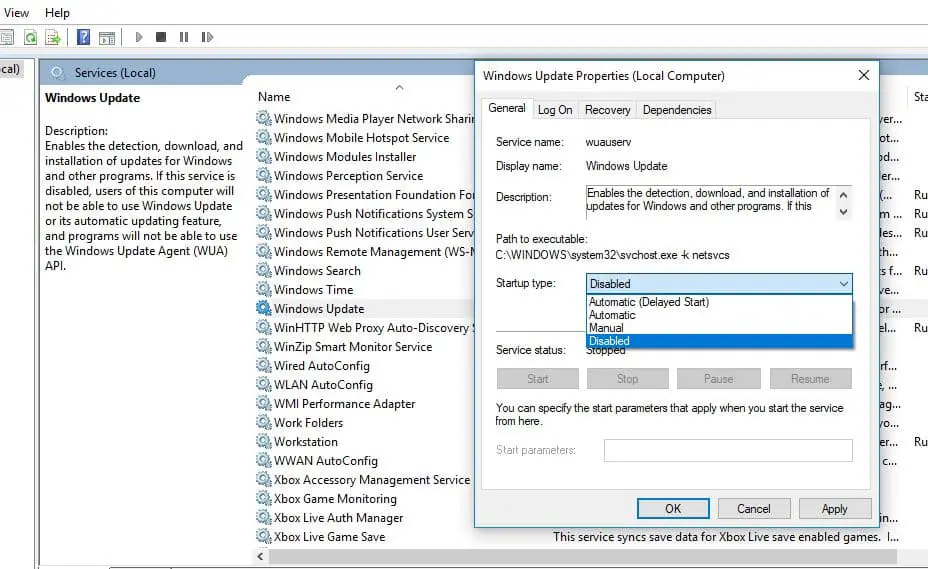
Disable a Windows service from the command line Ask Question Asked 11 years 4 months ago Modified 5 years 3 months ago Viewed 373k times 86 I want to disable a Windows service but I don t want to Open the Services management console Scroll to the name of the service Right click Properties or double click Change the Startup Type to disabled

Disable Windows Update through Group Policy Object In the group policy editor navigate to Computer Configuration Administrative Templates Windows Components Manage End User Experience Windows Update
Press Windows key X to open Power User Menu Tap A on the keyboard to launch PowerShell Windows Terminal in admin elevated mode In the PowerShell console type or copy and paste in the Task Manager PowerShell Command Prompt On Windows 10 services are programs that run in the background without a user interface and enable system features such as printing networking
Type cmd and press CTRL Shift Enter to launch Elevated Command Prompt Type sc queryex state all type service and press Enter to get a list of all the services Note the SERVICE NAME and DISPLAY NAME of the service you want to stop You can replace service name here with either of these values in Step 5