Dell Check Raid Status Linux VSM 7 Raid Viewer Cisco Community Solved Checking RAID Status In DELL Servers Dell Community Check RAID Status Kolmisoft Wiki Check Raid Status Windows Monew Monitoring RAID Status Web Subsystem abcdefg RAID Controller To find out more about your Hardware RAID configuration this is only possible using your vendor specific tool For instance to get a detailed overview on Dell Hardware run omreport storage vdisk With an Adaptec RAID controller you can use arcconf getconfig 2
Web Accessing the command prompt Working with the PERC Command Line Interface Tool Getting help Hide Table of Contents PDF Overview You can set up configure and manage your Dell PowerEdge RAID Controller PERC by using the Command Line Interface CLI Web Storage or RAID configuration is made easy on iDRAC7 1 50 50 and later versions by supporting through RACADM commands With this support you can easily and quickly configure RAID configurations and also monitor the status of each controller physical disk drive and virtual disk properties
Monitoring RAID Status How To Check The Status Of Your RAID Array In Linux CertSimple How To Check Raid Configuration In Linux Server CertSimple LVM2 Builtin Raid How To Check Raid Status YouTube How To Check Raid Configuration In Redhat Linux Linux Raid Linux Areca 1886 4N8i RAID Status ServeTheHome Check RAID Status Kolmisoft Wiki Nextelco Application Server Its wiki no How To Check Dell PERC H710 RAID Drive Status Valuable Tech Notes
Dell Check Raid Status Linux
 Dell Check Raid Status Linux
https://community.cisco.com/kxiwq67737/attachments/kxiwq67737/5736-discussions-physical-security/5243/1/snip20161003_2.png
Web Jan 2 2016 nbsp 0183 32 Viewed 11k times 1 I want to confirm that both the drives in our system are correctly added to the RAID 1 array on the server The RAID card is a Dell PERC H710 controller From the iDRAC interface it shows one drive as quot Online quot and one drive as quot Ready quot However from the PERC H710 BIOS utility it shows both drives as quot Online quot
Templates are pre-designed documents or files that can be used for numerous purposes. They can conserve time and effort by supplying a ready-made format and design for developing different type of material. Templates can be utilized for personal or professional tasks, such as resumes, invites, flyers, newsletters, reports, presentations, and more.
Dell Check Raid Status Linux

How To Check RAID Status 4 Different Methods DiskInternals

How To Check The Status Of Your RAID Array In Linux CertSimple

How To Check Raid Configuration In Linux Server CertSimple

LVM2 Builtin Raid How To Check Raid Status YouTube
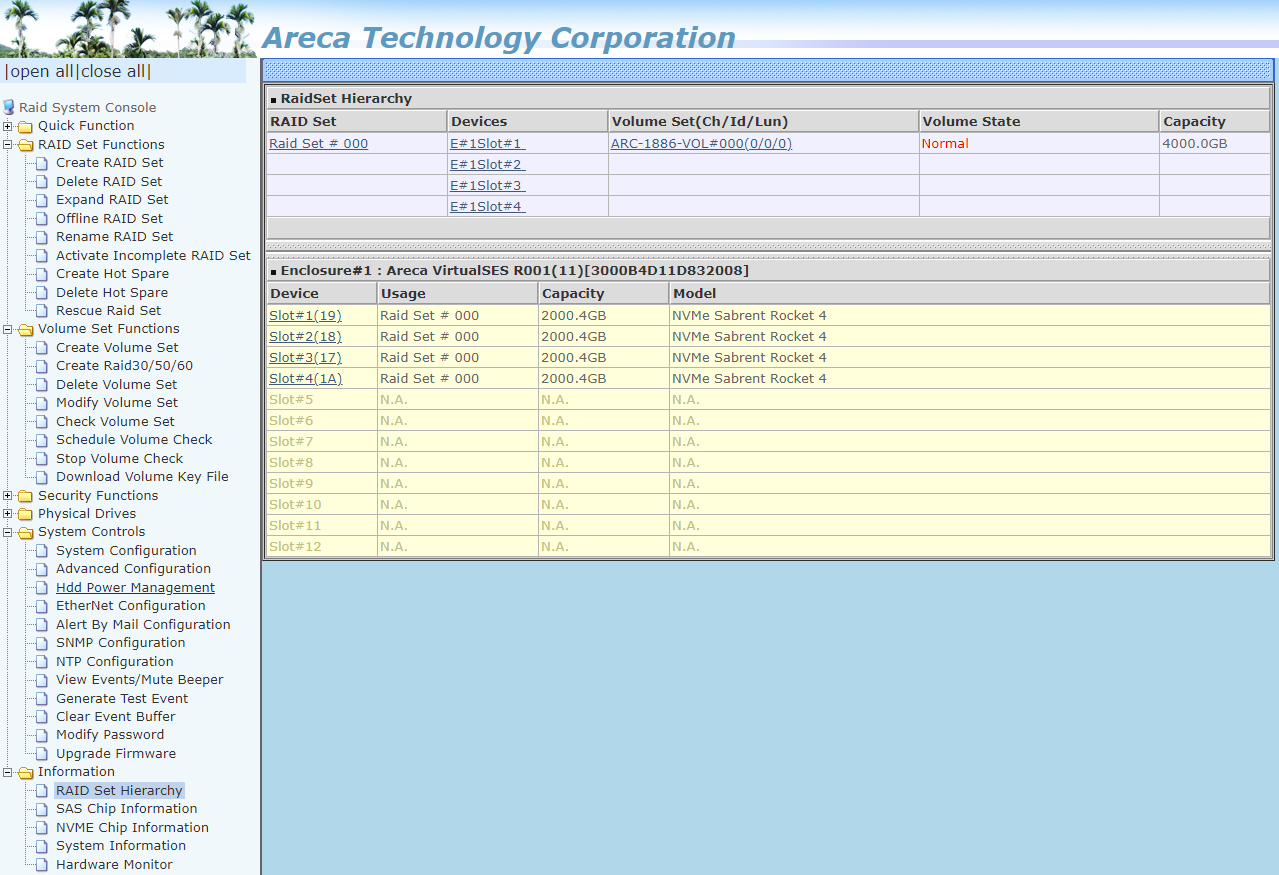
Areca 1886 4N8i RAID Status ServeTheHome

Check RAID Status Kolmisoft Wiki

Web Oct 9 2022 nbsp 0183 32 Type the following cat command cat etc mdadm conf Type the following command to view the current status of your RAID devices under Linux cat proc mdstat From the above output it is clear that I have RAID

Web The normal Linux friendly approach to health monitoring of Dell hardware is to install the Dell OMSA agents for Linux via Yum http linux dell wiki index php Repository OMSA Yum setup yum install srvadmin all will install the full suite of agents
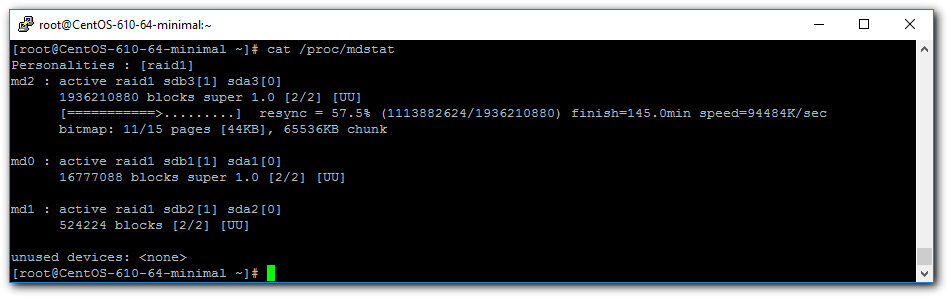
Web Feb 4 2019 nbsp 0183 32 I ve been trying to figure out a way to examine the RAID array and have it show me the status of the array using LINUX commands without having to boot to the BIOS But I can t seem to find a simple screen that would tell me Disk X has failed and Disk Y is a hot spare etc

Web Apr 3 2012 nbsp 0183 32 Laiju You have a couple options You can reboot and then access the controller BIOS now depending on the controller the prompt to access the controller BIOS on boot could be CTRLwith an A M R or C Secondly you can install Open manage on the server and be able to see the Raid details from within the OS

Web Nov 2 2023 nbsp 0183 32 In this tutorial we ll see how to detect the RAID information such as the name and the model number from the Linux command line Afterward we can Google these models for further specific details
Web Is there a way for me to detect if I m using hardware RAID from inside of Linux and figure out all the information about it such as type of RAID available drives without turning off the server physically pulling the drives out and reading their labels Web Oct 13 2021 nbsp 0183 32 Use the lspci command to check if your system has physical RAID controller or not in most cases physical servers use to have hardware raid controller The below output shows the raid controller is present on the system which doesn t mean that we have already configured RAID on the server
Web Feb 12 2016 nbsp 0183 32 3 172 5 36 76 If it s an LSI built RAID controller you can also use the lsiutil utility if you can find it Google for it And if you do find it be careful using it you can brick your controller with it