Delete Specific Rows From Pandas Dataframe Delete Rows And Columns In Pandas Data Courses How To Delete Specific Rows In A Large Data Origin YouTube How To Delete Specific Rows In Excel 8 Quick Ways ExcelDemy Python How To Delete A Specific Column From Pandas Dataframe Stack Python Ignoring Specific Rows In A Pandas Dataframe Stack Overflow Edit or delete contacts After you add contacts to your Android device you can make changes or delete them Contacts saved to your Google Account will sync with Google Contacts and all
Turn off amp delete activity You can control most of the information and data in My Activity Go to your Google Account On the left click Data amp privacy Under quot History settings quot click an This article is about managing your Gemini Apps activity To manage the Gemini mobile app or Gemini as your mobile assistant learn more here
Python Ignoring Specific Rows In A Pandas Dataframe Stack Overflow Drop First Last N Rows From Pandas DataFrame In Python 2 Examples Python Delete Rows Of Pandas DataFrame Remove Drop Conditionally Powerbi How To Delete Specific Rows Depending On A Condition In Power How To Delete Installed Asobo Items Install Performance Graphics Delete Column row From A Pandas Dataframe Using drop Method Pandas Delete Rows Based On Column Values Data Science Parichay Solved How Do I Delete Specific Rows From My Query Tables Code Extracting Specific Columns From Pandas dataframe pandas
Delete Specific Rows From Pandas Dataframe
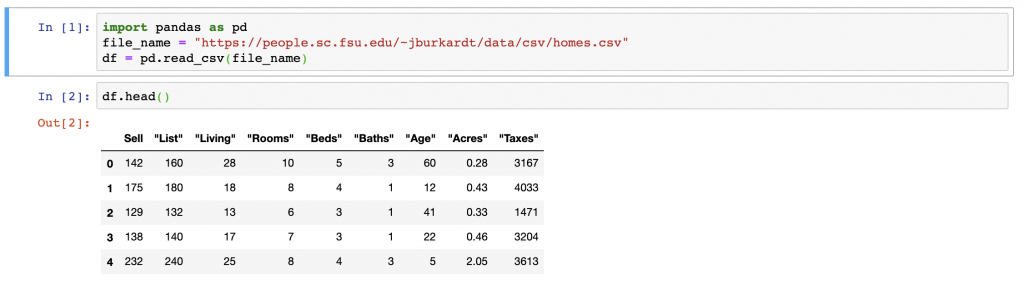 Delete Specific Rows From Pandas Dataframe
https://www.datacourses.com/wp-content/uploads/2019/08/Screen-Shot-2019-08-08-at-6.02.28-PM-1024x286.png
How to edit or delete an exercise or activity in the Fitbit app Depending on the exercise you can choose to edit the type of exercise start and end times distance covered and calories burned
Templates are pre-designed documents or files that can be utilized for different functions. They can save time and effort by offering a ready-made format and layout for producing different sort of content. Templates can be used for personal or expert jobs, such as resumes, invites, flyers, newsletters, reports, discussions, and more.
Delete Specific Rows From Pandas Dataframe

How To Delete Specific Rows In Excel 8 Quick Ways ExcelDemy

Drop First Last N Rows From Pandas DataFrame In Python 2 Examples

Python Delete Rows Of Pandas DataFrame Remove Drop Conditionally

Powerbi How To Delete Specific Rows Depending On A Condition In Power
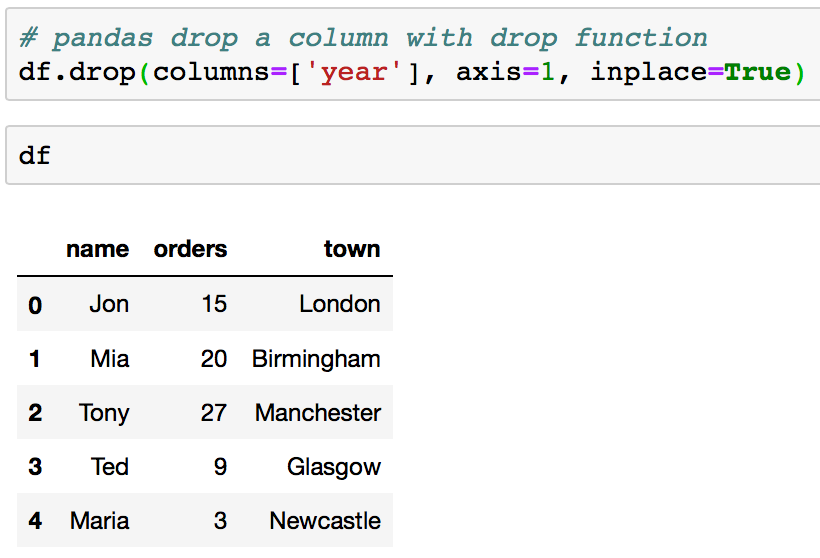
Delete Column row From A Pandas Dataframe Using drop Method
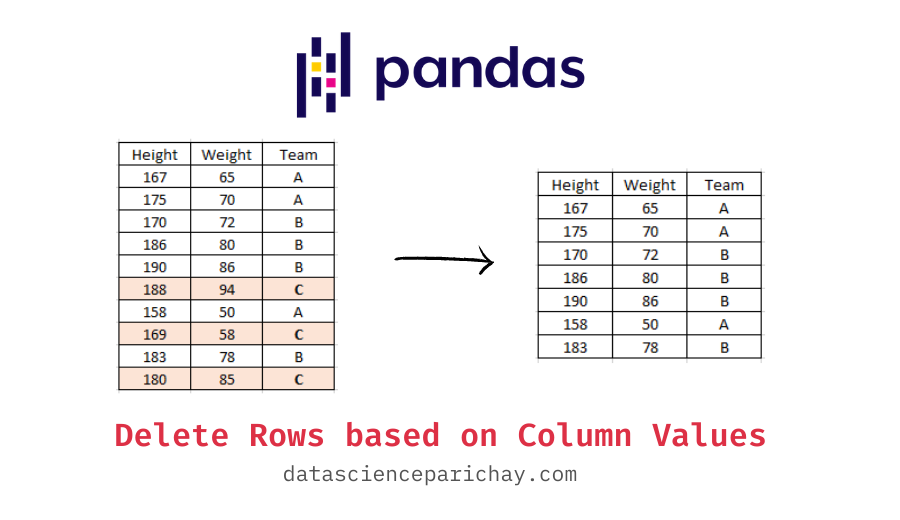
Pandas Delete Rows Based On Column Values Data Science Parichay
Delete messages in Gmail To clean up your inbox delete messages one at a time or by specific categories Deleted messages move from your inbox to your trash Important When you delete

Click Delete data If you delete cookies while signed in to Chrome you won t be signed out of your Google Account Tips To sign out of your Google Account on all websites sign out of Chrome

Mac Delete Mac Mac Delete Mac Delete MacBook Pro

DEL DEL Delete DEL Delete backspace DEL

View delete or turn on or off watch history YouTube watch history makes it easy to find videos you recently watched and when it s turned on allows us to give relevant video
[desc-11] [desc-12]
[desc-13]