Delete Snapshot Vmware Command Line Vmware Command Line Management In VSphere 5 0 For Service Console Users Vmware Command Line Installation And Upgrade Of VCenter Server 5 5 V P 47D Operation Snapshot Updated Windows Microsoft Learn VMware Snapshots Improvements Limitations Run vmware cmd with the removesnapshots option to remove all snapshots associated with a virtual machine If no snapshot exists the command does nothing If no snapshot exists the command does nothing
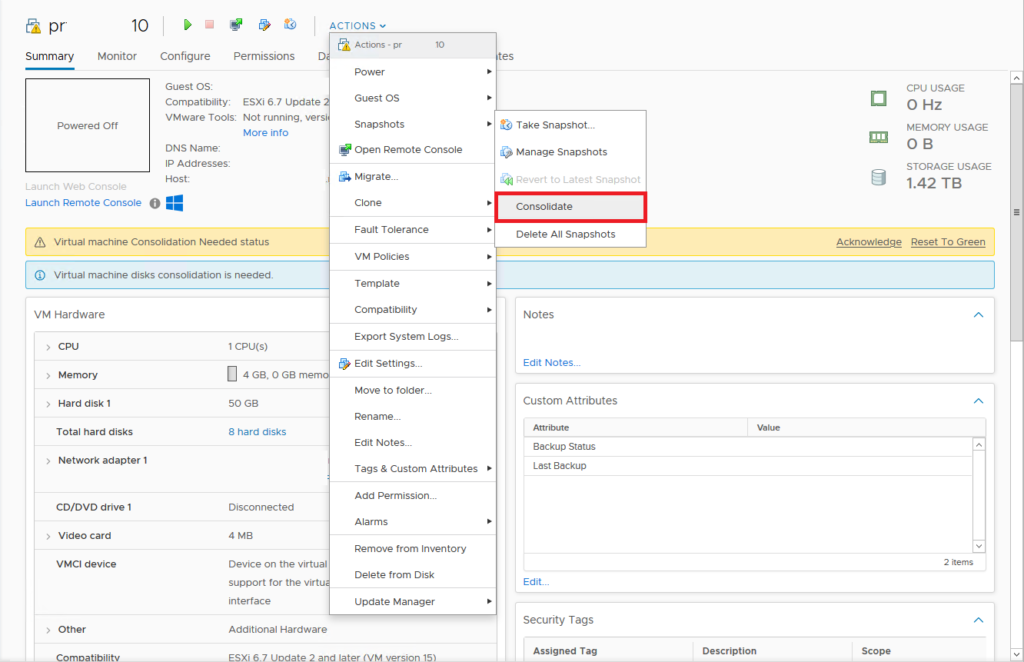
Details Identifying the symptoms before considering the right steps to successfully consolidate the Virtual machine snapshots The most typical causes for VMs to shows Virtual Machine disks consolidation is needed Alert Snapshots cannot be deleted consolidated after completing backups Procedure Click Virtual Machines in the VMware Host Client inventory Right click the virtual machine in the list and select Snapshots Manage Snapshots Click the snapshot that you want to delete and click Delete snapshot Optional In the Delete Snapshot dialog box select the Remove all children snapshots check box to delete the selected
VMware Snapshots Improvements Limitations Vmware Command Line Installation And Upgrade Of VCenter Server 5 5 V Vmware Command Line Installation And Upgrade Of VCenter Server 5 5 V How To Identify VMware Snapshot Files In A Data Store Quora Pantallazos es VMware Delete SnapShot 002 VMware Snapshot Basics YouTube Cloudmapper OSCHINA How To Create Snapshots In VSphere Web Client And Via PowerCLI A Step Cloudmapper OSCHINA
Delete Snapshot Vmware Command Line
 Delete Snapshot Vmware Command Line
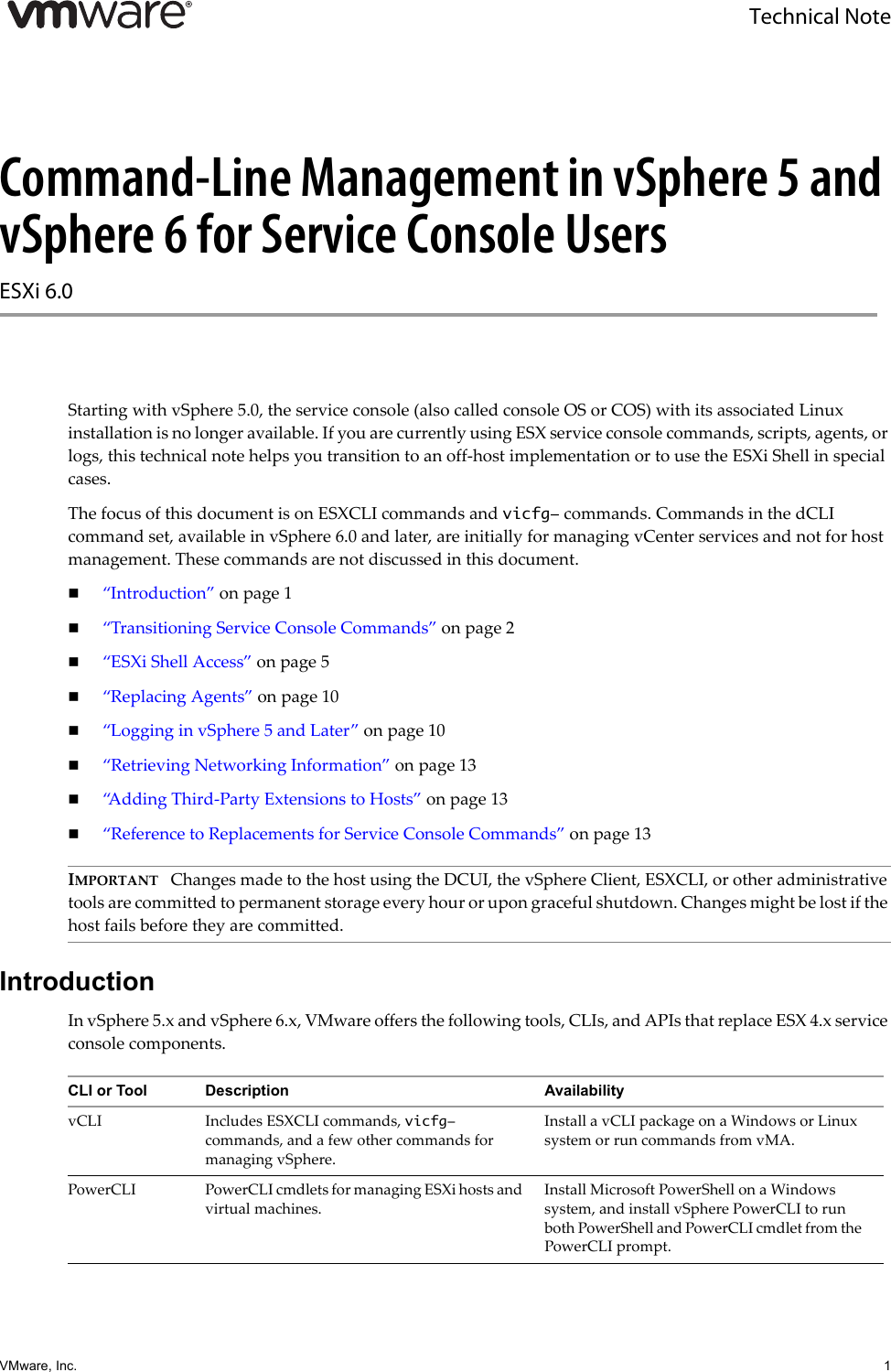
https://usermanual.wiki/vmware/vsphereesxivcenterserver60commandlinemanagementforserviceconsoleen.4101982950-User-Guide-Page-1.png
Note Snapshots taken by third party software through API may not appear in the Snapshot Manager Routinely check for snapshots through the command line Find Old Snapshots Given the recommendation to have no snapshots older than 72 hours 3 days we can create a simple one line script to check for those
Pre-crafted templates offer a time-saving solution for developing a diverse variety of files and files. These pre-designed formats and layouts can be made use of for different individual and professional jobs, including resumes, invites, flyers, newsletters, reports, discussions, and more, simplifying the material production procedure.
Delete Snapshot Vmware Command Line
VMware Removing Snapshot Failed Bart Oevering

Vmware Command Line Installation And Upgrade Of VCenter Server 5 5 V
Vmware Command Line Installation And Upgrade Of VCenter Server 5 5 V
How To Identify VMware Snapshot Files In A Data Store Quora

002 VMware Snapshot Basics YouTube
Cloudmapper OSCHINA
Indicates that you want to remove the children of the specified snapshots as well optional RunAsync SwitchParameter named Indicates that the command returns immediately without waiting for the task to complete In this mode the output of the cmdlet is a Task object

Remove snapshot via command line Is it possible to remove and consolidate snapshots via the command line If so how We use the VC2 gui but the task panel removes the task progress before the operations is complete I m hoiping theres a command line we can run on the host s shell and watch for a clean finish Thanks Reply 0 Kudos
Updated on 07 22 2019 Deleting a snapshot removes the snapshot from the Snapshot Manager The snapshot files are consolidated and written to the parent snapshot disk and merge with the virtual machine base disk Deleting a snapshot does not change the virtual machine or other snapshots

You can use vmware cmd to revert to the current snapshot or to remove a snapshot Important You cannot use vmware cmd to revert to a named snapshot Use the vSphere Web Client to revert to a named snapshot Run vmware cmd with the revertsnapshot option to revert to the current snapshot
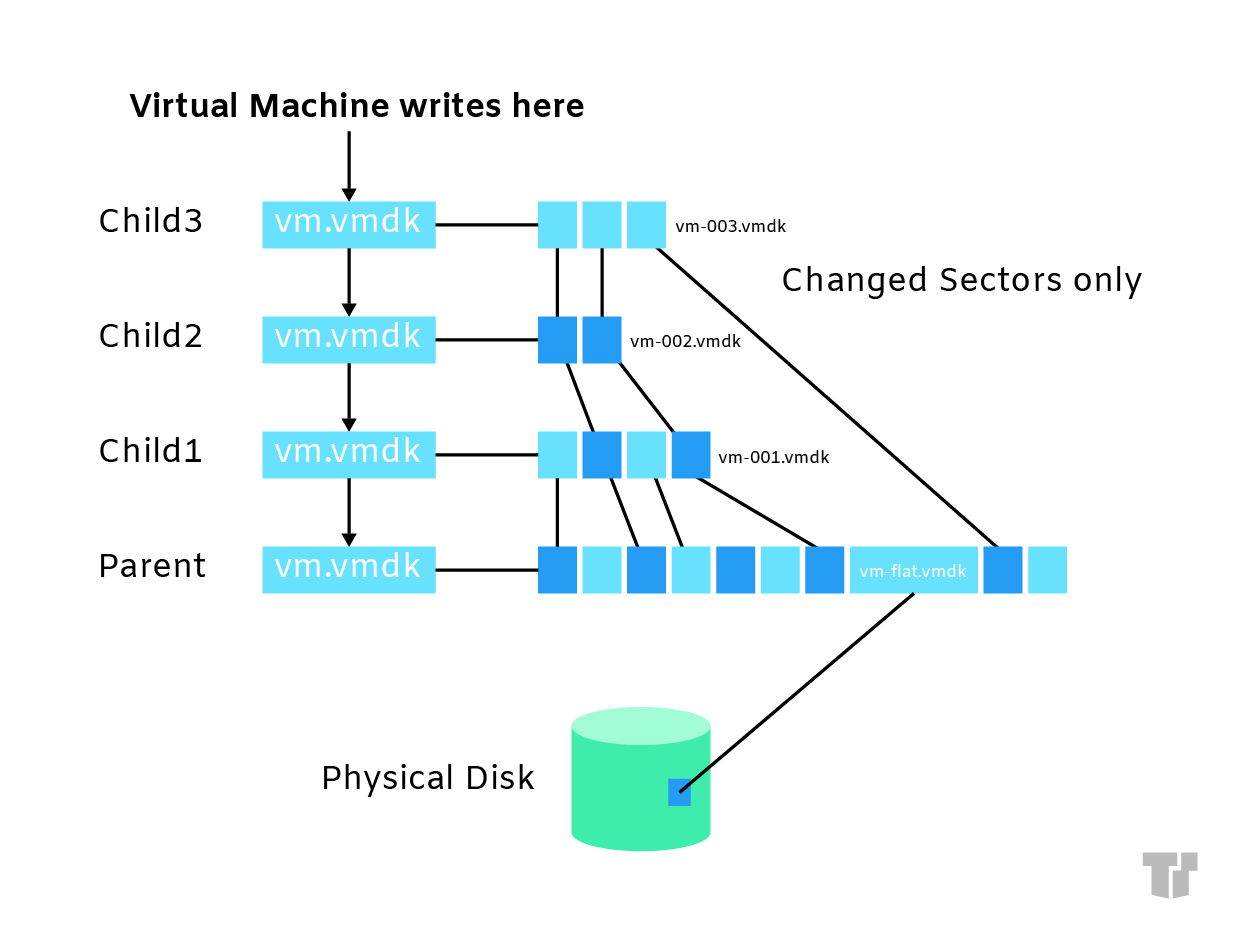
Feedback Updated on 07 05 2022 Deleting a snapshot permanently removes the snapshot from the snapshot tree The snapshot files are consolidated and written to the parent snapshot disk and merge with the virtual machine base disk You can delete a single snapshot or all snapshots in a snapshot tree
This article provides steps to commit snapshots using Command Line Interface CLI Resolution To resolve this issue consolidate snapshots on the ESXi host To consolidate snapshots on the ESXi host Log in to the ESXi console through iLO DRAC as a root user Select Virtual Machine Snapshots Select the snapshot to delete Option Action To select multiple adjacent snapshots Shift click To select multiple snapshots that are not adjacent Command click Click Delete
To monitor snapshot deletion consolidation using the vim cmd command Open an SSH shell session to the host that is performing the consolidation and snapshot deletion task by running this command vim cmd vimsvc task list You see a task similar to ManagedObjectReference vim Task haTask 9 vim VirtualMachine removeAllSnapshots 304060994