Delete Non Filtered Rows Excel Vba How To Delete Filtered Rows In Excel ExcelDemy How To Delete Filtered Rows In Excel 5 Methods ExcelDemy Delete Rows From Filtered Table Excel Brokeasshome How To Delete Filtered Rows In Excel SpreadCheaters Delete Rows From Filtered Table Excel Brokeasshome 1 hi is there a vba code that will delete the invisible rows after filtering and then take out the filter my filter data goes up to 5000 row and it starts from A G TIA Excel Facts What do around a formula in the formula bar mean Click here to reveal answer Sort by date Sort by votes B balajayan Board Regular Joined Nov 12 2008 Messages
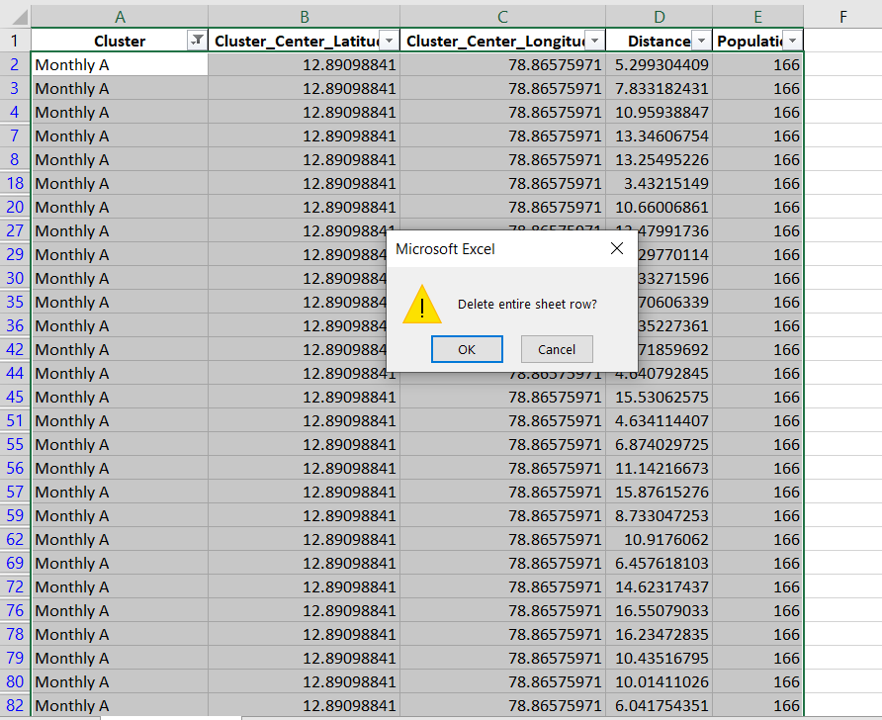
Select all the rows in a view right click and select Delete Row from the popup menu This will delete all the visible rows only Don t worry the rest of your data is safe To see the rest of the data simply click on the Filter button from the Data tab again Download the Sample Workbook To follow along with the video and article you can download the Sample Workbook 20180118 Delete Filtered Rows xlsm by clicking here When you open the workbook you need to allow Macros to run Otherwise Excel stops the VBA code from running
Delete Rows From Filtered Table Excel Brokeasshome How To Delete Filtered Rows In Excel Sheetaki Schneeregen Insekten Z hlen Wahrheit Excel Remove Filter From Table Eis How To Delete Filtered Rows In Excel SpreadCheaters How To Delete Only Filtered Rows Without The Hidden Rows In Excel Excel How To Delete Filtered Rows Basic Excel Tutorial Delete Only Filtered Rows In Excel Vba Printable Templates Free How To Count Filtered Rows In Excel Delete Rows From Filtered Table Excel Brokeasshome
Delete Non Filtered Rows Excel Vba
 Delete Non Filtered Rows Excel Vba
https://www.exceldemy.com/wp-content/uploads/2022/01/How-to-Delete-Filtered-Rows-in-Excel-11.png
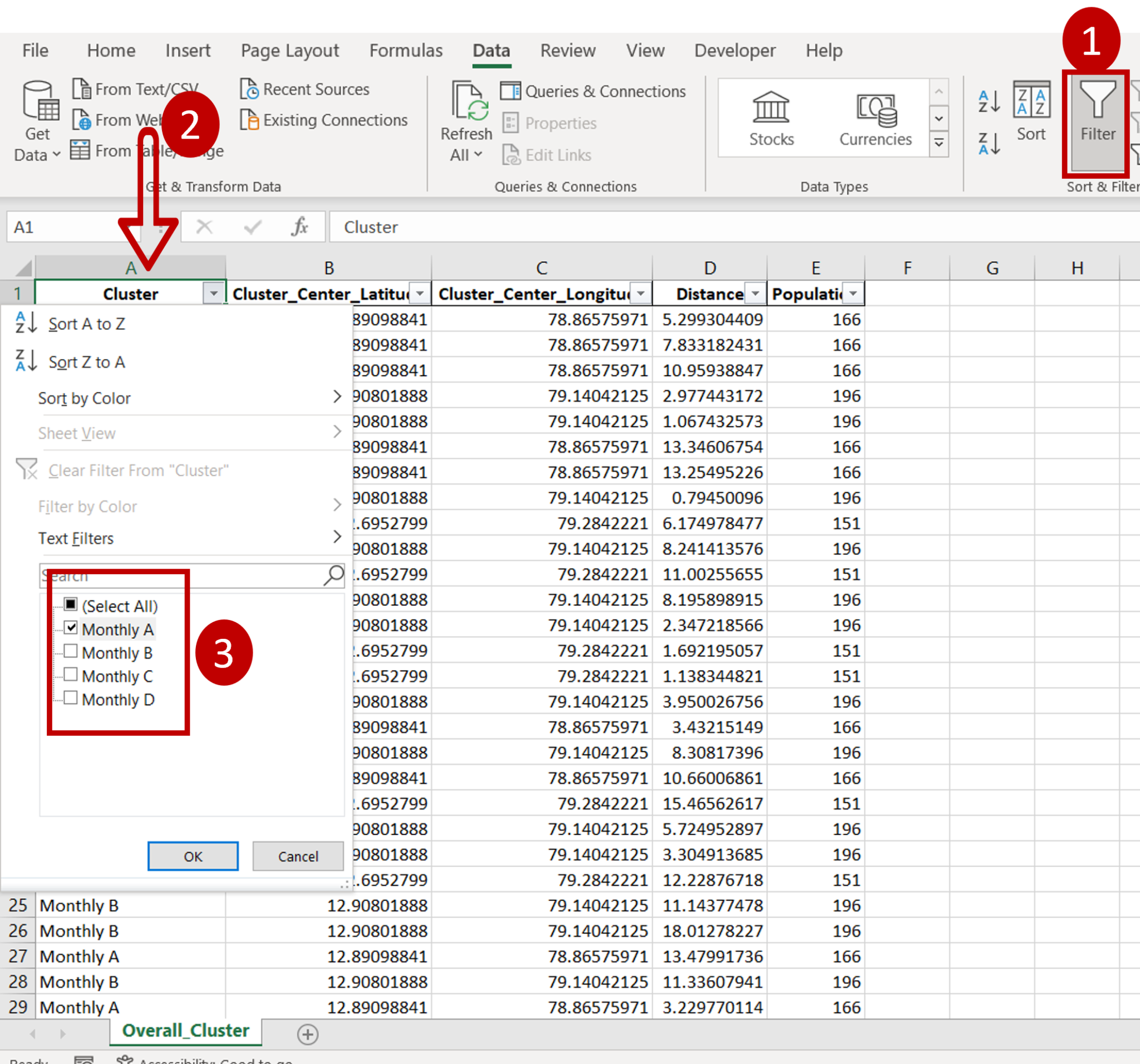
The overall process is two simple steps The first step is to filter the rows based on filter criteria for the values to be deleted Then the macro deletes the visible cells in the range The Process Explained Below is an image of a data set that has some blank cells in column E Product You can see one of those blank cells is E6
Templates are pre-designed files or files that can be used for different purposes. They can conserve effort and time by offering a ready-made format and layout for developing various kinds of content. Templates can be utilized for personal or expert projects, such as resumes, invitations, leaflets, newsletters, reports, discussions, and more.
Delete Non Filtered Rows Excel Vba

How To Delete Blank Rows In Excel The Right Way 2021 Riset

How To Delete Filtered Rows In Excel Sheetaki
Schneeregen Insekten Z hlen Wahrheit Excel Remove Filter From Table Eis
How To Delete Filtered Rows In Excel SpreadCheaters

Excel How To Delete Filtered Rows Basic Excel Tutorial

Delete Only Filtered Rows In Excel Vba Printable Templates Free

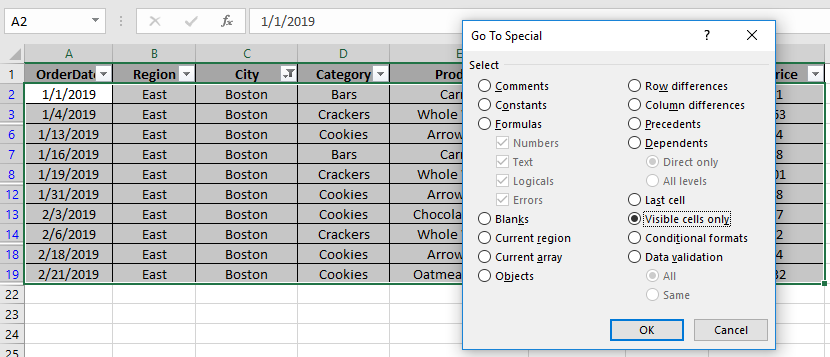
1 I think you ll probably have to do that in VBA Lance Roberts Jun 1 2010 at 19 22 Add a comment 3 Answers Sorted by 17 When you have all your filters selected you can highlight what remains and then click Excel 2007 Home Editing Find Select Go to special Visible Cells Only Excel 2003 Edit Go To Special Visible Cells Only

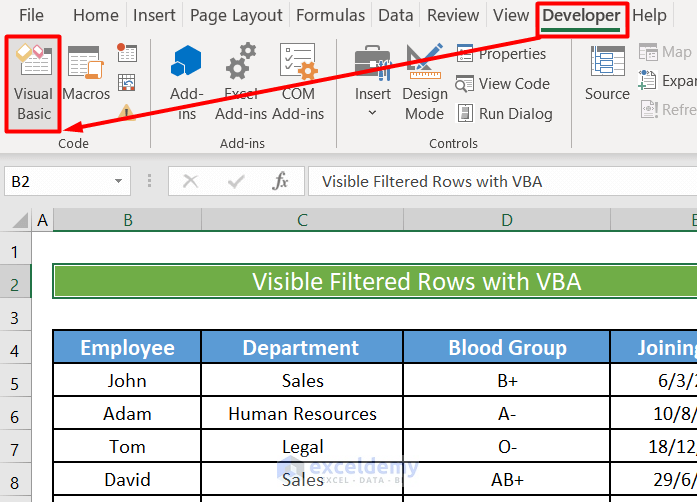
Method 1 Delete Unfiltered Rows Using Excel VBA from Used Range We will see the use of VBA in deleting unfiltered rows from our used range in this method Here our data is filtered with Male we don t want data for females that are unfiltered and hidden Steps First right click on the sheet and go to View Code

Click on Inspect Document Refer this screenshot how it looks Click on Inspect button You will see a option Hidden Rows and Columns with Remove All button Click on Remove All button Click on close button Finally if you see it has removed all Hidden Rows and Columns Refer this screenshot
If you have a simple Excel list that has no additional information to the right you can use the delete row shortcut to remove rows in 2 easy steps Select the rows you want to delete Press the Ctrl minus on the main keyboard hotkey You ll see the unused rows disappear in a snap Tip

Deleting rows has all kinds of side effects and depending on the workbook settings is extremely costly in terms of computation Share Improve this answer Follow answered Jun 9 2017 at 17 57 sten
VBA script to delete unknown cells without selecting it firstly VBA newbie here I have a table with a very long set of rows and columns I m looking for a VBA script to delete the content from cell A3 until the end of the last used row on column J Note that the table has more columns and I want to avoid to scroll until the very end and To delete an entire row in VBA use this line of code Rows 1 Delete Notice we use the Delete method to delete a row Instead of referencing the Rows Object you can reference rows based on their Range Object with EntireRow Range a1 EntireRow Delete Similarly to delete an entire column use these lines of code Columns 1 Delete
1 Answer Sorted by 1 I tried around myself and found this code to work sorry for the filter changements but you can easily set them according to your needs