Delete Formatting Rules Google Sheets Google Sheets Conditional Formatting How To Use Google Sheets To Create Conditional Formatting Rules Conditional Formatting In Google Sheets Guide 2023 Coupler io Blog How To Use Google Sheets To Create Conditional Formatting Rules How To Set Up Multiple Conditional Formatting Rules In Google Sheets A In the conditional formatting menu locate the rules to be removed Open your Google Sheets document and select the range of cells that contain the conditional formatting
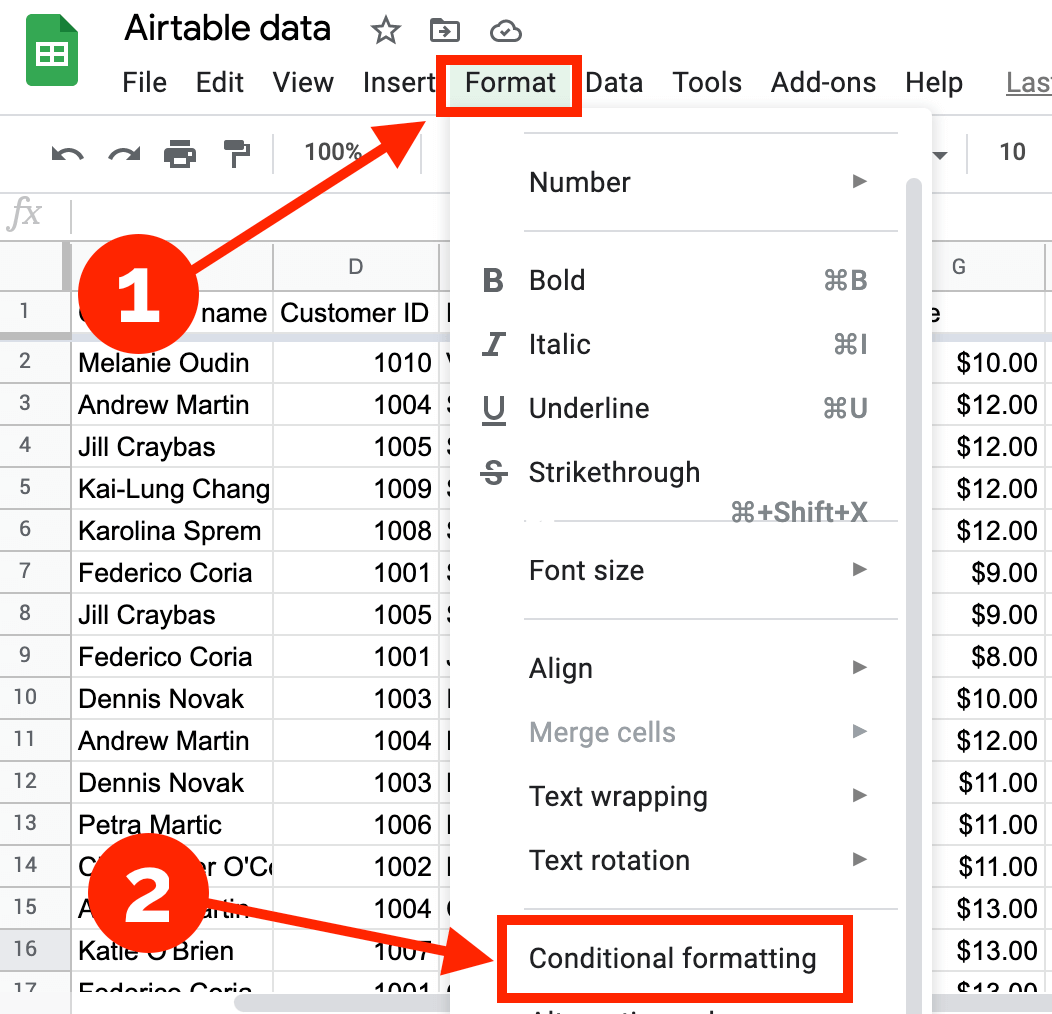
The steps to delete conditional formatting in Google Sheets involve accessing the spreadsheet selecting the range of cells finding the rules deleting the rules and Step 1 Open your Google Sheets document and select the cells that have conditional formatting applied to them Step 2 Click on the Format menu at the top of the page
How To Set Up Multiple Conditional Formatting Rules In Google Sheets Conditional Formatting In Google Sheets Guide 2023 Coupler io Blog How To Set Up Multiple Conditional Formatting Rules In Google Sheets Google Sheets Conditional Formatting With Custom Formula Yagisanatode Google Sheets Conditional Formatting With Custom Formula Yagisanatode How To Use Google Sheets To Create Conditional Formatting Rules Conditional Formatting Google Sheets Simplify Sheets Conditional Formatting In Google Sheets Explained Coupler io Blog Al m Disso Fascinante Restringir Formata o Condicional No Google
Delete Formatting Rules Google Sheets
 Delete Formatting Rules Google Sheets
https://cdn.ablebits.com/_img-blog/google-sheets-conditional-formatting/formatting-entire-row.png
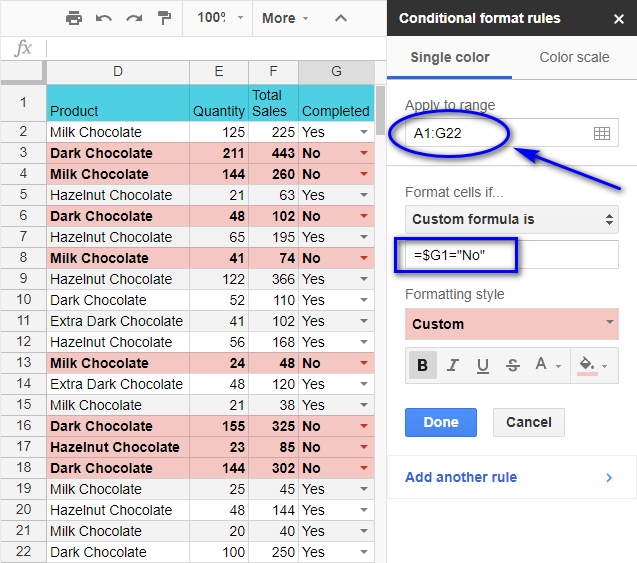
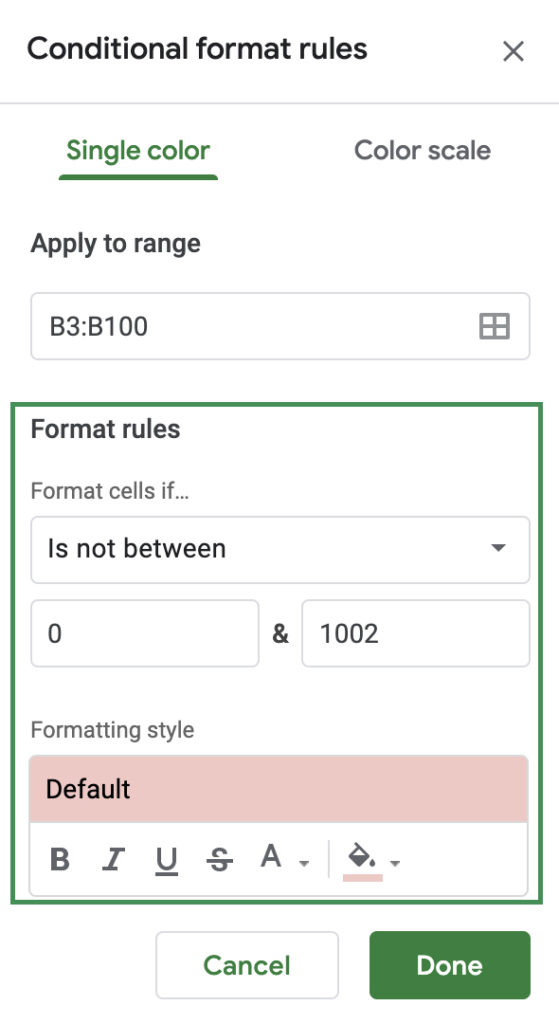
You can add as many conditional formatting rules in Google Sheets as you need To delete it just point to it and click the Remove icon The suggested list of the conditions that we can apply to our data range
Pre-crafted templates provide a time-saving option for producing a varied variety of documents and files. These pre-designed formats and layouts can be used for different personal and expert jobs, consisting of resumes, invites, flyers, newsletters, reports, presentations, and more, enhancing the material production procedure.
Delete Formatting Rules Google Sheets

How To Use Conditional Formatting In Google Sheets For Common Tasks

Conditional Formatting In Google Sheets Guide 2023 Coupler io Blog

How To Set Up Multiple Conditional Formatting Rules In Google Sheets

Google Sheets Conditional Formatting With Custom Formula Yagisanatode
How To Use Google Sheets To Create Conditional Formatting Rules
Conditional Formatting Google Sheets Simplify Sheets

Removing a conditional formatting rule in Google Sheets Written by Corey Bustos Updated on October 23 2023 in How to easily clear formatting in

Yes you can remove any kind of formatting in Google Sheets To remove italics go to the Format menu and select clear
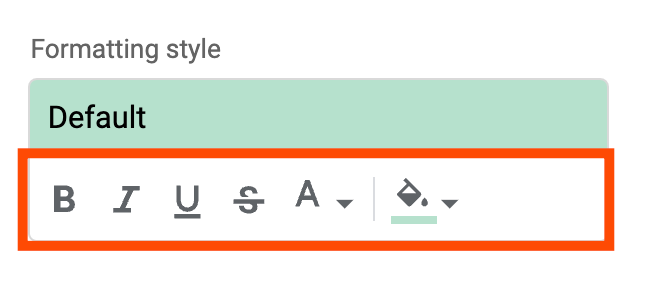
To remove a rule point to the rule and click Remove Rules are evaluated in the order listed The first rule found to be true will define the format of the cell or range

Click on the Format tab in the menu bar at the top of the Google Sheets interface From the drop down menu select Conditional formatting This will open the

To clear formatting with the keyboard shortcut first select the cell or range of cells that you want to clear formatting from then press Ctrl on the keyboard
Right click the highlighted cells and select Conditional Formatting from the context menu A vertical panel on the right will appear with a list of conditional format How to delete multiple duplicated conditional formatting rules Google Docs Editors Community Google Docs Editors Help
Using Rule Manager you can easily change the hierarchy of conditional formatting rules delete them or make new ones Select the data range e g C1 C6