Delete All Rows In Excel Vba How To Delete Selected Rows With Excel VBA Get Folder Name Excel Vba Printable Templates Free How To Select Rows With Data In Excel Printable Templates Deleting Every X Rows In Excel Pixelated Works Formatting Subtotal Rows In Excel Pixelated Works Web Oct 8 2022 nbsp 0183 32 With only a few lines of code I was ready to test it out Sub Delete Product C Dim Cell As Range Loop through range and delete Product C rows For Each Cell In ActiveSheet UsedRange Columns 1 Cells If Cell Value quot Product C quot Then Cell EntireRow Delete Next Cell MsgBox quot Rows Deleted quot End Sub
Web Jul 9 2018 nbsp 0183 32 VBA macro to delete rows quickly Ask Question Asked 10 years 8 months ago Modified 7 years 5 months ago Viewed 43k times 4 I have several really large excel data files and I need to go through them all and delete all rows where the value of the cell in column T is 1 Right now my code looks like Web Jan 17 2019 nbsp 0183 32 If so you can use a macro to instantly delete any rows that have a particular value date or even blank cells The overall process is two simple steps The first step is to filter the rows based on filter criteria for the values to be deleted Then the macro deletes the visible cells in the range
Formatting Subtotal Rows In Excel Pixelated Works How To Create Automatic Consecutive Numbering Using VBA Code In Excel How To Group Rows In Excel Pixelated Works QR Code Excel VBA Atlas Formation Introduction To Macros In Excel VBA OfficeInside Org Insert Rows And Columns In Excel Files Using Node js Excel How To Delete All Rows From 1 Sheet That Do Not Contain Column Excel VBA Find First Free Row Function FfR ExcelGuru Excel P Solved Opening Reader In Excel VBA Adobe Community 11395953
Delete All Rows In Excel Vba
 Delete All Rows In Excel Vba
https://www.exceldemy.com/wp-content/uploads/2022/03/Delete-selected-rows-in-excel-vba-1-1.png
Web Sub deleteBlankRows3 Dim lastrow as Long Dim x as Long lastrow 4650 For x 8 to x lastrow If Range quot A1 quot Offset x 0 True Then Range quot A1 quot Offset x 0 EntireRow Delete x x 1 End if Next x End Sub How can I make the above code work vba excel delete row Share Improve this question Follow edited Feb 24 at 21 06
Pre-crafted templates use a time-saving service for creating a varied variety of files and files. These pre-designed formats and designs can be utilized for various personal and expert tasks, including resumes, invitations, leaflets, newsletters, reports, discussions, and more, streamlining the material production process.
Delete All Rows In Excel Vba

Shortcuts In Excel To Insert Row

How To Create Automatic Consecutive Numbering Using VBA Code In Excel

How To Group Rows In Excel Pixelated Works

QR Code Excel VBA Atlas Formation
Insert Rows And Columns In Excel Files Using Node js

Excel How To Delete All Rows From 1 Sheet That Do Not Contain Column

Web Oct 18 2021 nbsp 0183 32 Delete Rows in Range This code will delete all rows in range Range quot a1 a10 quot EntireRow Delete Delete Selected Rows This code will delete all selected rows Selection EntireRow Delete Delete Last Row This will delete the last used row in column B Cells Rows Count 2 End xlUp EntireRow Delete
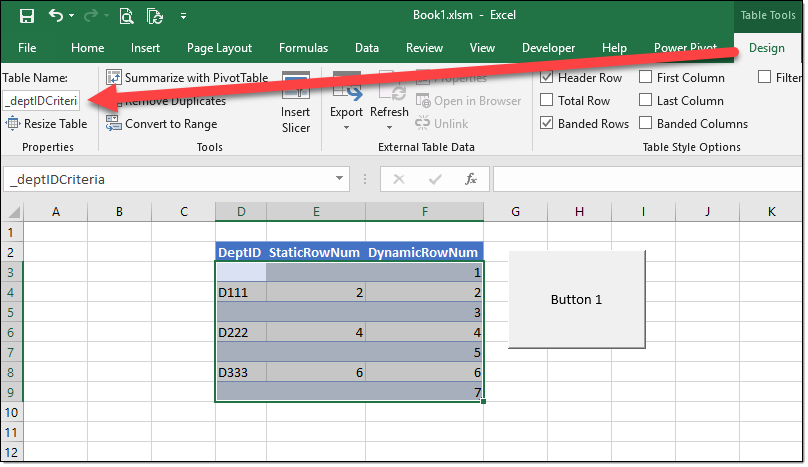
Web Just recently I ve been trying to delete all data rows in a table apart from the first which needs to just be cleared Some of the tables being actioned could already have no rows so I was running it to problems as using DataBodyRange Rows Count on a table with no rows just header and or footer causes errors

Web s1Sheett Rows quot 2 10 quot ClearContents Or if you want to delete the everything from a specific row number to the last row with data you can use s1Sheett Rows quot 2 quot amp currentSheet Rows Count ClearContents

Web Mar 22 2023 nbsp 0183 32 This article lists several ways to delete rows in Excel based on a cell value In this post you ll find hotkeys as well as Excel VBA Delete rows automatically or use the standard Find option in combination with helpful shortcuts Excel is a perfect tool to store data that change every now and then

Web Feb 21 2012 nbsp 0183 32 Here is the quickest way to Delete all blank Rows based on one Columns Dim lstRow as integet ws as worksheet Set ws ThisWorkbook Sheets quot NameOfSheet quot With ws lstRow Cells Rows Count quot B quot End xlUp Row Or Rows Count quot B quot quot C quot or quot A quot depends Range quot A1 E quot amp lstRow SpecialCells xlCellTypeBlanks EntireRow Delete End
Web Using VBA Delete Row method we can delete all the blank rows and the row based on cell value We can also delete the entire row if any cells are blank This article will discuss the method VBA Delete Row Keep yourself occupied for the next 15 to 20 minutes to learn about the concept Web While deleting a single row with VBA is useful it s often necessary to delete multiple rows at once This can be done by specifying a range of rows in the Rows function For example if you wanted to delete the second through fifth rows you would write Sub DeleteRows Rows quot 2 5 quot Delete Shift xlUp End Sub
Web Aug 23 2021 nbsp 0183 32 I found this simple VBA code that works on the active sheet but I need it to loop through all sheets in the workbook Any suggestions on a better process so I don t have to run it gt 100 times Sub DelBlankRows Columns quot C C quot Select Selection SpecialCells xlCellTypeBlanks Select Selection EntireRow Delete End Sub