Default Printer Paper Size How To Set The Default Printer Paper Size On Mac Usa News How Do I Set The Default Printer Paper Size On Mac Teche Hack Why Your Printer Might Not Be Able To Print On A4 Paper Electronic Engineering Tech How To Change Default Printer Paper Size On Mac Os X Andmorebetta How To Set The Default Printer And Paper Size For All Reports In EstiMate YouTube Web In Page Setup select a size from the Paper Size list If you select Manage Custom Sizes from the list you can define a custom paper size click the plus sign to create a new paper definition and then enter sizes for width height and non printable area
Web How can I change the default paper size How do I setup a custom or user defined paper size The printer driver for Windows has an option to select the Paper Size However if the program you are printing from has a Paper Size setting the program setting will override the printer driver setting Web Contact us Search all support Print on non standard paper sizes with many HP home and small office printers Custom sizes must be within the minimum and maximum printing dimensions supported by your printer
How To Set The Default Printer And Paper Size For All Reports In EstiMate YouTube How To Set Default Printer Paper Size On Mac Askit Solutii Si Rezolvari Pentru Diverse Changing The Default Paper Size Solved Windows 10 Forums Will Epson Easy Photo Print Work On Windows 10 Holdenvest Shipping Label Printer Paper 1stadenium How To Create Different Footers In Microsoft Word Newlineresults How To Change Default Paper Size Setting In Windows 10 To Custom Microsoft Community How To Change Size Of Picture Before Printing Abjectleader SOLIDWORKS Or Solid Edge ENGINEERING
Default Printer Paper Size
 Default Printer Paper Size
https://i0.wp.com/mediianews.com/wp-content/uploads/2022/04/How-to-set-the-default-printer-paper-size-on-Mac.jpg?resize=2048%2C1149&ssl=1
Web Change printer paper size when Auto Size is on On the Design tab in the Page Setup group click Size Click the printer paper size you want to use The paper size outlines that are created by page break lines called tiles on the current page in your diagram are resized to match the printer paper size Top of Page
Pre-crafted templates use a time-saving option for developing a varied series of documents and files. These pre-designed formats and designs can be made use of for numerous personal and professional projects, including resumes, invitations, flyers, newsletters, reports, discussions, and more, simplifying the material development procedure.
Default Printer Paper Size
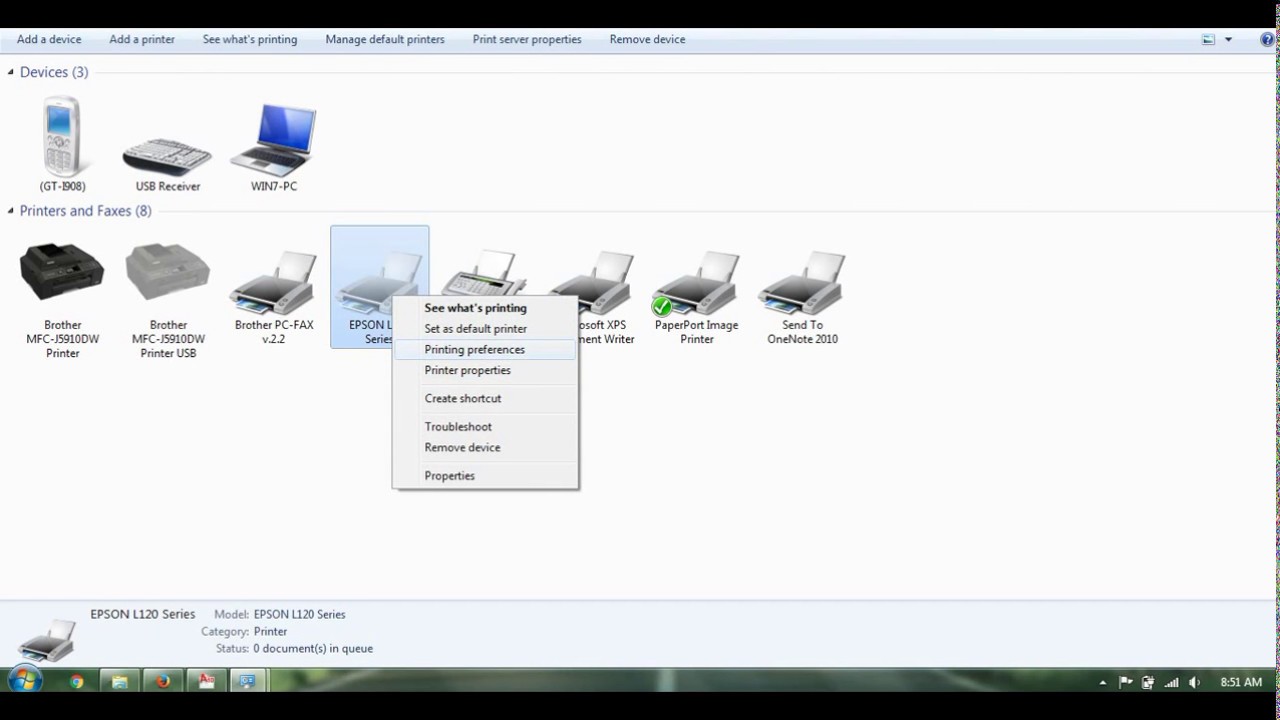
How To Setting Default Paper Size On Printer YouTube
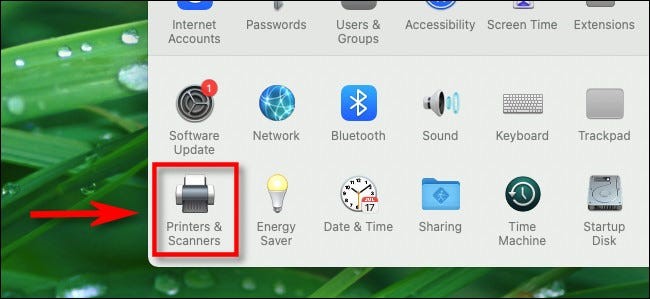
How To Set Default Printer Paper Size On Mac Askit Solutii Si Rezolvari Pentru Diverse
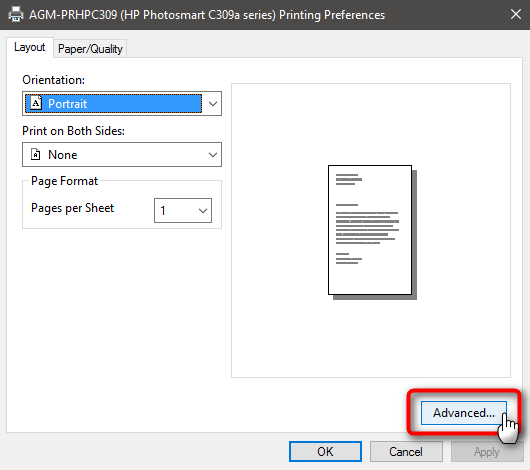
Changing The Default Paper Size Solved Windows 10 Forums
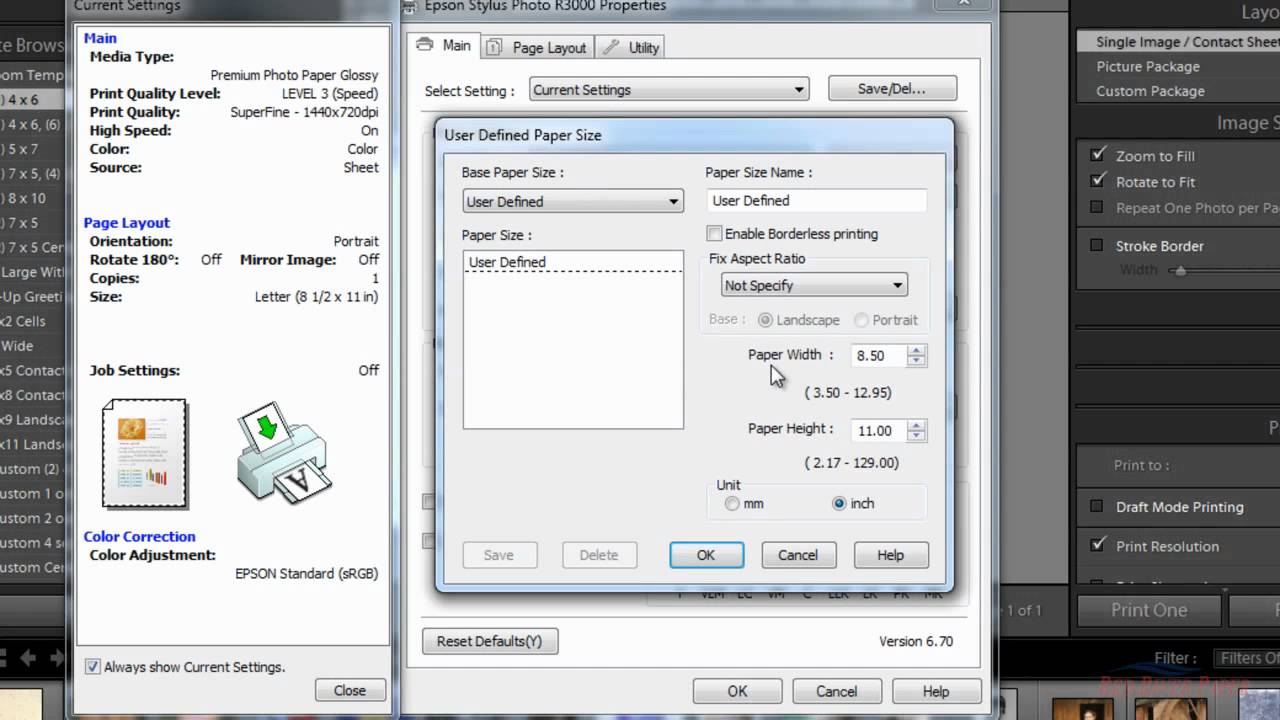
Will Epson Easy Photo Print Work On Windows 10 Holdenvest
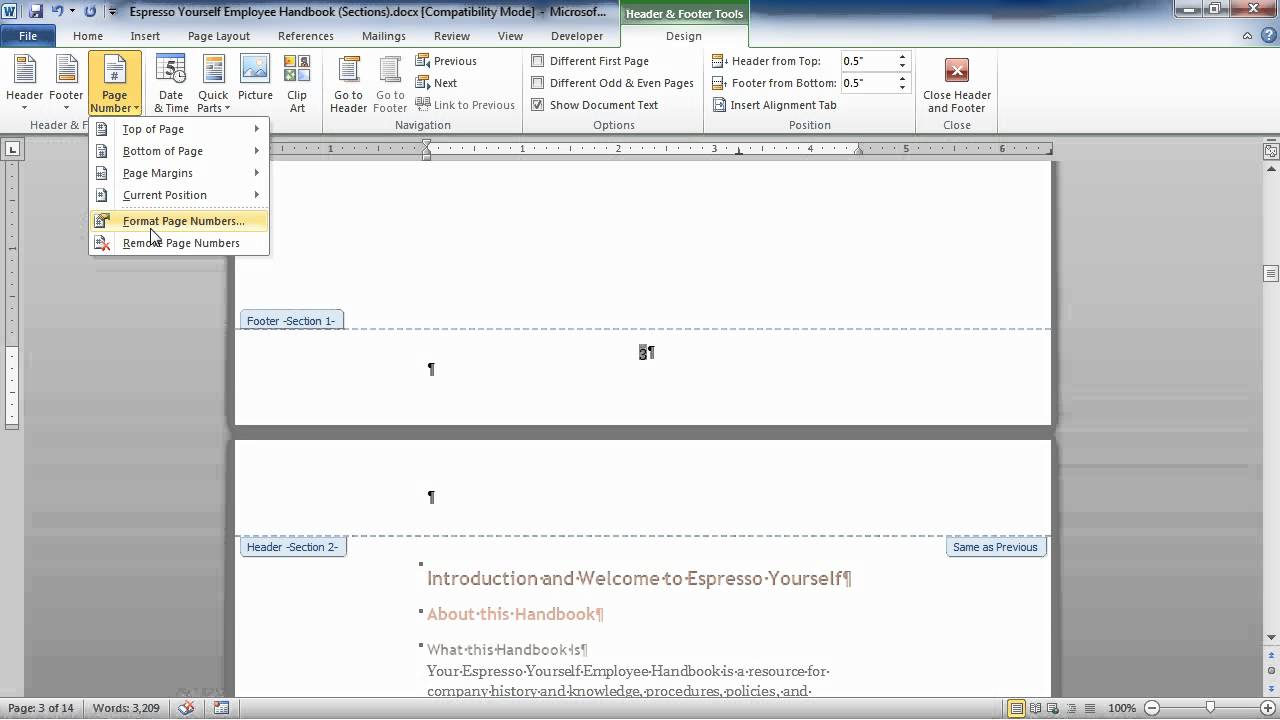
How To Create Different Footers In Microsoft Word Newlineresults
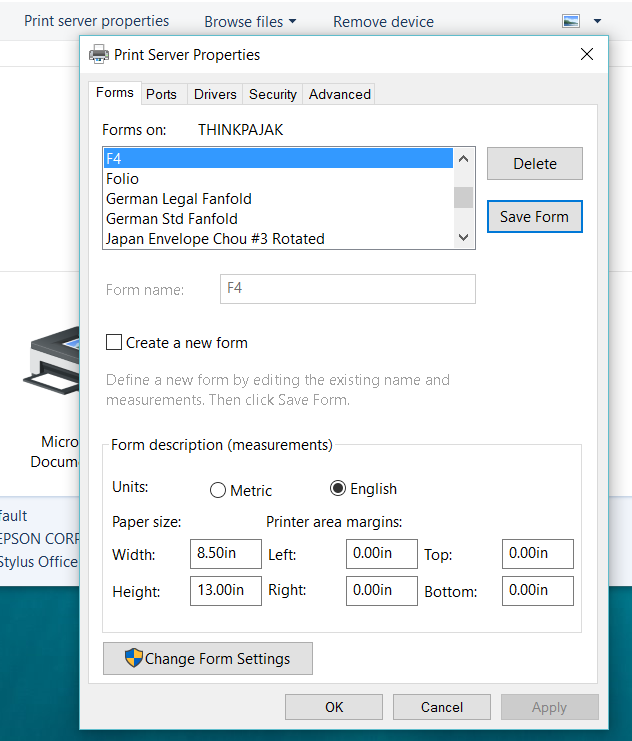
How To Change Default Paper Size Setting In Windows 10 To Custom Microsoft Community

Web Oct 26 2022 nbsp 0183 32 Here you can change modify the Page Size Paper Layout and other Printer Settings Do note that the names of the tabs and settings may differ depending on your printer model and driver

Web Windows decides the default paper size depending on quot control panel gt Region and Language gt Formats gt Format quot setting Change Format to quot English United states quot then when you install a printer it will default to paper size Letter

Web To resolve this issue change the default paper size of your printer Click Start point to Settings and the click Printers Right click the appropriate printer and then click Properties Click the Paper tab and then click the paper size you want to use in the Paper Size box Click OK and then

Web Paper type Set the paper type you are using such as HP photo paper plain paper or custom media or select Automatic to let the printer select the paper type Paper size Select the paper size that is loaded in the printer

Web Dec 17 2020 nbsp 0183 32 According to the HP 3630 Manual the default paper size can be changed You might wish to first set the printer to default settings This will also reset wireless so you can try the paper settings below without resetting and then if necessary reset the printer and try again
[desc-11] [desc-12]
[desc-13]