Debian Check Installed Packages Size What Is Package Management In Linux Mint Systran Box How To Check If A Package Is Installed On Your Linux System Systran Box 2 Ways To List All Manually Installed Packages In Ubuntu Debian How To List Installed Packages On Debian List All Installed Packages On Debian Linux Hint Web First install debian goodies by running the below command sudo apt get install debian goodies Then run the below command to view the installed packages which has large size dpigs H By default it was set to display
Web Sep 3 2022 nbsp 0183 32 List Installed Package Size using dpigs Dpigs is a Debian tool that s used to show which installed packages occupy the most space on the system dpigs sort the Web Find a package that is already installed 1 Use dpkg To search for an installed package including the file quot toto quot dpkg S toto To search for the package quot toto quot dpkg l toto It is
List All Installed Packages On Debian Linux Hint C mo Instalar Nagios 4 En Ubuntu Y Debian Debian How To Check And List Installed Packages In CentOS Linux Linuxhowto How To Check Version Of Installed Package On Ubuntu And Debian How Do I Check Disk Space In Debian LinuxHint DevsDay ru How Do I Check For Updates On Debian 11 Debian Check Running Services Server Monitoring With Icinga On Debian How Do I Check Disk Space In Debian LinuxHint DevsDay ru
Debian Check Installed Packages Size
 Debian Check Installed Packages Size
https://syscdn.systranbox.com/what_is_package_management_in_linux_mint.jpg
Web Sep 22 2016 nbsp 0183 32 The proper way to set the Installed Size is by using dpkg gencontrol It could be generated by hand but that s rather unorthodox to do so you d need to use the
Pre-crafted templates provide a time-saving service for creating a varied series of files and files. These pre-designed formats and layouts can be used for different personal and expert projects, including resumes, invites, leaflets, newsletters, reports, discussions, and more, enhancing the content development procedure.
Debian Check Installed Packages Size

How To Check Installed Packages In Suse Linux Systran Box

C mo Instalar Nagios 4 En Ubuntu Y Debian

Debian

How To Check And List Installed Packages In CentOS Linux Linuxhowto
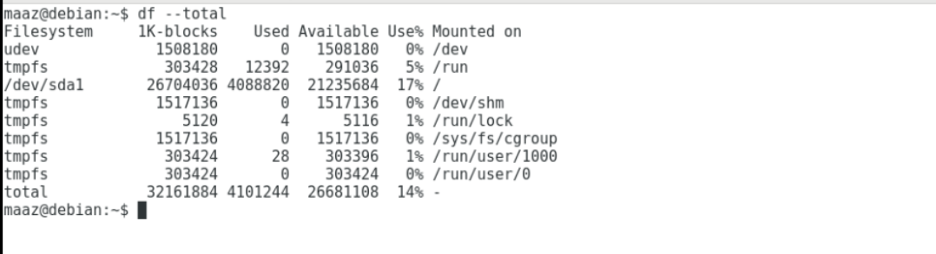
How Do I Check Disk Space In Debian LinuxHint DevsDay ru

How Do I Check For Updates On Debian 11

Web The package should be an apt install away Here s two links for other ways of doing it List your largest installed packages on Debian Ubuntu

Web May 7 2015 nbsp 0183 32 1 Answer Sorted by 1 According to its documentation Damn Small Linux strips var lib dpkg and the files therein are necessary for dpkg query to work and for
Web Apr 19 2009 nbsp 0183 32 List your largest installed packages Calculates the size on disk for each package installed on the filesystem or removed but not purged This is missing the

Web 1 Answer Sorted by 5 From the Debian Policy Manual 5 6 20 Installed Size This field appears in the control files of binary packages and in the Packages files It gives an
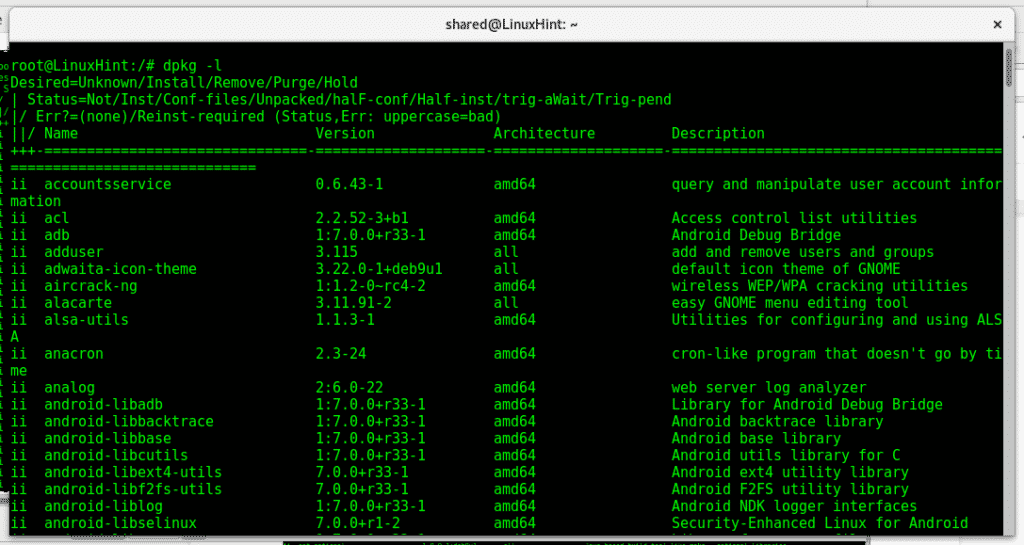
Web Mar 3 2017 nbsp 0183 32 Another option is to use the dpigs application from the debian goodies package NAME dpigs Show which installed packages occupy the most space SYNOPSIS dpigs options DESCRIPTION dpigs sorts
Web Jul 20 2015 nbsp 0183 32 13 I m working with a Raspberry Pi B and Raspbian 5 5 2015 and some guides that are a few years old I ve got an external NTFS HDD hooked up to the Pi Due Web Jan 31 2024 nbsp 0183 32 Method 1 Using dpkg Command Method 2 Using apt Command Method 3 Using aptitude Command Method 4 Using Synaptic Package Manager Method 5 Using
Web Dec 10 2021 nbsp 0183 32 1 Installed Size is the space the installed package will probably occupy on your disk According to the Debian docs it s technically quot the integer value of the