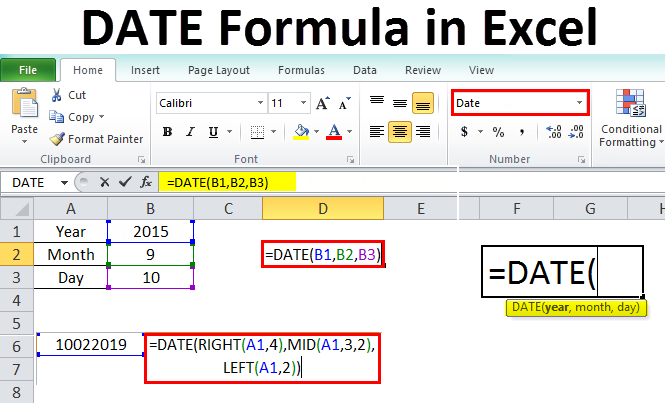
Date Function In Excel How To Use DATE FUNCTION In MS EXCEL ITS MS Excel How To Use The DATE Function WS Date Formula In Excel How To Use Date Formula In Excel How To Use The Excel DATE Function Date Functions In Excel With Examples Riset You can use the DATE function in Excel The syntax for the function is DATE year month day with all three arguments required Enter the year in four digits the month as a number from 1 to 12 and the day as a number from 1 to 31
Date Function 1 To add a number of days to a date use the following simple formula 2 To add a number of years months and or days use the DATE function Note the DATE function accepts three arguments year month and day Excel knows that 6 2 8 August has 31 days and rolls over to the next month 23 The Excel DATE function combines three values to create a date When you specify the year month and day Excel produces a serial number that can then be formatted as a normal looking date The typical way to enter a date in Excel is to write the entire date within one cell but that s inconvenient when you re
Date Functions In Excel With Examples Riset What Is Short Date Number Format Excel Date And Time Function In Excel2010 Tutorials Tree Learn Photoshop How To Use The Excel DATE Function ExcelFind The DATE Function In Excel Dynamic Web Training Blog How To Use The Excel DATEVALUE Function Date And Time Function In Ms Excel In Hindi Language YouTube Excel s Volatile NOW Function For The Date And Time How To Use Date In Excel Easy Excel Tutorial Excelypedia Riset
Date Function In Excel
 Date Function In Excel
https://it-s.com/wp-content/webp-express/webp-images/uploads/2023/01/excel-date-function-formula-examples-or-how-to-u.png.webp
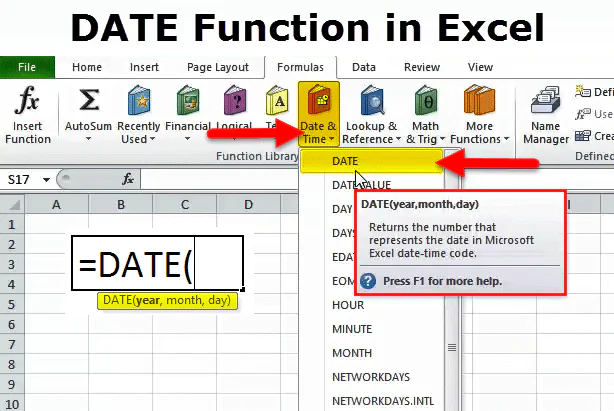
Formula DATE year month day The DATE function includes the following arguments Year This is a required argument The value of the year argument can include one to four digits Excel interprets the year argument according to the date system used by the local computer
Pre-crafted templates offer a time-saving service for developing a diverse variety of documents and files. These pre-designed formats and designs can be made use of for numerous individual and professional tasks, consisting of resumes, invitations, leaflets, newsletters, reports, discussions, and more, improving the material creation procedure.
Date Function In Excel

Properly Enter Dates In Excel With The DATE Function

What Is Short Date Number Format Excel
Date And Time Function In Excel2010 Tutorials Tree Learn Photoshop

How To Use The Excel DATE Function ExcelFind

How To Use The Excel DATEVALUE Function
Date And Time Function In Ms Excel In Hindi Language YouTube

Use Excel s DATE function when you need to take three separate values and combine them to form a date Technical details Change the date format Calculate a date based on another date Convert text strings and numbers into dates Increase or decrease a date by a certain number of days See Also Add or subtract dates

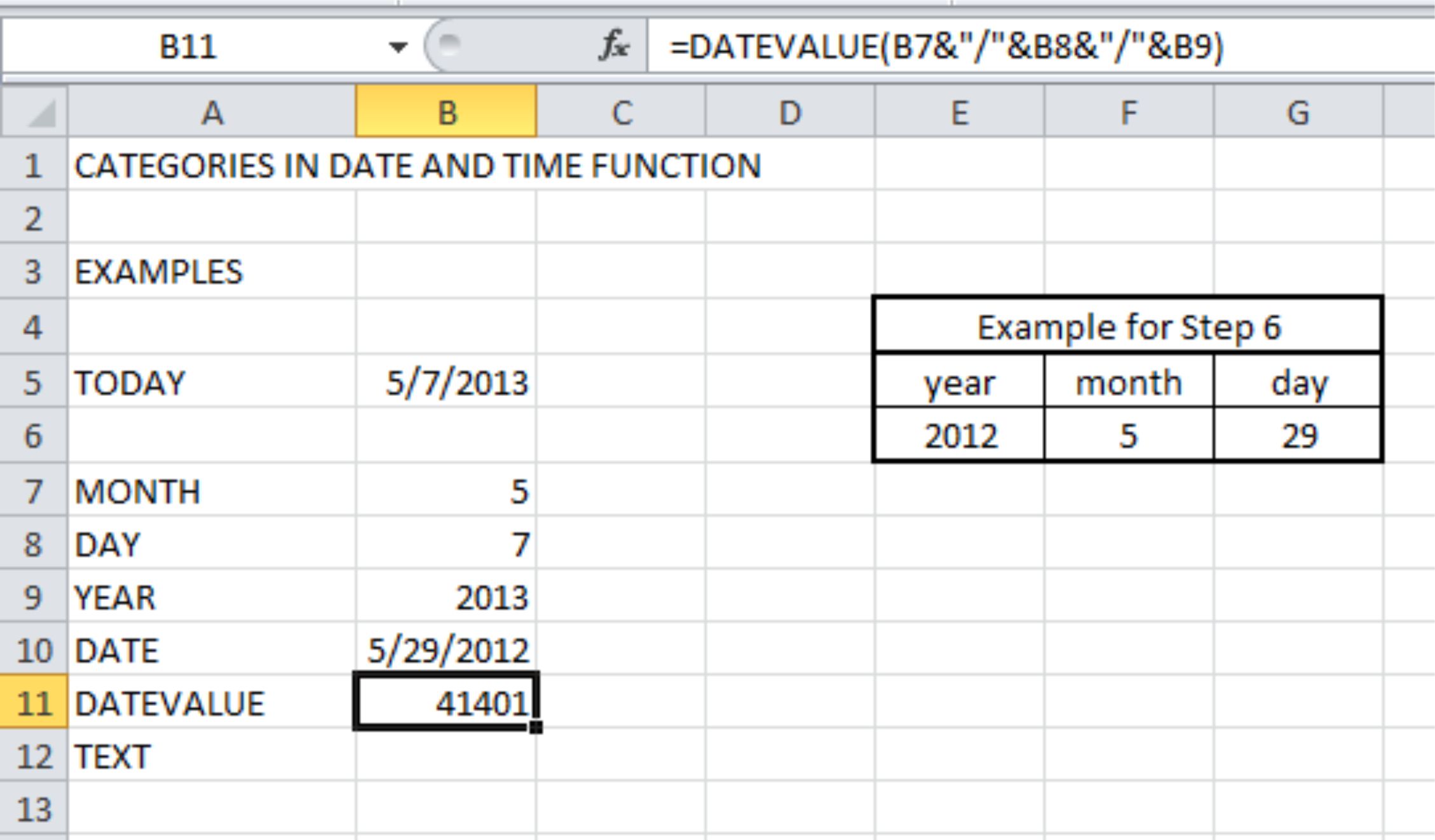
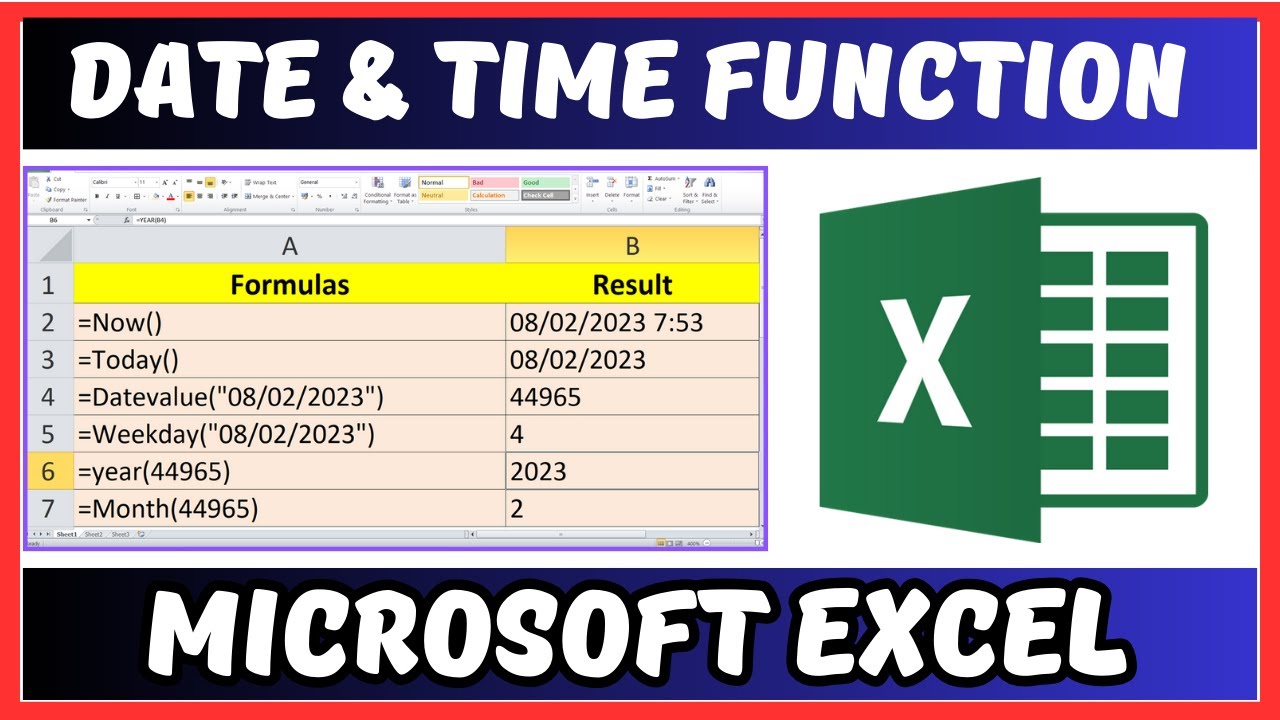
The main function to calculate dates in Excel DATE function Get current date and time TODAY returns today s date NOW returns the current date and time Convert dates to from text DATEVALUE converts a date in the text format to date format TEXT converts a date to a text value Retrieve dates in
Function Description DATE function Returns the serial number of a particular date DATEDIF function Calculates the number of days months or years between two dates This function is useful in formulas where you need to calculate an age DATEVALUE function Converts a date in the form of text to a serial number

The quickest way to know what date functions are offered by your version of Excel is to click Formulas on the Excel ribbon and select the Date Time dropdown menu from the Function Library Let s take a look at

The Excel DATE function returns the serial number that represents a certain date It has the following arguments DATE year month day Where Year represents the year of the date Month an integer representing the month of the year from 1 January to 12 December Day an integer corresponding to the
[desc-11] [desc-12]
[desc-13]