Date Column In Power Bi Convert Date Column To Measure Power Bi Mobile Legends Solved How To Create Date Column Using M Language Microsoft Fabric Power Bi Create Date Table With Month And Year From In Excel How To Add A Date Column In Power BI Zebra BI Creating A Date Table In Power Bi Archerpoint Vrogue At the bottom left next to quot Send quot click the Down arrow Click Schedule send and select a new date and time Cancel scheduled emails On your computer go to Gmail At the left panel click
To change the way Calendar looks or works update your settings Update your settings On your computer open Googl You ll find the date and time of the activity and why it was saved You might also get location device and app information Delete activity Learn how to delete past searches browsing
Creating A Date Table In Power Bi Archerpoint Vrogue How To Create A Date Column In Power BI Zebra BI Date Table In Power BI Data Awareness Programme Why Mark As Date Table In Power BI Learn DAX Power Bi Date Column Not Showing Hierarchy Printable Forms Free Online How To Format Dates In Power BI With An Example IStore Info Power Bi Date Column Not Showing Hierarchy Printable Forms Free Online Projecting Success On LinkedIn Combine Month Year Columns In Power BI Work With Aggregates sum Average And So On In Power BI Power BI
Date Column In Power Bi
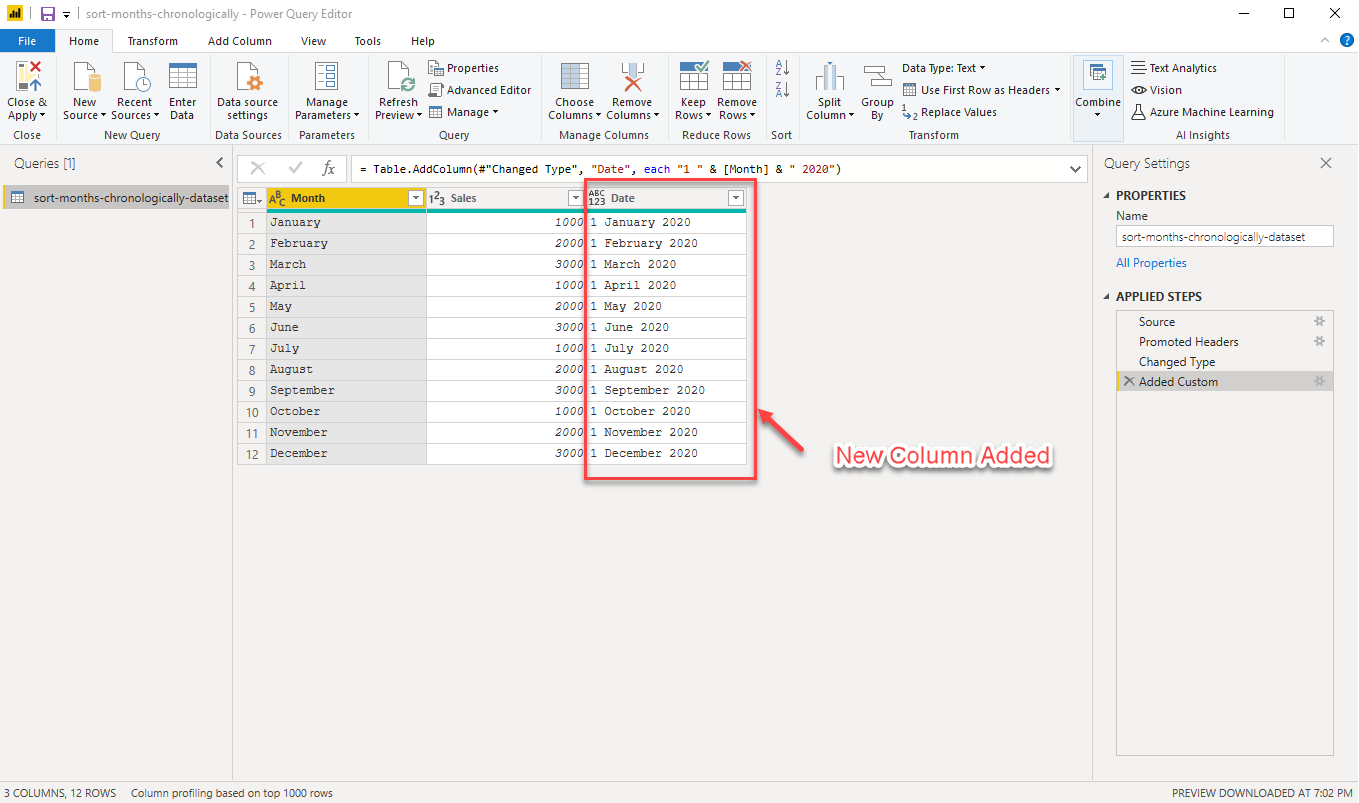 Date Column In Power Bi
https://www.sqlshack.com/wp-content/uploads/2020/03/new-date-column-added.png
On your computer open Google Calendar In the top right choose a view Day Week Month Year Schedule or 4 days
Templates are pre-designed documents or files that can be utilized for different functions. They can save time and effort by supplying a ready-made format and layout for creating different type of material. Templates can be used for individual or expert jobs, such as resumes, invitations, leaflets, newsletters, reports, discussions, and more.
Date Column In Power Bi

How To Create A New Column Reformatting A Date Column In Power BI

How To Create A Date Column In Power BI Zebra BI

Date Table In Power BI Data Awareness Programme
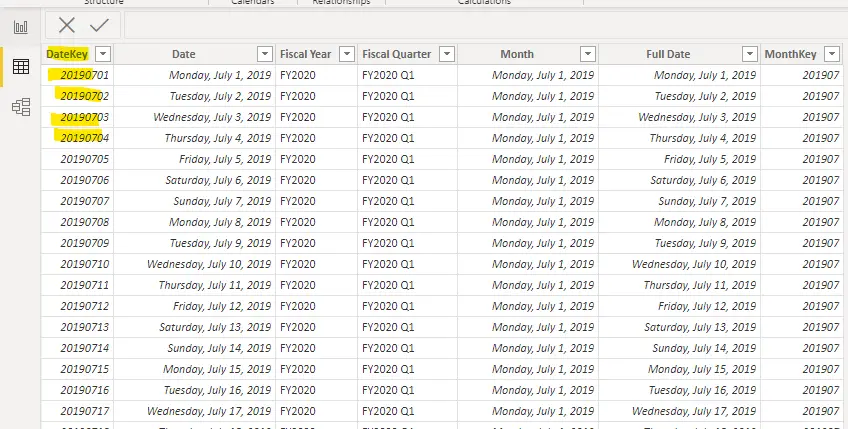
Why Mark As Date Table In Power BI Learn DAX
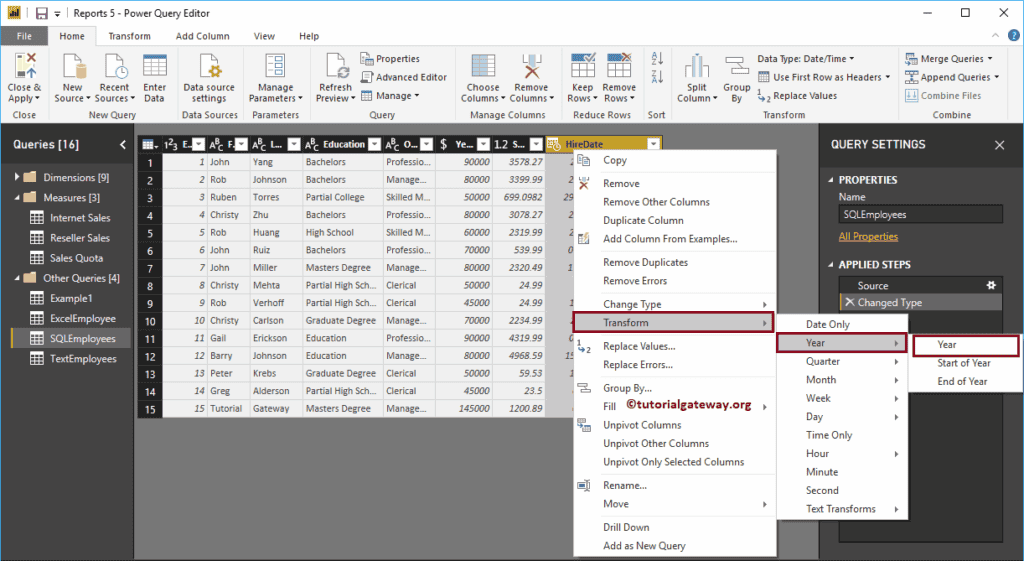
How To Format Dates In Power BI With An Example IStore Info

Power Bi Date Column Not Showing Hierarchy Printable Forms Free Online
DATE will silently recalculate numeric dates which fall outside of valid month or day ranges For example DATE 1969 13 1 which specifies the illegal month 13 will create a date of 1 January

You can change your clock s settings including the date time and time zone You can set how your alarms and timers work and add clocks for other cities

Filter your activity You can filter by both date and product at the same time Then select a date to find activity before that date From the drop down you can select a preset period or enter

Apr 1 2010 nbsp 0183 32 Syntax DATE when when A Date DateTime or Time value Notes To understand how your mobile device s locale or browser s language setting can impact the Date format see

Current imagery automatically displays in Google Earth To discover how images have changed over time or view past versions of a map on a timeline Tips You can zoom in or out to change
[desc-11] [desc-12]
[desc-13]