Date And Timestamp Format In Excel Timestamp Format How To Convert A Timestamp In Date Format Using PHP YouTube How To Convert A Timestamp To Date In Google Sheets Convert Unix Time Stamp To Excel Date Excel Formula Exceljet Timestamp Format Verkko 27 marrask 2021 nbsp 0183 32 To do so select the cells that contain the dates you want to format by clicking and dragging your cursor over them Next press Ctrl 1 Command 1 on Mac to open the Format Cells window
Verkko 7 helmik 2023 nbsp 0183 32 Excel time format without date To format a date time value so that only time is visible in a cell use only the time codes without the date codes At that you can use the international standard Verkko Do one of the following To insert the current date press Ctrl semi colon To insert the current time press Ctrl Shift semi colon To insert the current date and time press
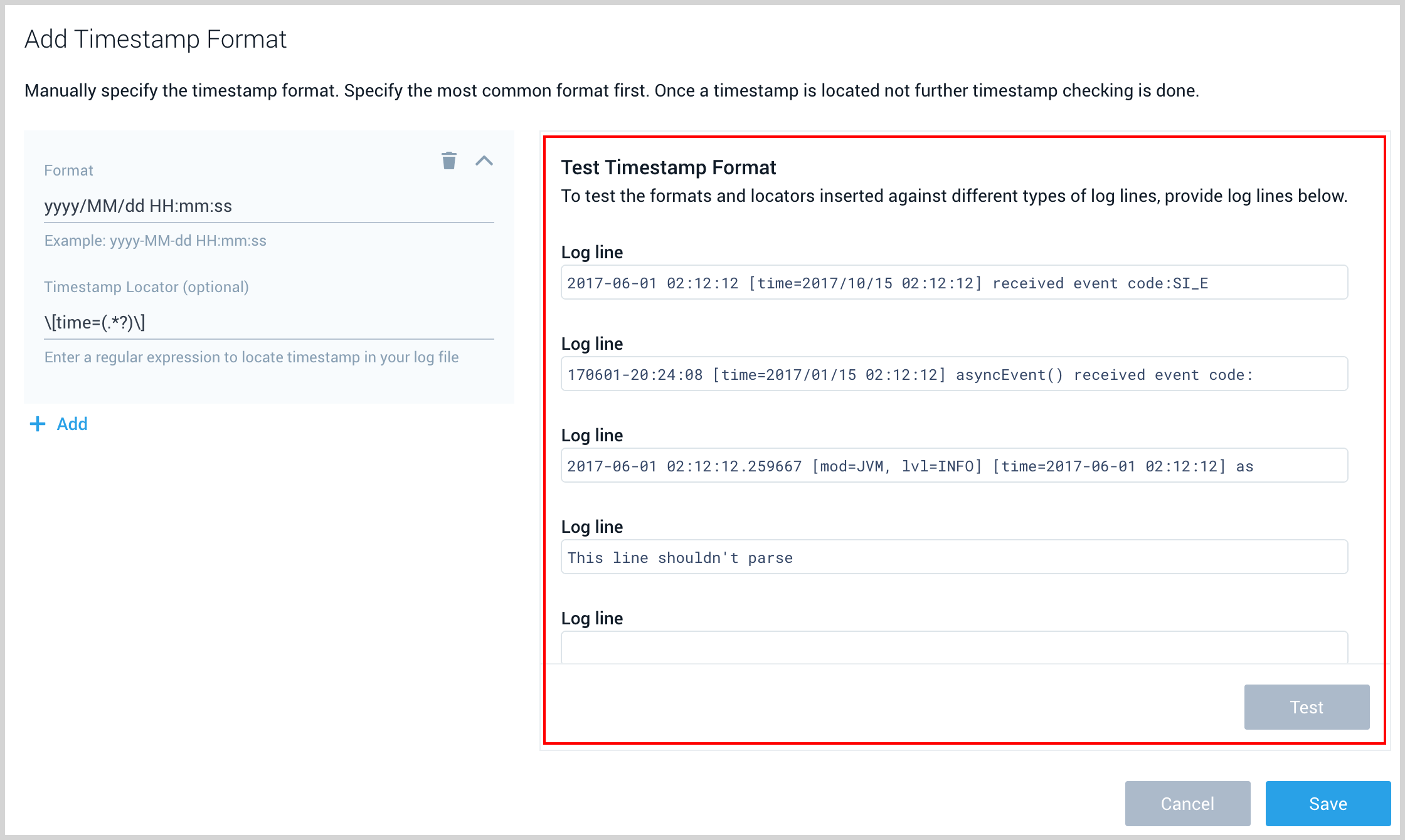
Timestamp Format Timestamps Time Zones Time Ranges And Date Formats Sumo Logic Docs PHP Excel Date Time Format For Php Code To Insert Mysql Database Row Setting A Default Date Format In Excel ManyCoders Salary Slip Format In Excel And Word SemiOffice Com Setting A Default Date Format In Excel Pixelated Works How To Convert Timestamp To Date And Time Format In MySql How To View And Show The Date And Time Of A CCTV Video File Extract Date From Date And Time Stamp In Excel YouTube
Date And Timestamp Format In Excel
 Date And Timestamp Format In Excel
https://help.sumologic.com/assets/images/timestamp-format-test-examples-3993c1b310dc90c21907403d3f71b94d.png
Verkko 26 rivi 228 nbsp 0183 32 Use date and time functions to create formulas that return serial numbers display a specific date or time or that calculate the difference between dates or times
Templates are pre-designed files or files that can be used for various purposes. They can conserve effort and time by providing a ready-made format and layout for producing different type of material. Templates can be utilized for individual or expert projects, such as resumes, invitations, flyers, newsletters, reports, presentations, and more.
Date And Timestamp Format In Excel
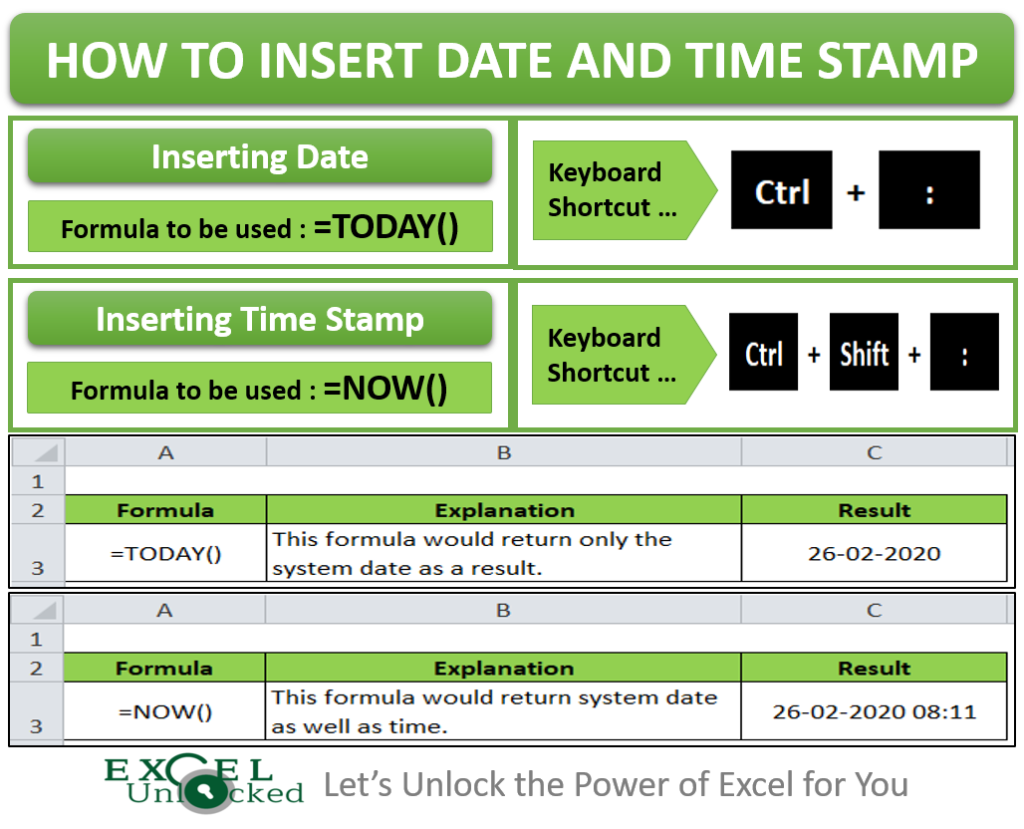
How To Insert Date And Timestamp In Excel Excel Unlocked
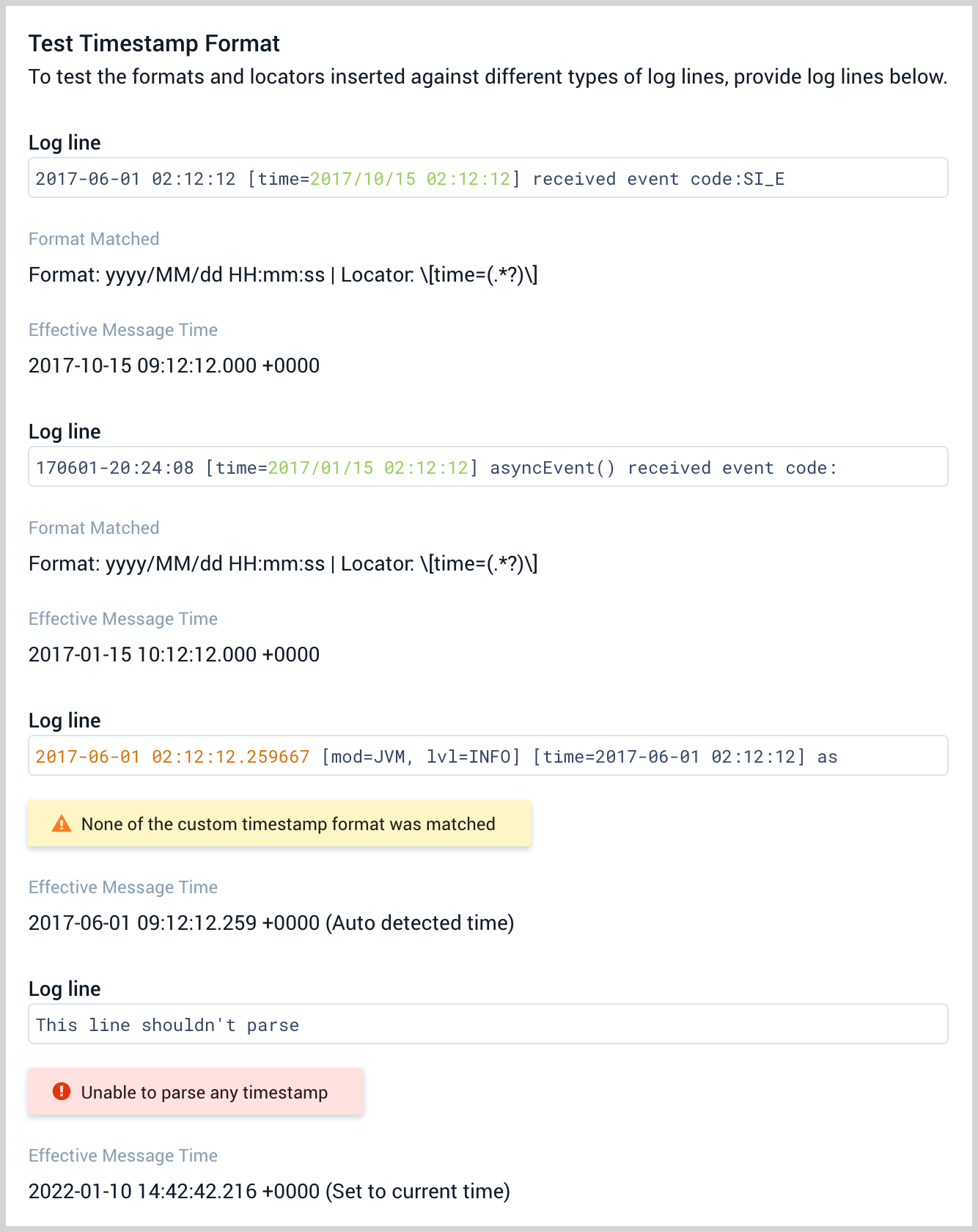
Timestamps Time Zones Time Ranges And Date Formats Sumo Logic Docs
PHP Excel Date Time Format For Php Code To Insert Mysql Database Row
Setting A Default Date Format In Excel ManyCoders

Setting A Default Date Format In Excel Pixelated Works
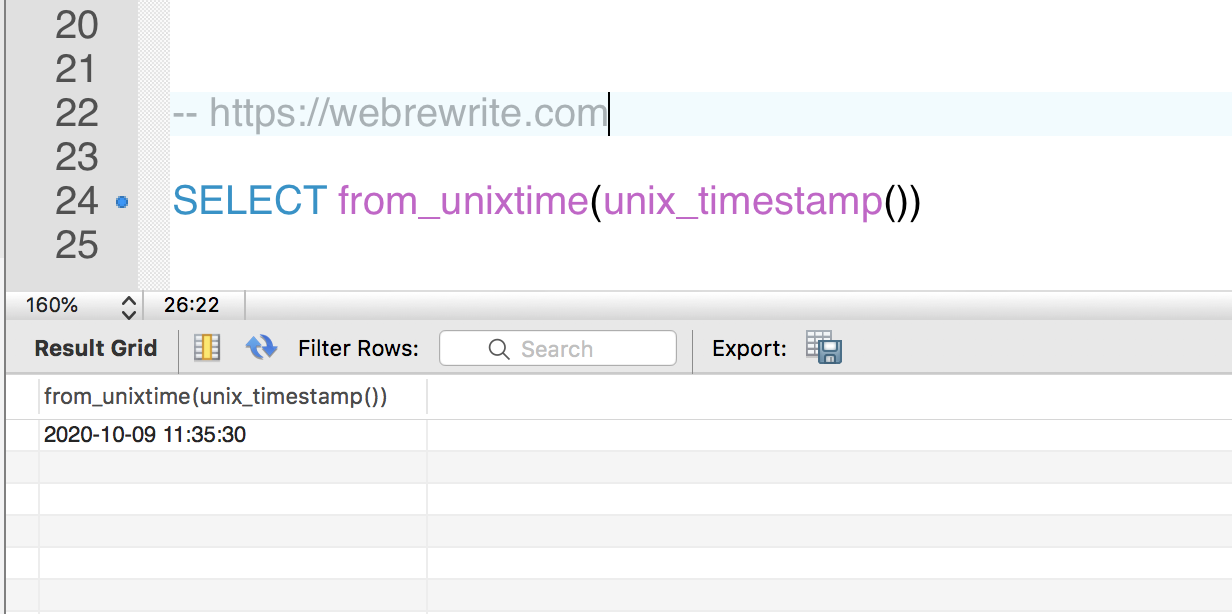
How To Convert Timestamp To Date And Time Format In MySql

Verkko 2 helmik 2009 nbsp 0183 32 Create a custom date or time format Tips for displaying dates or times Display numbers as dates or times You can format dates and times as you type
Verkko 28 huhtik 2009 nbsp 0183 32 Excel shows it in this format dd mm yyyy hh mm e g 2020 05 22 16 40 55 shows as 22 05 2020 16 40 This is evidently determined by the Short date

Verkko 2 helmik 2012 nbsp 0183 32 When you enter some text into a cell such as quot 2 2 quot Excel assumes that this is a date and formats it according to the default date setting in Control Panel Excel might format it as quot 2 Feb quot If you
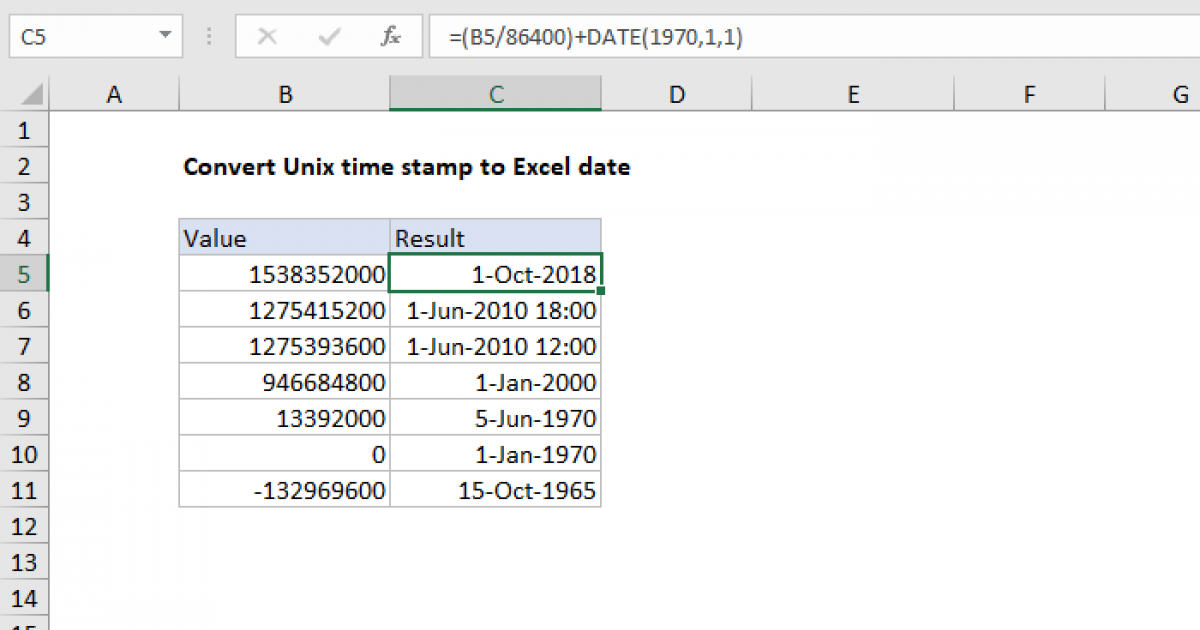
Verkko Dates and times in Excel can be displayed in a variety of ways To apply a Date or Time format execute the following steps 1 Select cell A1 2 Right click and then click Format Cells

Verkko 10 lokak 2023 nbsp 0183 32 Excel stores dates as sequential numbers and it is only a cell s formatting that causes a number to be displayed as a date time or date and time Dates in Excel All dates are stored as integers
Verkko 1 Using NOW Function to Insert Timestamp The NOW function returns date and time with format MM DD YYYY hh mm Which denotes timestamp Here you don t need Verkko 1 lokak 2018 nbsp 0183 32 Convert timestamp to DateTime in excel Stack Overflow Convert timestamp to DateTime in excel Asked 3 years 10 months ago Modified 3 years 10
Verkko 25 lokak 2023 nbsp 0183 32 1 Convert Unix Timestamp to Date 2 Convert UTC Timestamp to Date 2 1 Using Format Cells Option 2 2 Applying Text to Columns Wizard 2 3