Custom Nameservers How To Create A custom Nameservers EHostingServer Registering custom Nameservers Name Custom Nameservers ZesleCP Documentation How To Create Custom Nameservers On Your Domain DomainKing NG Using custom Name Servers InMotion Hosting Support Center Configuring custom name servers is a two step process First you must add A records for the custom name servers or verify that you already have functioning A records for the name servers Second you must register the custom name servers with
Creating custom nameservers A private nameserver is a nameserver branded with your own domain For instance ns1 yourdomain and ns2 yourdomain are custom private nameservers At Hostinger easily change the NS records via the DNS Zone Editor Open the Domains section and select your domain Then proceed to the nameservers management page by clicking the Change button For the last step choose the Change nameservers option enter new nameservers and click Save
Using custom Name Servers InMotion Hosting Support Center How To Change NameCheap Nameservers 4 Easy Steps Nameservers What Are They And How Do They Work Configure DNS With 1 1 Support Center How To Set Up Custom Nameservers For Resellers InMotion Hosting How To Create Custom Nameserver In GoDaddy How To Change GoDaddy Nameservers In 2 Minutes Step By Step Create Custom Nameservers Using Your Domain BaseZap How To Change GoDaddy Nameservers 1 Minute Guide
Custom Nameservers
 Custom Nameservers
https://www.ehostingserver.com/wp-content/uploads/2022/09/setup-custom-nameserver.png
Click on the Advanced DNS tab and find the Personal DNS Server section select Standard or Custom Nameservers from a drop down menu click on the Add Nameserver button 5 Enter the desired hostname into the Nameserver field e g ns1 if you would like to register the ns1 nctest info nameserver etc
Pre-crafted templates use a time-saving solution for developing a diverse series of files and files. These pre-designed formats and layouts can be utilized for numerous individual and expert projects, consisting of resumes, invitations, leaflets, newsletters, reports, presentations, and more, streamlining the content creation procedure.
Custom Nameservers

Plesk Tutorial 002 Setup Custom Nameservers At Domain Registrar YouTube
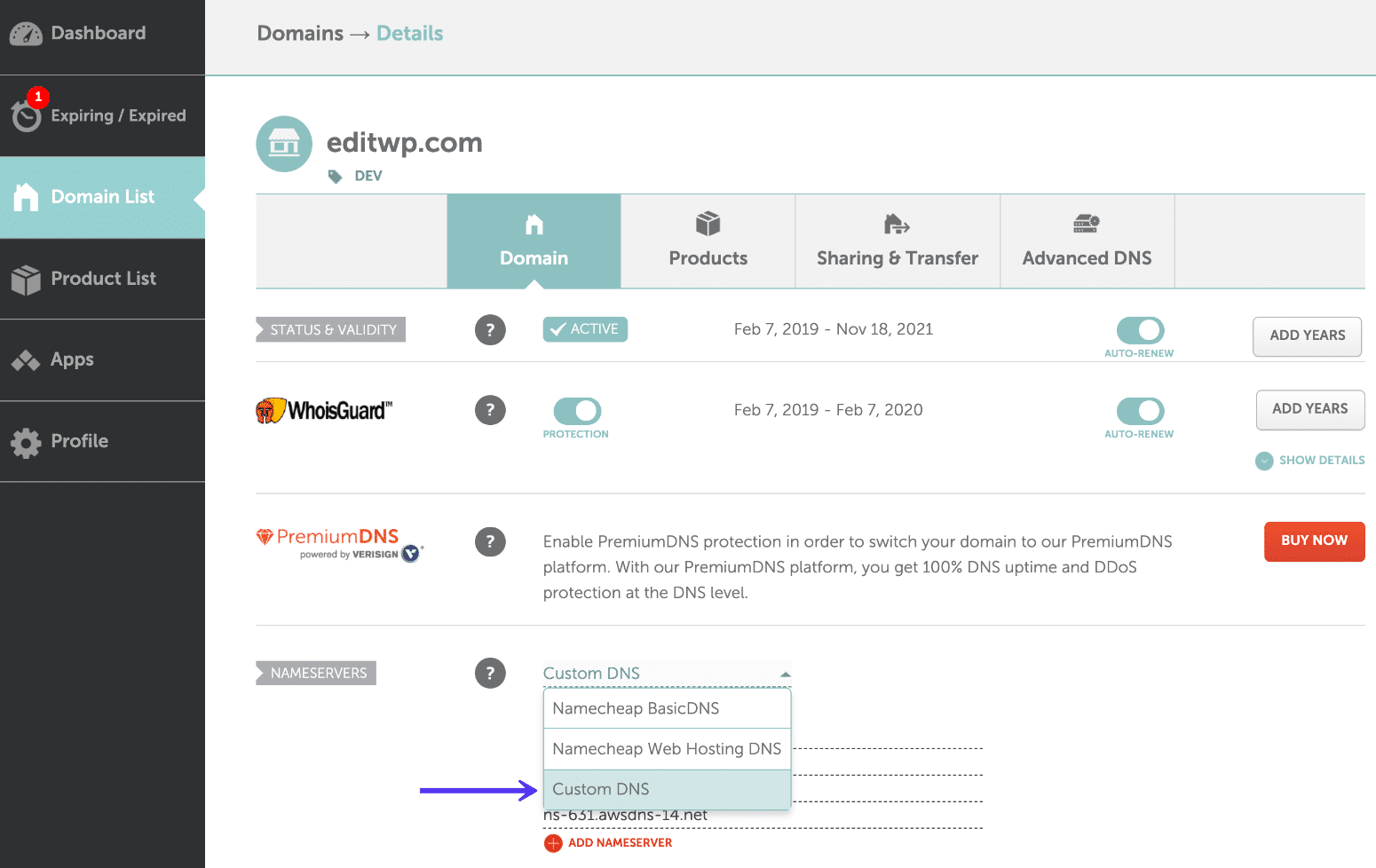
How To Change NameCheap Nameservers 4 Easy Steps
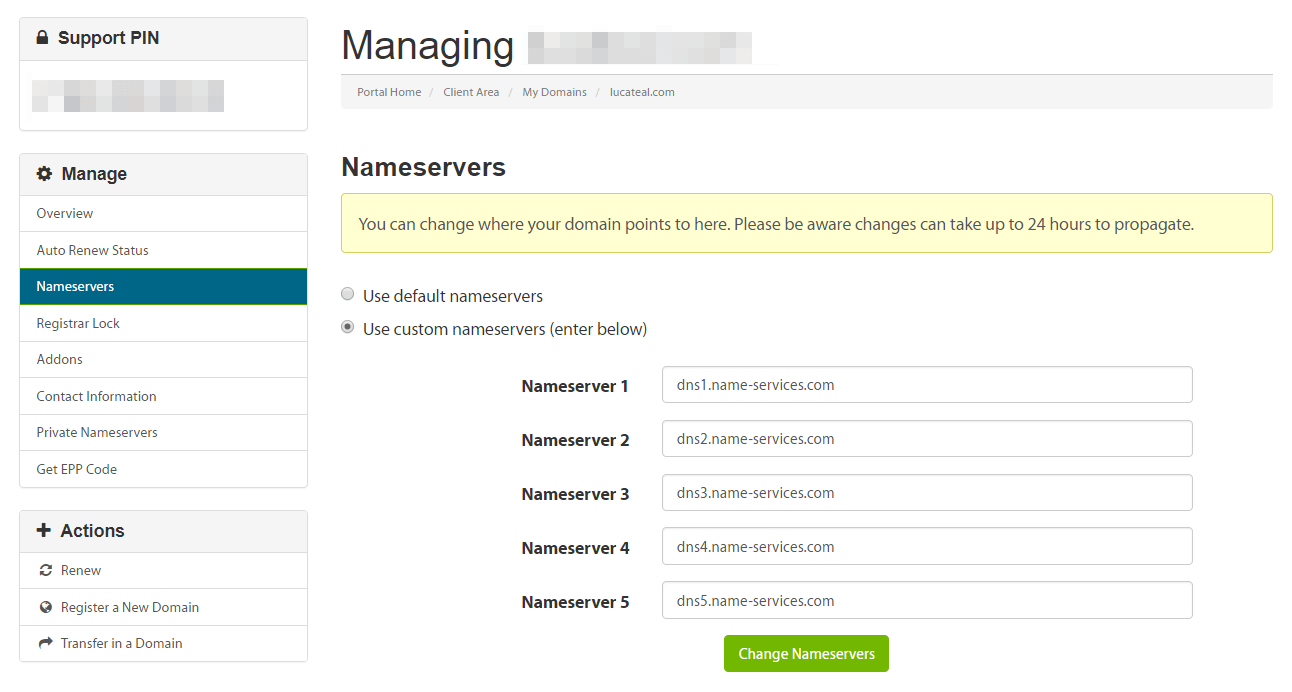
Nameservers What Are They And How Do They Work
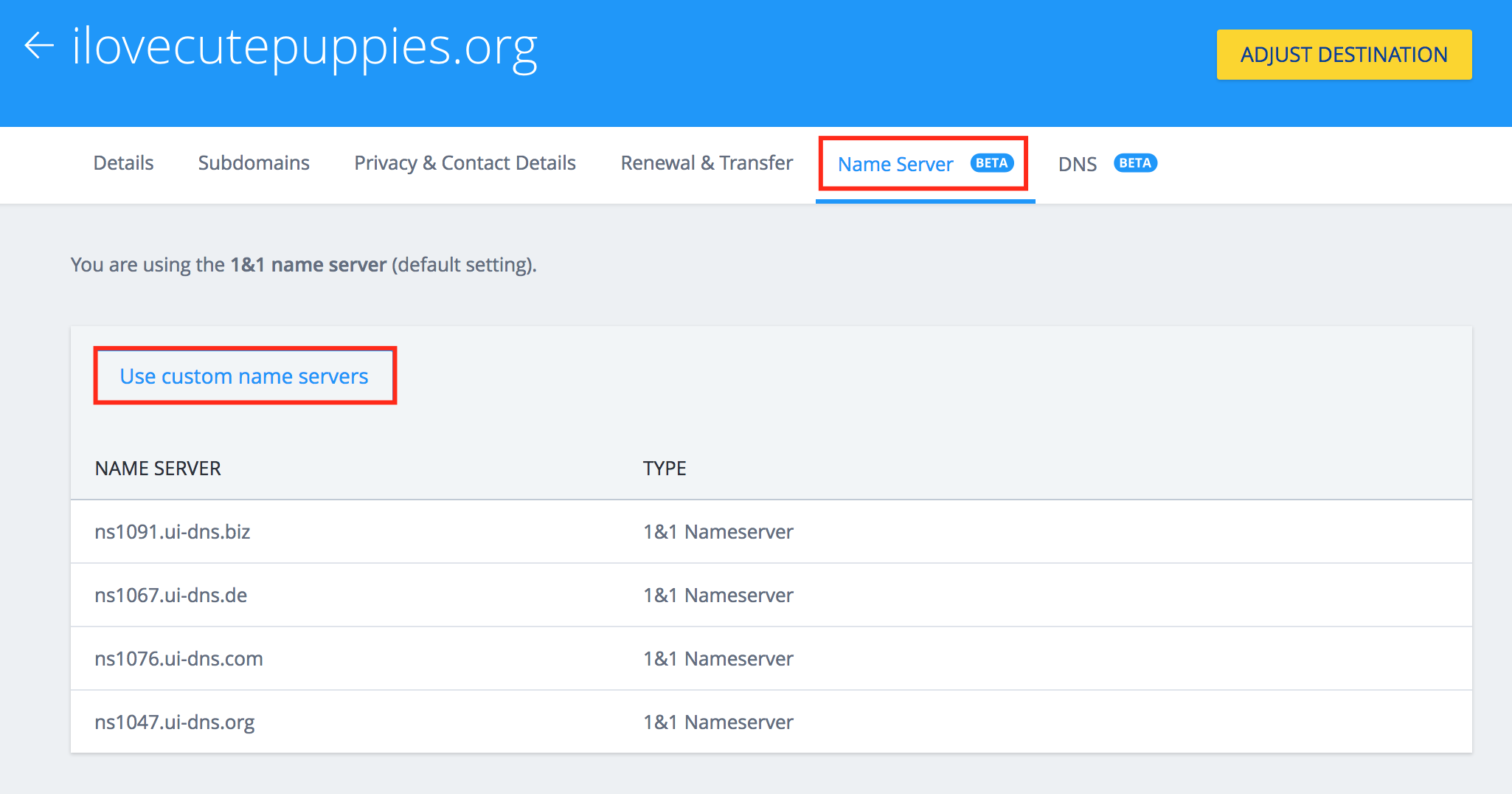
Configure DNS With 1 1 Support Center
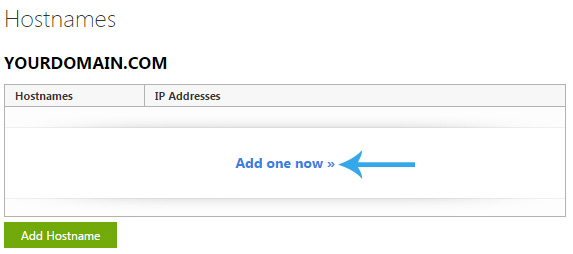
How To Create Custom Nameserver In GoDaddy
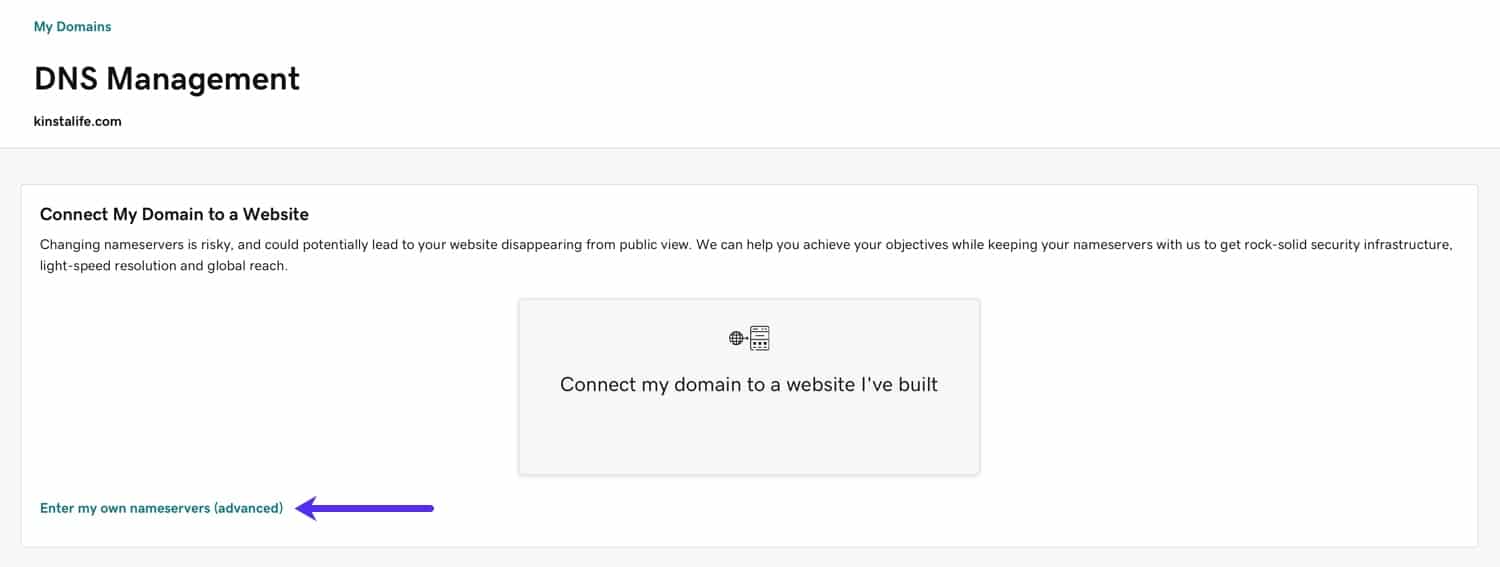
How To Change GoDaddy Nameservers In 2 Minutes Step By Step

Last updated November 24 2023 If you re trying to point your domain name to your web hosting you ve probably come across the term nameserver So what is a nameserver Nameservers help connect URLs with the IP address of web servers
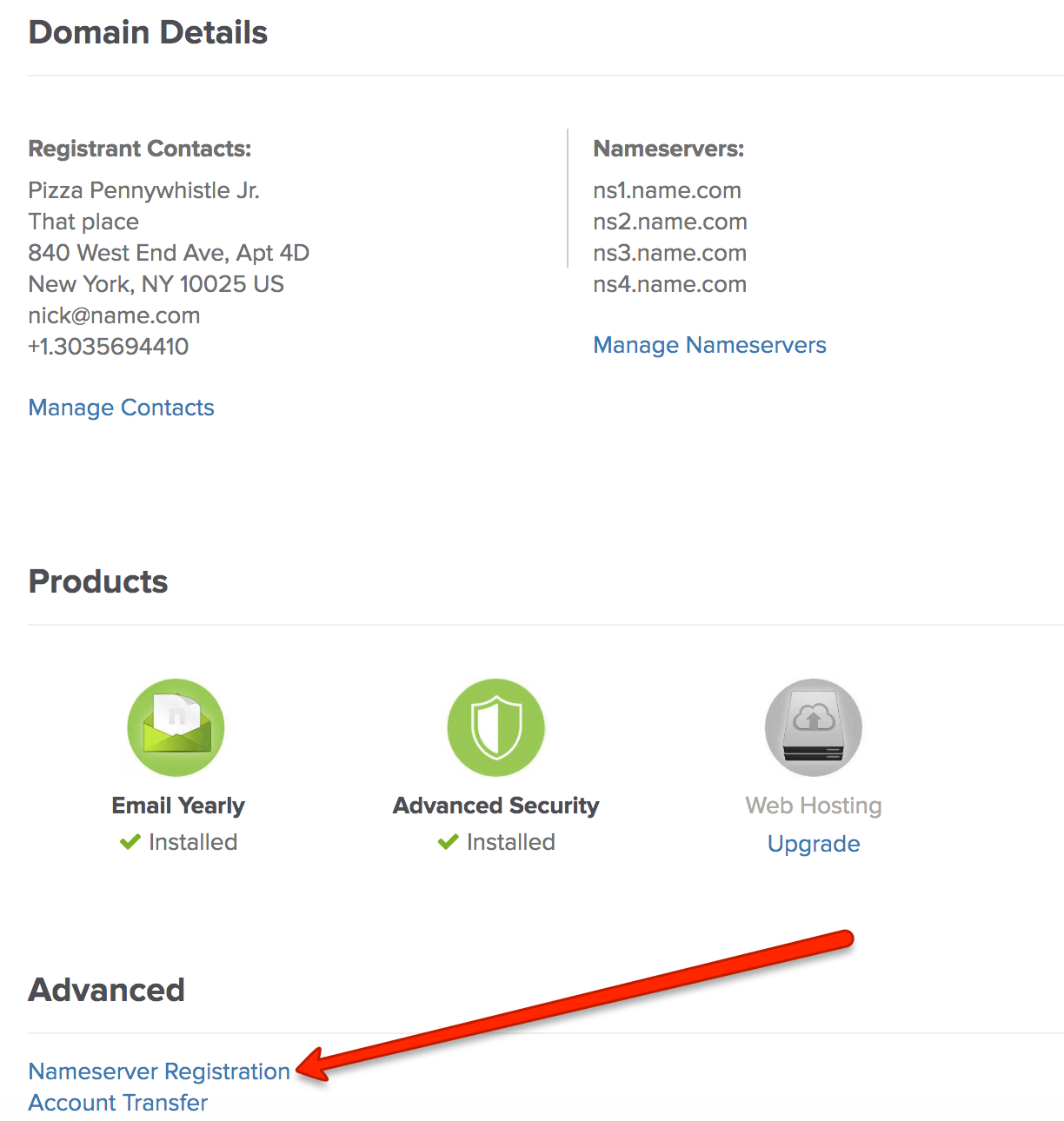
Here are the steps that you would go through to set up Custom Nameservers Step 1 Since your domain name does have a registrar such as GoDaddy Namecheap Enom Network Solutions or Reseller Club you would go to their site and find the place to register or record a host name for the domain name

Log in to the administration panel or terminal for your DNS software on your custom name server Within the domain zone file add an A record for each custom name server This record should point the hostname of the custom name server such as ns1 example to the IPv4 address of the name server
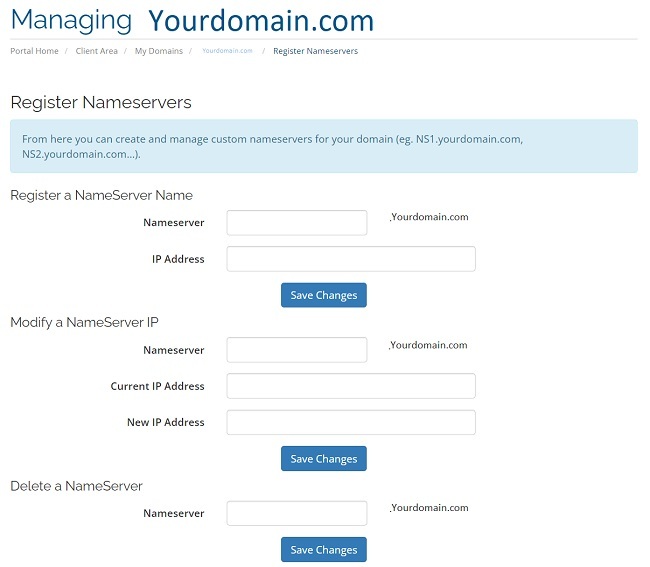
A custom name server allows you to run your own name server to respond to DNS requests for your domains You can also decide to set up custom name servers for branding purposes if you would like to hide the fact that your domain s DNS requests are handled by our public name servers
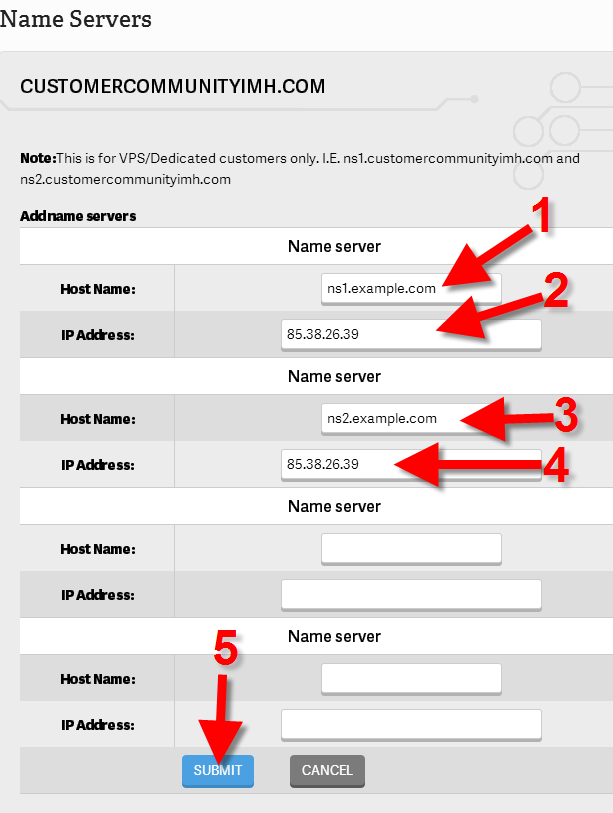
At the top of the page click Custom name servers Your current setting has Active next to it In the Name Servers field s enter a custom name server If you can t find the field s
[desc-11] [desc-12]
[desc-13]