Creating A Dependent Drop Down List In Google Sheets How To Create A Dependent Drop Down List In Google Sheets Google How To Make A Dependent Drop Down List In Google Sheets YouTube How To Create A Dependent Drop Down List In Google Sheets 2023 How To Create Drop Down List In Google Sheets Blastklo How To Create A Dependent Drop Down List In Google Sheets Multiple Using arrays in Google Sheets Customize a pivot table Create drop down lists in a cell with Google Sheets Create a dropdown list
Learn how to create dependent dropdown data validation lists in Google Sheets and have different drop down values based on the value of another cell Basically the second drop down In this video tutorial I will show you how to create multiple dependent drop down lists in Google Sheets Using data validation and the INDIRECT function in Google Sheets allows
How To Create A Dependent Drop Down List In Google Sheets Multiple How To Create A Google Sheets Drop Down Menu How To Make A Dependent Drop Down List In Google Sheets How To Create Dependent Drop Down List In Google Sheets Excel Data Validation How To Create Dependent Drop Down List In How To Create A Dependent Drop Down List In Google Sheets Sheetaki How To Create A Dependent Drop Down List In Google Sheets Multiple How To Create A Dependent Drop Down List In Google Sheets Sheetaki How To Add A Drop down List In Google Sheets To Group And Organize Data
Creating A Dependent Drop Down List In Google Sheets
 Creating A Dependent Drop Down List In Google Sheets
https://i.pinimg.com/736x/bb/90/a3/bb90a353d0b3f0937df517005030a6f4.jpg
Read the article here https spreadsheetpoint dependent drop down list google sheets Subscribe to this YouTube channel to get updates on Google Sheets
Pre-crafted templates use a time-saving service for producing a varied series of documents and files. These pre-designed formats and designs can be made use of for various individual and professional projects, consisting of resumes, invites, leaflets, newsletters, reports, discussions, and more, simplifying the material development procedure.
Creating A Dependent Drop Down List In Google Sheets

How To Create A Dependent Drop Down List In Google Sheets TrendRadars
How To Create A Google Sheets Drop Down Menu

How To Make A Dependent Drop Down List In Google Sheets

How To Create Dependent Drop Down List In Google Sheets

How To Create A Dependent Drop Down List In Google Sheets Sheetaki
How To Create A Dependent Drop Down List In Google Sheets Multiple

How to Make a Dependent Drop Down List in Google Sheets Talha Faisal Last updated September 27 2023 We can utilize lists in Google Sheets to portray our data One of those ways is using a Google Sheets dependent drop down list which makes data entry more efficient and free of errors
Select cell A3 Select Data Data Validation In the Data Validation dialog box select List from a range in the Criteria section and define the range as Master A3 C3 We also wish to disallow any custom data from being entered into the cell so we activate the Reject input option

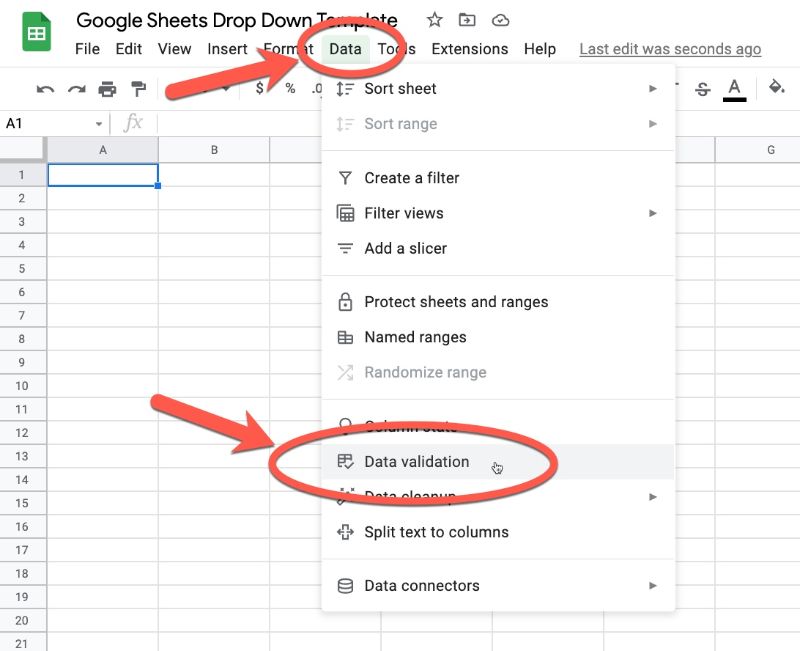
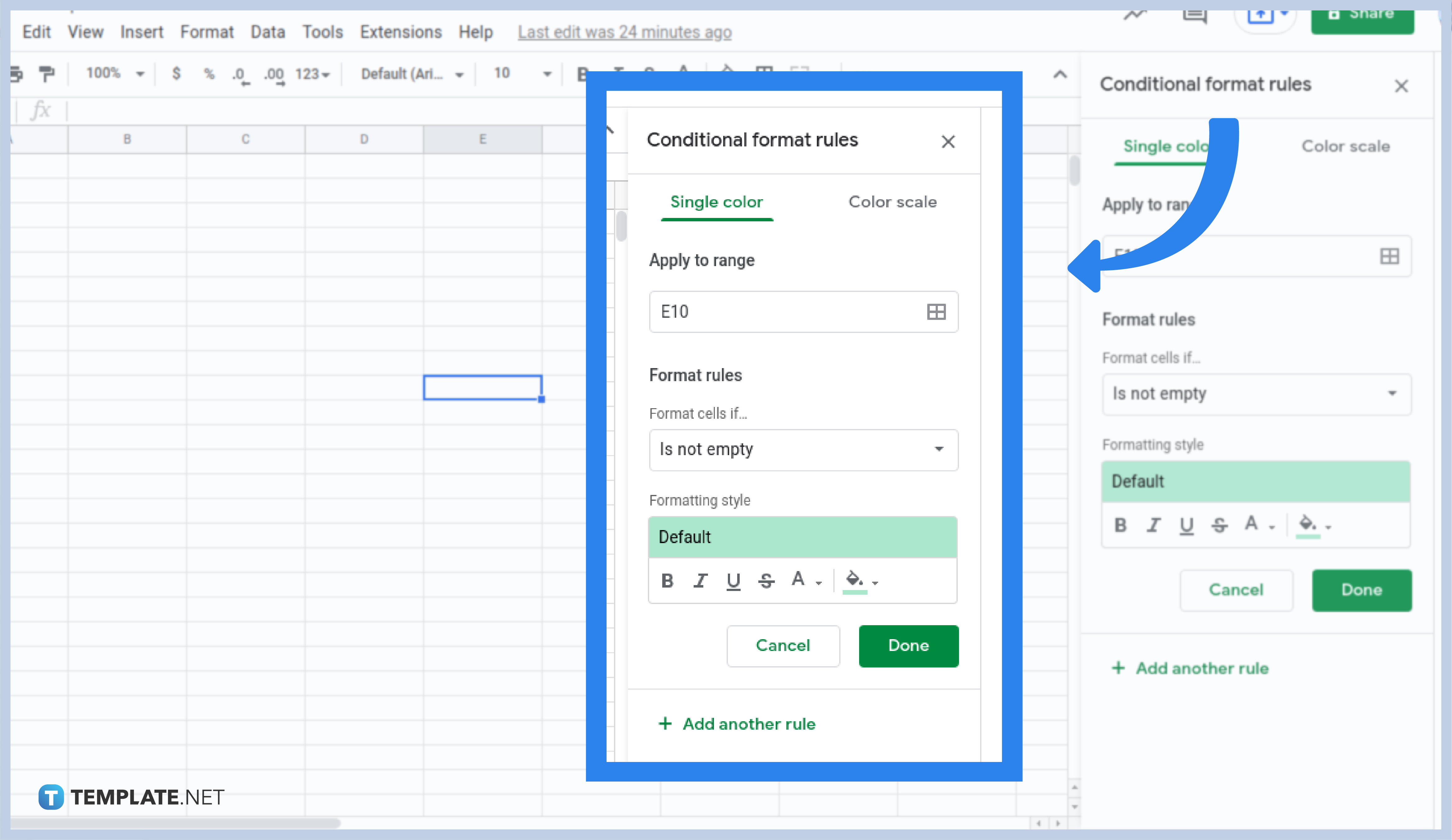
Steps Here the active cell is A2 in Sheet2 Go to the menu Data Data Validation or Insert Drop down Add the rules as per the image below Go to Insert Drop down and under criteria select Drop down from a range Enter the range in the field i e Sheet2 C2 C8 and Done
How to create dependent dropdown lists in Google Sheets Ask Question Asked today Modified today Viewed 5 times 0 I have the following data I need to make a drop down list in another spreadsheet to select the type and in the column on the side another drop down list DEPENDENT on the type
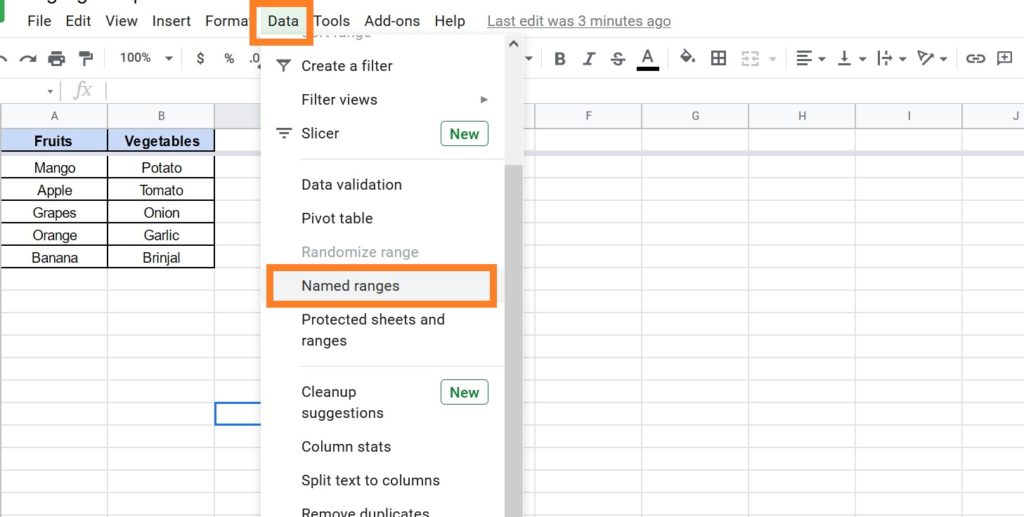
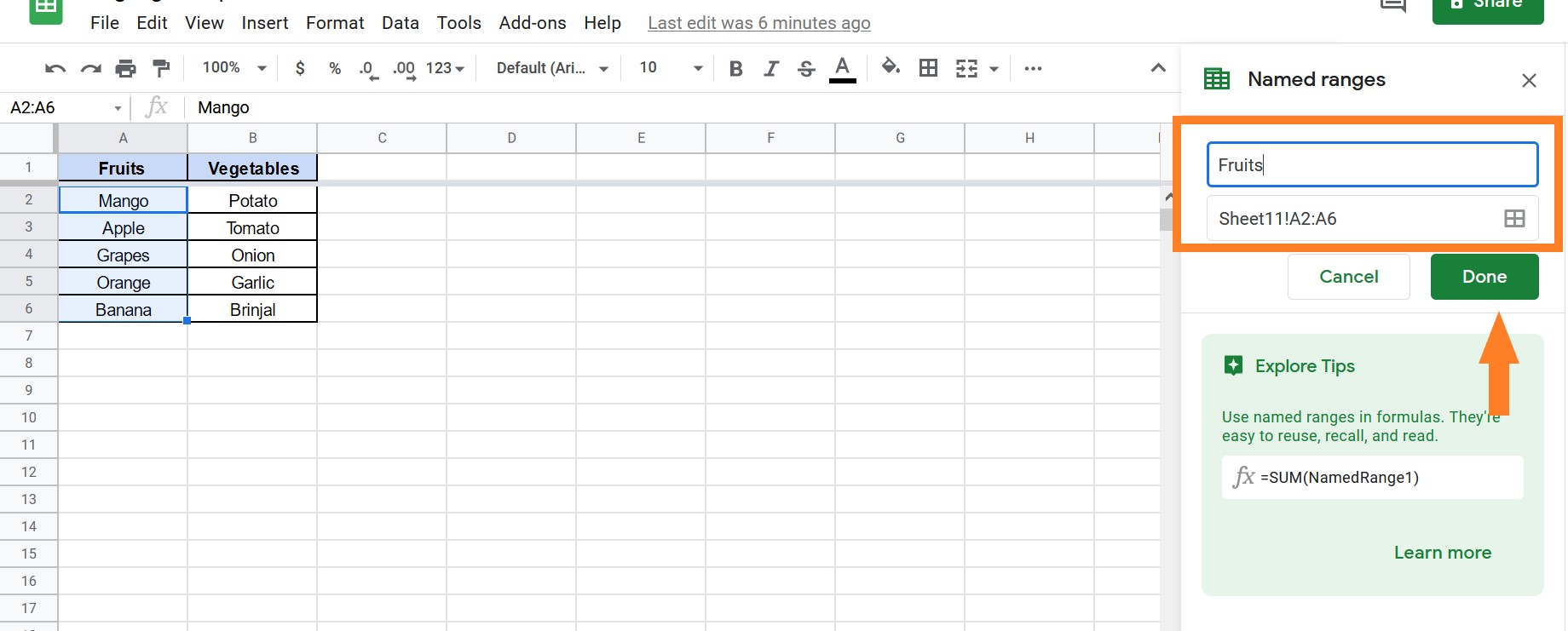
Step 1 First set up the options for the first drop down list in a single row These options will also act as the header for each column Step 2 Next input the choices you want to display in the second drop down menu In this example we ve set up a list of cities for each continent option Step 3 We ll now create a named range for each sub group
First simple Data Validation DV Prepare a list of unique values In our example it is a list of Planets Find free space on sheet with data and paste formula unique A A On your mainsheet select first column where DV will start Go to Data Validation and select range with a unique list 1 Use ARRAYFORMULA Function in Google Sheets to Make a Dependent Drop Down List 2 Apply the Named Ranges Method to Create Dependent Drop Down List in Google Sheets 3 Use the FILTER Function in Google Sheets to Create Dependent Drop Down List 4 Combine INDEX and MATCH Functions to Create Dependent Drop Down Lists in Google Sheets
Creating a multi row dependent dropdown list in Google Sheets requires First Dropdown List Prep Data List Second Dependent Dropdown List The tedious part that needs more attention is when we are preparing the Prep Data List It requires us to utilize several functions in a single formula