Create Pivot Table Formula In Excel Multiplication Table Formula Excel Formula Exceljet How To Create A Pivot Table In Excel To Slice And Dice Your Data How To Use Pivot Table Data In Excel Formulas ExcelDemy Des Plans Coup Conduire Pivot Table Calculated Field Formula Pr cipice Of Total Calculated Field Pivot Table Brokeasshome Upload Shorts To upload a Short from a computer Sign in to YouTube Studio In the top right corner click CREATE Upload videos Select a short video file Up to 3 minutes With a square
On this page Create a form Add questions Customize your design Control and monitor access Review your form Report abusive content in a form Create a form Go to forms google Get started with Analytics Collect and manage data Report and explore Advertising and attribution Audiences and remarketing Manage accounts properties and users Google Analytics 360
Of Total Calculated Field Pivot Table Brokeasshome Pivot Table Formula In Excel LaptrinhX Add An Interactive Vertical Column In Your Excel Line Chart Free Pivot Table Formula In Excel Steps To Use Pivot Table Formula In Excel How To Avoid Get Pivot Table Formula From Pivot Table YouTube Excelpivot Table Home Design Ideas Pivot Table Formulas Can Only Refer To Review Home Decor How To Use Excel Table Function YouTube How To Use Pivot Table Data In Excel Formulas ExcelDemy
Create Pivot Table Formula In Excel
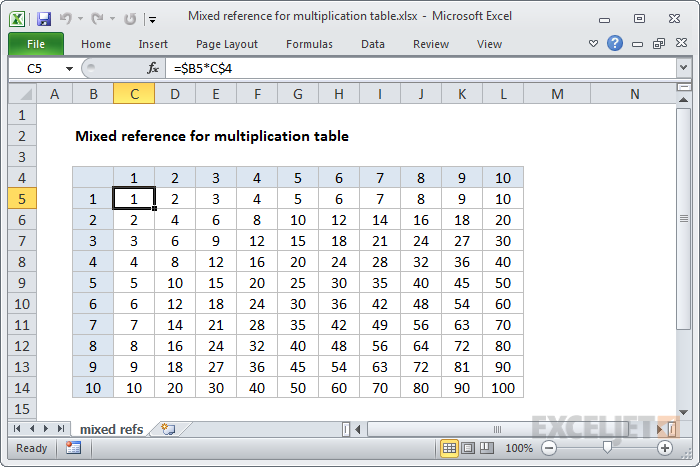 Create Pivot Table Formula In Excel
https://exceljet.net/sites/default/files/styles/original_with_watermark/public/images/formulas/Mixed reference for multiplication table.png
Docs mobile How to use Google Docs Visit the Learning Center Using Google products like Google Docs at work or school Try powerful tips tutorials and templates Learn to work on
Templates are pre-designed files or files that can be used for numerous purposes. They can conserve effort and time by offering a ready-made format and design for developing various kinds of content. Templates can be used for individual or expert jobs, such as resumes, invites, leaflets, newsletters, reports, discussions, and more.
Create Pivot Table Formula In Excel
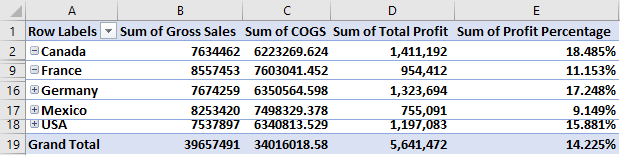
Pivot Table Formula In Excel Steps To Use Pivot Table Formula In Excel
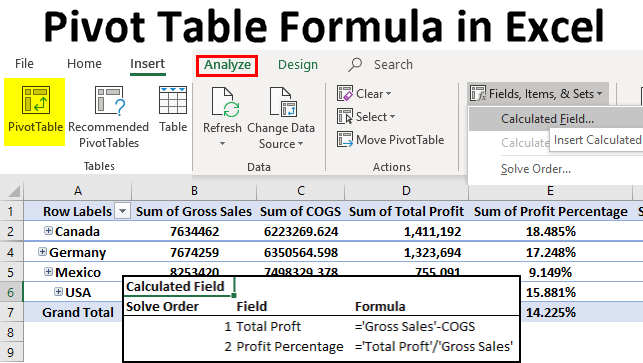
Pivot Table Formula In Excel LaptrinhX

Add An Interactive Vertical Column In Your Excel Line Chart Free
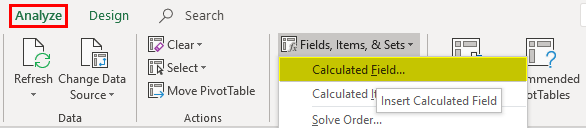
Pivot Table Formula In Excel Steps To Use Pivot Table Formula In Excel
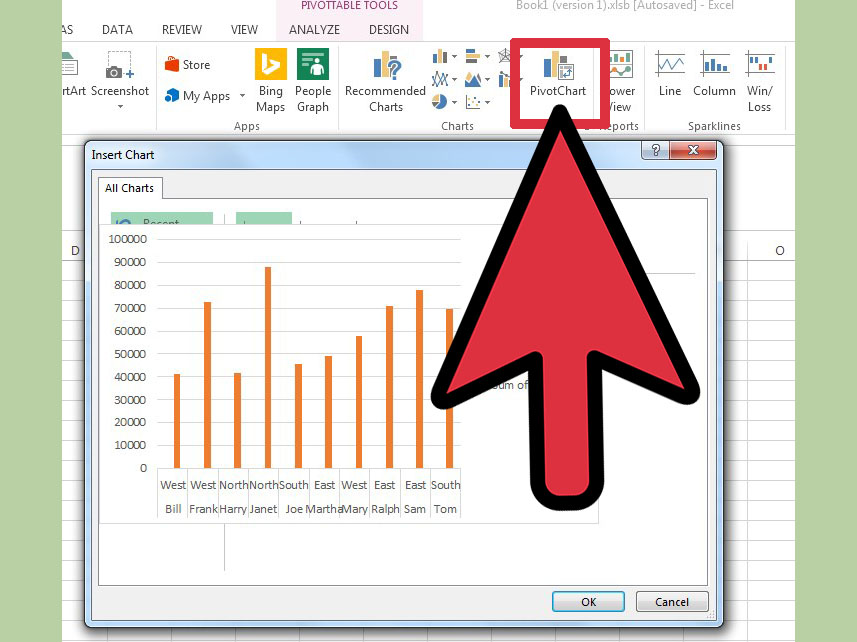
Excelpivot Table Home Design Ideas
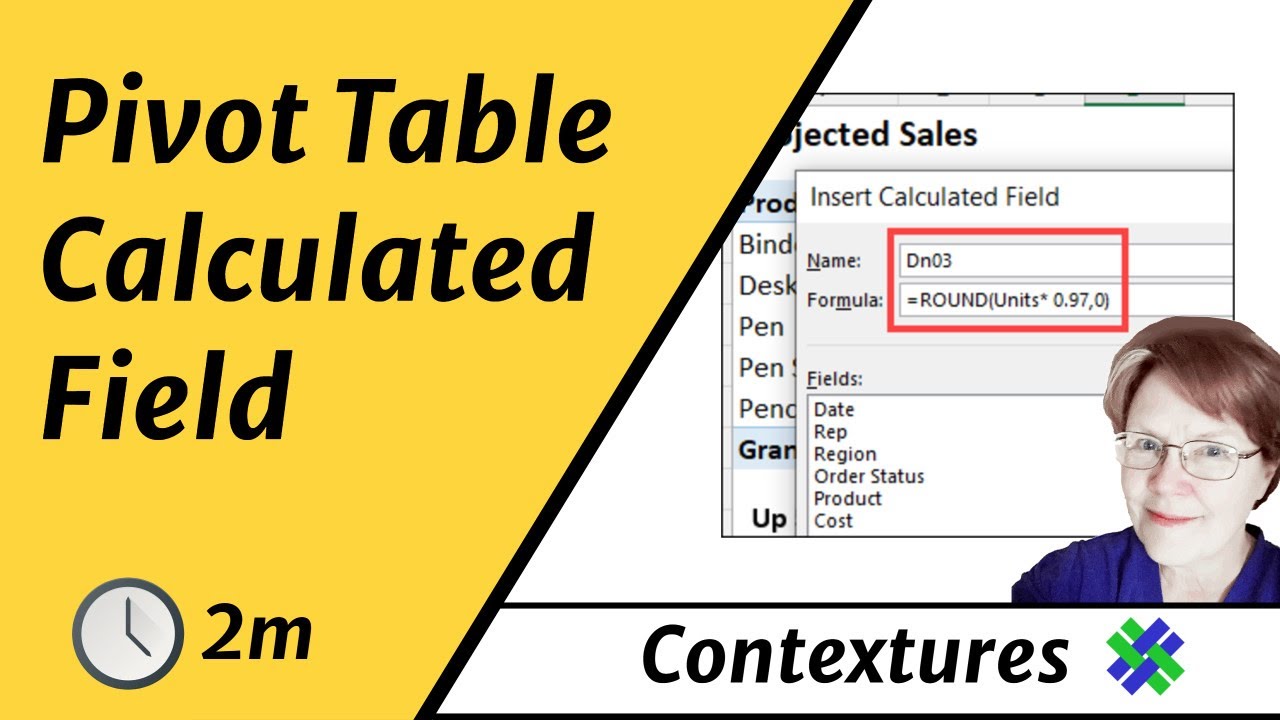
Pivot Table Formulas Can Only Refer To Review Home Decor
Important When you create a Google Account for your business you can turn business personalization on A business account also makes it easier to set up Google Business Profile

Create a tab Important By default a new document has a tab called Tab 1 You can t delete Tab 1 unless another tab is present On your computer open a document in Google Docs To

Create a spreadsheet Create view or download a file Use templates Visit the Learning Center Using Google products like Google Docs at work or school Try powerful tips tutorials and
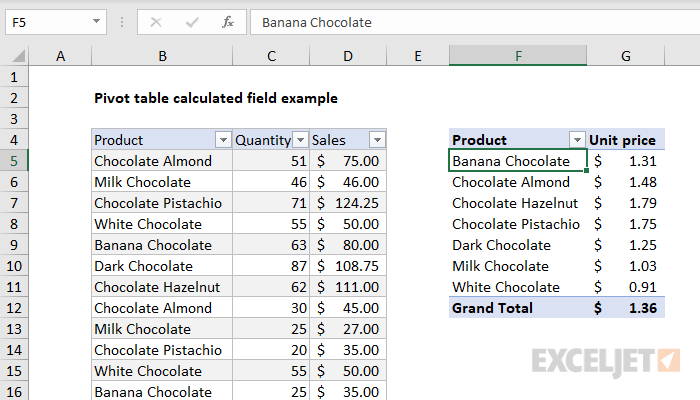
Create a new bookmark folder On your computer open Chrome At the top right select More Bookmarks and lists Bookmark Manager At the top right select More Add new folder If you

Table Select the number of columns and rows to create a table Drawing Create shapes pictures and diagrams right in your document Link Add a link to another page or to a
[desc-11] [desc-12]
[desc-13]