Create Pdf Using Power Automate Exiger L approbation De Documents Dans SharePoint En Utilisant Power Create Sharepoint List Items In A Folder Using Power Automate About365 How To Create PDF A Compliant PDF Using Power Automate Microsoft Power Automate Desktop Free Fadnova Creating PDF Using Power Automate There are many creative ways to use Microsoft Power Automate Creating or generating a PDF file from a Flow can be costly at times Meaning you might need t
In this step by step tutorial I ll show you how to generate PDF files using Power Automate I ll show a real scenario using a SharePoint list to assign asset Steps Step1 Login to your Power Automate portal https portal office using your O365 account then click on Power Automate Tile on quick launch Here I have logged into my developer tenant Step 2 In the power automate page make sure you are in the right environment and click on New Instant cloud flow Step 3
Creating PDF Using Power Automate How To Create A PDF File With Power Automate FLOW How To Lookup Data In A Sharepoint List Power Automate Generate Pdf Power Automate Desktop Flow Schedule Binple How To Create PDF Email With Power Automate How To Save Microsoft Forms Responses In PDF Using Power Automate MS Using Power Automate To Create Reports From Dynamics 365 Finance And Learn HTML Table Formatting Using Microsoft Power Automate Step By Step Automate PDF Actions With Adobe PDF Services Connector For Microsoft
Create Pdf Using Power Automate
 Create Pdf Using Power Automate
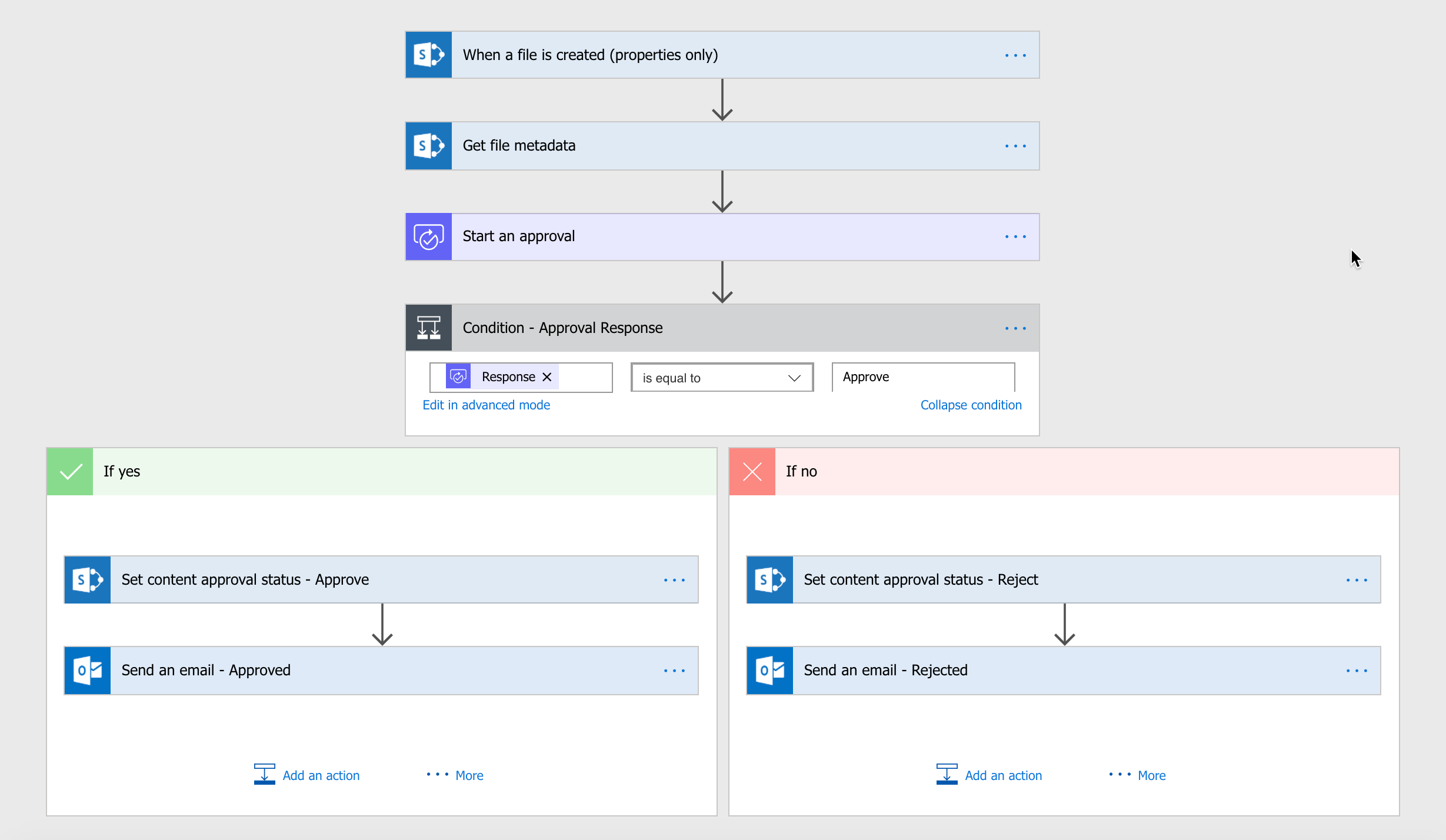
https://learn.microsoft.com/fr-fr/sharepoint/dev/images/flow-content-approval-full.png
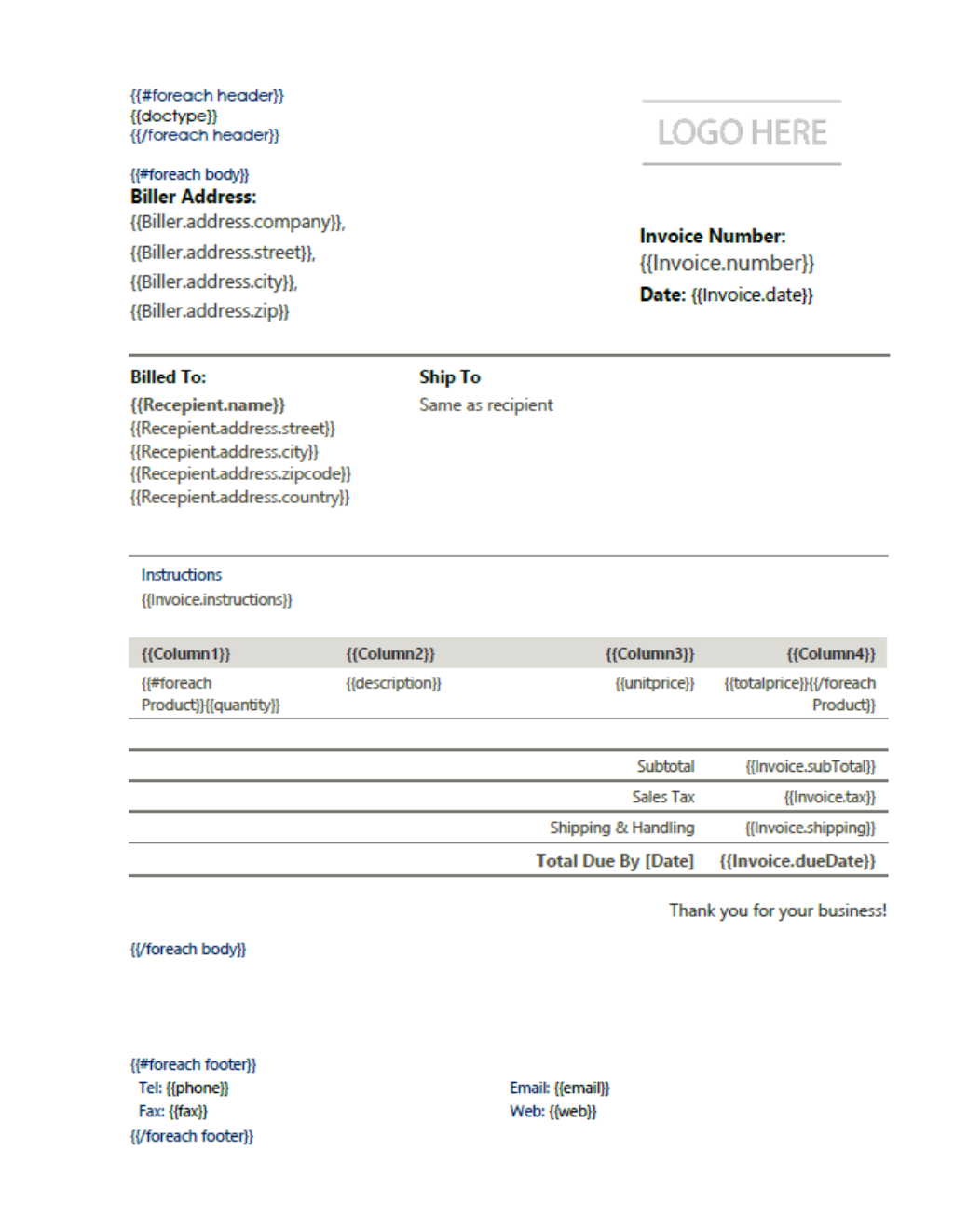
p In this article I will describe how to automate the creation of complex PDF documents from a template Let us say we have a sales department They are tired of filling the same documents with brief changes again and again We could provide them some form for filling data and generate documents automatically p
Templates are pre-designed files or files that can be utilized for different purposes. They can save effort and time by supplying a ready-made format and design for creating different sort of content. Templates can be used for personal or expert projects, such as resumes, invites, leaflets, newsletters, reports, discussions, and more.
Create Pdf Using Power Automate
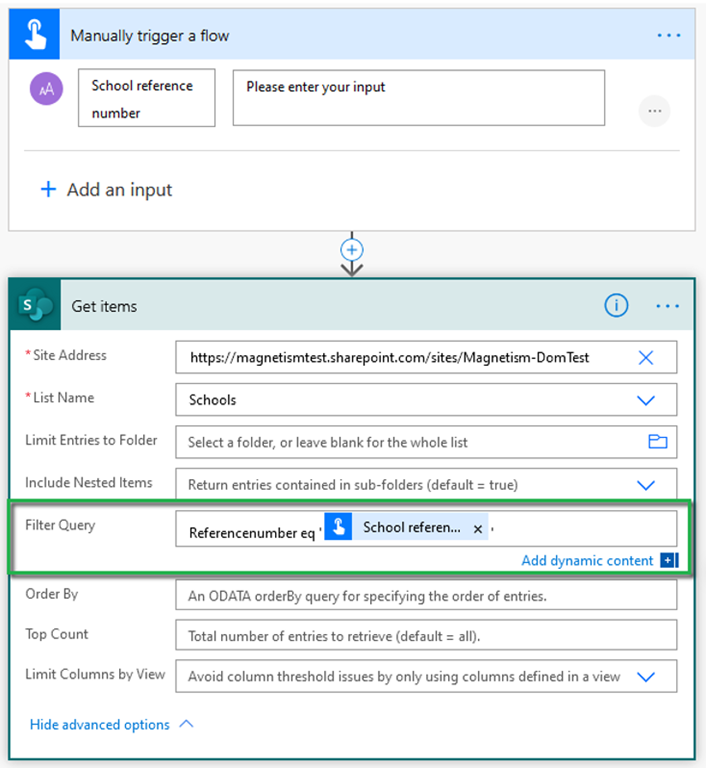
Automatically Send Responses To A Sharepoint List Using Power Automate

How To Create A PDF File With Power Automate FLOW

How To Lookup Data In A Sharepoint List Power Automate Generate Pdf

Power Automate Desktop Flow Schedule Binple
How To Save Microsoft Forms Responses In PDF Using Power Automate MS
Using Power Automate To Create Reports From Dynamics 365 Finance And

Using Power Automate to create PDF file for automatic email or direct download 11 27 2021 01 24 PM Hi All I use several flows within my app to create PDF reports and currently have this setup to save the PDF file to a dedicated SP folder
Article 10 31 2023 8 contributors Feedback In this article Extract text from PDF Extract tables from PDF Extract images from PDF Extract PDF file pages to new PDF file Merge PDF files PDF actions enable you to extract images text and tables from PDF files and arrange pages to create new documents

Feb 18 2021 In this post I will look at how to create PDF documents from data Use cases Table of Contents Use cases Data Encodian Create PDF documents from HTML In the example that I m using in this post I will generate a quotation document that takes data from my Dynamics 365 system

Automates Repetitive Tasks Using Power Automate can streamline your workflow by automating repetitive tasks Here s how to automate repetitive tasks in Power Automate Create a flow to define the sequence of actions Add the Convert File action to automatically convert the file to the desired format

NEW VIDEO N 264 In this step by step tutorial I ll show you how to generate PDF files using Power Automate I ll show a real scenario using a SharePoint list to assign assets to the employees officializing every delivery by creating a PDF file signable from the end user
On Power Automate click on Create from the left navigation Automated cloud flow Provide the Flow name and select the trigger When a new response is submitted Click on Create It will redirect to the flow creation page On the trigger give the Form Id Pick the respective form from the dropdown For people familiar using Adobe Acrobat for creating editing and manipulating PDF documents the new Adobe PDF Tools connector these tools to your flows such as Convert your Word Excel PowerPoint and other formats automatically into PDF Convert PDFs back into editable formats like Microsoft Word PowerPoint Excel and other formats
Create PDF from Excel using Power Automate Let s see how to create a PDF from the excel sheet automatically using Power Automate To create an automated cloud flow on the Power Automate the following steps are On the Power Automate click on Create Automated cloud flow