Create Pdf From Multiple Files Windows 10 Three Key Tips For A Business Upgrade Of Windows 7 To Windows 10 Windows 10 How To Select Multiple Files Musclefreeloads How To Find And Remove Duplicate Files In Windows 10 Www vrogue co How To Reset The PC And Keep My Personal Files Windows 10 TekPreacher 5 Easy Methods On How To Delete Temp Files Windows 10 Create the Search campaign and goal In your Google Ads account click the Campaigns icon Click the Campaigns drop down in the section menu Click Campaigns Click the plus icon to
Create a spreadsheet Create view or download a file Use templates Visit the Learning Center Using Google products like Google Docs at work or school Try powerful tips tutorials and Docs mobile How to use Google Docs Visit the Learning Center Using Google products like Google Docs at work or school Try powerful tips tutorials and templates Learn to work on
5 Easy Methods On How To Delete Temp Files Windows 10 Windows 10 Webloc 2024 How To Select Multiple Files In Windows 10 quick Easy Ways How To Delete Temp Files In Windows 10 Windows 10 Tutorials Windows Microsoft Fixes Missing Taskbar In Windows 10 World Today News How To Select Multiple Files In Windows 10 quick Easy Ways How To Select Multiple Files In Windows Microsoft Windows 10 Pro For Workstation Dotken Jak Automatycznie Usuwa Pliki Tymczasowe W Systemie Windows 10
Create Pdf From Multiple Files Windows 10
 Create Pdf From Multiple Files Windows 10
https://www.itprotoday.com/sites/itprotoday.com/files/windows10imagemicrosoft_1.png
Visit the Learning Center Using Google products like Google Docs at work or school Try powerful tips tutorials and templates Learn to work on Office files without installing Office
Templates are pre-designed files or files that can be utilized for numerous functions. They can conserve effort and time by providing a ready-made format and design for producing various sort of material. Templates can be used for individual or professional jobs, such as resumes, invitations, leaflets, newsletters, reports, presentations, and more.
Create Pdf From Multiple Files Windows 10

5 Tapaa Palauttaa Poistetut Tiedostot Windows 10 Ss Windows

Windows 10 Webloc 2024

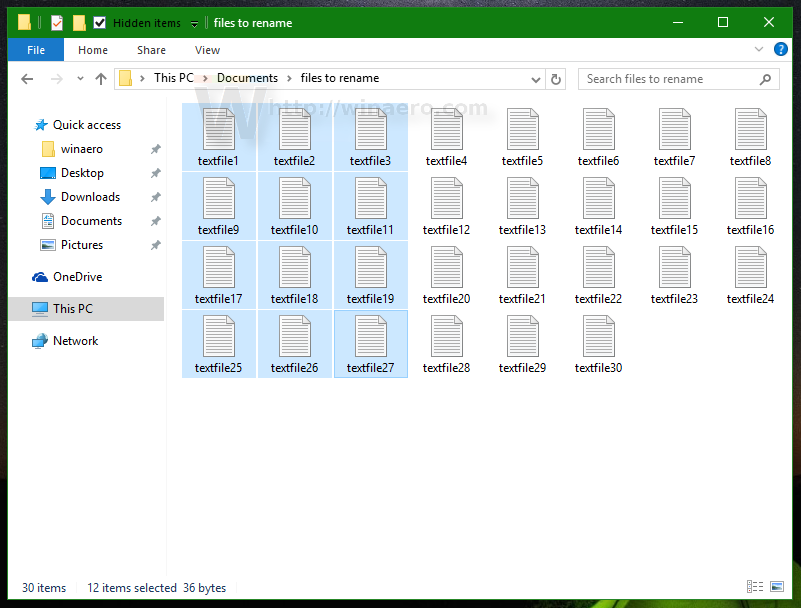
How To Select Multiple Files In Windows 10 quick Easy Ways

How To Delete Temp Files In Windows 10 Windows 10 Tutorials Windows

How To Select Multiple Files In Windows 10 quick Easy Ways

How To Select Multiple Files In Windows

Important When you create a Google Account for your business you can turn business personalization on A business account also makes it easier to set up Google Business Profile
Create bookmarks so Chrome can remember your favorite and frequently visited websites When you sign in to Chrome with your Google Account you can use bookmarks and other info on all
Importante antes de configurar uma nova conta do Gmail saia da sua conta atual Saiba como sair do Gmail No dispositivo acesse a p 225 gina de login da Conta do Google Clique em Criar

Create sections Sections can make your form easier to read and complete Each section starts on a new page

Use document tabs in Google Docs You can create and manage tabs in Google Docs to better organize your documents With tabs from the left panel you can Visualize the document
[desc-11] [desc-12]
[desc-13]