Create Pdf Form From Word Doc Create Fillable Pdf Form Free Form Resume Examples ojYqnO6Vzl Create A Fillable PDF Form From A Word Document How To Create A Fillable Pdf Form From Word Lopfun How To Create A Fillable Pdf Form From Word Lopfun How To Create A Fillable Form In Nitro Pdf Champion Web Jul 7 2022 nbsp 0183 32 Creating a fillable PDF form is easier than you think It doesn t matter if you use Microsoft Word or Google Docs to create your documents You can make grea
Web Step 1 Upload PDF form or create from scratch Drag your PDF file on to the document dropzone above or click Upload to choose a file from your computer Alternatively click the button to create a form on a blank page Web Open Acrobat Click on the Tools tab and select Prepare Form Select a file or scan a document Acrobat will automatically analyze your document and add form fields Add new form fields Use the top toolbar and adjust the layout using tools in the right pane Save your fillable PDF
How To Create A Fillable Form In Nitro Pdf Champion How To Create A Fillable Pdf Form From Word Lopfun Create Pdf Fillable Form Form Resume Examples kLYrlMb26a Transformer En Word En Pdf Dealmserl Create A Fillable Form In Excel Examples Create Form In Word How To Create Fillable Form In Microsoft Word 2016 YouTube Create Pdf Fillable Form From Excel Form Resume Examples mL52d4okXo Create Fillable Pdf Form From Excel Form Resume Examples X42MNmN9kG Create Fillable Pdf Form Libreoffice Form Resume Examples 9x8r7A91dR
Create Pdf Form From Word Doc
 Create Pdf Form From Word Doc
http://www.contrapositionmagazine.com/wp-content/uploads/2019/11/create-fillable-pdf-form-free.jpg
Web Quick and Efficient Processing Word to PDF conversion is a piece of cake To begin upload a Word file sit back and we should have your PDF ready in no time We accept both DOC and DOCX files Secure Online PDF Software Have no worries We permanently remove converted files from our servers after 1 hour
Templates are pre-designed documents or files that can be utilized for numerous purposes. They can conserve effort and time by offering a ready-made format and layout for creating different type of content. Templates can be used for individual or professional projects, such as resumes, invitations, leaflets, newsletters, reports, discussions, and more.
Create Pdf Form From Word Doc
Custom FILLABLE Form LEVEL 2 2 5 Pages Transform Your Word Documents

How To Create A Fillable Pdf Form From Word Lopfun

Create Pdf Fillable Form Form Resume Examples kLYrlMb26a
Transformer En Word En Pdf Dealmserl
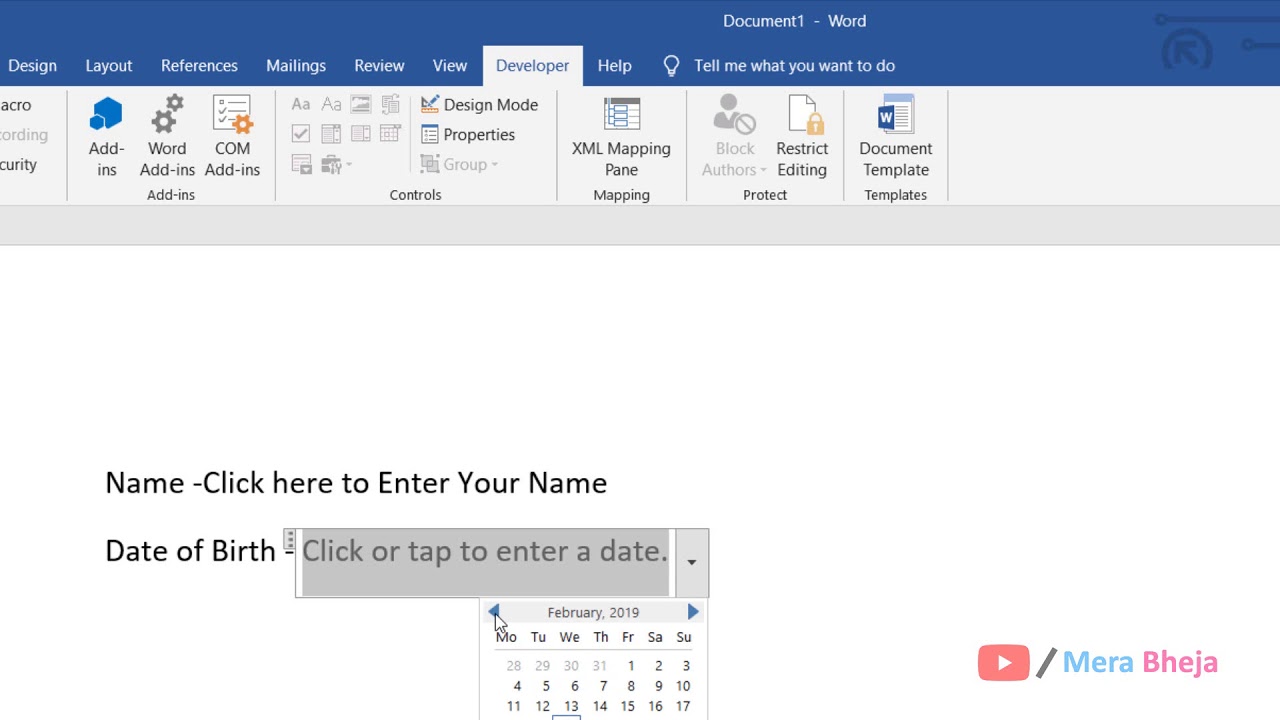
How To Create Fillable Form In Microsoft Word 2016 YouTube
Create Pdf Fillable Form From Excel Form Resume Examples mL52d4okXo
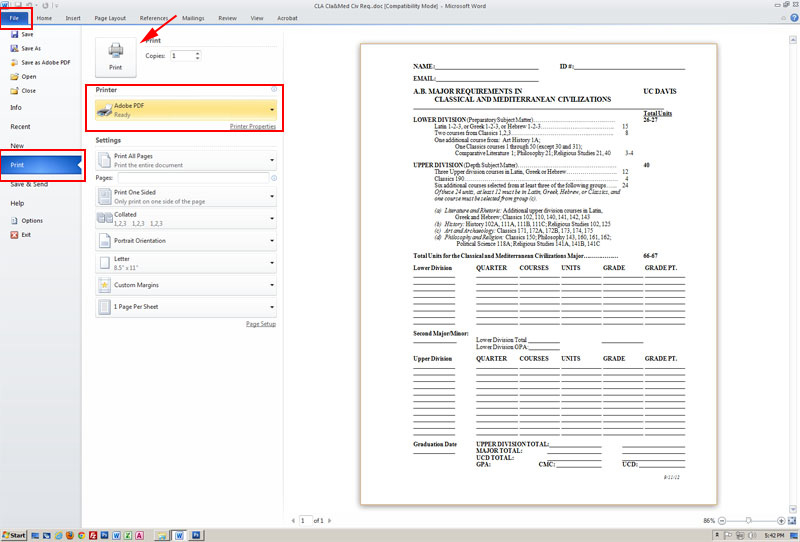
Web Open Word click File and choose to create a new document Enter the questions sections and any other details you want to include on your form Enter underscores like this to help Acrobat identify where fillable fields should go Once you ve typed everything into your Word document it s time to save the form as a PDF Go File gt Save As
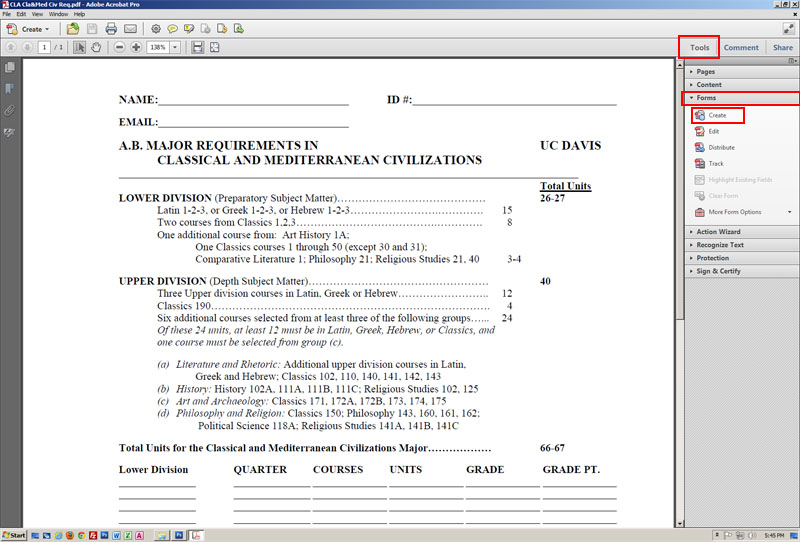
Web Dec 12 2023 nbsp 0183 32 You can use Foxit PDF Editor Suite to create editable fillable PDF fields with a Word document by following these steps Select File gt New Document in the Microsoft Word program You will have a blank template Create your form Enter text and details for your fillable form

Web Jun 11 2021 nbsp 0183 32 Step 1 Open your MS Office file and then select File Export and Create PDF XPS Step 2 In the Publish as PDF or XPS window pick options if the MS Office document s attributes contain information you do not want to be in the PDF

Web May 24 2021 Tutorial Learn how to create fillable PDF forms in Microsoft 174 Word 174 Get a free Word template that demonstrates best practices for Adobe 174 Acrobat 174 Automatic Field Detection Fillable PDF forms are based on documents created in other software like Microsoft Word

Web Jul 26 2023 nbsp 0183 32 How to create a fillable PDF form from scratch within Microsoft Word You can use Foxit PDF Editor Suite to create editable fields with a Word document by following these steps Select File gt New Document in the Microsoft Word program Create your form Enter the details for your form
Web 4 Answers Sorted by 2 If I understand Word s ability to export PDFs is not doing what you want I suggest you try Openoffice and or LibreOffice which are still very very similar The PDF export built into OOo has worked great for me in the past Share Improve this answer Follow answered Jul 2 2012 at 14 48 CarlF Web You can import and convert your existing Word or PDF surveys or quizzes on your local hard drive directly into Microsoft Forms You can also review and edit the form or quiz in Microsoft Forms before you send it out Try it Import a file Start at forms office
Web Jun 24 2022 nbsp 0183 32 It s possible to create editable PDF documents from a Word file using Adobe Acrobat s form tools It s also possible to convert an existing PDF file into an editable document using Word Simple PDF files that consist of text are more accessible to convert than PDFs with complex formats and features