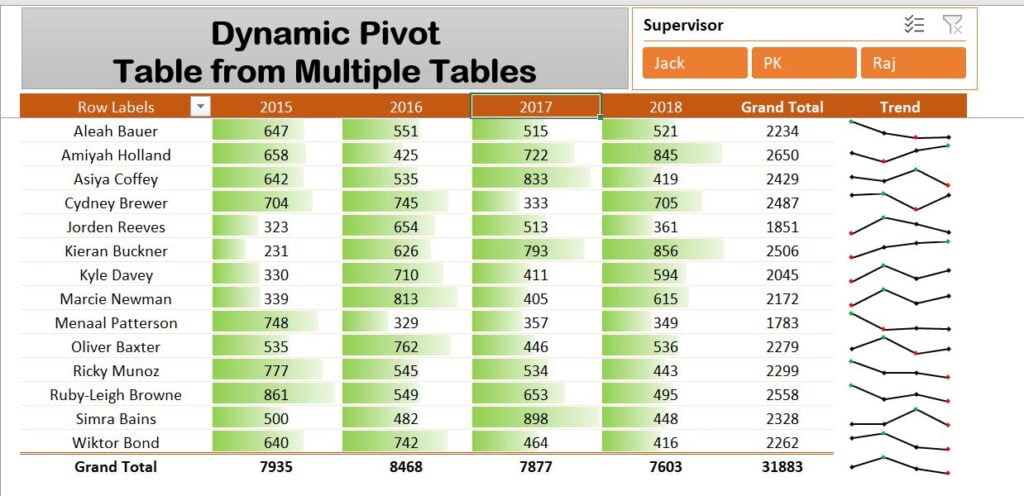
Create Dynamic Pivot Table Excel Vba Dynamic Pivot Table Dynamic Pivot Table Excel In Hindi Automatically Change Range Of Dynamic Tables In Excel Using Pivot Table And Formulas How To Create Dynamic Pivot Table Report From Multiple Excel Files Dynamic Pivot Table With Multiple Tables 3 PK An Excel Expert VBA allows dynamic pivot table creation and manipulation enabling automated data analysis and report generation in Excel Through VBA advanced
Excel VBA Dynamic Ranges in a Pivot Table Goal A macro to allow Excel users to dynamically update a change source data range in a Pivot Table This tutorial will explore one way to creating a macro based solution for To automate your pivot tables with VBA open a new Excel file and rename the sheets as follows First sheet Macro Second sheet Data The Macro sheet contains
Dynamic Pivot Table With Multiple Tables 3 PK An Excel Expert Create A Dynamic Table In Excel Vba Brokeasshome How To Update A Pivot Table Include New Data Brokeasshome Create Dynamic Pivot Table Using Store Procedure Dinamik Pivot Tablosu Dynamic Indexing In Excel Allows You Greater Flexibility When Building Excel VBA Format The Pivot Table By Its Structure YouTube 9 Pivot Table Dynamic Pivot Table With Multiple Tables 1 PK An Excel Expert
Create Dynamic Pivot Table Excel Vba
 Create Dynamic Pivot Table Excel Vba
https://www.exceltip.com/wp-content/uploads/2019/08/4.gif
21 Nov 20 2020 1 Hi I would like to run a macro that inserts a pivot table on any data table and with any sheet name that has varying rows and columns I was able
Pre-crafted templates use a time-saving option for developing a varied series of documents and files. These pre-designed formats and designs can be utilized for numerous individual and professional tasks, including resumes, invites, leaflets, newsletters, reports, presentations, and more, enhancing the material development process.
Create Dynamic Pivot Table Excel Vba

How To Make Dynamic Pivot Table In Excel 2010 Brokeasshome

Create A Dynamic Table In Excel Vba Brokeasshome
How To Update A Pivot Table Include New Data Brokeasshome

Create Dynamic Pivot Table Using Store Procedure

Dynamic Indexing In Excel Allows You Greater Flexibility When Building
Excel VBA Format The Pivot Table By Its Structure YouTube
In this article you will find a way to create a pivot table with dynamic range using VBA code in Excel You can make sure that your pivot tables respond to

I am new to VBA coding and trying to create an Excel macro which will create a pivot table based on a dynamic data range I am using Excel 2016 The
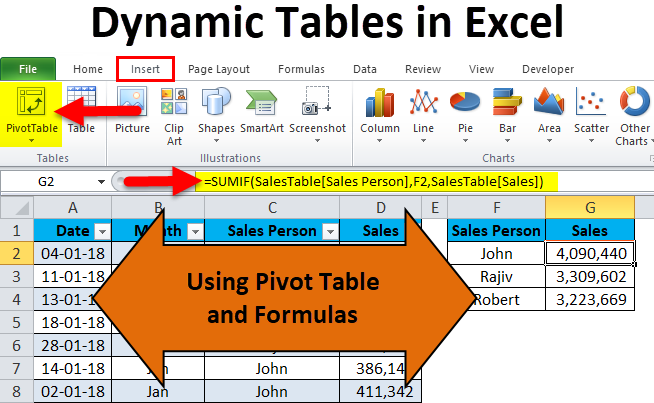
In order to create a Pivot Table based on the data range above on a new sheet of the active workbook we would use the

The Simple 8 Steps to Write a Macro Code in VBA to Create a Pivot Table in Excel 1 Declare Variables 2 Insert a New Worksheet 3 Define Data Range 4 Create a Pivot Cache 5 Insert a Blank Pivot
Sub AddValuesField PURPOSE Add A Values Field to a Pivot Table SOURCE www TheSpreadsheetGuru Dim pvt As PivotTable Dim pf As String Dim pf Name As String pf Salaries
Creating a Dynamic Pivot Table from Named Range We have changed the dataset Now we will add three more rows to the dataset We want to show you how to The workbook referenced in the video is located here https spreadsheetvault dynamic Goal A macro to allow Excel users to
We will use the following data to create a VBA Pivot Table you can download the Excel file from the given link and start following the steps Create a macro sub procedure by