Create Custom Theme Colors Powerpoint Custom Theme Fonts Powerpoint Mac 2016 Theme Image How To Create A PowerPoint Theme Step by Step Nuts Bolts PowerPoint 2013 Tutorial Creating Custom Color Schemes Lesson 13 2 How To Change Theme Colors In PowerPoint BrightCarbon 2022 How To Add A Template To Powerpoint Office 365 Akserre WEB Aug 25 2021 nbsp 0183 32 Create your own PowerPoint theme Change theme colors and fonts Share the theme with your colleagues
WEB Nov 3 2019 nbsp 0183 32 In this article we will show you how to create and edit a custom color palette in order to make PowerPoint themes that can be easily edited to match any other color combination In this example we have used the Red Project Portfolio PowerPoint template that you can download from our site WEB Apr 9 2024 nbsp 0183 32 Creating a custom theme in PowerPoint allows you to personalize and unify your presentations with consistent colors fonts and effects To create a custom theme first open PowerPoint and navigate to the Design tab
How To Add A Template To Powerpoint Office 365 Akserre How To Save And Name A Custom Color Theme In PowerPoint The Theme Colors Powerpoint 47008 Colour Working With Custom Color Palettes In PowerPoint 2010 PowerPoint Ppt For Mac Change Chart Colors Crmwopoi Create Custom Theme Fonts In PowerPoint 2016 For Windows Change Design A Custom PowerPoint Theme 2022 SlideLizard Change Theme Colors In PowerPoint To Customize Your Presentation Create Custom Theme Colors In Word Design Talk
Create Custom Theme Colors Powerpoint
 Create Custom Theme Colors Powerpoint
https://www.indezine.com/products/powerpoint/learn/themes/images/apply-theme-colors-and-fonts-3.png
WEB The fastest way to make any presentation look unique is to create a custom theme in PowerPoint Sound complicated It s FAR easier than you might think In fact it s surprisingly simple to brand your slides and make them look professional once you have a theme or design you like
Templates are pre-designed files or files that can be utilized for various purposes. They can save time and effort by supplying a ready-made format and layout for developing different sort of content. Templates can be used for personal or professional tasks, such as resumes, invitations, flyers, newsletters, reports, presentations, and more.
Create Custom Theme Colors Powerpoint

Presentation Theme Colors
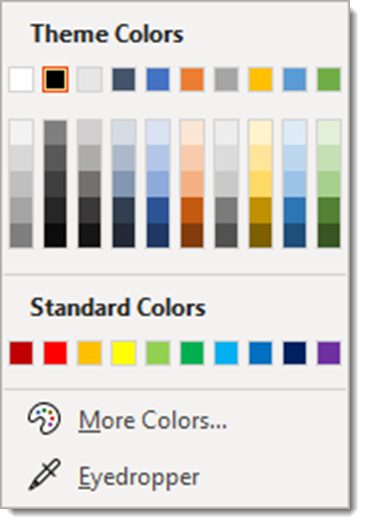
How To Save And Name A Custom Color Theme In PowerPoint The
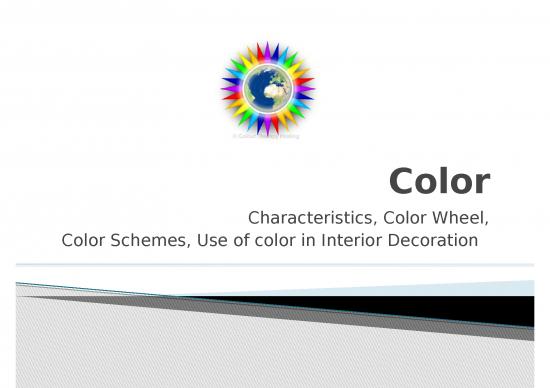
Theme Colors Powerpoint 47008 Colour
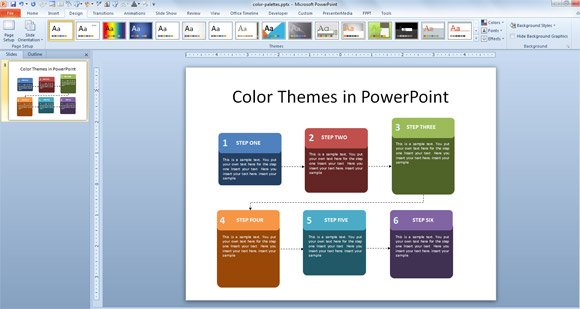
Working With Custom Color Palettes In PowerPoint 2010 PowerPoint
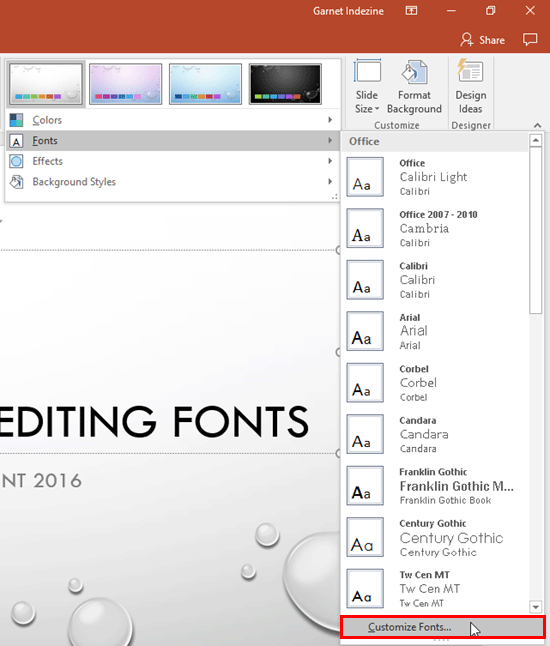
Create Custom Theme Fonts In PowerPoint 2016 For Windows
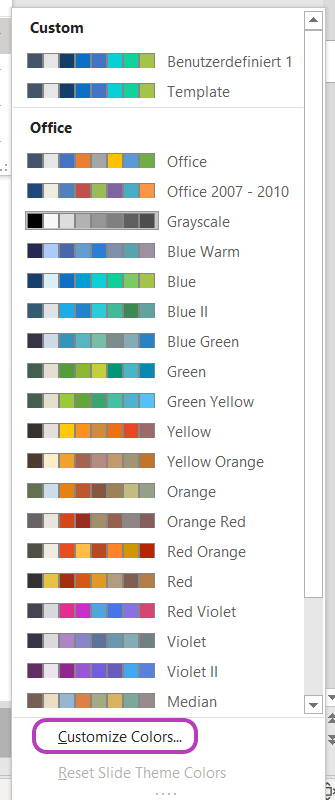
Change Design A Custom PowerPoint Theme 2022 SlideLizard

WEB You can create a customized color scheme also known as theme colors in PowerPoint and use it in other Office applications Find a standard theme color that you like and then modify and save it in PowerPoint

WEB Jan 13 2021 nbsp 0183 32 Once you have selected your presentation colors you re ready to build the custom color palette for your PowerPoint theme Navigate to the View tab on the ribbon and open the Slide Master Click the Colors dropdown menu

WEB You can create a custom theme by modifying an existing theme or by starting from scratch with a blank presentation Select your first slide and then on the Design tab select the down arrow in the Variants group Select Colors Fonts Effects or Background Styles and choose from built in options or customize your own
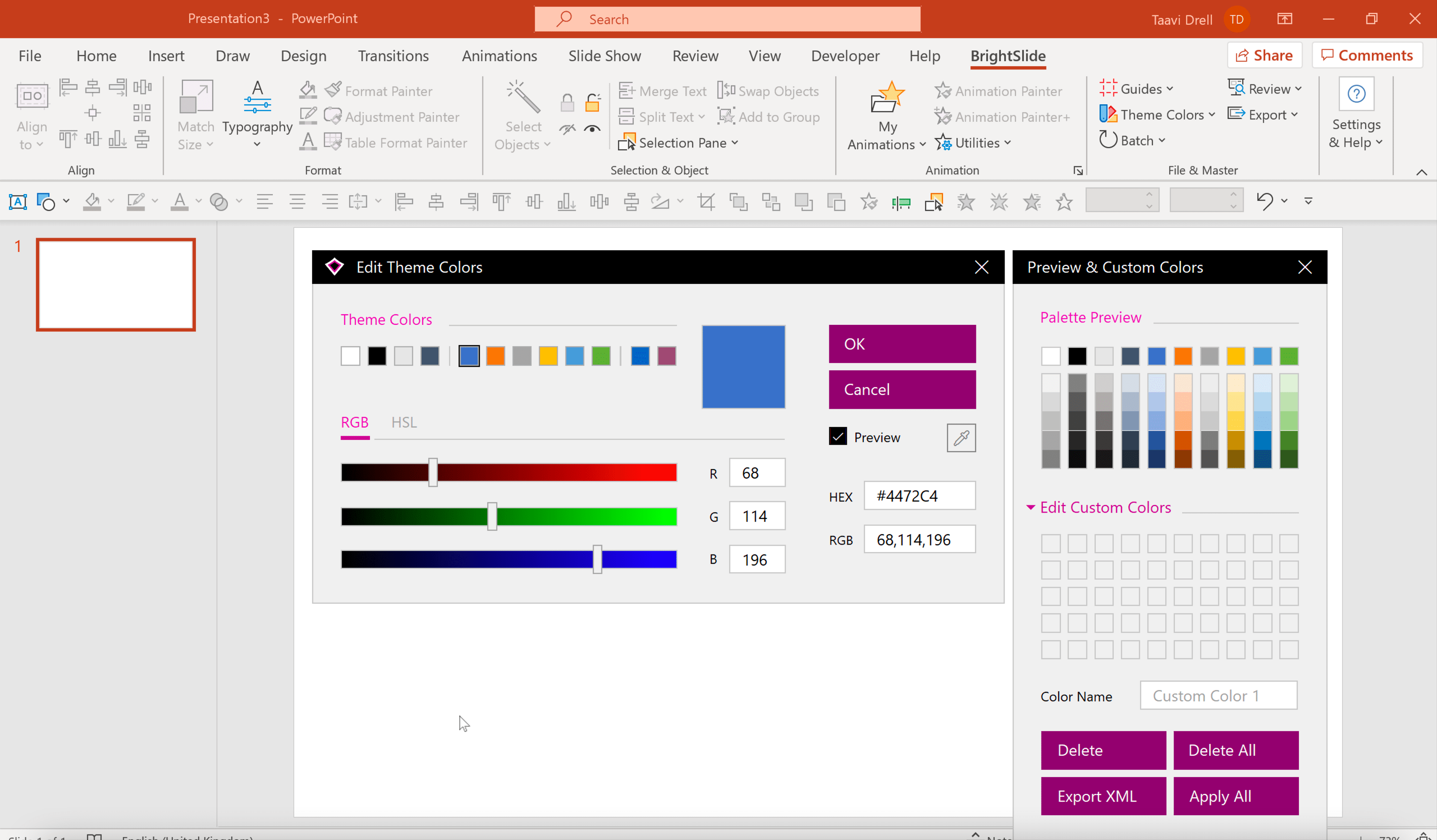
WEB Sep 15 2020 nbsp 0183 32 Picking a color scheme for your PowerPoint presentation is an art Find here a practical guide on how to create and pick your next PowerPoint color palette
WEB Nov 4 2017 nbsp 0183 32 Learn how to create a PowerPoint theme change your theme colors and add your own custom PowerPoint fonts effects and background styles
WEB Oct 25 2013 nbsp 0183 32 Want to give your PowerPoint slide decks a unique look Learn how to make a custom PowerPoint color palette and create customized decks effortlessly WEB Sep 4 2018 nbsp 0183 32 Tired of always manually adjusting and picking colors in your PowerPoint Learn here how to create a master color theme to use and share with coworkers
WEB If you want to create a unique look for your presentation you can change the individual colors that make up your presentation s theme From the Design tab click the drop down arrow in the Variants group Select Colors then click Customize Colors