Create Command Button In Excel Vba Command Button In Excel For Mac VERIFIED How To Link Button In Excel YouTube Excel VBA Command Button YouTube Command Button In Excel For Mac Pointholre How To Create Command Buttons In Excel Riset VERKKO You can assign a macro to a button on the Quick Access Toolbar or to a button in your own personal group on the ribbon If you want a macro button to be available in other workbooks assign it to a macro that
VERKKO 2 maalisk 2023 nbsp 0183 32 You can select and drag CommandButton on the UserForm CommandButton is used to run or execute a macro or procedure It performs a task VERKKO 14 maalisk 2023 nbsp 0183 32 Learn different ways to run macros in Excel from the ribbon VB Editor or with keyboard shortcut See how to create a macro button and put it onto the ribbon or into the worksheet
How To Create Command Buttons In Excel Riset Link My VBA Code To A Command Button Command Button How To Use Command Button In Excel Vba Function In How To Create A Macro In Excel Easy VBA Variables And Data Types In VBA Excel GeeksforGeeks Excel Vba On Click Button Opecname Adding A Command Button To An Excel VBA Spreadsheet Easy Way To Learn Assign More Than One Sub Procedure To A Command Button In Excel VBA How To Create A Command Button In Microsoft Excel Microsoft Excel
Create Command Button In Excel Vba
 Create Command Button In Excel Vba
http://www.thekeycuts.com/wp-content/uploads/2013/10/delete.jpg
VERKKO 19 toukok 2020 nbsp 0183 32 You can quickly and easily add buttons to the Excel ribbon or Quick Access tolbar to run customized macros and make your job simpler
Templates are pre-designed documents or files that can be used for different functions. They can save time and effort by supplying a ready-made format and design for producing different sort of material. Templates can be utilized for personal or professional tasks, such as resumes, invitations, flyers, newsletters, reports, discussions, and more.
Create Command Button In Excel Vba
How To Use Command Button In UserForm
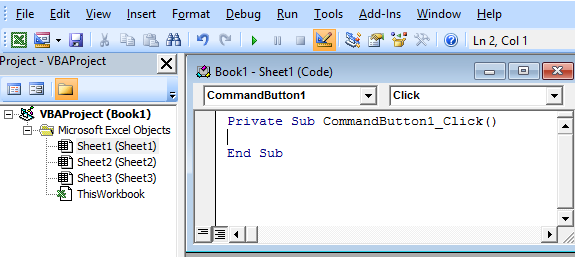
Link My VBA Code To A Command Button

Command Button How To Use Command Button In Excel Vba Function In
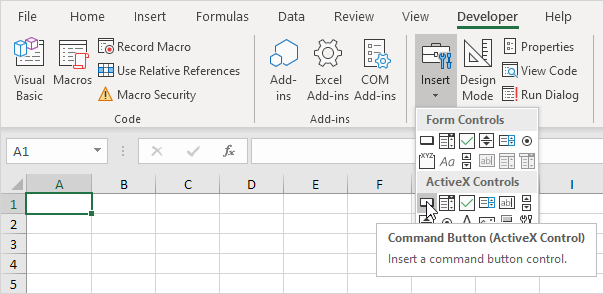
How To Create A Macro In Excel Easy VBA
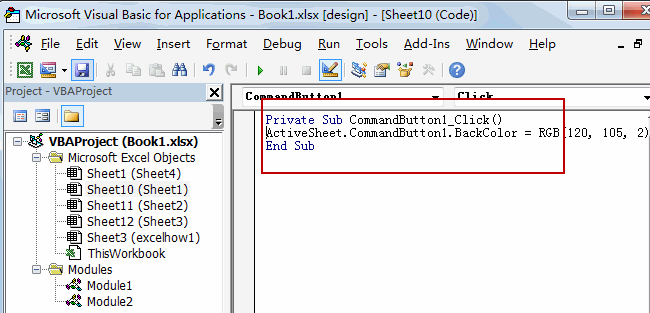
Excel Vba On Click Button Opecname
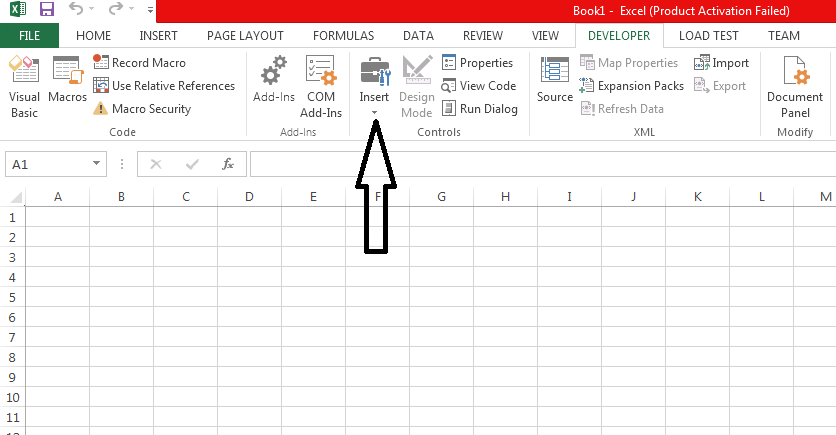
Adding A Command Button To An Excel VBA Spreadsheet Easy Way To Learn
VERKKO 1 lokak 2021 nbsp 0183 32 This tutorial will demonstrate how to add a macro button to a VBA worksheet how to add a macro to a shape in VBA as opposed to a button and
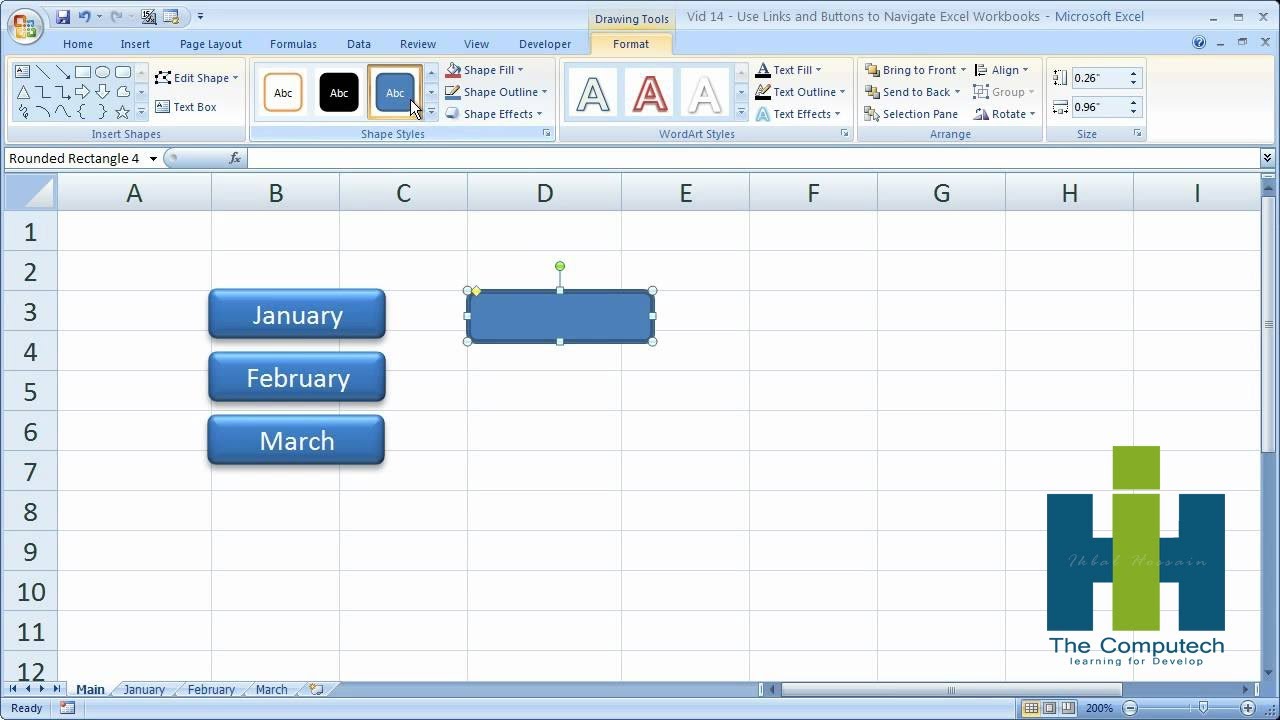
VERKKO 29 hein 228 k 2015 nbsp 0183 32 I am trying to add a button to an Excel workbook so that it shows up in every sheet A great answer to my original question gave me a macro to create

VERKKO 23 tammik 2019 nbsp 0183 32 How to Create Macro Buttons in Excel Worksheets Bottom Line Learn how to create macro buttons in a worksheet that run VBA code when

VERKKO 24 lokak 2020 nbsp 0183 32 This tutorial will cover how to create Excel buttons assign Macros to them adjust their properties and more By default Excel macros are accessible in a list via the Macros button on the
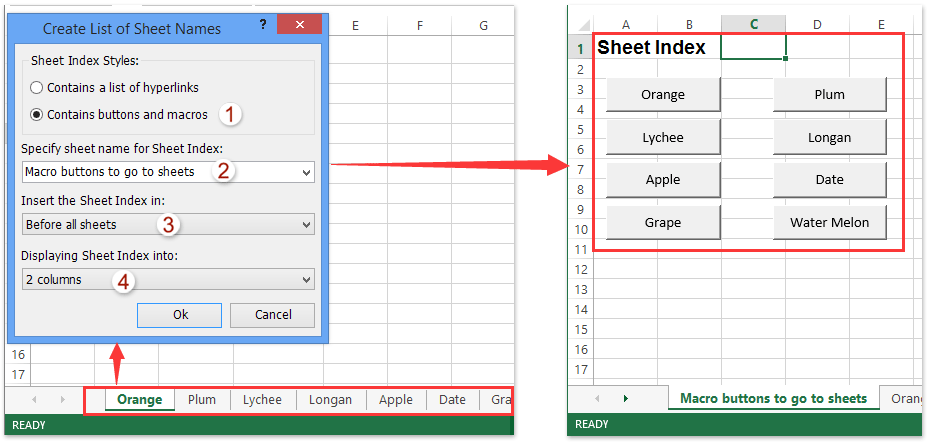
VERKKO In this tutorial I will show you a couple of ways to insert a button in Excel and then assign a macro to that button or shape Once done as soon as a user clicks on the button the macro VBA code would
VERKKO Click the first button below the ActiveX controls Command button Position your cursor on the worksheet location where you want your button to appear To create VERKKO 13 syysk 2021 nbsp 0183 32 For example you can create a CommandButton that opens another form You can also display text a picture or both on a CommandButton The
VERKKO 9 helmik 2024 nbsp 0183 32 You will learn how to add command buttons to your worksheet assign macros to them write VBA code for command button click events