Coreldraw X7 Default Paper Size How To Set Default Printer Paper Size On Mac Askit Solutii Si How To Change The Default Paper Size In Word Vintage 1991 Made In 1991 30th Birthday 30 Years O T Shirt Zazzle T Solved How Do I Change The Default Paper Size From Letter To A4 What Is The Long Bond Paper Size In Microsoft Word 2023 WEB Sep 4 2022 nbsp 0183 32 How to Set Default Size to A4 in CorelDRAW TechPro Tutorials 3 52K subscribers Subscribed 8 1 4K views 1 year ago TECHPRO TUTORIALS How to Set Default Size to A4 in CorelDRAW more
WEB CorelDRAW Graphics Suite X7 CorelDRAW X7 How do I set different print preferences for different documents Forums Tags More Cancel New Threads in this forum WEB To resize an image in Corel DRAW X7 you can use the Pick tool shortcut G to select the image then click and drag any of the corner handles while holding the Shift key to maintain its proportions Alternatively you can
What Is The Long Bond Paper Size In Microsoft Word 2023 Creating A Default Page Size In CorelDRAW YouTube Souris Gamer Dragon Fury X7 Chez Le Grossiste Changing The Default Paper Size In CorelDRAW YouTube Free Download Coreldraw X4 Portable Full Version Dwnloadms How To Change The Default Print Size On A Mac with Pictures Biggining CorelDraw X7 How To Save Default CorelDraw Document Page CHANGE CUSTOM PAPER SIZE WINDOWS 10 SCOOPAMGLYC91 SITE LBATS X7 Professional Gaming Mouse Black
Coreldraw X7 Default Paper Size
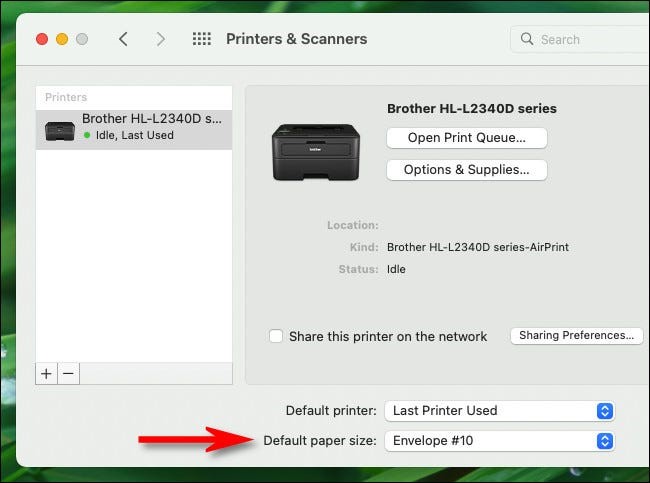 Coreldraw X7 Default Paper Size
https://askit.ro/wp-content/uploads/2022/04/3-5.jpg
WEB To illustrate this follow these steps in CorelDRAW Open a drawing With the drawing open click View Show Printable Area Observe the Printable Area you may notice that the
Templates are pre-designed files or files that can be utilized for various purposes. They can conserve effort and time by offering a ready-made format and layout for producing different type of content. Templates can be used for personal or professional projects, such as resumes, invitations, flyers, newsletters, reports, presentations, and more.
Coreldraw X7 Default Paper Size
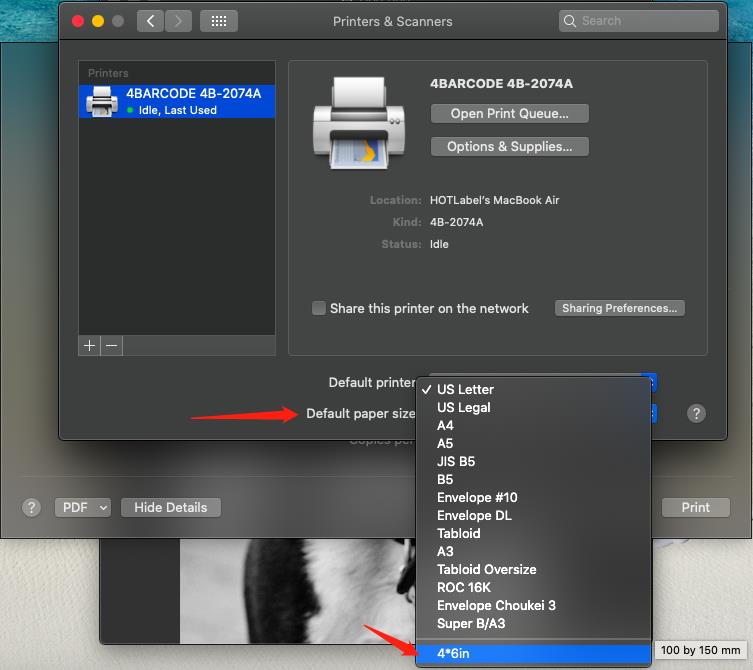
Select Mac Default Label Size HotLabel Support Wiki Site

Creating A Default Page Size In CorelDRAW YouTube

Souris Gamer Dragon Fury X7 Chez Le Grossiste

Changing The Default Paper Size In CorelDRAW YouTube

How To Change The Default Print Size On A Mac with Pictures

Biggining CorelDraw X7 How To Save Default CorelDraw Document Page
WEB Mar 14 2011 nbsp 0183 32 This is a walkthrough on how to print to a different size than the default paper size in the driver It will also demonstrate how to match the document size with the driver paper size

WEB CorelDRAW provides multiple ways to change the width and height of a page When working in single page view you can resize a page by specifying new dimensions or

WEB Jun 25 2021 nbsp 0183 32 In this tutorial of Corel Draw X7 we ll learn about 1 How to change page size in Corel Draw x7 2 Page sizes in Corel Draw x7 CorelDraw ShortSeries X7 Z

WEB To save the current page layout as the default You can begin working on a drawing by specifying settings for the size orientation and layout style of the page The options you

WEB CorelDRAW provides multiple ways to change the width and height of a page When working in single page view you can resize a page by specifying new dimensions or
WEB Feb 24 2021 nbsp 0183 32 To define a different paper size for Microsoft Print to PDF follow the steps gt Open Windows Settings gt Click on quot Devices quot gt In the left side menu click on quot Printers WEB The Page property bar lets you adjust page settings such as page size dimensions orientation landscape or portrait units of measure nudge distance and duplicate
WEB Jun 20 2023 nbsp 0183 32 In this video I have explained How To Change Paper Size In CorelDraw Thanks for watching Please Subscribe Like and Share more