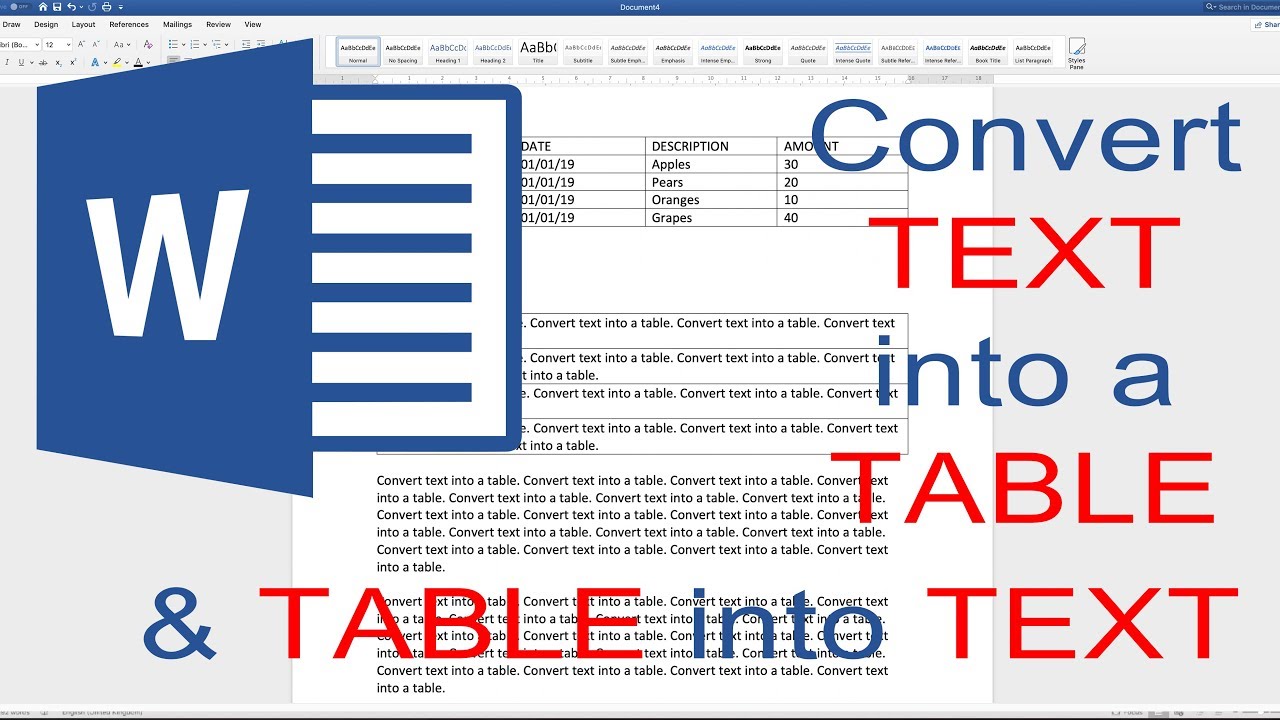
Convert Text To Table Microsoft Word Table To Text Stationeng How To Convert Text To A Table And A Table To Text In Word 2013 Convert Text Into Table Word Microsoft Word Tutorial Convert Text To Table How To Convert Text To A Table And A Table To Text In Word 2013 I am going to use the example of the comma separated values above 1 Highlight the block of text 2 Go to the Insert tab and select the Table dropdown Select Convert Text to Table 3 Word will guess the delimiter In my case Word has caught on that the values are separated by commas
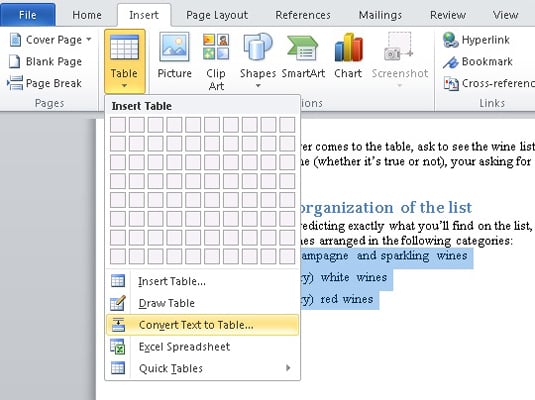
Select all the text in the document and then choose Insert Table Convert Text to Table You can press Ctrl A to select all the text in the document The Convert Text to Table dialog box opens as shown in this figure Separate text at A separator such as a tab marks the column boundaries in the selected text Each paragraph in the selection is converted into a row in the table Similarly when you convert a table into text the column markers are changed to the character that you specify and each row is converted into a separate paragraph
How To Convert Text To A Table And A Table To Text In Word 2013 How To Convert TEXT Into Table In MS Word How To Change Table To Text How To Convert Text To Table In Word 2010 Dummies Carolina Fereastr Rafinat How To convert Text To Table In Word 2010 La How To Convert Text Into Table In Word Szdase Word 365 Convert Table To Text Lulimultimedia Convert Text To Table Word 2007 Gerabr Word Table Fit To Text Word Convert Text To Table Or Table To Text In 3 Clicks Office Bytes
Convert Text To Table
 Convert Text To Table
https://stationeng.weebly.com/uploads/1/2/4/8/124861987/399631342.png
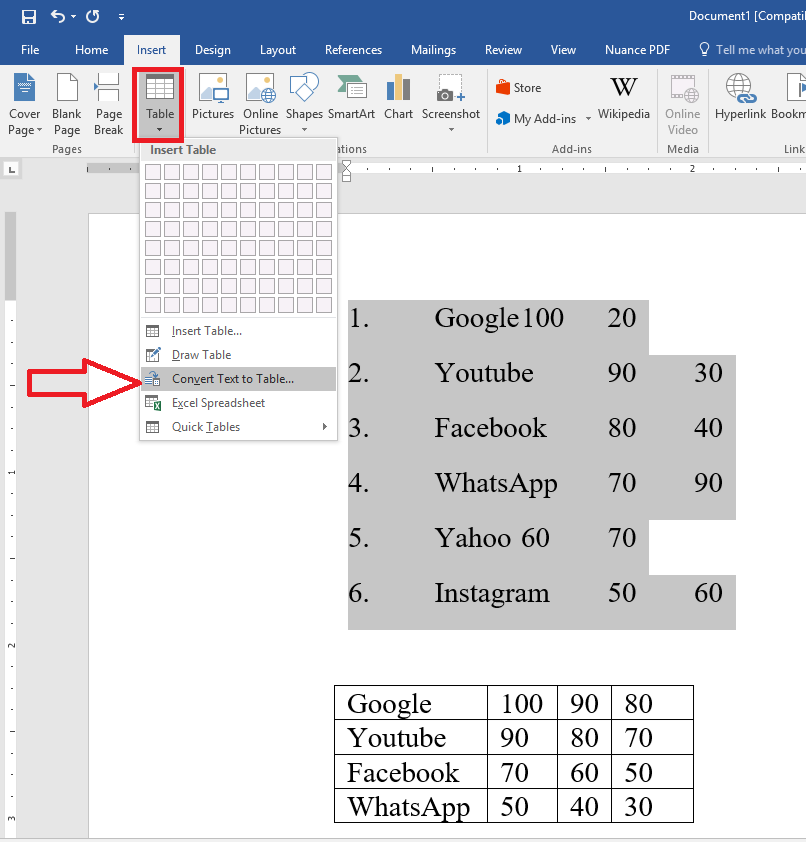
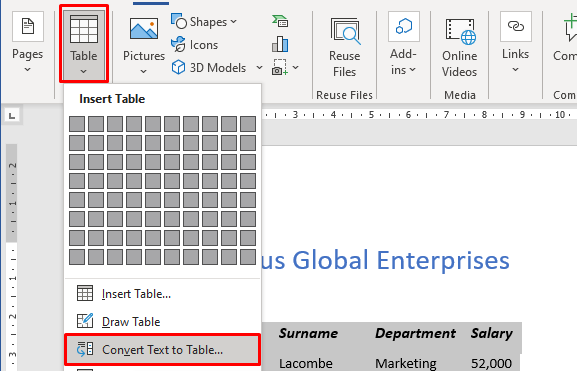
To convert text to a table select the text that you want to convert into table Figure Selecting text After selecting text select Insert tab and click Table Convert Text to Table as shown in the figure Figure Clicking Table Convert Text to Table
Pre-crafted templates provide a time-saving solution for developing a varied series of documents and files. These pre-designed formats and layouts can be utilized for numerous personal and expert jobs, including resumes, invites, leaflets, newsletters, reports, presentations, and more, improving the content production procedure.
Convert Text To Table
Infidelitate Savant Aoleu Convert Table To Image In Word Germene
How To Convert TEXT Into Table In MS Word How To Change Table To Text
How To Convert Text To Table In Word 2010 Dummies

Carolina Fereastr Rafinat How To convert Text To Table In Word 2010 La
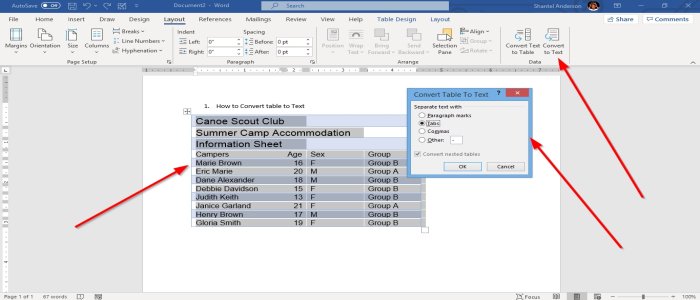
Word 365 Convert Table To Text Lulimultimedia
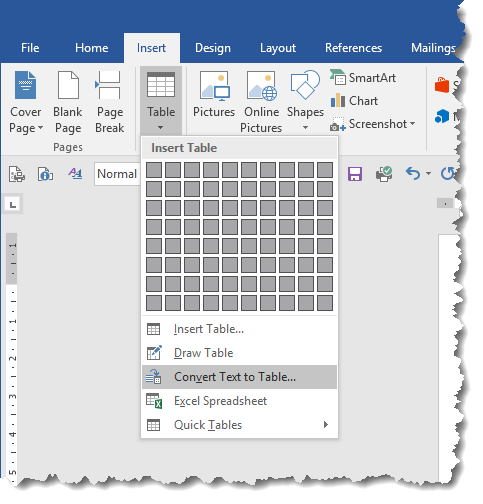
Convert Text To Table Word 2007 Gerabr

This converter is used to convert Excel or other spreadsheets into Markdown Table it s also easy to make create and generate Markdown Table online via Table Editor

In Word you can simply convert text to table Whether you have text separated by tabs or commas or a list in a numbered or bulleted format converting it to table is easy enough Plus it takes less time than creating a table and manually moving all that text into the cells Convert Text to a Table in Word

Convert any text into table in seconds Paste any text with up to 100 data points Enter descriptive simple English column names Download the table as a csv Build Your table
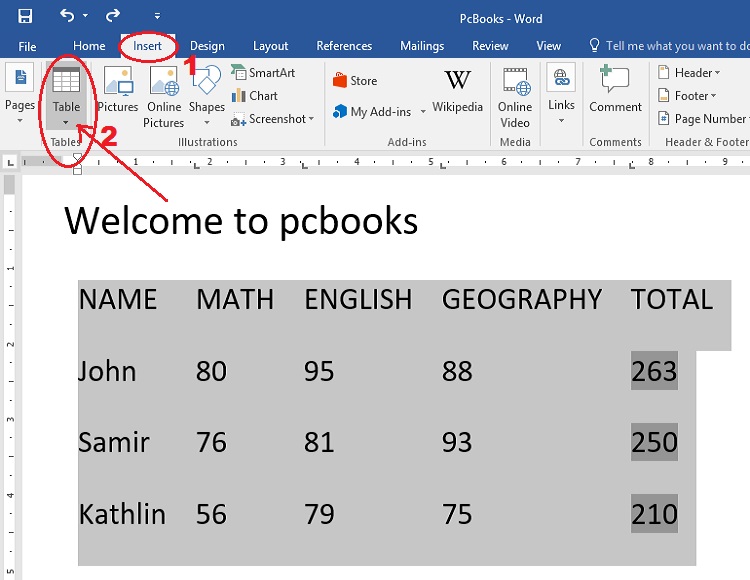
Select the text that you want to convert and then click Insert Table Convert Text to Table In the Convert Text to Table box choose the options you want Under Table size make sure the numbers match the numbers of columns and rows you want

Select the lines of text you want to convert to a table Click the Insert tab and click Table in the Table section Select Convert Text to Table from the drop down menu On the Convert Text to Table dialog box the Number of columns should already be set to 2 if you have only one tab between each item on each line
[desc-11] [desc-12]
[desc-13]