Convert Excel To Text File Using C How To Convert An Excel File To A Word Document Studytonight How To Convert Excel To Text File YouTube Save Excel To Text File YouTube Convert Excel To Text File With Delimiter 2 Easy Approaches Worksheets Stationery Article Export Worksheet As Tab Delimited Text File Web Result Dec 24 2023 nbsp 0183 32 Microsoft Excel has features to automatically convert Excel files to CSV files or text files Moreover we can convert Excel files to a pipe delimited text file In this blog post we will see two simple methods to convert Excel to text file with pipe delimiter We will use a sample dataset for your better
Web Result Nov 14 2005 nbsp 0183 32 convert excel file to text file using c flipmodedsi Dec 23 2005 F flipmodedsi New Member Joined Nov 14 2005 Messages 4 Dec 23 2005 1 Web Result Import or export text txt or csv files There are two ways to import data from a text file with Excel you can open it in Excel or you can import it as an external data range To export data from Excel to a text file use the Save As command and change the file type from the drop down menu
Worksheets Stationery Article Export Worksheet As Tab Delimited Text File Convert Excel To Text File With Delimiter 2 Easy Approaches Convert Excel To Text File With Delimiter 2 Easy Approaches How To Export Data From Excel To Pipe Delimited Text File Excel For Convert Excel Sheet To Word Mobile Legends C VB NET Convert Excel To HTML Convert Excel To Text File With Delimiter 2 Easy Approaches Macro To Convert Excel To Pipe Delimited Text File 3 Methods Transform Your Excel Data Into Text File txt With C NET
Convert Excel To Text File Using C
 Convert Excel To Text File Using C
https://s3.studytonight.com/curious/uploads/pictures/1645518966-79542.jpg
Web Result Click the arrow in the Save as type box and pick the type of text or CSV file format you want Note The file formats you ll see vary depending on what type of sheet is active in your workbook a worksheet chart sheet or other type of sheet In the File name box accept the suggested name or type a new name for the workbook
Pre-crafted templates use a time-saving option for creating a diverse variety of documents and files. These pre-designed formats and layouts can be utilized for numerous personal and expert tasks, consisting of resumes, invitations, flyers, newsletters, reports, presentations, and more, simplifying the content development process.
Convert Excel To Text File Using C
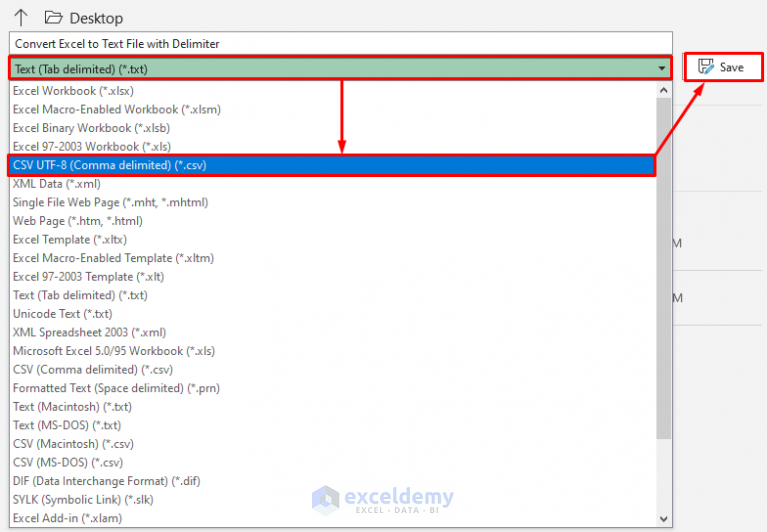
Convert Excel To Text File With Delimiter 2 Easy Approaches
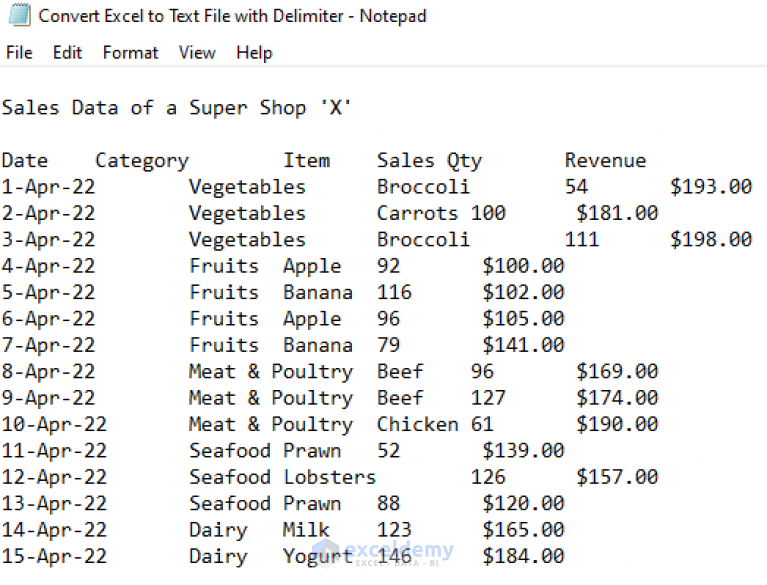
Convert Excel To Text File With Delimiter 2 Easy Approaches

Convert Excel To Text File With Delimiter 2 Easy Approaches

How To Export Data From Excel To Pipe Delimited Text File Excel For
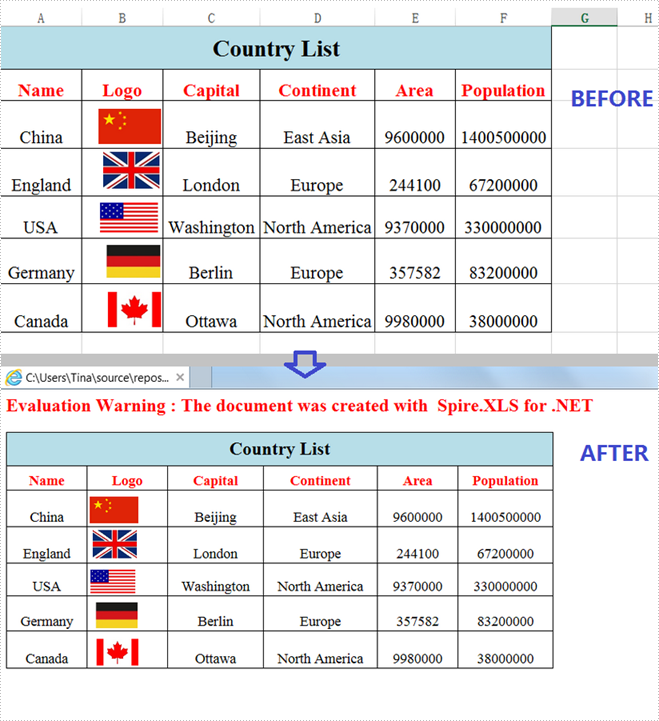
C VB NET Convert Excel To HTML

Convert Excel To Text File With Delimiter 2 Easy Approaches

Web Result Jan 22 2015 nbsp 0183 32 With C is better to access excel data transforming it to CSV file and then access it as a TXT file
Web Result 10 Answers Sorted by 55 Below is some code to format columns A and C as text in SpreadsheetGear for NET which has an API which is similar to Excel except for the fact that SpreadsheetGear is frequently more strongly typed It should not be too hard to figure out how to convert this to work with Excel COM
Web Result Jul 26 2023 nbsp 0183 32 Thankfully the below code makes it easy to extract text contents from Excel files using a free document conversion API The underlying service separates text contents from OpenXML

Web Result Dec 24 2023 nbsp 0183 32 In this article we will learn to convert an Excel file to a text file with comma delimited Text files are easily readable and consume less memory Also it is easy to export or import datasets using a text file Today we will demonstrate 3 methods After learning the methods you can convert both single and multiple
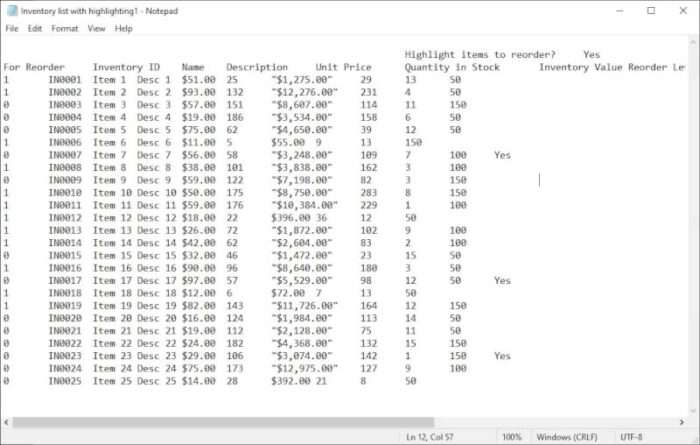
Web Result Nov 14 2014 nbsp 0183 32 See if this helps It converts Excel files into txt files one CSV per sheet This is done with PowerShell the successor of the old Windows commandline Since the conversion is done via a hidden Excel you won t have problems with Unicode nixda
Web Result Jul 17 2019 nbsp 0183 32 7 Answers Sorted by 3 Would your professor accept a csv file This is a Character Separated Value often a comma is used as the delimiter although Excel will accept tab characters too Excel can load these things automatically and splits the input into separate rows and columns I suspect that s what the professor Web Result Open the Excel file that you want to convert to a TXT file B Choosing the Save As option Step 2 Click on the quot File quot tab in the top left corner of the Excel window Step 3 Select the quot Save As quot option from the drop down menu C Selecting the TXT file format Step 4 In the quot Save As quot dialog box choose a location to save the file
Web Result Jan 15 2024 nbsp 0183 32 XLS Convert XLS to TXT Language English XLS to TXT Convert XLS to TXT online and free Choose Files Drag amp drop files Max file size 1MB want more How are my files protected Or choose a different format Convert Now And agree to our Terms Email when done 4 1 Based on 35371 reviews