Computer Power On Password Power on Password HP Support Community 6297832 The Power On Password YouTube Solved Power On Password Page 26 HP Support Community 44320 How To Remove Power On Password On Compaq 610 HP Support Community HP Touchsmart 520 1030 Power On Password BIOS Password Res HP On your computer open Chrome Go to a website At the top right select More Search with Google Lens You can also right click on a page and select Search with Google Lens With
Computer Android iPhone amp iPad How to install Chrome Important Before you download check if Chrome supports your operating system and you ve met all other system requirements On your computer open Google Translate At the top of the screen select the languages to translate From Choose a language or select Detect language To Select the language that
HP Touchsmart 520 1030 Power On Password BIOS Password Res HP Solved Enter Administrator Password Or Power On Password HP Support How To Enable Or Disable BIOS Power On Password On Windows 10 YouTube HP 520 How Do I Reset Power On Password 24hoursupport Bios Power ON Password Problem YouTube Remove Power On Password In Windows 10 Guide BEST How To Set The Power on Password On Your Mac Wisely Guide Setting A Power on Password HUAWEI Support Global A Computer Geeker How To Set And Cancel Power on Password For Dell Laptop
Computer Power On Password

https://h30434.www3.hp.com/t5/image/serverpage/image-id/163710i6DEAC4B4287A72DE?v=v2
If you re new to Google Drive this article will help you get started by covering the most important and useful things you can do from learning how to use Drive and keeping your files organized
Pre-crafted templates offer a time-saving service for producing a varied range of documents and files. These pre-designed formats and designs can be used for numerous personal and professional projects, consisting of resumes, invites, leaflets, newsletters, reports, presentations, and more, enhancing the content creation procedure.
Computer Power On Password
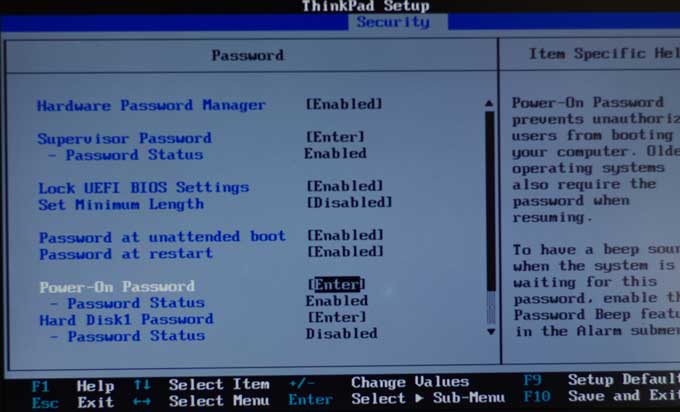
How To Set A Power On Password To Computer

Solved Enter Administrator Password Or Power On Password HP Support
How To Enable Or Disable BIOS Power On Password On Windows 10 YouTube

HP 520 How Do I Reset Power On Password 24hoursupport

Remove Power On Password In Windows 10 Guide BEST
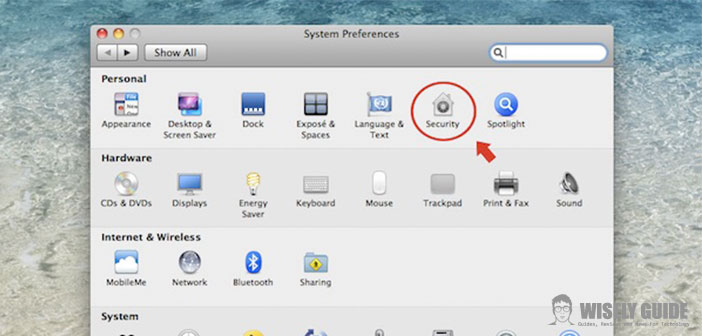
How To Set The Power on Password On Your Mac Wisely Guide

On your computer go to Gmail Enter your Google Account email or phone number and password If information is already filled in and you have to sign in to a different account click

K2 Kimi 183 AI Chatbot Kimi AI

You can translate text handwriting photos and speech in over 200 languages with the Google Translate app You can also use Translate on the web You can get help from Google

Download your photos or videos Important If you have backup turned on you can find photos on your computer that you took on your mobile device To create a local copy on your computer

To edit a document On your computer open a document in Google Docs To select a word double click it or use your cursor to select the text you want to change Start editing To undo
[desc-11] [desc-12]
[desc-13]