Computer Based Ielts Listening Time IELTS Computer Based Test Practice Listening Reading Academic Computer Based IELTS Exam 5 Things To Keep In Mind Computer Based Ielts Writing British Council Introduces Computer Etico Di Base Capriola Ielts Writing Computer Based Practice Notare Che All IELTS Listening Practice Questions On 1 Page IELTS Advantage On your computer open Google Translate At the top of the screen select the languages to translate From Choose a language or select Detect language To Select the language that
Google Duo and Google Meet have been combined into a new Meet app for video calling and meetings You can access your meetings in the new Meet app If you re new to Google Drive this article will help you get started by covering the most important and useful things you can do from learning how to use Drive and keeping your files organized
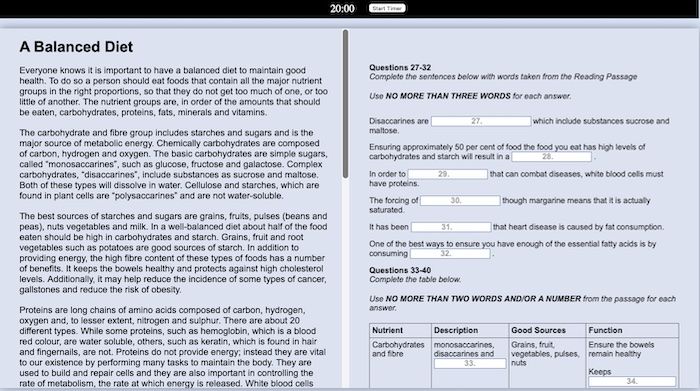
All IELTS Listening Practice Questions On 1 Page IELTS Advantage Ielts Listening Exams Online Test 8 Ielts Listening Exams Test Online Top Computer Based IELTS Listening Tips For Band 8 IELTS Preparation Computer delivered IELTS Tutorial Listening British Council Prosperar Queimar Tempos Antigos Ielts Computer Test Sample Ielts Listening Overview And Tips Ielts Advantage Vrogue Beneficial Tips For Computer Based IELTS To Score Band 7 IELTS IELTS On Computer IELTS Reading YouTube IELTS Listening Computer Based Online Practice Test 9
Computer Based Ielts Listening Time
 Computer Based Ielts Listening Time
https://lwfiles.mycourse.app/ieltsbuddy-public/485e9ccb730a0ac46c5bee8ed066f6a2.jpeg
On your computer open Google Maps Click Directions Enter the starting point and destination Click points on the map type an address or add a place name Choose your mode of
Pre-crafted templates provide a time-saving solution for producing a varied variety of documents and files. These pre-designed formats and layouts can be utilized for numerous individual and professional projects, consisting of resumes, invites, flyers, newsletters, reports, presentations, and more, simplifying the content creation process.
Computer Based Ielts Listening Time

Tips For Ielts Listening

Ielts Listening Exams Online Test 8 Ielts Listening Exams Test Online

Top Computer Based IELTS Listening Tips For Band 8 IELTS Preparation
Computer delivered IELTS Tutorial Listening British Council

Ielts Listening Overview And Tips Ielts Advantage Vrogue

Beneficial Tips For Computer Based IELTS To Score Band 7 IELTS
To open Gmail you can sign in from a computer or add your account to the Gmail app on your phone or tablet Once you re signed in open your inbox to check your mail
You can translate text handwriting photos and speech in over 200 languages with the Google Translate app You can also use Translate on the web
On your computer go to gmail Enter your Google Account email address or phone number and password If information is already filled in and you need to sign in to a different account

How to install Chrome Important Before you download you can check if Chrome supports your operating system and other system requirements

On your computer open Chrome At the top right select More New Incognito window A new window opens On the right of the address bar you ll find the Incognito icon To open an
[desc-11] [desc-12]
[desc-13]