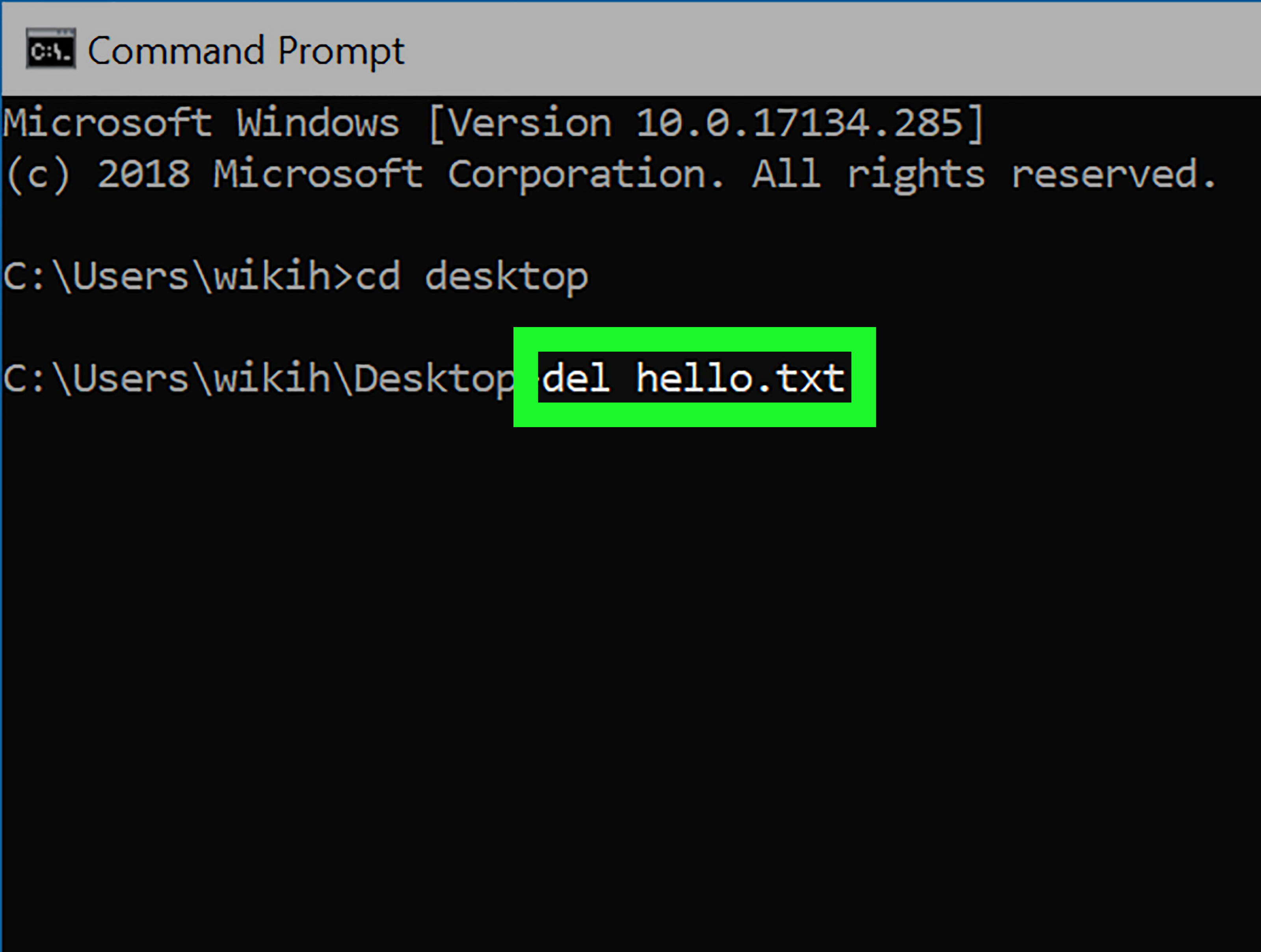
Command To Delete Folder And All Contents How To Create And Delete Files And Directories From Windows Command Prompt CMD Delete Folder Delete Files And Folders Using Command Line Cmd Delete Folder How To Remove Files And Folders In Windows How To Delete Files Folders Using The Windows Command Line CMD Cmd Delete Folder How To Remove Files And Folders In Windows Use either of the following commands to do so Tip Use the Tab button to automatically complete paths and file folder names Del File FolderName Erase File FolderName Replace File FolderName with the name of the item you wish to remove Here is an example of us removing files from the working directory
Before we hit the big red delete button it s essential that we first navigate to the file or folder s location using the command prompt Here s how The command line interface by default starts at a folder named after your computer s username C Users Username Type the following command to delete an empty folder and press Enter rmdir PATH TO FOLDER NAME In the command replace PATH TO FOLDER NAME with the folder path and the folder name you want to delete This example removes the files folder rmdir C files
Cmd Delete Folder How To Remove Files And Folders In Windows 01 Windows CMD Tutorial How To Delete Folder Using Command Line In PowerShell Delete File Or Folder Over 20 Examples Itechguides How To Delete Folder Using Cmd In Windows YouTube How To Delete File And Folder In Command Line Techulk 4 Ways To Create And Delete Files And Directories From Windows Command 4 Ways To Create And Delete Files And Directories From Windows Command Delete Folder In Windows 10 Tutorials How To Delete Large Folder Extremely Fast On Windows 10 Pureinfotech
Command To Delete Folder And All Contents
 Command To Delete Folder And All Contents
https://tipsmake.com/data/thumbs/how-to-create-and-delete-files-and-directories-from-windows-command-prompt-thumb-aNNFC5JuX.jpg
1 Delete the desired file When the CMD window opens navigate to the folder where the file is available You will have to use the cd or change directory command Then use the
Pre-crafted templates provide a time-saving service for developing a varied variety of files and files. These pre-designed formats and designs can be made use of for various personal and professional jobs, including resumes, invites, flyers, newsletters, reports, presentations, and more, simplifying the content development procedure.
Command To Delete Folder And All Contents
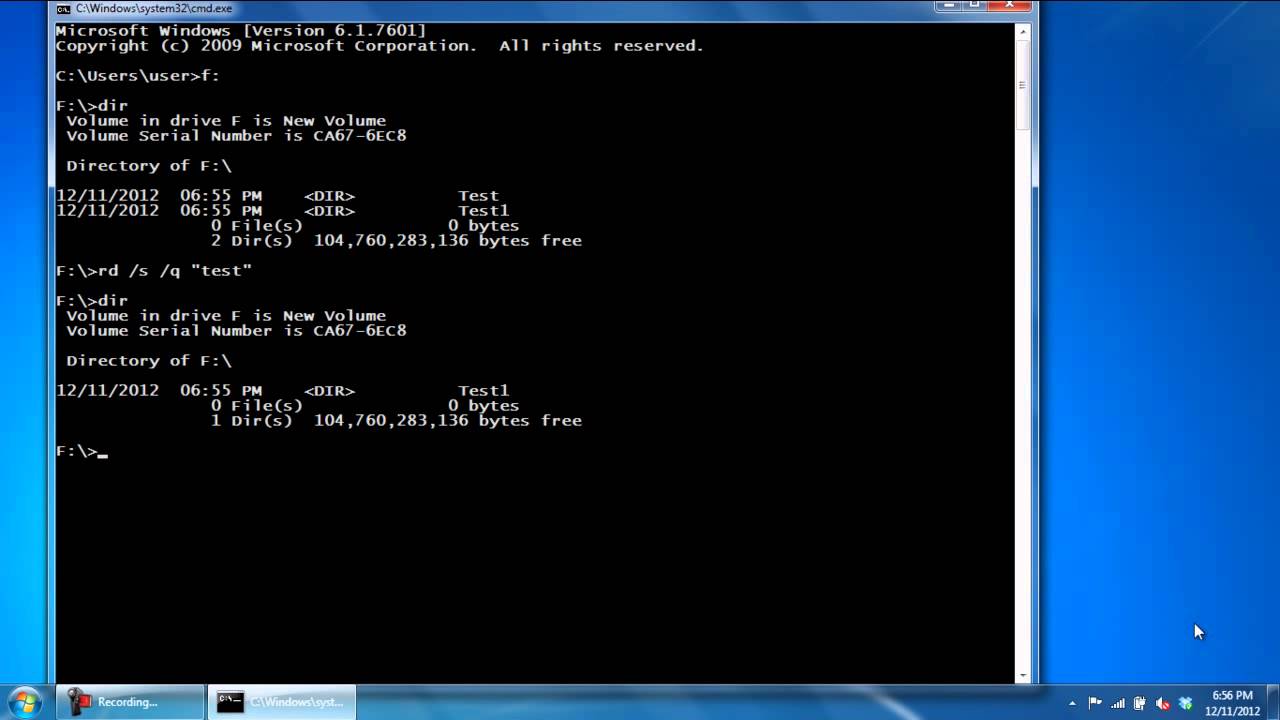
How To Delete Folder From Command Prompt In Windows 7 YouTube

01 Windows CMD Tutorial How To Delete Folder Using Command Line In

PowerShell Delete File Or Folder Over 20 Examples Itechguides
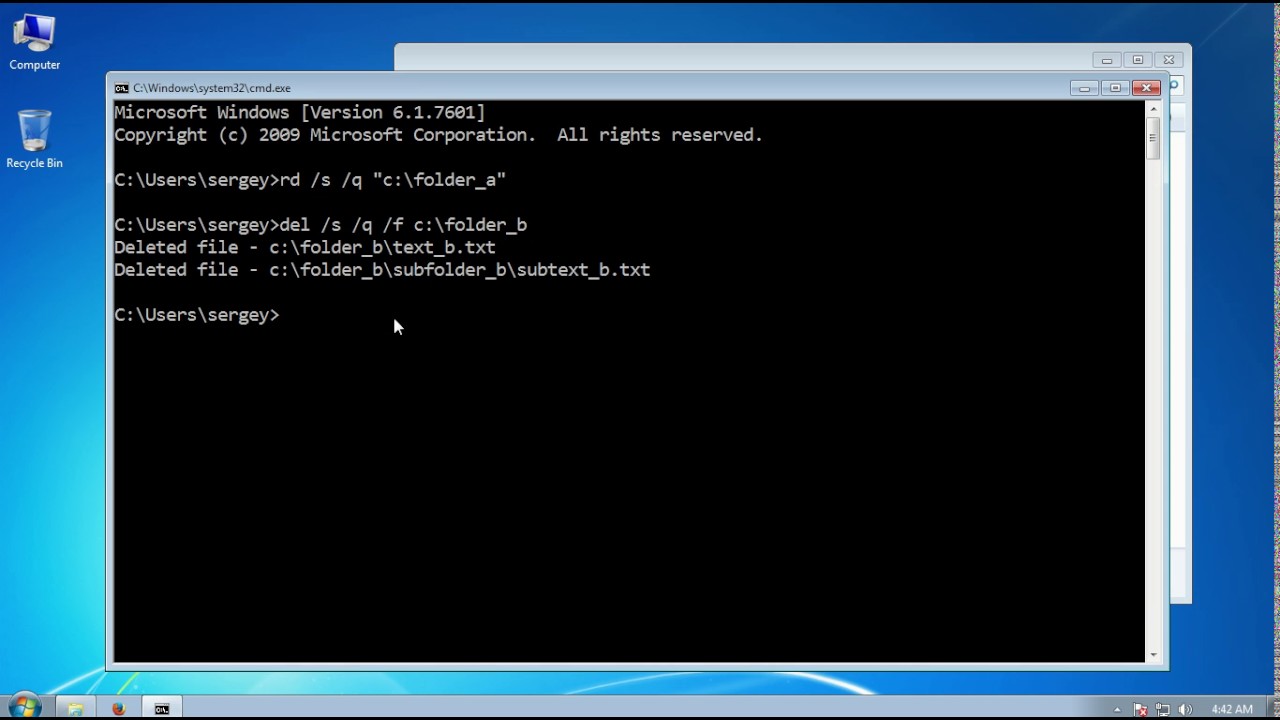
How To Delete Folder Using Cmd In Windows YouTube

4 Ways To Create And Delete Files And Directories From Windows Command

4 Ways To Create And Delete Files And Directories From Windows Command
19 Answers Sorted by Reset to default This answer is useful

To delete directories folders you ll need to use the rmdir or rd command Both commands work the same way but let s stick with rmdir since it s a bit more expressive Also I ll use the terms directory and folder interchangeably for the rest of the tutorial

16 Answers Sorted by 436 rmdir is my all time favorite command for the job It works for deleting huge files and folders with subfolders A backup is not created so make sure that you have copied your files safely before running this command
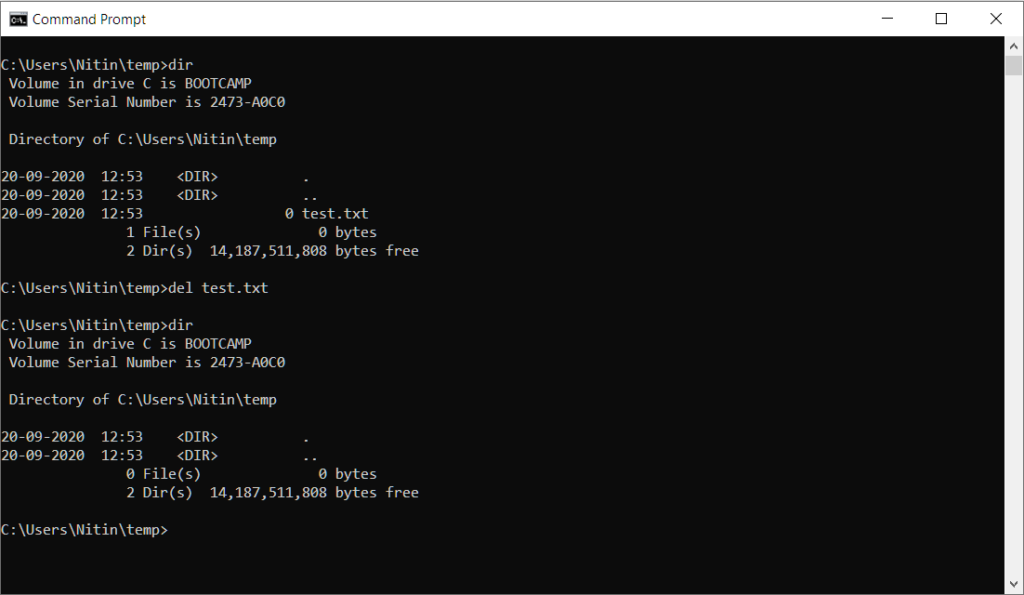
Use s option to delete the folder contents along with the folder This deletes all subfolders recursively C rmdir S nonemptydir nonemptydir Are you sure Y N y C Force delete a folder without confirmation To force delete directory without being asked for confirmation we can use Q switch rmdir Q S nonemptydir

If the folder is empty i e it has no files or folders inside it use the below command rd C path to folder To delete a folder with files and sub folders use the below command rd s q C path to folder As soon as you execute the command the Command Prompt will delete the folder You will not see any confirmation message
Search for Command Prompt right click the top result and select the Run as administrator option Type the following command to remove an empty folder and press Enter rmdir PATH TO FOLDER NAME In the command replace PATH TO FOLDER NAME with the folder path and the folder name to delete This example removes the files folder 3 Answers Sorted by 328 The following command will do it for you Use caution though if this isn t your intention as this also removes files in the directory and subdirectories rm rf directoryname Share Improve this answer Follow edited May 5 2022 at 16 19 answered Aug 17 2012 at 1 16 Phillip Nordwall 3 511 1 15 6 72
The solution is to use Windows PowerShell to obtain the folders to delete and then use the ForEach Object cmdlet to call the method The code to do this is shown here dir C test foreach io directory delete fullname The use of the command and the associated output are shown in the image that follows