Command To Check Linux Version Centos How To Check Linux Version How To Check Linux OS Version 2 Steps with Pictures WikiHow Linux Version How To Check Your Linux Version IONOS What Are The Differences Between IOS And MacOS Systran Box Easy Ways To Check Linux Version 10 Steps with Pictures Web Jun 6 2018 nbsp 0183 32 1 Using RPM Command RPM Red Hat Package Manager is a popular and core package management utility for Red Hat based systems like RHEL CentOS and Fedora using this rpm command you will
Web Feb 12 2023 nbsp 0183 32 To check your CentOS version use the following command cat etc os release The output of this command displays the contents of the etc os release file Look for the VERSION ID field Web Feb 5 2018 nbsp 0183 32 The most reliable way of finding MAJOR version of CentOS 5 or 6 etc is rpm q queryformat VERSION centos release 6 For RHEL do this rpm q
Easy Ways To Check Linux Version 10 Steps with Pictures How To Check What Version Of Linux You Have Installed Systran Box C mo Verificar La Versi n Del Kernel En Linux Linuxteaching 4 Ways To Check CentOS Or RHEL Version How To Check Linux Version Is 32 Or 64 Bit System Using Command Line How To Get Linux Version Check Linux Version Command The Different Versions Of Linux Systran Box How To Check Red Hat RHEL Version Installed PhoenixNAP How To Check Linux Version Distro YouTube
Command To Check Linux Version Centos
 Command To Check Linux Version Centos
https://i.morioh.com/200608/961a18b8.jpg
Web Oct 22 2022 nbsp 0183 32 Check CentOS Version Method 1 The simplest way to check your CentOS version is by viewing the centos release file cat etc centos release CentOS Stream
Pre-crafted templates use a time-saving option for producing a diverse range of documents and files. These pre-designed formats and layouts can be used for various personal and expert tasks, including resumes, invitations, flyers, newsletters, reports, presentations, and more, streamlining the material production procedure.
Command To Check Linux Version Centos
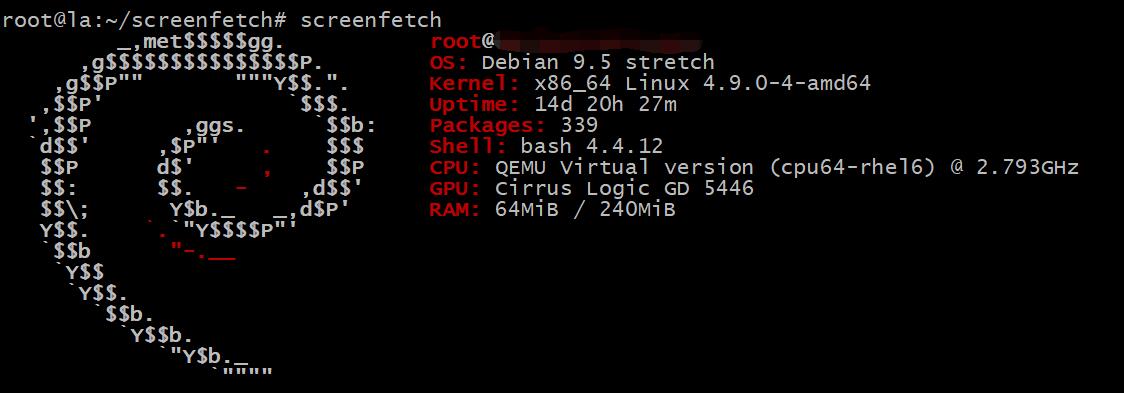
LINK How To Check Debian Linux Version

How To Check What Version Of Linux You Have Installed Systran Box

C mo Verificar La Versi n Del Kernel En Linux Linuxteaching
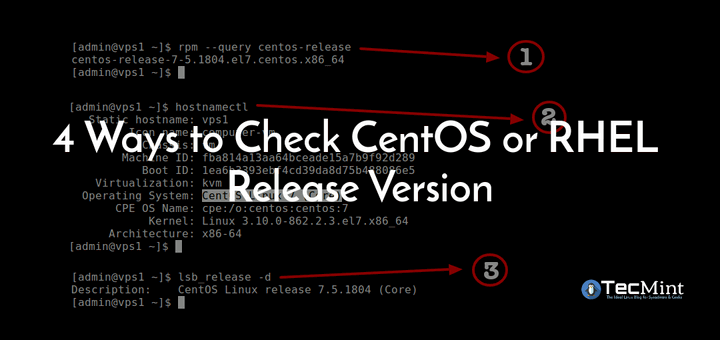
4 Ways To Check CentOS Or RHEL Version

How To Get Linux Version Check Linux Version Command

The Different Versions Of Linux Systran Box
Web May 13 2023 nbsp 0183 32 There are several ways on how to check what version of CentOS is running on your system The simplest way to check for the CentOS version number is to

Web Aug 28 2019 nbsp 0183 32 Check CentOS version from the Command Line Alternative methods to check CentOS version Check CentOS version
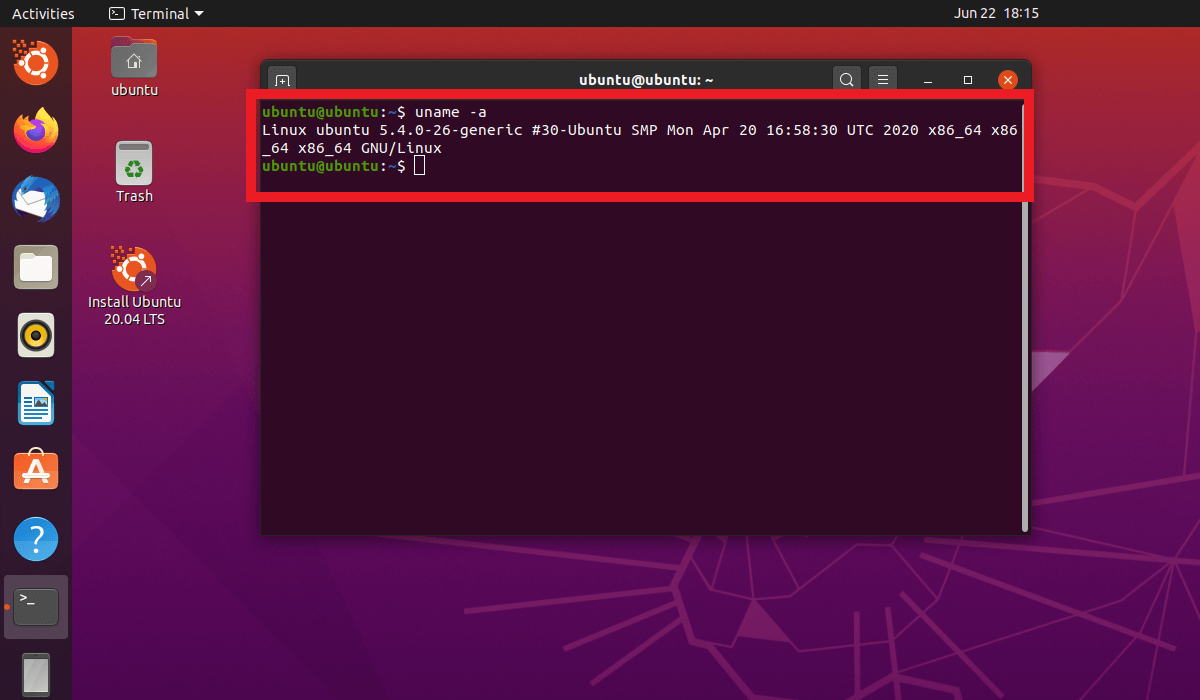
Web Nov 14 2020 nbsp 0183 32 uname command The uname command displays several system information including the Linux kernel architecture name version and release To find

Web May 1 2022 nbsp 0183 32 Check Linux version from etc os release The best way to check Linux version is using cat etc os release command This command will list Linux distribution

Web Dec 10 2018 nbsp 0183 32 There are many ways to confirm your Linux kernel version like uname command greys s5 uname r 3 10 0 693 11 6 el7 x86 64 Using the kernel version number 3 10 0 693 in my example you can
Web Mar 29 2023 nbsp 0183 32 Check os version in Linux The procedure to find os name and version on Linux Open the terminal application bash shell For remote server login using the ssh ssh user server name Type any one Web The hostnamectl command has returned a very long result but the version relevant information is Operating System CentOS Linux 8 This method is not recommended
Web Using cat command we can easily read the content of the file So open the terminal and execute the following command cat etc centos release Output will be similar to below