Command Prompt Delete Folder And Contents Changing The Drive And Directory In Command Prompt Delete Folder Prompts Command PowerShell Copy Item Examples SPGuides How To Delete File And Folder In Command Line Techulk How To Create Open And Delete A Folder Using Command Prompt Linux Remove Directory And Contents How Does It Works With Examples 1 Delete the desired file When the CMD window opens navigate to the folder where the file is available You will have to use the cd or change directory command Then use the
Type the following command to delete a folder with content recursively without a confirmation prompt and press Enter rmdir s q PATH TO FOLDER NAME This example removes the files folder subfolders and files without prompting for confirmation rmdir s q C files Use Command Prompt to Remove Write Protecion One quick way to force delete a folder is to use Command Prompt You can run a command from this tool that deletes your selected folder To do that first open your Start menu and search for Command Prompt Then on the right pane click Run as Administrator
Linux Remove Directory And Contents How Does It Works With Examples CMD Delete Folder Delete Files And Folders Using Command Line Best Command Line Tool To Delete Large Folder On Windows Kombitz How To Delete Folder Using Cmd In Windows YouTube Macesna Za eti Kapilare Linux Remove All Files In Folder Posilstvo Kovinski La C mo Eliminar Archivos Y Carpetas Usando El S mbolo Del Sistema En Windows 10 Vocal Remover Fozballs Blog Zip Folder Windows 10 Command Line Hypelop Top 5 Ways To Fix The Local Device Name Is Already In Use Error On Windows 10
Command Prompt Delete Folder And Contents
 Command Prompt Delete Folder And Contents
https://i.pinimg.com/originals/32/6b/44/326b44727cdb1ef614cbb380415b5763.png
Use s option to delete the folder contents along with the folder This deletes all subfolders recursively C rmdir S nonemptydir nonemptydir Are you sure Y N y C Force delete a folder without confirmation To force delete directory without being asked for confirmation we can use Q switch rmdir Q S nonemptydir
Pre-crafted templates provide a time-saving solution for developing a varied variety of documents and files. These pre-designed formats and designs can be used for numerous personal and expert tasks, consisting of resumes, invitations, leaflets, newsletters, reports, presentations, and more, simplifying the content creation procedure.
Command Prompt Delete Folder And Contents
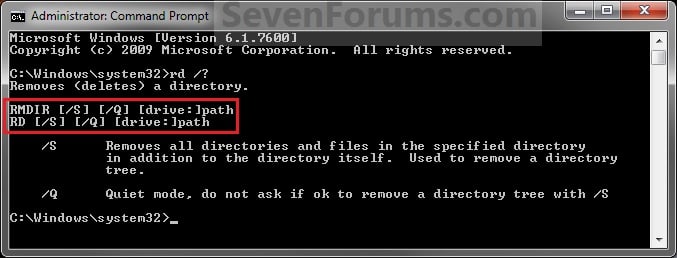
Folder Delete From Command Prompt Tutorials
CMD Delete Folder Delete Files And Folders Using Command Line
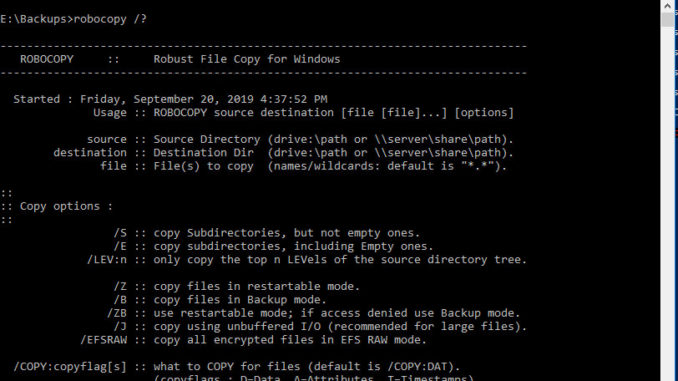
Best Command Line Tool To Delete Large Folder On Windows Kombitz
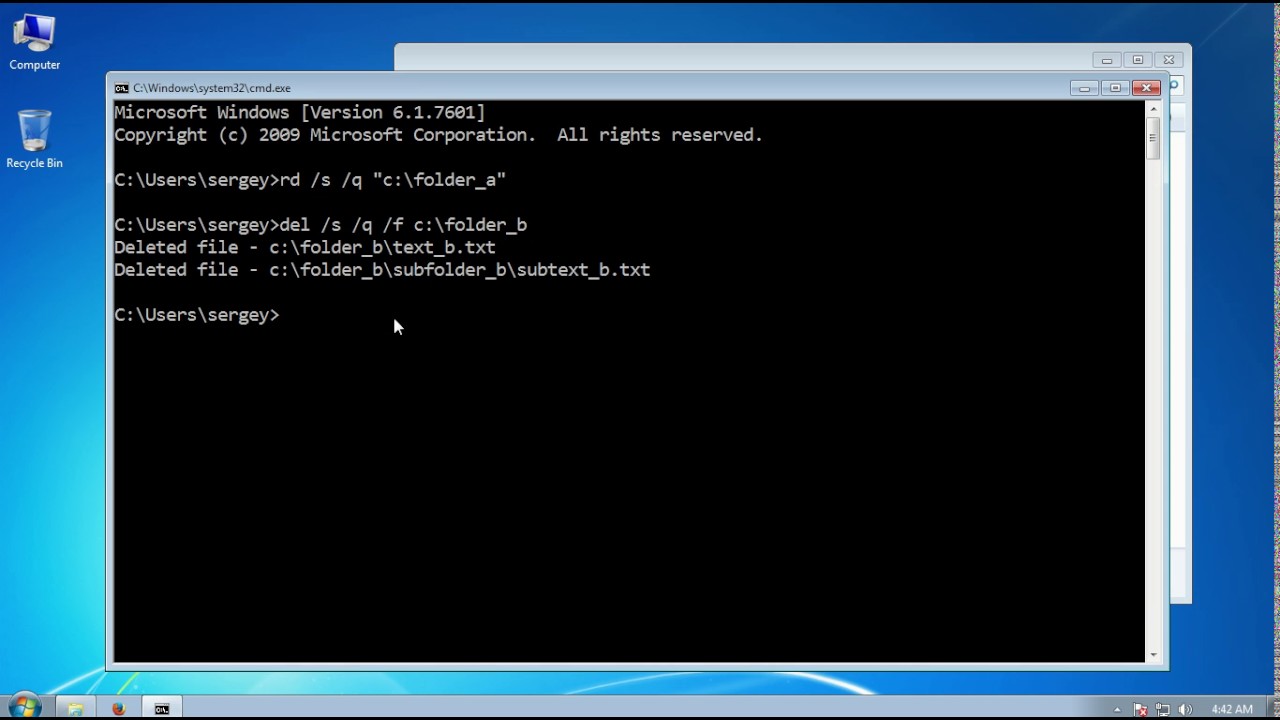
How To Delete Folder Using Cmd In Windows YouTube

C mo Eliminar Archivos Y Carpetas Usando El S mbolo Del Sistema En Windows 10 Vocal Remover
Fozballs Blog

To open Command Prompt press the Windows key and type in cmd Then click on Run as Administrator After that you ll see a Command Prompt window with administrative privileges Screenshot of Command Prompt window If you can t open Command Prompt as an administrator no worries

16 Answers Sorted by 436 rmdir is my all time favorite command for the job It works for deleting huge files and folders with subfolders

You can do this using del and the S flag to tell it to remove all files from all subdirectories del S C Path to directory Share Improve this answer

Completely delete a folder in Windows using command line Asked 11 years ago Modified 5 years 7 months ago Viewed 390k times 67 I need to delete one folder containing other folders and files inside I tried del and rmdir commands but sometimes they fail with some error lines PATH The directory isn t empty Is there any good alternative windows

Type the following command to delete the folder and subfolders with contents and press Enter rmdir s PATH TO FOLDER NAME This example removes the files folder subfolders and files rmdir s C files Type the following command to delete a folder with content recursively without a confirmation prompt and press Enter
The faster way is to delete the folder from the windows command prompt To delete a directory or folder and all it s contents from the command prompt Step 1 Open an Elevated Command Prompt Windows 7 Click Start click All Programs and then click Accessories Right click Command prompt and then click Run as administrator The del command is a Command Prompt command used to delete files Various command options are available so that you can remove files that have a certain file extension delete every file in a folder get rid of only the files with certain file attributes and more
If the folder is empty i e it has no files or folders inside it use the below command rd C path to folder To delete a folder with files and sub folders use the below command rd s q C path to folder As soon as you execute the command the Command Prompt will delete the folder You will not see any confirmation message