Command Line Disable Wifi Adapter How To Enable Or Disable Wifi Adapter Using CMD All Tips Tricks Disable Wifi Adapter Warning 4 Solutions YouTube How To Disable And Enable Wi Fi Adapter By Command Prompt In Windows 10 How To Disable WiFi Or Ethernet Network Adapter In Windows 11 YouTube How To Disable enable Wi fi Using Command Prompt YouTube Make sure you choose the correct one and not one for a VPN or virtual machine Right click the ethernet or WiFi adapter and click Disable accepting the administrator prompt if required To
Method 1 Using WMIC To use the WMIC command in the command prompt we need to identify the correct index number of the required network interface which we ll then use to enable or disable Here are the steps required to disable WiFi in Windows 10 with Command Prompt or Powershell 1 Disable WiFi Using Command Prompt Firstly go to the Search option in Windows 10 and search for Command Prompt Then open the Command Prompt app and tap on the Run as Administrator option to start CMD with administrator privilege Opening CMD
How To Disable enable Wi fi Using Command Prompt YouTube How To Enable disable Ethernet Network Adapter From Command Line Jinu How To Disable Windows Firewall With Command Line TechWiser Exporting Game Files TimberAPI Disable Enable Command Prompt How To Disable Built In Wifi On Fedora GNU Linux Disabling PC Network Settings In Total Control Network Troubleshooting Can t Change Network Adapter Settings Without Admin Rights Windows 10 Wondershare Video Converter Ultimate 8 4 Ionnimfa
Command Line Disable Wifi Adapter
 Command Line Disable Wifi Adapter
https://i.ytimg.com/vi/kUbvroQO5OM/maxresdefault.jpg
In today s article we will look at how to disable or enable the network adapter network connection in Windows in various ways 4 Steps total Step 1 Open a command prompt Open a command prompt as an administrator one way is to enter cmd in the search bar and right click on the result found select Run as administrator Step 2 Type wmic
Pre-crafted templates use a time-saving option for developing a varied series of files and files. These pre-designed formats and layouts can be utilized for various individual and expert projects, consisting of resumes, invitations, leaflets, newsletters, reports, discussions, and more, simplifying the material development process.
Command Line Disable Wifi Adapter

How To Disable Or Enable Wi Fi Adapter In Windows 10 TechHow

How To Enable disable Ethernet Network Adapter From Command Line Jinu
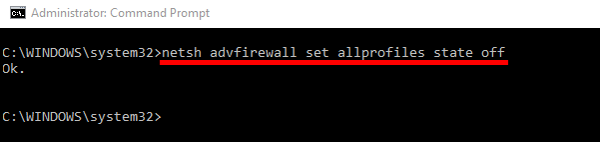
How To Disable Windows Firewall With Command Line TechWiser

Exporting Game Files TimberAPI
How To Disable Built In Wifi On Fedora GNU Linux Disabling

PC Network Settings In Total Control Network Troubleshooting Can t

Firstly open the Searchoption of Windows 10 and search for Command Prompt Then go to Command Promptapp and click on the Run as Administratoroption to open CMD with administrator privilege

To disable a network adapter using Control Panel use these steps Open Settings Click on Network Security Click on Status Quick tip You can also quickly access these settings by

Run the below netsh command to turn on Wifi connection from command line netsh interface set interface name Wireless Network Connection admin ENABLED How to disconnect Wifi connection If you don t want to disable WiFi interface on your computer but only disconnect from a specific WiFi network then run the below command netsh wlan disconnect
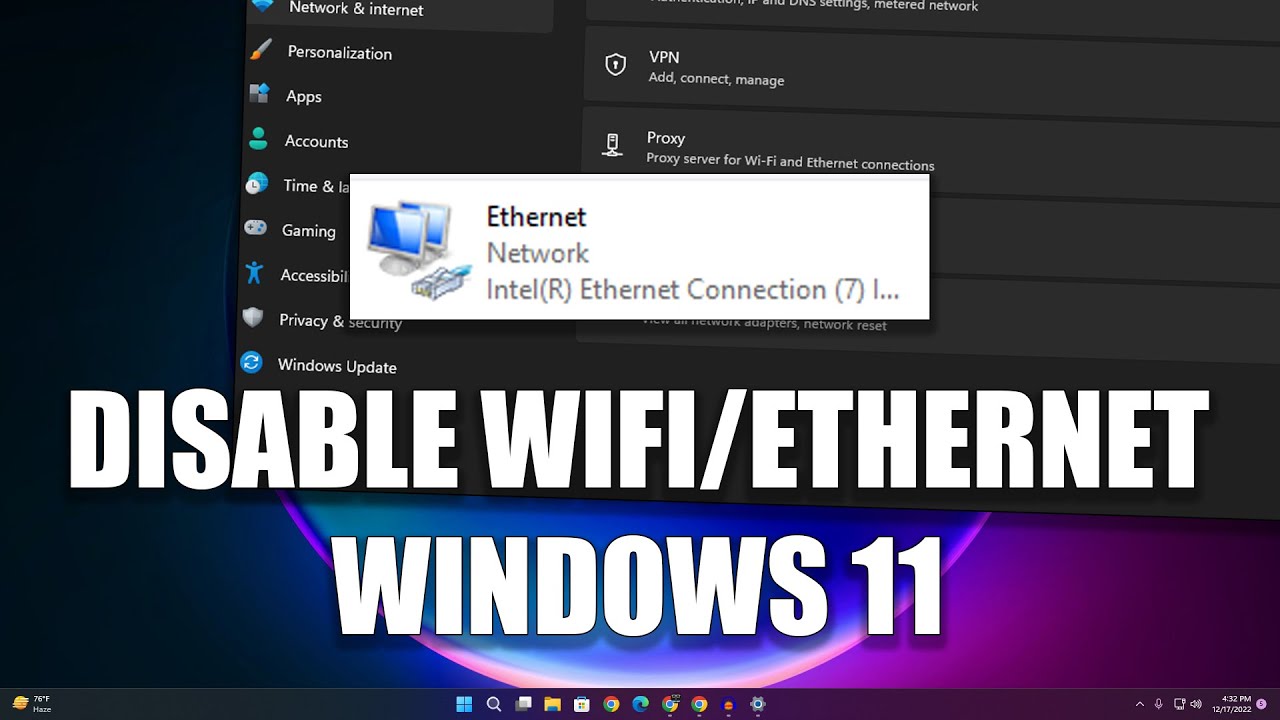
To disable Wi Fi on Windows 11 click or tap on the button s left hand side If the button doesn t have your Windows 11 accent color and the only thing written under it is Wi Fi then your wireless card is disabled To enable Wi Fi on Windows 11 click on the left hand side of the Wi Fi button

Open Start Search for Command Prompt right click the top result and select the Run as administrator option Type the following command to view the wireless network profiles saved on your
06 Mar 2020 How to Enable or Disable Network Adapters in Windows A network adapter is a computer hardware component that connects a computer to a computer network known as a network connection This tutorial will show you different ways to enable or disable a network adapter NIC or network connections in Windows 7 Windows 8 and Windows 10 Open a command prompt as an administrator one way is to enter cmd in the search bar and right click on the found command line select Run as administrator Type netsh interface show interface and press Enter Remember the interface name of the network adapter you want to disable or enable
Open Windows Search Press Win S and type network connections in the search box Click on the View network connections item In the Network Connection folder right click on the network adapter you want to disable and select Disable from the context menu This will turn off the selected network connection Its icon turns gray