Colour Code Names In Outlook Change Outlook Format Hot Sex Picture List Of Colors With Color Names Graf1x How To Reset Outlook Folder Names With Resetfoldernames LazyAdmin How To Copy All Attachments Names In Outlook Emails YouTube How To Reset Outlook Folder Names With Resetfoldernames LazyAdmin To color code emails in Outlook by the sender follow the steps below Launch Outlook Click View View Settings In the Advanced view settings dialog box select Conditional Formatting In
The built in color categories include blue orange purple red yellow and green To add an existing contact to one of these categories Click People If you see icons instead of words you can click the People icon or use Color Code your Emails Calendar or Tasks automatically with Conditional Formatting HowTo Outlook The Conditional Formatting feature in Outlook allows you to get organized by automatically color
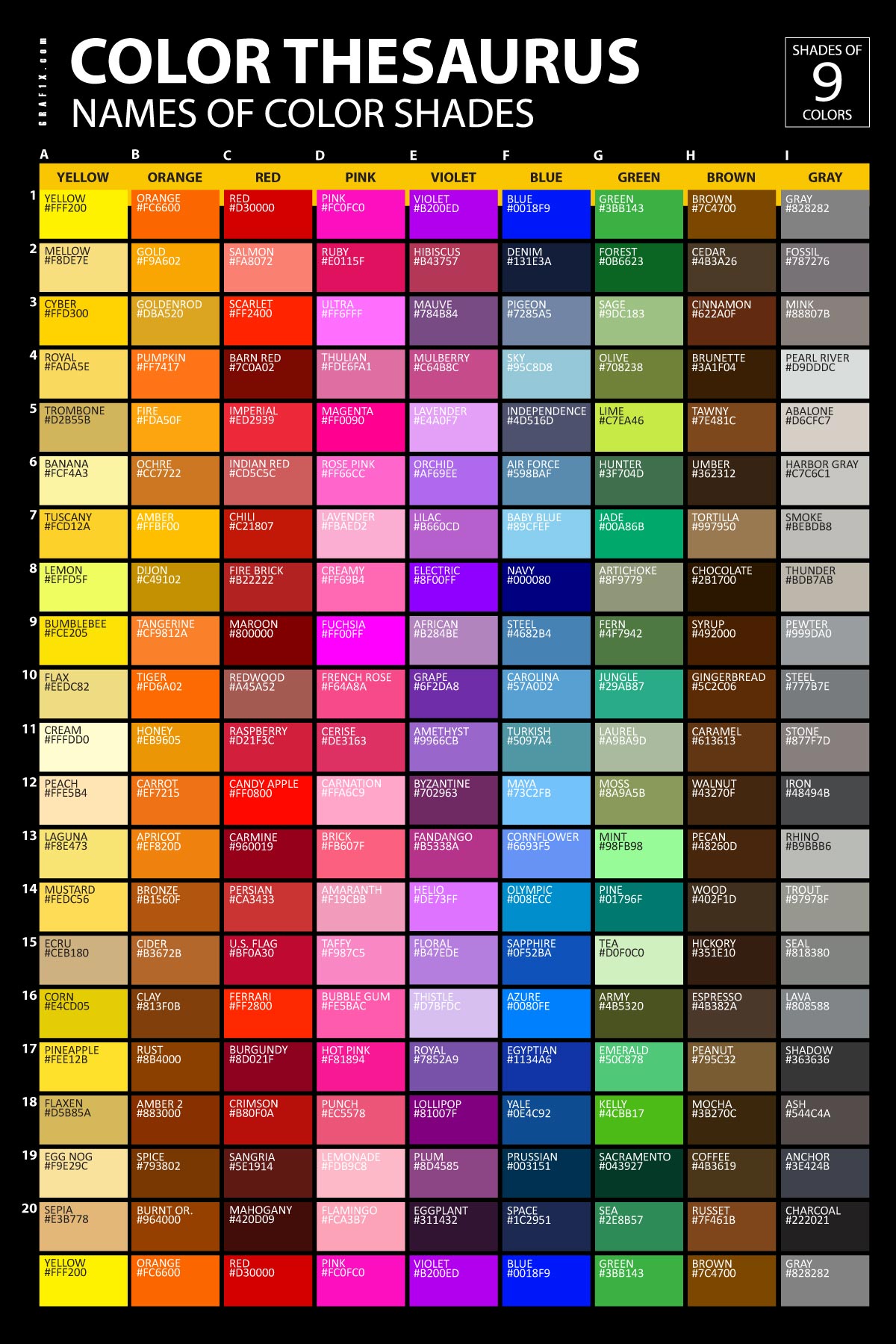
How To Reset Outlook Folder Names With Resetfoldernames LazyAdmin How To Change View Settings In Outlook Email Printable Forms Free Online Hide Meeting Names In Outlook Design Talk Pin On Free Printables How To Reset Outlook Folder Names With Resetfoldernames LazyAdmin Microsoft Is Killing Custom Domain Names In Outlook BigTechWire 99 Shades Of Red Color With Names HEX RGB CMYK Colors Explained How To Show Folder Name In Outlook Search Printable Forms Free Online Outlook Calendar Freebusy Colour Scheme Prntbl
Colour Code Names In Outlook
 Colour Code Names In Outlook
https://static4.businessinsider.com/image/5f0caac91918240b481b01da-1920/howtochangedisplaynameinoutlook-2.png
Make Important Email Standout in Outlook with Color Coding by Suzanne Kantra on January 17 2022 To make sure emails from important contacts stand out and do not go unnoticed you can set
Templates are pre-designed documents or files that can be utilized for different functions. They can save time and effort by offering a ready-made format and layout for creating different type of material. Templates can be used for personal or expert projects, such as resumes, invites, flyers, newsletters, reports, discussions, and more.
Colour Code Names In Outlook

Sonce Nos Office Microsoft 365

How To Change View Settings In Outlook Email Printable Forms Free Online

Hide Meeting Names In Outlook Design Talk

Pin On Free Printables

Microsoft Is Killing Custom Domain Names In Outlook BigTechWire

99 Shades Of Red Color With Names HEX RGB CMYK Colors Explained

In the Name list type the new name for the color category To automatically assign the color category that you are renaming to items that are selected in the main Outlook window select the check box next to
Color messages sent only to you From any email folder select View View Settings Conditional Formatting In the Conditional Formatting dialog box click Add Type a name for your rule name in the Name box and

Outlook conditional formatting color code emails calendar and tasks by Alexander Frolov updated on March 27 2024 Struggling to keep your Outlook inbox

Step 1 In the Conditional Formatting window select your color code rule and click on Condition Step 2 Type the email address you

In this guide we will show you how to color code your emails in all Outlook versions to help ease your categorization process How do I color code an email sent to
1 Open Outlook and click on an email from your Manager or someone else important 2 Click Using Colors Tab and verify the remaining settings To or From This quick tutorial shows you how to categorize email in Outlook to help you save time and get organized Quickly find color coded emails that correspond wi
SeekingColorCode Created on September 14 2023 How to color code emails in Outlook without using category flags or conditional formatting Is there any