Color Management Default Settings The Tutorial Of The Month Default Application wide And Document level How To Use Zygomatic Color s Profile In Photoshop Windows Zygomatic SURPRISE Missing Profile CorelDRAW Graphics Suite X7 CorelDRAW How To Set Up Ideal Color Management Settings For Adobe Software 9 2 Default Colors Web Jul 16 2023 nbsp 0183 32 To reset the color profile to the default settings use these steps Open Start Search for Color Management and click the top result to open the app Click the Devices tab Click the Profile button
Web Feb 23 2023 nbsp 0183 32 By default Windows automatically sets a default color profile for the devices that is suitable in most cases But for example if you feel that the color representation looks odd or Web Mar 17 2022 nbsp 0183 32 You do this by clicking on Edit in the main menu and choosing Color Settings In all three software programs this will open a window that shows you the default working space and color management policies The default for RGB is sRGB and CMYK is set to U S Web Coated SWOP
9 2 Default Colors Configura es Padr o De Gerenciamento De Cores Do Windows 10 Naneedigital C mo Restablecer La Configuraci n Predeterminada De Color De Tu A Full Guide On Windows 10 Color Management Color And Appearance Change In Windows 10 Windows 10 Tutorials Windows Color Management YouTube What Is The Default For The Color Management Option Solved Windows 7 Settings AA Team Documentation Center How To Set The Taskbar To A Lighter Color In Windows 10 Windows 10
Color Management Default Settings
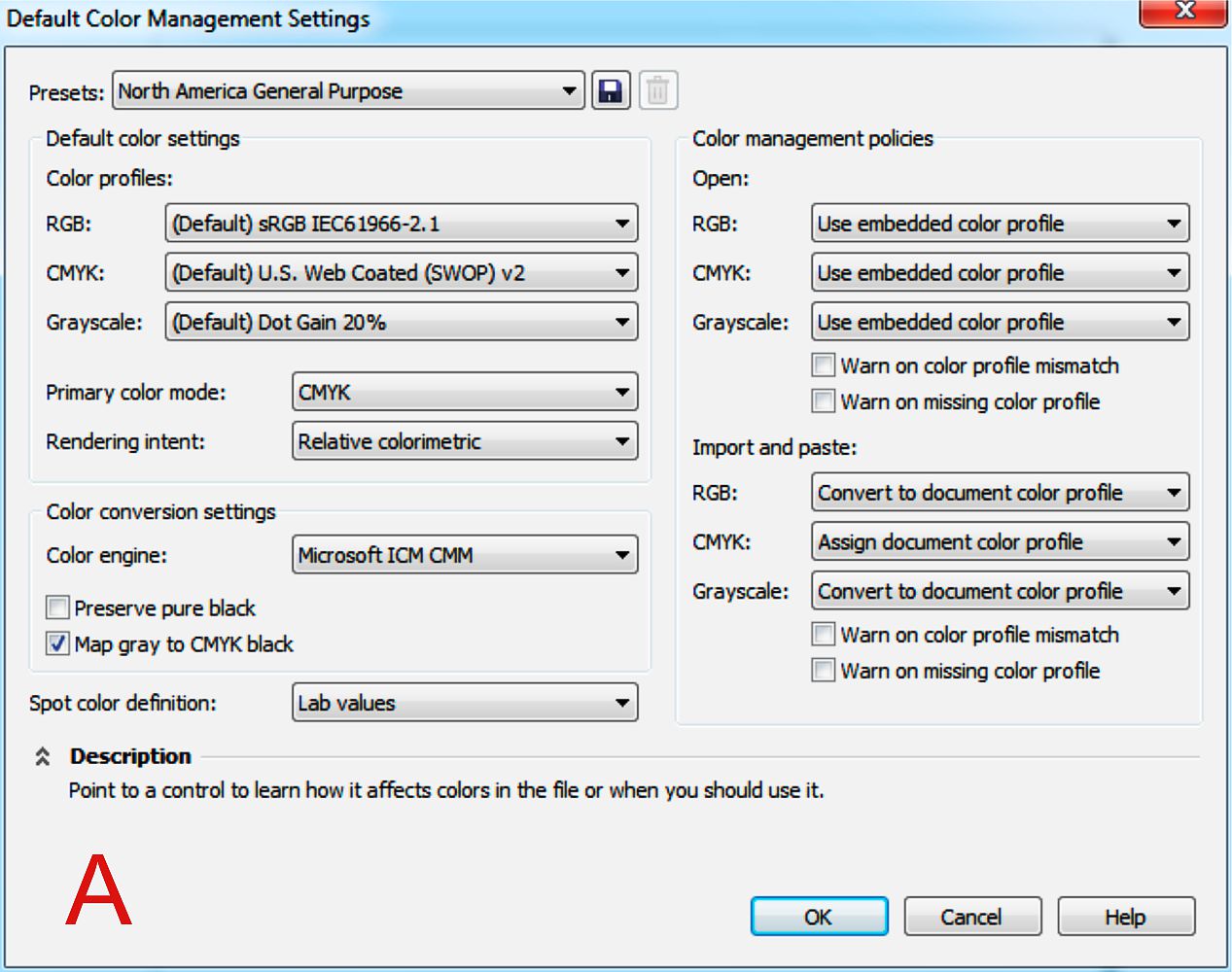 Color Management Default Settings
http://community.coreldraw.com/cfs-file.ashx/__key/CommunityServer.Blogs.Components.WeblogFiles/coreldraw/3364.colormanagement_5F00_tutorial_5F00_web.jpg
Web Jan 12 2022 nbsp 0183 32 If you want to use color management you need to perform the following tasks Set up color management by embedding a color profile and using device profiles when scanning or printing See Set up color management Calibrate and profile your computer monitor If you use an LCD monitor use the profile that came with your monitor
Pre-crafted templates provide a time-saving solution for producing a diverse series of files and files. These pre-designed formats and layouts can be utilized for different individual and expert jobs, consisting of resumes, invites, flyers, newsletters, reports, discussions, and more, improving the content production process.
Color Management Default Settings

How To Change Color Settings In Windows With Screenshots My XXX Hot Girl
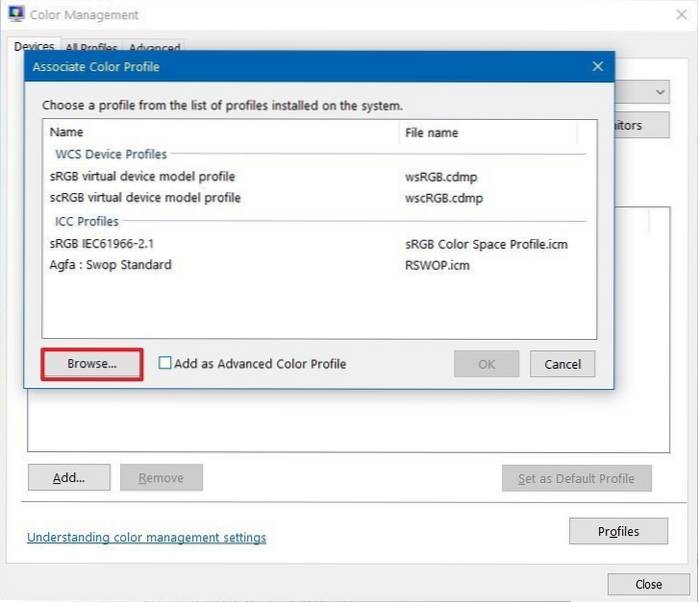
Configura es Padr o De Gerenciamento De Cores Do Windows 10 Naneedigital

C mo Restablecer La Configuraci n Predeterminada De Color De Tu
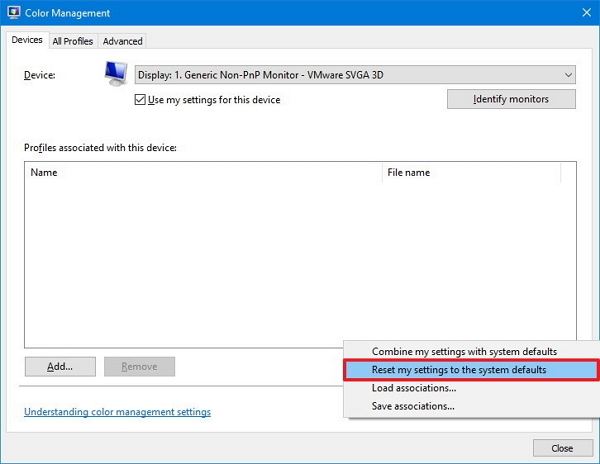
A Full Guide On Windows 10 Color Management

Windows Color Management YouTube

What Is The Default For The Color Management Option Solved Windows 7

Web If you want to use this profile as the default profile for this device select it in the list and then select Set as Default Profile Here are some other color settings you can manage in Windows 10 Change your accent color Select the Start button gt Settings gt Personalization gt Colors
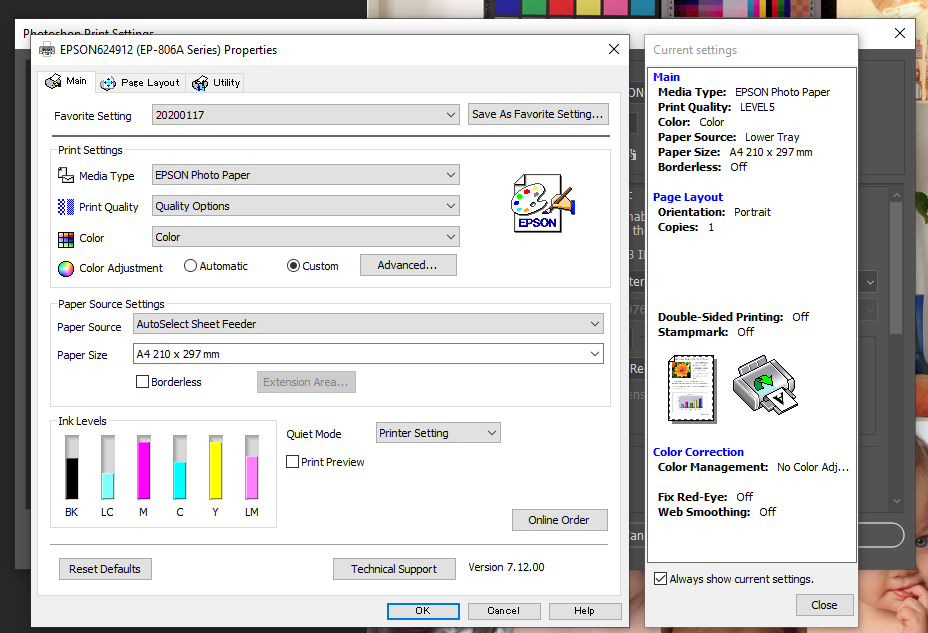
Web Here s how to determine if your display supports auto color management and then turn it on if it does Select the Start button then select Settings gt System gt Display gt Advanced display Select your display near the top then check for the following setting Automatically manage color for apps

Web Nov 9 2015 nbsp 0183 32 Color management Control Panel gt Display gt Change Display Settings gt Advanced Settings Stop Losing Display Calibration with Windows 7 Laszlo Pusztai The charts in the tool below may not be useful when using Windows Color Calibration without direct monitor adjustment but I ll toss it in anyway

Web May 23 2023 nbsp 0183 32 Search for Color Management and click the top result to open the app Click the Devices tab Select the monitor to set a new color profile using the quot Device quot setting Quick tip If you have
Web I would suggest that you change all the settings in the color management to system default and check if it works a Open Color Management by clicking the Start button and then clicking Control Panel In the search box type color management and then click Color Management
[desc-11] [desc-12]
[desc-13]